LMDE 7 wont come on...

Thread Starter

Ramussons

Joined May 3, 2013
1,567
Ok, here I have an old Desktop with a AMD fx 4300 in a AsRock MB. I am running Windows 11(!).
I have Linux Mint 22.2 / LMDE 6 run in this machine with the display limited to 1024. But I'm having problems with LMDE 7. It boots up to a dark screen with an arrow pointer. I got from the web that display driver is the issue and managed to run a Live version with a "nomodeset" parameter and did an install. But the installed LMDE also ends up with a arrow on a dark screen.
I have tried playing with the GFX parameter in /etc/grub but have not succeeded. Any pointers?
Thanks.
 

sparky 1

Joined Nov 3, 2018
1,218
Using gparted in the rescue iso then make a screen shot of the disk parameters from gparted screen.
I think the debian mint system is dev/sda1 and the boot + meta data on a small partition, probably ext4 file system and a small FAT32
not to be confused with a major FAT32 file system, this small partition about 550MB allows EFI to work, it is labeled ESP.
A partition copy of the system ensures the data is saved and nothing is lost.
 
Last edited:

Thread Starter

Ramussons

Joined May 3, 2013
1,567
Using gparted in the rescue iso then make a screen shot of the disk parameters from gparted screen.
I think the debian mint system is dev/sda1 and the boot + meta data on a small partition, probably ext4 file system and a small FAT32
not to be confused with a major FAT32 file system, this small partition about 550MB allows EFI to work, it is labeled ESP.
A partition copy of the system ensures the data is saved and nothing is lost.
No sir, I am not using GPT partitioning. I am on MBR.
 

Thread Starter

Ramussons

Joined May 3, 2013
1,567
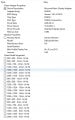
Glary's utilities gives this info, Linux query also shows the same resolutions are possible. I have not installed any proprietary driver since Linux says not required.
Mint 22.2 and LMDE 6 run with 1024x768, but LMDE 7 is stuck.
1764126937521.jpeg1764126937521.jpeg
 

hrs

Joined Jun 13, 2014
520
I don't know what that utility is saying but it looks weird. Try lspci or look in /var/log/Xorg.0.log.
> lspci -v
...
38:00.0 VGA compatible controller: Advanced Micro Devices, Inc. blablabla
...
Kernel driver in use: amdgpu
Kernel modules: amdgpu
One shot in the dark is to make a xorg.conf and make it use the vesa or nouveau driver. vesa is not optimal but it might at least work.

Second shot in the dark is you're stuck at LightDM, although I would only suspect this with the proprietary driver. Installing GDM might fix it.
 

sparky 1

Joined Nov 3, 2018
1,218
Linux can install fine under MBR dual boot, but GRUB or the bootloader can later fail due to overwrites, misconfiguration, or corruption. The OS itself is usually intact—it’s just the bootloader that needs repair. MBR is the very first 512 Bites on the disk and can only support 3 more partitions. If windows is upgraded or reinstalled the boot record get written over. This can happen installing with types of linux also. By using snapshot like timeshift you get rollback capability and nice boot time recovery however to ensure your personal files get backed up you have to configure rsync to filter exclusively those important files. In that way your snapshot gives you a freshly configured system and the exclusive Rsync has all your personal files.
To make this go faster use much faster M.2 NVMe in an enclosure with USB C rather than a slow 2.0 flash disk. It is like having a small NAS when you need it.
 
Last edited:
Top