The safest way has always been to never keep anything Microsoft at less than 10 metres away from Linux. Dual boot is asking for failures. Use one hard drive for each operative system. Keep the other drive very off.
The safest way has always been to never keep anything Microsoft at less than 10 metres away from Linux. Dual boot is asking for failures. Use one hard drive for each operative system. Keep the other drive very off.
Just an update on my new Linux experiences:
I now have Linux Mint on an ex-Win-7 laptop and on an excellent ex-XP 32 bit computer. I am thrilled with the performance of them both.
I have written very many programs, in many different programming languages over many years, but I am not really a programmer, although I learned structured programming and top down software design and how to write an executive and a detailed specification. It was all done to make test and measurement hardware do what I wanted. I don't need high speed in a computer. I just need to know that it will still do tomorrow what it did yesterday. Linux is giving me just that. I loaded "Dos Box" for fun and now I can play the games that got my interest in the 80s like Doom and Duke Nukem 3D.
I mentioned in a previous posting that HP had used their wizardry on my Win 8.1 computer to transform my laserjet printer into a DVD drive when I wasn't looking. Unfortunately, I couldn't find a driver for Linux for it. I finally managed to turn it back into a printer by deleting everything I could find that had HP in it on Win 8.1. I then downloaded a driver from a rather dubious site. It works again, at least until Windows decides it doesn't like the old driver and updates it again.
The latest stunt windows has pulled on me was to delete the USB drivers for my Arduino boards. Now my Win 8.1 and Win 10 computers will not recognize the Uno and micro boards. When I try to install them manually, Windows insists that their license has expired. Luckily I still have an older version of the Arduino isp on my XP computer, and it is as solid as a rock.
My next step is to install the latest Arduino isp on my Linux desktop.
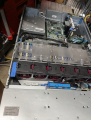
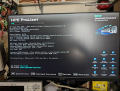
Did you order and get that HPE server? I'm replacing the old DL380 G3 with a DL380 G9. It's a netboot configuration so all I needed to do was up update the MAC address for the PXE boot.
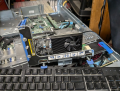
Added a GT-1030 for some decent video via HDMI.
The latest stunt windows has pulled on me was to delete the USB drivers for my Arduino boards. Now my Win 8.1 and Win 10 computers will not recognize the Uno and micro boards. When I try to install them manually, Windows insists that their license has expired. Luckily I still have an older version of the Arduino isp on my XP computer, and it is as solid as a rock.
My next step is to install the latest Arduino isp on my Linux desktop.
That WinXP computer is identical to the one I have running Linux Mint. I bought two "Emachines" around 20 years ago, one for me and one for my wife. They turned out to be the most reliable computers we have ever owned. It would be a major effort to transfer 20 years worth of stuff from the XP system to an XP system running in Linux. I think I will just keep using it as it is for as long as it manages to keep running. I have used it for developing programs in Agilent (HP) Vee; mostly quite complex industrial vibration analysis programs. I DO have everything well backed up, so if the computer does die, I can port it all over to XP in Linux. I also have many years of Arduino projects and various very useful graphics and audio programs on it.
I plan on using my Linux Mint computers to explore all the things that they will do that don't have the pifalls and limitations of Wndows. I do have "Wine" installed and I have it running several of my favorite XP applications, e.g. Paintshop Pro, Visio, etc.

 Facebook
 Google
 GitHub
 Linkedin