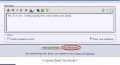
You don't have to include the attachment inline. The image will be in the attachments area as soon as you upload it. That way you don't have to go back and delete the inline attachment thumbnail afterwards.
Actually, it can be any image on the net, though I think jrap has modified things where said image gets transfered here. Using outside links is frowned on, because they have a tendency to disappear. It is the URL address that is important.
The act of attaching does put it on AACs server. Look at your profile sometime (User CP), at the bottom of the list is all the attachments you've ever uploaded.
So for me, the missing piece was using the Preview Post button. Bill, you never mentioned it, so it's either second nature for you and you overlooked mentioning it, or you somehow don't need to use it?
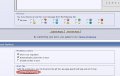
I occasionally use preview, but not normally. I've never used ATTACH, ever, I use the Go Advanced/Manage Attachments option. I've done this long enough I can see what it will look like in my head, but like I see the electronics and electron flow (I think I've mentioned I don't use simulators). If you look at the albums at AAC the IMG is available with a click.
I do use the Switch Editor Mode button frequently, so I can modify the format commands directly.
Now you've lost me again, I guess because there are multiple ways to accomplish the same thing. After I've uploaded a picture (attachment) using Manage Attachments, I used to place it into the text using the paper clip icon again. That adds the ATTACH tags and gives you an inline thumbnail. Is that what you mean you never use? I guess I never will anymore either. Because now I've learned to use the Insert Image (yellow mountain) icon and enter the URL of my uploaded attachment.

 Facebook
 Google
 GitHub
 Linkedin