importing GPIO_IOToggle example for STM32F407G

Thread Starter

Embededd

Joined Jun 4, 2025
166
Hi,

I'm just getting started with STM32. I have an STM32F407G-DISC1 Discovery board and I've installed:

  • STM32CubeIDE 2.0.0
  • STM32CubeMX

I'm trying to import the official LED blink example (GPIO_IOToggle), but I can't figure out how to do it. I don't see any example projects in CubeIDE, and I'm not sure if I'm looking in the wrong place or missing a step.

Can someone @MrChips tell me the correct way to import the official LED blink example for this board in STM32CubeIDE 2.0.0?

Thanks.
 
I'm using a Windows laptop (Windows 11)
Oh, good.

I started dabbling in STM32 about seven years ago, I soon realized that Cube was intended mainly for experienced designers to setup clocks and peripherals precisely for their chosen specific MCU variant, but not for learning or general programming and experimentation.

I use Visual Studio (I'm an experienced programmer and have worked on Windows for decades).

So I discovered VisualGDB and my progress became orders of magnitude faster than fiddling with Cube.

Visual Studio is unchallenged as a software IDE, so combining it with VisualGDB gives you a top shelf setup for experimenting with STM32.

You can literally start a new VisualGDB project in seconds, choose a starter template (like a simple blinker) specify your MCU - STM32F407G - and click "create".

You can then debug, single step, examine registers, examine peripheral registers, edit code and more, using the most advanced IDE that exists.

Look at this example, it really is this easy to get started, this is your exact board:

https://visualgdb.com/tutorials/arm/stm32/f4_discovery/

I've written quite a lot of non trivial stuff on STM32 boards, I would never have got very far just using Cube.
 

MrChips

Joined Oct 2, 2009
34,919
STM32CubeMX is integrated into STM32CubeIDE before version 2.
STM32CubeMX has been split off from STM32CubeIDE in version 2.

For version 1.19.0
Start STM32CubeIDE.
Select File> New> STM32 Project
Go to Board Selector and select your board.

For version 2.2.0,
Start with STM32CubeMX. Use the Project Manager to generate code for STM32CubeIDE.
 

Thread Starter

Embededd

Joined Jun 4, 2025
166
You don't need STM32CubeMX.
Start STM32CubeIDE.
Select File> New> STM32 Project
Go to Board Selector and select your board.

Follow this:
https://www.embeddedexplorer.com/stm32cubeide-tutorial/
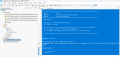
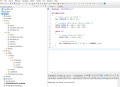
Thanks. I followed those steps and the project was created successfully. I noticed that my project doesn't contain an .ioc file. Is there an extra step required to create or associate the .ioc file with the project?

1782832022692.png

C:
/**
 ******************************************************************************
 * @file           : main.c
 * @author         : Auto-generated by STM32CubeIDE
 * @brief          : Main program body
 ******************************************************************************
 * @attention
 *
 * Copyright (c) 2026 STMicroelectronics.
 * All rights reserved.
 *
 * This software is licensed under terms that can be found in the LICENSE file
 * in the root directory of this software component.
 * If no LICENSE file comes with this software, it is provided AS-IS.
 *
 ******************************************************************************
 */

#include <stdint.h>

#if !defined(__SOFT_FP__) && defined(__ARM_FP)
  #warning "FPU is not initialized, but the project is compiling for an FPU. Please initialize the FPU before use."
#endif

int main(void)
{
    /* Loop forever */
    for(;;);
}
 

MrChips

Joined Oct 2, 2009
34,919
I have not used STM32CubeIDE in a long while and I believe I am confusing it with IAR EW which is what I normally use.
I think I did show someone here on AAC how to get started with STM32CubeIDE and I thought that CubeMX was already integrated into CubeIDE.

I am trying to get CubeIDE running so that I can guide you but I can see your problem, that is, how to link to CubeMX from CubeIDE.

I have downloaded both CubeIDE 2.2.0 and CubeMX 16.0.8. I am running WIN 10.
The interface has changed is I did this in 2019.

https://forum.allaboutcircuits.com/threads/getting-started-with-stm32f407-and-stm32cubeide.160106/

I have tried a few random things but with no results that I can give you.
From STM32CubeMX you can select the board, configure the GPIO and generate code.
You can also Start My project from Example, but I don't see a GPIO_IOToggle for that board.
(Use the Example Filters to narrow your search.)

In any case, you can select any example and Start Project. Once you get the libraries set up to use HAL you can write your own code (which is relatively straight forward). See the code example in the link above. The generated code should look something like that.

For some reason, my system has been configured to go to the IAR EW IDE. I need to correct this and get back to you.
Edit: In CubeMX, select Project Manager > Toolchain / IDE > STM32CubeIDE

Follow the steps in this link:
https://www.gollahalli.com/blog/importing-existing-project-to-stm32cubeide/
 

MrChips

Joined Oct 2, 2009
34,919
I just noticed in my 2019 thread there was an [MX] button on the menu bar. Starting with STM32CubeIDE Version 2.0.0, ST removed CubeMX from the integrated platform.

There are some videos posted about this that I will have to review.

Edit:
There is a video on STM32World, Short #12, showing how to create a CMake project.
I will look at this and report back.
 

Thread Starter

Embededd

Joined Jun 4, 2025
166
I am trying to get CubeIDE running so that I can guide you but I can see your problem, that is, how to link to CubeMX from CubeIDE.
I uninstalled the current versions of STM32CubeIDE, STM32CubeMX, and the STM32Cube FW_F4 package, and installed older versions instead. I am now using STM32CubeIDE 1.19.0, STM32CubeMX 6.15.x, and STM32Cube FW_F4 V1.28.3. After that, I created a simple LED blink project for my STM32F407G-DISC1 Discovery board, and it compiled, programmed, and ran successfully. The LED blinked as expected, so everything seems to be working correctly now.
 

Thread Starter

Embededd

Joined Jun 4, 2025
166
Now that I have the tools working, I wanted to ask how you usually develop STM32 applications.

Do you use STM32CubeMX to configure the system clock, GPIO, peripherals, and then generate the initialization code before writing your application code?

Or do you prefer configuring everything manually from scratch using register-level programming without CubeMX?

Or do you follow a mixed approach for example, using CubeMX only for the initial setup and then writing the rest of the code manually?

I'm interested in knowing which approach is commonly used by experienced STM32 developers in professional projects.

@MrChips
 
It depends on the development time available, if you have less you use CubeMX, but it generates additional code like HAL related files, if you want to optimize the code for time critical applications do manual coding, the learning curve will be very high but also useful in case of issues. It is always better to start with CubeMX get some confidence and then goto next level or stick with CubeMX.
 

MrChips

Joined Oct 2, 2009
34,919
For the sake of brevity, I will use the following shortcuts in this discussion only:
IDE = STM32CubeIDE
MX = STM32CubeMX

What I currently use, what I prefer to use, and what I would recommend new users to use are not the same things.

I have been programming STM32 since 2011. Then, IDE and MX did not exist. I believe, at that time, only Atollic, IAR, and Keil were available and free of charge. I tried all three and eventually settled on IAR, which now costs money. Fortunately, I have a perpetual license for IAR EW.

You can program STM32 MCU in assembler. In my opinion, STM32 ASM is way too complex and I would avoid that route.

Secondly, the hardware configuration of all hardware modules is very complex. I learned the hard way and used CMSIS BSP libraries for software development. I have rarely used HAL.

CMSIS = Cortex Microcontroller Software Interface Standard
BSP = Board Support Package
HAL = Hardware Abstraction Layer.

Since I have many projects already developed with IAR and CMSIS libraries, this is what I am using. I do not create everything from scratch because I can reuse working code.

For a new user, I would recommend using IDE and MX. This is a lot easier and faster. The difficult HW configuration and hard lifting is done for you and you can focus on programming the application.

I would recommend using the latest software upgrades for staying current. As we are discovering, sometimes software upgrades come with undesirable effects and defects (case in point is WIN 11). There are times when rolling back to a prior version is preferred.

So for now, use MX for HW configuration and automatic code generation.
 

MrChips

Joined Oct 2, 2009
34,919
Start a new project with STM32CubeMX
Select the demo board: STM32F407G-DISC1
Start Project
Initialize all peripherals with their default mode
Activate any other hardware features needed
Click on Project Manager, enter project name and location
Select Toolchain /IDE: STM32CubeIDE
Generate Code
Open Project
 

MrChips

Joined Oct 2, 2009
34,919
Here is the speed penalty you pay when using the HAL library.

HAL_GPIO_TogglePin(GPIOB, GPIO_PIN_12);
Measured: 300 ns HI, 600 ns period.

Writing to HW register directly:

GPIOB->ODR = 0x00001000;
GPIOB->ODR = 0;

Measured: 38 ns HI, 76 ns period

(I am assuming MCU clock is 168 MHz.)
 

Thread Starter

Embededd

Joined Jun 4, 2025
166
For a new user, I would recommend using IDE and MX. This is a lot easier and faster. The difficult HW configuration and hard lifting is done for you and you can focus on programming the application.
That's exactly the approach I followed. I installed STM32CubeIDE and CubeMX, created a simple LED blink project using the generated initialization code, and it worked on my STM32F407G-DISC1 Discovery board. It definitely made getting started much easier. Once I'm more familiar with STM32, I also plan to learn the register-level approach to better understand what's happening behind the scenes.

C:
/* USER CODE BEGIN Header */
/**
  ******************************************************************************
  * @file           : main.c
  * @brief          : Main program body
  ******************************************************************************
  * @attention
  *
  * Copyright (c) 2026 STMicroelectronics.
  * All rights reserved.
  *
  * This software is licensed under terms that can be found in the LICENSE file
  * in the root directory of this software component.
  * If no LICENSE file comes with this software, it is provided AS-IS.
  *
  ******************************************************************************
  */
/* USER CODE END Header */
/* Includes ------------------------------------------------------------------*/
#include "main.h"
#include "usb_host.h"

/* Private includes ----------------------------------------------------------*/
/* USER CODE BEGIN Includes */

/* USER CODE END Includes */

/* Private typedef -----------------------------------------------------------*/
/* USER CODE BEGIN PTD */

/* USER CODE END PTD */

/* Private define ------------------------------------------------------------*/
/* USER CODE BEGIN PD */

/* USER CODE END PD */

/* Private macro -------------------------------------------------------------*/
/* USER CODE BEGIN PM */

/* USER CODE END PM */

/* Private variables ---------------------------------------------------------*/
I2C_HandleTypeDef hi2c1;

I2S_HandleTypeDef hi2s3;

SPI_HandleTypeDef hspi1;

/* USER CODE BEGIN PV */

/* USER CODE END PV */

/* Private function prototypes -----------------------------------------------*/
void SystemClock_Config(void);
static void MX_GPIO_Init(void);
static void MX_I2C1_Init(void);
static void MX_I2S3_Init(void);
static void MX_SPI1_Init(void);
void MX_USB_HOST_Process(void);

/* USER CODE BEGIN PFP */

/* USER CODE END PFP */

/* Private user code ---------------------------------------------------------*/
/* USER CODE BEGIN 0 */

/* USER CODE END 0 */

/**
  * @brief  The application entry point.
  * @retval int
  */
int main(void)
{

  /* USER CODE BEGIN 1 */

  /* USER CODE END 1 */

  /* MCU Configuration--------------------------------------------------------*/

  /* Reset of all peripherals, Initializes the Flash interface and the Systick. */
  HAL_Init();

  /* USER CODE BEGIN Init */

  /* USER CODE END Init */

  /* Configure the system clock */
  SystemClock_Config();

  /* USER CODE BEGIN SysInit */

  /* USER CODE END SysInit */

  /* Initialize all configured peripherals */
  MX_GPIO_Init();
  MX_I2C1_Init();
  MX_I2S3_Init();
  MX_SPI1_Init();
  MX_USB_HOST_Init();
  /* USER CODE BEGIN 2 */

  /* USER CODE END 2 */

  /* Infinite loop */
  /* USER CODE BEGIN WHILE */
  while (1)
  {
    /* USER CODE END WHILE */
    MX_USB_HOST_Process();
    HAL_GPIO_TogglePin(GPIOD, GPIO_PIN_12);
    HAL_Delay(500);

    /* USER CODE BEGIN 3 */
  }
  /* USER CODE END 3 */
}

/**
  * @brief System Clock Configuration
  * @retval None
  */
void SystemClock_Config(void)
{
  RCC_OscInitTypeDef RCC_OscInitStruct = {0};
  RCC_ClkInitTypeDef RCC_ClkInitStruct = {0};

  /** Configure the main internal regulator output voltage
  */
  __HAL_RCC_PWR_CLK_ENABLE();
  __HAL_PWR_VOLTAGESCALING_CONFIG(PWR_REGULATOR_VOLTAGE_SCALE1);

  /** Initializes the RCC Oscillators according to the specified parameters
  * in the RCC_OscInitTypeDef structure.
  */
  RCC_OscInitStruct.OscillatorType = RCC_OSCILLATORTYPE_HSE;
  RCC_OscInitStruct.HSEState = RCC_HSE_ON;
  RCC_OscInitStruct.PLL.PLLState = RCC_PLL_ON;
  RCC_OscInitStruct.PLL.PLLSource = RCC_PLLSOURCE_HSE;
  RCC_OscInitStruct.PLL.PLLM = 8;
  RCC_OscInitStruct.PLL.PLLN = 336;
  RCC_OscInitStruct.PLL.PLLP = RCC_PLLP_DIV2;
  RCC_OscInitStruct.PLL.PLLQ = 7;
  if (HAL_RCC_OscConfig(&RCC_OscInitStruct) != HAL_OK)
  {
    Error_Handler();
  }

  /** Initializes the CPU, AHB and APB buses clocks
  */
  RCC_ClkInitStruct.ClockType = RCC_CLOCKTYPE_HCLK|RCC_CLOCKTYPE_SYSCLK
                              |RCC_CLOCKTYPE_PCLK1|RCC_CLOCKTYPE_PCLK2;
  RCC_ClkInitStruct.SYSCLKSource = RCC_SYSCLKSOURCE_PLLCLK;
  RCC_ClkInitStruct.AHBCLKDivider = RCC_SYSCLK_DIV1;
  RCC_ClkInitStruct.APB1CLKDivider = RCC_HCLK_DIV4;
  RCC_ClkInitStruct.APB2CLKDivider = RCC_HCLK_DIV2;

  if (HAL_RCC_ClockConfig(&RCC_ClkInitStruct, FLASH_LATENCY_5) != HAL_OK)
  {
    Error_Handler();
  }
}

/**
  * @brief I2C1 Initialization Function
  * @param None
  * @retval None
  */
static void MX_I2C1_Init(void)
{

  /* USER CODE BEGIN I2C1_Init 0 */

  /* USER CODE END I2C1_Init 0 */

  /* USER CODE BEGIN I2C1_Init 1 */

  /* USER CODE END I2C1_Init 1 */
  hi2c1.Instance = I2C1;
  hi2c1.Init.ClockSpeed = 100000;
  hi2c1.Init.DutyCycle = I2C_DUTYCYCLE_2;
  hi2c1.Init.OwnAddress1 = 0;
  hi2c1.Init.AddressingMode = I2C_ADDRESSINGMODE_7BIT;
  hi2c1.Init.DualAddressMode = I2C_DUALADDRESS_DISABLE;
  hi2c1.Init.OwnAddress2 = 0;
  hi2c1.Init.GeneralCallMode = I2C_GENERALCALL_DISABLE;
  hi2c1.Init.NoStretchMode = I2C_NOSTRETCH_DISABLE;
  if (HAL_I2C_Init(&hi2c1) != HAL_OK)
  {
    Error_Handler();
  }
  /* USER CODE BEGIN I2C1_Init 2 */

  /* USER CODE END I2C1_Init 2 */

}

/**
  * @brief I2S3 Initialization Function
  * @param None
  * @retval None
  */
static void MX_I2S3_Init(void)
{

  /* USER CODE BEGIN I2S3_Init 0 */

  /* USER CODE END I2S3_Init 0 */

  /* USER CODE BEGIN I2S3_Init 1 */

  /* USER CODE END I2S3_Init 1 */
  hi2s3.Instance = SPI3;
  hi2s3.Init.Mode = I2S_MODE_MASTER_TX;
  hi2s3.Init.Standard = I2S_STANDARD_PHILIPS;
  hi2s3.Init.DataFormat = I2S_DATAFORMAT_16B;
  hi2s3.Init.MCLKOutput = I2S_MCLKOUTPUT_ENABLE;
  hi2s3.Init.AudioFreq = I2S_AUDIOFREQ_96K;
  hi2s3.Init.CPOL = I2S_CPOL_LOW;
  hi2s3.Init.ClockSource = I2S_CLOCK_PLL;
  hi2s3.Init.FullDuplexMode = I2S_FULLDUPLEXMODE_DISABLE;
  if (HAL_I2S_Init(&hi2s3) != HAL_OK)
  {
    Error_Handler();
  }
  /* USER CODE BEGIN I2S3_Init 2 */

  /* USER CODE END I2S3_Init 2 */

}

/**
  * @brief SPI1 Initialization Function
  * @param None
  * @retval None
  */
static void MX_SPI1_Init(void)
{

  /* USER CODE BEGIN SPI1_Init 0 */

  /* USER CODE END SPI1_Init 0 */

  /* USER CODE BEGIN SPI1_Init 1 */

  /* USER CODE END SPI1_Init 1 */
  /* SPI1 parameter configuration*/
  hspi1.Instance = SPI1;
  hspi1.Init.Mode = SPI_MODE_MASTER;
  hspi1.Init.Direction = SPI_DIRECTION_2LINES;
  hspi1.Init.DataSize = SPI_DATASIZE_8BIT;
  hspi1.Init.CLKPolarity = SPI_POLARITY_LOW;
  hspi1.Init.CLKPhase = SPI_PHASE_1EDGE;
  hspi1.Init.NSS = SPI_NSS_SOFT;
  hspi1.Init.BaudRatePrescaler = SPI_BAUDRATEPRESCALER_2;
  hspi1.Init.FirstBit = SPI_FIRSTBIT_MSB;
  hspi1.Init.TIMode = SPI_TIMODE_DISABLE;
  hspi1.Init.CRCCalculation = SPI_CRCCALCULATION_DISABLE;
  hspi1.Init.CRCPolynomial = 10;
  if (HAL_SPI_Init(&hspi1) != HAL_OK)
  {
    Error_Handler();
  }
  /* USER CODE BEGIN SPI1_Init 2 */

  /* USER CODE END SPI1_Init 2 */

}

/**
  * @brief GPIO Initialization Function
  * @param None
  * @retval None
  */
static void MX_GPIO_Init(void)
{
  GPIO_InitTypeDef GPIO_InitStruct = {0};
  /* USER CODE BEGIN MX_GPIO_Init_1 */

  /* USER CODE END MX_GPIO_Init_1 */

  /* GPIO Ports Clock Enable */
  __HAL_RCC_GPIOE_CLK_ENABLE();
  __HAL_RCC_GPIOC_CLK_ENABLE();
  __HAL_RCC_GPIOH_CLK_ENABLE();
  __HAL_RCC_GPIOA_CLK_ENABLE();
  __HAL_RCC_GPIOB_CLK_ENABLE();
  __HAL_RCC_GPIOD_CLK_ENABLE();

  /*Configure GPIO pin Output Level */
  HAL_GPIO_WritePin(CS_I2C_SPI_GPIO_Port, CS_I2C_SPI_Pin, GPIO_PIN_RESET);

  /*Configure GPIO pin Output Level */
  HAL_GPIO_WritePin(OTG_FS_PowerSwitchOn_GPIO_Port, OTG_FS_PowerSwitchOn_Pin, GPIO_PIN_SET);

  /*Configure GPIO pin Output Level */
  HAL_GPIO_WritePin(GPIOD, GPIO_PIN_12|LD3_Pin|LD5_Pin|LD6_Pin
                          |Audio_RST_Pin, GPIO_PIN_RESET);

  /*Configure GPIO pin : CS_I2C_SPI_Pin */
  GPIO_InitStruct.Pin = CS_I2C_SPI_Pin;
  GPIO_InitStruct.Mode = GPIO_MODE_OUTPUT_PP;
  GPIO_InitStruct.Pull = GPIO_NOPULL;
  GPIO_InitStruct.Speed = GPIO_SPEED_FREQ_LOW;
  HAL_GPIO_Init(CS_I2C_SPI_GPIO_Port, &GPIO_InitStruct);

  /*Configure GPIO pin : OTG_FS_PowerSwitchOn_Pin */
  GPIO_InitStruct.Pin = OTG_FS_PowerSwitchOn_Pin;
  GPIO_InitStruct.Mode = GPIO_MODE_OUTPUT_PP;
  GPIO_InitStruct.Pull = GPIO_NOPULL;
  GPIO_InitStruct.Speed = GPIO_SPEED_FREQ_LOW;
  HAL_GPIO_Init(OTG_FS_PowerSwitchOn_GPIO_Port, &GPIO_InitStruct);

  /*Configure GPIO pin : PDM_OUT_Pin */
  GPIO_InitStruct.Pin = PDM_OUT_Pin;
  GPIO_InitStruct.Mode = GPIO_MODE_AF_PP;
  GPIO_InitStruct.Pull = GPIO_NOPULL;
  GPIO_InitStruct.Speed = GPIO_SPEED_FREQ_LOW;
  GPIO_InitStruct.Alternate = GPIO_AF5_SPI2;
  HAL_GPIO_Init(PDM_OUT_GPIO_Port, &GPIO_InitStruct);

  /*Configure GPIO pin : B1_Pin */
  GPIO_InitStruct.Pin = B1_Pin;
  GPIO_InitStruct.Mode = GPIO_MODE_EVT_RISING;
  GPIO_InitStruct.Pull = GPIO_NOPULL;
  HAL_GPIO_Init(B1_GPIO_Port, &GPIO_InitStruct);

  /*Configure GPIO pin : BOOT1_Pin */
  GPIO_InitStruct.Pin = BOOT1_Pin;
  GPIO_InitStruct.Mode = GPIO_MODE_INPUT;
  GPIO_InitStruct.Pull = GPIO_NOPULL;
  HAL_GPIO_Init(BOOT1_GPIO_Port, &GPIO_InitStruct);

  /*Configure GPIO pin : CLK_IN_Pin */
  GPIO_InitStruct.Pin = CLK_IN_Pin;
  GPIO_InitStruct.Mode = GPIO_MODE_AF_PP;
  GPIO_InitStruct.Pull = GPIO_NOPULL;
  GPIO_InitStruct.Speed = GPIO_SPEED_FREQ_LOW;
  GPIO_InitStruct.Alternate = GPIO_AF5_SPI2;
  HAL_GPIO_Init(CLK_IN_GPIO_Port, &GPIO_InitStruct);

  /*Configure GPIO pins : PD12 LD3_Pin LD5_Pin LD6_Pin
                           Audio_RST_Pin */
  GPIO_InitStruct.Pin = GPIO_PIN_12|LD3_Pin|LD5_Pin|LD6_Pin
                          |Audio_RST_Pin;
  GPIO_InitStruct.Mode = GPIO_MODE_OUTPUT_PP;
  GPIO_InitStruct.Pull = GPIO_NOPULL;
  GPIO_InitStruct.Speed = GPIO_SPEED_FREQ_LOW;
  HAL_GPIO_Init(GPIOD, &GPIO_InitStruct);

  /*Configure GPIO pin : OTG_FS_OverCurrent_Pin */
  GPIO_InitStruct.Pin = OTG_FS_OverCurrent_Pin;
  GPIO_InitStruct.Mode = GPIO_MODE_INPUT;
  GPIO_InitStruct.Pull = GPIO_NOPULL;
  HAL_GPIO_Init(OTG_FS_OverCurrent_GPIO_Port, &GPIO_InitStruct);

  /*Configure GPIO pin : MEMS_INT2_Pin */
  GPIO_InitStruct.Pin = MEMS_INT2_Pin;
  GPIO_InitStruct.Mode = GPIO_MODE_EVT_RISING;
  GPIO_InitStruct.Pull = GPIO_NOPULL;
  HAL_GPIO_Init(MEMS_INT2_GPIO_Port, &GPIO_InitStruct);

  /* USER CODE BEGIN MX_GPIO_Init_2 */

  /* USER CODE END MX_GPIO_Init_2 */
}

/* USER CODE BEGIN 4 */

/* USER CODE END 4 */

/**
  * @brief  This function is executed in case of error occurrence.
  * @retval None
  */
void Error_Handler(void)
{
  /* USER CODE BEGIN Error_Handler_Debug */
  /* User can add his own implementation to report the HAL error return state */
  __disable_irq();
  while (1)
  {
  }
  /* USER CODE END Error_Handler_Debug */
}
#ifdef USE_FULL_ASSERT
/**
  * @brief  Reports the name of the source file and the source line number
  *         where the assert_param error has occurred.
  * @param  file: pointer to the source file name
  * @param  line: assert_param error line source number
  * @retval None
  */
void assert_failed(uint8_t *file, uint32_t line)
{
  /* USER CODE BEGIN 6 */
  /* User can add his own implementation to report the file name and line number,
     ex: printf("Wrong parameters value: file %s on line %d\r\n", file, line) */
  /* USER CODE END 6 */
}
#endif /* USE_FULL_ASSERT */
 

MrChips

Joined Oct 2, 2009
34,919
The other thing you should get into the habit of doing, is define your own constant names.
For example:

#define LED_PORT GPIOD
#define RED_LED GPIO_PIN_12

and then you can write:
HAL_GPIO_TogglePin(LED_PORT, RED_LED);

Put your define statements in an application header file for easy access and modification.
 

Thread Starter

Embededd

Joined Jun 4, 2025
166
The other thing you should get into the habit of doing, is define your own constant names.
For example:

#define LED_PORT GPIOD
#define RED_LED GPIO_PIN_12

and then you can write:
HAL_GPIO_TogglePin(LED_PORT, RED_LED);

Put your define statements in an application header file for easy access and modification.
With Microchip controllers, I've always preferred writing the peripheral drivers and application code myself rather than using a code generator. I find manually written code easier to understand, debug, and maintain because I know exactly what each line is doing.

One reason I've generally avoided generated code is that it often introduces additional abstraction and a lot more code than is actually needed for a simple task. It can also be harder to follow the execution flow when you're trying to understand how the hardware is being configured. In my experience, the generated libraries aren't always well documented internally, so you often have to read through a large amount of source code to understand what is really happening.

Since I'm new to STM32, I'm starting with CubeMX and HAL to get familiar with the ecosystem. Once I have a better understanding of the STM32 architecture, I plan to explore writing peripheral drivers using CMSIS and direct register-level programming, similar to the approach I've followed with Microchip controllers.
 
Top