I2C LCD Library

Wendy

Joined Mar 24, 2008
23,798
Sorry, but this does not meet the criteria of the Completed Projects thread. The attached file is unreadable, and as near as I can tell it is a library, not a project.

If you disagree with this decision just flag the post using the report button, and the moderating staff will discuss it in more detail.

How to post a project to the collection
 

Thread Starter

jayanthd

Joined Jul 4, 2015
945
Sorry, but this does not meet the criteria of the Completed Projects thread. The attached file is unreadable, and as near as I can tell it is a library, not a project.

If you disagree with this decision just flag the post using the report button, and the moderating staff will discuss it in more detail.

How to post a project to the collection
Hi Wendy

Please use WinRAR to extract the file. There are two folders. One is Hardware I2C LCD project and another is software I2C LCD project. It is written for mikroC PRO PIC Compiler using mikroC PRO PIC I2C and Software I2C Libraries. I hope the code can be compiled with demo version of the Compiler.

Anyways I am posting the code for both the hardware and software I2C LCD but it only applies for mikroC PRO PIC Compiler.

Hardware I2C LCD Code

C:
#define _LCD_FIRST_ROW          0x80     //Move cursor to the 1st row
#define _LCD_SECOND_ROW         0xC0     //Move cursor to the 2nd row
#define _LCD_THIRD_ROW          0x94     //Move cursor to the 3rd row
#define _LCD_FOURTH_ROW         0xD4     //Move cursor to the 4th row
#define _LCD_CLEAR              0x01     //Clear display
#define _LCD_RETURN_HOME        0x02     //Return cursor to home position, returns a shifted display to
                                         //its original position. Display data RAM is unaffected.
#define _LCD_CURSOR_OFF         0x0C     //Turn off cursor
#define _LCD_UNDERLINE_ON       0x0E     //Underline cursor on
#define _LCD_BLINK_CURSOR_ON    0x0F     //Blink cursor on
#define _LCD_MOVE_CURSOR_LEFT   0x10     //Move cursor left without changing display data RAM
#define _LCD_MOVE_CURSOR_RIGHT  0x14     //Move cursor right without changing display data RAM
#define _LCD_TURN_ON            0x0C     //Turn Lcd display on
#define _LCD_TURN_OFF           0x08     //Turn Lcd display off
#define _LCD_SHIFT_LEFT         0x18     //Shift display left without changing display data RAM
#define _LCD_SHIFT_RIGHT        0x1E     //Shift display right without changing display data RAM

#define  Waddr 0x4E

/*   LCD_I2C found with PCF8574
         P7,P6,P5,P4 of PCF8574 = MSbits DB7,DB6,DB5,DB4 of LCD Display.
         P3 is hardware display bit (BackLight : 1 = on / 0 = off)
         P2 is hardware E display bit clock : E = 1 -> E = 0 active
         P1 is R/W hardware Read/Write bit hardware : Read = 1 / Write = 0
         P0 is RS hardware Register Select : CmdReg = 0 / DataReg = 1
*/

char msg[21];
char message1[] = "Hardware I2C LCD";
char message2[] = "16x2, 20x2, 20x4";
const char message3[] = "PIC12F1840";
const char message4[] = "mikroC PRO PIC";

//copy const to ram string
char *CopyConst2Ram(char *dest, const char *src) {
    char *d;

    asm clrwdt
    d = dest;
    for(;*dest++ = *src++;)asm clrwdt;
    asm clrwdt
    return d;
}

void I2C_LCD_Cmd(char out_char) {

    char hi_n, lo_n;
    char rs = 0x00;

    hi_n = out_char & 0xF0;
    lo_n = (out_char << 4) & 0xF0;

    I2C1_Start();
    I2C1_Is_Idle();
    I2C1_Wr(Waddr);
    I2C1_Is_Idle();
    I2C1_Wr(hi_n | rs | 0x04 | 0x08);
    I2C1_Is_Idle();
    Delay_us(50);
    I2C1_Wr(hi_n | rs | 0x00 | 0x08);
    I2C1_Is_Idle();
    Delay_us(100);
    I2C1_Wr(lo_n | rs | 0x04 | 0x08);
    I2C1_Is_Idle();
    Delay_us(50);
    I2C1_Wr(lo_n | rs | 0x00 | 0x08);
    I2C1_Is_Idle();
    I2C1_stop();

    if(out_char == 0x01)Delay_ms(2);
}

void I2C_LCD_Chr(char row, char column, char out_char) {

    char hi_n, lo_n;
    char rs = 0x01;

    switch(row){

        case 1:
        I2C_LCD_Cmd(0x80 + (column - 1));
        break;
        case 2:
        I2C_LCD_Cmd(0xC0 + (column - 1));
        break;
        case 3:
        I2C_LCD_Cmd(0x94 + (column - 1));
        break;
        case 4:
        I2C_LCD_Cmd(0xD4 + (column - 1));
        break;
    };

    hi_n = out_char & 0xF0;
    lo_n = (out_char << 4) & 0xF0;

    I2C1_Start();
    I2C1_Is_Idle();
    I2C1_Wr(Waddr);
    I2C1_Is_Idle();
    I2C1_Wr(hi_n | rs | 0x04 | 0x08);
    I2C1_Is_Idle();
    Delay_us(50);
    I2C1_Wr(hi_n | rs | 0x00 | 0x08);
    I2C1_Is_Idle();
    Delay_us(100);
    I2C1_Wr(lo_n | rs | 0x04 | 0x08);
    I2C1_Is_Idle();
    Delay_us(50);
    I2C1_Wr(lo_n | rs | 0x00 | 0x08);
    I2C1_Is_Idle();
    I2C1_stop();
}

void I2C_LCD_Chr_Cp(char out_char) {

    char hi_n, lo_n;
    char rs = 0x01;

    hi_n = out_char & 0xF0;
    lo_n = (out_char << 4) & 0xF0;

    I2C1_Start();
    I2C1_Is_Idle();
    I2C1_Wr(Waddr);
    I2C1_Is_Idle();
    I2C1_Wr(hi_n | rs | 0x04 | 0x08);
    I2C1_Is_Idle();
    Delay_us(50);
    I2C1_Wr(hi_n | rs | 0x00 | 0x08);
    I2C1_Is_Idle();
    Delay_us(100);
    I2C1_Wr(lo_n | rs | 0x04 | 0x08);
    I2C1_Is_Idle();
    Delay_us(50);
    I2C1_Wr(lo_n | rs | 0x00 | 0x08);
    I2C1_Is_Idle();
    I2C1_stop();
}


void I2C_LCD_Init() {

    char rs = 0x00;

    I2C1_Start();
    I2C1_Is_Idle();
    I2C1_Wr(Waddr);
    I2C1_Is_Idle();

    Delay_ms(30);

    I2C1_Wr(0x30 | rs | 0x04 | 0x08);
    I2C1_Is_Idle();
    Delay_us(50);
    I2C1_Wr(0x30 | rs | 0x00 | 0x08);
    I2C1_Is_Idle();

    Delay_ms(10);

    I2C1_Wr(0x30 | rs | 0x04 | 0x08);
    I2C1_Is_Idle();
    Delay_us(50);
    I2C1_Wr(0x30 | rs | 0x00 | 0x08);
    I2C1_Is_Idle();

    Delay_ms(10);

    I2C1_Wr(0x30 | rs | 0x04 | 0x08);
    I2C1_Is_Idle();
    Delay_us(50);
    I2C1_Wr(0x30 | rs | 0x00 | 0x08);
    I2C1_Is_Idle();

    Delay_ms(10);

    I2C1_Wr(0x20 | rs | 0x04 | 0x08);
    I2C1_Is_Idle();
    Delay_us(50);
    I2C1_Wr(0x20 | rs | 0x00 | 0x08);
    I2C1_Is_Idle();
    I2C1_Stop();

    Delay_ms(10);

    I2C_LCD_Cmd(0x28);
    I2C_LCD_Cmd(0x06);
}

void I2C_LCD_Out(char row, char col, char *text) {
    while(*text)
         I2C_LCD_Chr(row, col++, *text++);
}

void I2C_LCD_Out_Cp(char *text) {
    while(*text)
         I2C_LCD_Chr_Cp(*text++);
}

void main() {

    APFCON = 0x00;
    ANSELA = 0x00;
    CM1CON0 = 0x00;
    TRISA = 0x00;
    PORTA = 0x00;
    LATA = 0x00;

    asm clrwdt

    I2C1_Init(100000);

    I2C_LCD_Init();
    I2C_LCD_Cmd(_LCD_CURSOR_OFF);
    I2C_LCD_Cmd(_LCD_CLEAR);

    I2C_LCD_Out(1,1,message1);
    I2C_LCD_Out(2,1,message2);
    I2C_LCD_Out(3,1,CopyConst2Ram(msg, message3));
    I2C_LCD_Out(4,1,CopyConst2Ram(msg, message4));

    while(1) {

    }
}
Software I2C LCD Code

C:
#define _LCD_FIRST_ROW          0x80     //Move cursor to the 1st row
#define _LCD_SECOND_ROW         0xC0     //Move cursor to the 2nd row
#define _LCD_THIRD_ROW          0x94     //Move cursor to the 3rd row
#define _LCD_FOURTH_ROW         0xD4     //Move cursor to the 4th row
#define _LCD_CLEAR              0x01     //Clear display
#define _LCD_RETURN_HOME        0x02     //Return cursor to home position, returns a shifted display to
                                         //its original position. Display data RAM is unaffected.
#define _LCD_CURSOR_OFF         0x0C     //Turn off cursor
#define _LCD_UNDERLINE_ON       0x0E     //Underline cursor on
#define _LCD_BLINK_CURSOR_ON    0x0F     //Blink cursor on
#define _LCD_MOVE_CURSOR_LEFT   0x10     //Move cursor left without changing display data RAM
#define _LCD_MOVE_CURSOR_RIGHT  0x14     //Move cursor right without changing display data RAM
#define _LCD_TURN_ON            0x0C     //Turn Lcd display on
#define _LCD_TURN_OFF           0x08     //Turn Lcd display off
#define _LCD_SHIFT_LEFT         0x18     //Shift display left without changing display data RAM
#define _LCD_SHIFT_RIGHT        0x1E     //Shift display right without changing display data RAM

#define  Waddr 0x4E

sbit Soft_I2C_Scl           at GP0_bit;
sbit Soft_I2C_Sda           at GP1_bit;
sbit Soft_I2C_Scl_Direction at TRISIO0_bit;
sbit Soft_I2C_Sda_Direction at TRISIO1_bit;

/*   LCD_I2C found with PCF8574
         P7,P6,P5,P4 of PCF8574 = MSbits DB7,DB6,DB5,DB4 of LCD Display.
         P3 is hardware display bit (BackLight : 1 = on / 0 = off)
         P2 is hardware E display bit clock : E = 1 -> E = 0 active
         P1 is R/W hardware Read/Write bit hardware : Read = 1 / Write = 0
         P0 is RS hardware Register Select : CmdReg = 0 / DataReg = 1
*/

char msg[21];
char message1[] = "Software I2C LCD";
char message2[] = "16x2, 20x2, 20x4";
const char message3[] = "PIC12F683";
const char message4[] = "mikroC PRO PIC";

//copy const to ram string
char *CopyConst2Ram(char *dest, const char *src) {
    char *d;

    asm clrwdt
    d = dest;
    for(;*dest++ = *src++;)asm clrwdt;
    asm clrwdt
    return d;
}

void Soft_I2C_LCD_Cmd(char out_char) {

    char hi_n, lo_n;
    char rs = 0x00;
   
    hi_n = out_char & 0xF0;
    lo_n = (out_char << 4) & 0xF0;

    Soft_I2C_Start();
    Soft_I2C_Write(Waddr);
    Soft_I2C_Write(hi_n | rs | 0x04 | 0x08);
    Delay_us(50);
    Soft_I2C_Write(hi_n | rs | 0x00 | 0x08);
    Delay_us(100);
    Soft_I2C_Write(lo_n | rs | 0x04 | 0x08);
    Delay_us(50);
    Soft_I2C_Write(lo_n | rs | 0x00 | 0x08);
    Soft_I2C_Stop();

    if(out_char == 0x01)Delay_ms(2);
}

void Soft_I2C_LCD_Chr(char row, char column, char out_char) {

    char hi_n, lo_n;
    char rs = 0x01;

    switch(row){

        case 1:
        Soft_I2C_LCD_Cmd(0x80 + (column - 1));
        break;
        case 2:
        Soft_I2C_LCD_Cmd(0xC0 + (column - 1));
        break;
        case 3:
        Soft_I2C_LCD_Cmd(0x94 + (column - 1));
        break;
        case 4:
        Soft_I2C_LCD_Cmd(0xD4 + (column - 1));
        break;
    };

    hi_n = out_char & 0xF0;
    lo_n = (out_char << 4) & 0xF0;

    Soft_I2C_Start();
    Soft_I2C_Write(Waddr);
    Soft_I2C_Write(hi_n | rs | 0x04 | 0x08);
    Delay_us(50);
    Soft_I2C_Write(hi_n | rs | 0x00 | 0x08);
    Delay_us(100);
    Soft_I2C_Write(lo_n | rs | 0x04 | 0x08);
    Delay_us(50);
    Soft_I2C_Write(lo_n | rs | 0x00 | 0x08);
    Soft_I2C_Stop();
}

void Soft_I2C_LCD_Chr_Cp(char out_char) {

    char hi_n, lo_n;
    char rs = 0x01;

    hi_n = out_char & 0xF0;
    lo_n = (out_char << 4) & 0xF0;

    Soft_I2C_Start();
    Soft_I2C_Write(Waddr);
    Soft_I2C_Write(hi_n | rs | 0x04 | 0x08);
    Delay_us(50);
    Soft_I2C_Write(hi_n | rs | 0x00 | 0x08);
    Delay_us(100);
    Soft_I2C_Write(lo_n | rs | 0x04 | 0x08);
    Delay_us(50);
    Soft_I2C_Write(lo_n | rs | 0x00 | 0x08);
    Soft_I2C_Stop();
}


void Soft_I2C_LCD_Init() {

    char rs = 0x00;

    Soft_I2C_Start();
    Soft_I2C_Write(Waddr);
    Delay_ms(30);

    Soft_I2C_Write(0x30 | rs | 0x04 | 0x08);
    Delay_us(50);
    Soft_I2C_Write(0x30 | rs | 0x00 | 0x08);
    Delay_ms(10);
    Soft_I2C_Write(0x30 | rs | 0x04 | 0x08);
    Delay_us(50);
    Soft_I2C_Write(0x30 | rs | 0x00 | 0x08);
    Delay_ms(10);
    Soft_I2C_Write(0x30 | rs | 0x04 | 0x08);
    Delay_us(50);
    Soft_I2C_Write(0x30 | rs | 0x00 | 0x08);
    Delay_ms(10);
    Soft_I2C_Write(0x20 | rs | 0x04 | 0x08);
    Delay_us(50);
    Soft_I2C_Write(0x20 | rs | 0x00 | 0x08);
    Soft_I2C_Stop();
    Delay_ms(10);

    Soft_I2C_LCD_Cmd(0x28);
    Soft_I2C_LCD_Cmd(0x06);
}

void Soft_I2C_LCD_Out(char row, char col, char *text) {
    while(*text)
         Soft_I2C_LCD_Chr(row, col++, *text++);
}

void Soft_I2C_LCD_Out_Cp(char *text) {
    while(*text)
         Soft_I2C_LCD_Chr_Cp(*text++);
}

void main() {

    CMCON0 = 0x07;
    ANSEL = 0x00;
    TRISIO = 0x00;
    GPIO = 0x00;

    Soft_I2C_Init();

    Soft_I2C_LCD_Init();
    Soft_I2C_LCD_Cmd(_LCD_CURSOR_OFF);
    Soft_I2C_LCD_Cmd(_LCD_CLEAR);

    Soft_I2C_LCD_Out(1,1,message1);
    Soft_I2C_LCD_Out(2,1,message2);
    Soft_I2C_LCD_Out(3,1,CopyConst2Ram(msg, message3));
    Soft_I2C_LCD_Out(4,1,CopyConst2Ram(msg, message4));

    while(1) {

    }
}
 

Wendy

Joined Mar 24, 2008
23,798
I can be talked into expanding my horizons, but code without hardware is not really the intent of the Completed Projects Forum. Do you have an actual piece of hardware you can show for it?

I will take this up with the moderating staff, but do review the link I attached showing the requirements for the Completed Projects Forum.

Actually, I see you have flagged my post per my suggestion. So the moderators will get on board and we will let you know how it goes.
 

Thread Starter

jayanthd

Joined Jul 4, 2015
945
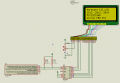
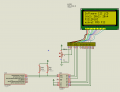
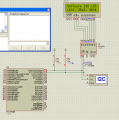
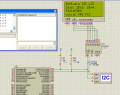
Doesn't the two images show the hardware ? The banggood.com link shows the PCF8574T module used to convert HD44780 Parallel Interface LCD to I2C LCD. The code provides hardware and software I2C LCD routines. The same code can be used with any PIC microcontrollers and the same circuit can be used with any PIC microcontroller. The two I2C lines connect to either hardware I2C or software I2C lines of any desired PIC. The codes are for mikroC PRO PIC Compiler.
 

ScottWang

Joined Aug 23, 2012
7,499
The project you show on this forum should be easy to let the members who want to duplicated without your help, so you need to write a help file with a practical example that it explain how to use the library, and you also need to attach the photos of two pics hardware, thank you.
 

Thread Starter

jayanthd

Joined Jul 4, 2015
945
Hardware is simple. Use one of these I2C LCDs or the I2C LCD module with HD44780 compatible LCDs.

http://www.banggood.com/buy/iic-lc.html

No need for pullups shown in the two images. The pullups are on the I2C module. All you have to do is connect two power supply lines of the I2C module to 5V and GND and SDA and SCL lines to I2C or soft I2C lines of the PIC.
 

ScottWang

Joined Aug 23, 2012
7,499
This forum is for the members who willing to sharing their results, their knowledges, all the project, project can be small or big, but must be let the members know what to do without any help or just a little help.
 

Wendy

Joined Mar 24, 2008
23,798
If you have not built this, and can not show it is a proven project, then it can not be posted in the Completed Projects forum. Ideas and concepts do not count, everyone has ideas, and while software is work it is not proven until implemented.
 

Thread Starter

jayanthd

Joined Jul 4, 2015
945
I have tested these projects in hardware. Do you want me to post the photo of the working hardware ? I have used EasyPIC v7 development board and I2C LCD module from Banggood.com to test the projects.
 

dannyf

Joined Sep 13, 2015
2,197
Here is my I2C LCD Library.
Good work.

Some suggestions for you to consider:

1. Put your code in a module (.h / .c files) so that others can easily incorporate your module into their applications.

2. Give your code more flexibility: the wiring scheme in your code is hard coded -> like D4..D7 on P4..P7, EN on P2, .... It is fairly easy to allow the user to assign pins, either at compile time or run time.

3. [Optional] Utilize continuous / block writes: for each write, your code incurs i2c overhead (start condition, device address + stop condition) for each byte of data transmitted, via four i2c write operations. So there is a chance to improve the performance by 20% if you were to send the start condition, device addresses, and then follow-up with all the data to be written to the device, followed by a stop condition.

If you want, I can post my code for this. It's entirely device independent, and sends 16 chars to the lcd in 3 - 3.7ms, over a 40Kbps i2c connection, on a PIC18 with 20Mhz crystal. All for about 600 bytes of foot print. Pin connections fully user configurable.
 

joeyd999

Joined Jun 6, 2011
6,246
And consider a non-blocking approach, especially during the initialization. There is no reason for the MCU to sit around twiddling its thumbs for in excess of 50ms when it could be initializing something else at the same time.

In fact, all the microsecond delays you have coded could be eliminated and replaced with a polled state machine thereby freeing up an awful lot of clock cycles for other, unrelated, things. Isn't there a busy flag you can check?

What is the definition of I2C1_Init() and I2C1_Is_Idle()?
 

dannyf

Joined Sep 13, 2015
2,197
I ported your code to XC, added the ability for the user to configure i2c <-> lcd connection.

Using XC1.12, 20Mhz 18F4520, 11.5ms per 16 chars, software i2c. Total code size: 780 bytes. Additional room for improvement.

Considerably slower than mine, but much faster than even the fastest implementation on Arduino.

Since the code is in C, infinitely portable to any other mcus. Did all of that in 10-15 minutes.
 

Attachments

Top