Facebook
 Google
 GitHub
 Linkedin

It looks like lib1 is the library you are trying to create. Basically that looks good, you did much of it correctly, and extra credit for doing the #ifndef/#define preamble to the dot H you made.
What is missing is a project, and a workspace: when you start a new programming project you need to create a new one (or copy and paste one that's close). To create one go to the menu, hit Project | Project Wizard and follow the prompts from there. Don't worry about adding any files yet.
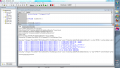
Once complete make sure the Project and Output are both visible. If not, check them in the View Menu. In the source code area you can add (right click) all the dot C files. Optionally you can add the dot H files under header, but this is only for convienence (so you can see them or search them).
(Just because a file appears in headers doesn't make it a part of the compile!)
Lastly, you need to put a "#include<p18cxxx.h>" in your code so ti works with the C18 compiler.
Project | Build Options | Project, Directories tab,include search path should include your C18 /h folder... mine is at "C:\Program Files\Microchip\mplabc18\v3.40\h"
I got your code to build successfully... and I probably left out a few steps on how I did that.
What is missing is a project, and a workspace: when you start a new programming project you need to create a new one (or copy and paste one that's close). To create one go to the menu, hit Project | Project Wizard and follow the prompts from there. Don't worry about adding any files yet.
Once complete make sure the Project and Output are both visible. If not, check them in the View Menu. In the source code area you can add (right click) all the dot C files. Optionally you can add the dot H files under header, but this is only for convienence (so you can see them or search them).
(Just because a file appears in headers doesn't make it a part of the compile!)
Lastly, you need to put a "#include<p18cxxx.h>" in your code so ti works with the C18 compiler.
Project | Build Options | Project, Directories tab,include search path should include your C18 /h folder... mine is at "C:\Program Files\Microchip\mplabc18\v3.40\h"
I got your code to build successfully... and I probably left out a few steps on how I did that.