How to stop a program HSERIN blocking

djsfantasi

Joined Apr 11, 2010
9,237
The problem is by the use of [ AND ] I think this means something different in Oshonsoft, but I'll look into it and re-try.
I took a look. It appears that the line where I used the AND, is missing the keyword Then.

Thus,
Code:
If rx1=5 and char<> “C”
should actually be,
Code:
If rx1=5 and char<> “C” then
Sorry for the omission
 

Thread Starter

camerart

Joined Feb 25, 2013
3,830
I took a look. It appears that the line where I used the AND, is missing the keyword Then.

Thus,
Code:
If rx1=5 and char<> “C”
should actually be,
Code:
If rx1=5 and char<> “C” then

Sorry for the omission
Hi D,
I changed it and now we get ' error in line 777'[ There has to be at least one variable in the expression ]
C.
 

djsfantasi

Joined Apr 11, 2010
9,237
Hi D,
I changed it and now we get ' error in line 777'[ There has to be at least one variable in the expression ]
C.
Sorry this is so difficult. Normally I never post code without compiling it... But I don’t have an Oshonsoft compiler.

Can you post line 777? Once I know what the code is, I’ll take a look around.
 

sagor

Joined Mar 10, 2019
1,049
C, you could add the "R" as a selection in the interrupt code as well (if temp = "G" or temp = "R" then....), but you have to be careful of the logic.
As for looking for the W, or any processing of the returned string, you should be doing that outside of the interrupt loop, in the main program once you get the "STR_DONE" message. You should always minimize the processing in an interrupt routine. (never do anything like Hserout which takes a long time to process). The idea is to capture all the data from the UART with an interrupt (with some filtering), and not to process it fully, leave that to the main program code.

I have not tested this code, but something like this may capture both strings:
Code:
    Select Case rxin
        Case 0  'Must be $ sign
        If temp = "$" Then
        buffer(rxin) = temp
        valid = 1
        Else
        valid = 0
        rxin = 0
        Endif
        Case 1
        If temp = "G" Or temp = "R" Then
        buffer(rxin) = temp
        valid = 1
        Else
        valid = 0
        rxin = 0
        Endif
        Case 2
        If temp = "P" Or temp = "E" Then
        buffer(rxin) = temp
        valid = 1
        Else
        valid = 0
        rxin = 0
        Endif
        Case 3
        If temp = "R" Or temp = "M" Then
        buffer(rxin) = temp
        valid = 1
        Else
        valid = 0
        rxin = 0
        Endif
        Case 4
        If temp = "M" Or temp = "O" Then
        buffer(rxin) = temp
        valid = 1
        Else
        valid = 0
        rxin = 0
        Endif
        Case 5
        If temp = "C" Or temp = "T" Then
        buffer(rxin) = temp
        valid = 1
        Else
        valid = 0
        rxin = 0
        Endif
    Case Else


    If valid = 1 Then buffer(rxin) = temp  'get character(reading clears the RCIF)
 
EndSelect
There is a remote chance some garbage characters may trigger a string, but you can parse that in your main program code. Again, I have not tested this code. You may have to validate each character as part of the correct string at the beginning of the capture of the data.
 

Thread Starter

camerart

Joined Feb 25, 2013
3,830
Sorry this is so difficult. Normally I never post code without compiling it... But I don’t have an Oshonsoft compiler.

Can you post line 777? Once I know what the code is, I’ll take a look around.
Hi D,
Don't be sorry. I'm happy to compile it, but I will see what 'S' CODE brings first if you don't mind, then I'll look into the syntax problem.
C.
 

Thread Starter

camerart

Joined Feb 25, 2013
3,830
C, you could add the "R" as a selection in the interrupt code as well (if temp = "G" or temp = "R" then....), but you have to be careful of the logic.
As for looking for the W, or any processing of the returned string, you should be doing that outside of the interrupt loop, in the main program once you get the "STR_DONE" message. You should always minimize the processing in an interrupt routine. (never do anything like Hserout which takes a long time to process). The idea is to capture all the data from the UART with an interrupt (with some filtering), and not to process it fully, leave that to the main program code.

I have not tested this code, but something like this may capture both strings:
Code:
    Select Case rxin
        Case 0  'Must be $ sign
        If temp = "$" Then
        buffer(rxin) = temp
        valid = 1
        Else
        valid = 0
        rxin = 0
        Endif
        Case 1
        If temp = "G" Or temp = "R" Then
        buffer(rxin) = temp
        valid = 1
        Else
        valid = 0
        rxin = 0
        Endif
        Case 2
        If temp = "P" Or temp = "E" Then
        buffer(rxin) = temp
        valid = 1
        Else
        valid = 0
        rxin = 0
        Endif
        Case 3
        If temp = "R" Or temp = "M" Then
        buffer(rxin) = temp
        valid = 1
        Else
        valid = 0
        rxin = 0
        Endif
        Case 4
        If temp = "M" Or temp = "O" Then
        buffer(rxin) = temp
        valid = 1
        Else
        valid = 0
        rxin = 0
        Endif
        Case 5
        If temp = "C" Or temp = "T" Then
        buffer(rxin) = temp
        valid = 1
        Else
        valid = 0
        rxin = 0
        Endif
    Case Else


    If valid = 1 Then buffer(rxin) = temp  'get character(reading clears the RCIF)

EndSelect
There is a remote chance some garbage characters may trigger a string, but you can parse that in your main program code. Again, I have not tested this code. You may have to validate each character as part of the correct string at the beginning of the capture of the data.
Hi S,
Ok, I understand, thanks.
I think I'll be able to select which of the two sources, is to be 'gleaned', so keeping them separate, then the [ If temp = "G" Or temp = "R" Then ] may not be needed. (although it may be useful, I'll keep it in mind!)

Next to get your CODE working inside the full program.
Cheers, C
 

sagor

Joined Mar 10, 2019
1,049
Hi D,
I changed it and now we get ' error in line 777'[ There has to be at least one variable in the expression ]
C.
If you copy/paste DJ's code, you get that compile error because the quote marks are not "standard" when pasted into the Basic compiler. I tried it, and got an error as well.
I removed and re-typed "C" and it compiled ok...
 

Thread Starter

camerart

Joined Feb 25, 2013
3,830
If you copy/paste DJ's code, you get that compile error because the quote marks are not "standard" when pasted into the Basic compiler. I tried it, and got an error as well.
I removed and re-typed "C" and it compiled ok...
Hi S,
I also re-typed the [ ' ] , then got stuck. I'll try re-typing "C" this time.

EDIT: It now compiles, here's the result of the first TEST.
I haven't given it 'things to do' yet :)
Well done, 'D'
Thanks, C.
 

Attachments

Last edited:

Thread Starter

camerart

Joined Feb 25, 2013
3,830
@camerart

I’ve modified my sample program. It will only extract the message you highlighted in red. All other characters are cleared from the receive buffer, but if they aren’t in the message you want, they are thrown away.

Code:
While STUFF_TO_DO
‘ do other stuff here while waiting
‘ for a message. Could be nothing
‘ or something that was being
‘ blocked by your input code

    WHILE PIR1.RCIF = 1

        Hserin char

‘ start a new message
        If char = “$” then ‘SOM
                str1(0) = “$”
                rxi  = 0
                Endif

‘ build the message
        If str1(0) = “$” then ‘ MSG
                rxi = rxi + 1
               str1(rxi) = char
               Endif

‘ identify the desired message
        If rx1=5 and char<> “C”
             str1(0) = “x” ‘ discard “$”
             rx1=o
             Endif
‘ by overwriting the ‘$’ character,
‘ everything else will be ignored

‘ finish a message
        If char = “?” or char = 0x0A then
            gosub msg_eol
            Endif

        If rxi > 79 then ‘ Overflow
                ‘ do your overflow stuff
                Endif

    Wend
‘ no characters in buffer
‘ do something else
Wend
Try to look at this separately from the code you have. Read through the code and tell me if you understand it. Or ask me questions about what you don’t understand.
Hi D,
Is this section correct? It stops counting at STR1(5)
_________________________________________________
'identify the desired message
If rxi = 5 And char <> "C" Then
str1(0) = "X" 'discard “$”
rxi = 0
Endif
'by overwriting the ‘$’ character,
'everything Else will be ignored
________________________________________________

EDIT: This could be related to the next post??

C.
 
Last edited:

Thread Starter

camerart

Joined Feb 25, 2013
3,830
C
Ask question soon, as I'll be on holidays for most of June, with limited access to the Internet...
Regardless, study all the code submitted, and test it with your overall program. Only you can decide which way to go....
Hi S,
I tried you CODE independently, and it work ok.
when I add it into the MAIN program, it doesn't count above BUFFER(3)
I thought it may be shared [ i ] so I changed it to [ g ] but no difference.

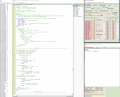
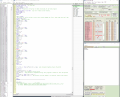
Here are two Screen shots showing around the time of the problem.
Any clues please?
C
 

Attachments

djsfantasi

Joined Apr 11, 2010
9,237
Hi D,
Is this section correct? It stops counting at STR1(5)
_________________________________________________
'identify the desired message
If rxi = 5 And char <> "C" Then
str1(0) = "X" 'discard “$”
rxi = 0
Endif
'by overwriting the ‘$’ character,
'everything Else will be ignored
________________________________________________

EDIT: This could be related to the next post??

C.
That code stops reading a message, if it’s not the one you want. What it does is if the message type is anything other than the one you are looking for, it discards all input characters until a new message is found.

This saves additional processing if the message isn’t going to be used anyway. The fifth character of your desired message is “C”.
 

Thread Starter

camerart

Joined Feb 25, 2013
3,830
That code stops reading a message, if it’s not the one you want. What it does is if the message type is anything other than the one you are looking for, it discards all input characters until a new message is found.

This saves additional processing if the message isn’t going to be used anyway. The fifth character of your desired message is “C”.
Hi D,
After:
_________________________________________
If rxi = 5 And char <> "C" Then
str1(0) = "X" 'discard “$”
rxi = 0
Endif
________________________________________
The [ rxi ] stays at [ 0 ]
C.
 

djsfantasi

Joined Apr 11, 2010
9,237
Hi D,
After:
_________________________________________
If rxi = 5 And char <> "C" Then
str1(0) = "X" 'discard “$”
rxi = 0
Endif
________________________________________
The [ rxi ] stays at [ 0 ]
C.
Yes, until the next $ character is read. Then it starts counting message characters again.
 

djsfantasi

Joined Apr 11, 2010
9,237
Hi D,
Is it possible to put the characters into the STR1() STRING after is has detected the "C"?
C
If the 5th character is a “C”, it does keep adding characters into the string. That is the message you want. It only stops when the 5th character is NOT a “C”. Thus ignoring all unwanted messages.
 

Thread Starter

camerart

Joined Feb 25, 2013
3,830
If the 5th character is a “C”, it does keep adding characters into the string. That is the message you want. It only stops when the 5th character is NOT a “C”. Thus ignoring all unwanted messages.
Hi D,
To clarify, if there's a misunderstanding;
We detect the correct $sentence, as you have done, then the digits after the "C" are where the information we need is. (At least, up until the first "W")
C.
 

sagor

Joined Mar 10, 2019
1,049
C, there could be several reasons. Is anything else modifying RXIN?? Are any of the variables in the interrupt routine used elsewhere (like "i" you changed) or "temp"? Variables in the interrupt routine should not be modified externally except STR_DONE and VALID
The only reason my code would stop would be an invalid character is received which then clears the pointers and starts over. I do not flush the BUFFER, so what you see in the buffer may be left over from a previous sentence?? The byte "VALID" contains the received string length, use that to process the string in the main program, Valid will get reset when STR_DONE is cleared and a character is received by the interrupt routine.
Always reset rxin=0 and valid = 0 after you have processed the string and just before you clear STR_DONE (my sample code forgot to clear rxin in the main loop after printing the string out). That will enable the RX Interrupt to start capturing data again.

If my routine works as an isolated program, but fails when added to the overall program, then something in the main program is modifying something the interrupt routine uses. Are there other interrupts programmed in? If so, they all have to be under the same "On Interrupt" routine and you have to check for each interrupt flag to see what was set, then process it. Is anything in the main program turning off interrupts???
I would also maybe change the order of checking OERR first, then check STR_DONE=1 after, in case there was an overflow. If there was an OERR, you must reset valid=0 and rxin=0
ie:
Code:
On Interrupt (or High Interrupt in your case?)
Save System

If RCSTA.OERR = True Then  'any error reboot serial module..
RCSTA.CREN = 0
RCSTA.CREN = 1
valid = 0
rxin = 0
Goto fin
Endif

    If str_done = 1 Then
    temp = RCREG  'Simply dump the character
    Goto fin  'Completed string has not been processed yet by MAIN program
    Endif

    temp = RCREG
'Now check for valid string to save. Must contain $GPRMC at first, then read rest until EOL
    Select Case rxin
....
 
Last edited:

sagor

Joined Mar 10, 2019
1,049
C, you code is missing a few modifications. One is if the rxin goes over 79, you must clear VAILD:
Code:
.....
EndSelect

        If buffer(rxin) = "?" Then
            valid = rxin  'set length of valid string
            str_done = 1  'Flag we have a completed string. Main program to check for this and process
        Else
            If valid = 1 Then rxin = rxin + 1
                If rxin = 80 Then
                    rxin = 0  '80 position circular buffer. If overflow, start from scratch
                    valid = 0
                Endif
        Endif

fin:
Resume
and as mentioned in previous post, main loop (main program) must clear RXIN as well, in the proper order. Once STR_DONE is set to 0, an interrupt may happen at any time, even before the ENDIF is processed....:

Code:
main:
   
        If str_done = 1 Then  'a valid packet has arrived
            Hserout "Got it", CrLf
            For i = 0 To valid
            Hserout buffer(i)
            Next i
            valid = 0
            rxin = 0
            str_done = 0
           
        Endif
WaitMs 1
Goto main
End
 

djsfantasi

Joined Apr 11, 2010
9,237
Hi D,
To clarify, if there's a misunderstanding;
We detect the correct $sentence, as you have done, then the digits after the "C" are where the information we need is. (At least, up until the first "W")
C.
Correct. We add characters to a string that starts with $.

If the 5th character is a “C”, then that is the message we want. So we continue to add characters until you see the end of message.

If the 5th character is NOT a “C”, we clear the $ and reset the count, which ignores everything until a new message (we get another $) is detected.
 

Thread Starter

camerart

Joined Feb 25, 2013
3,830
C, you code is missing a few modifications. One is if the rxin goes over 79, you must clear VAILD:
Code:
.....
EndSelect

        If buffer(rxin) = "?" Then
            valid = rxin  'set length of valid string
            str_done = 1  'Flag we have a completed string. Main program to check for this and process
        Else
            If valid = 1 Then rxin = rxin + 1
                If rxin = 80 Then
                    rxin = 0  '80 position circular buffer. If overflow, start from scratch
                    valid = 0
                Endif
        Endif

fin:
Resume
and as mentioned in previous post, main loop (main program) must clear RXIN as well, in the proper order. Once STR_DONE is set to 0, an interrupt may happen at any time, even before the ENDIF is processed....:

Code:
main:

        If str_done = 1 Then  'a valid packet has arrived
            Hserout "Got it", CrLf
            For i = 0 To valid
            Hserout buffer(i)
            Next i
            valid = 0
            rxin = 0
            str_done = 0
       
        Endif
WaitMs 1
Goto main
End
Hi S,
I'm pretty sure that your is the only CODE that uses RXIN, TEMP, VALID, BUFFER and STR_DONE. Only [ i ] is used elsewhere, so I changed it to [ G ]

I think I've changed your 'updates' correctly. Here they are if you'd like to proof read.
The program still acts the same.
I'll try stepping through again, to see if I can catch the error.
C.
 

Attachments

Last edited:
Top