How DFPlayer finds the mp3 file ?

Thread Starter

Xenon02

Joined Feb 24, 2021
504
Hello !

I've acquired the DFPlayer for my STM32 Nucleo, and I've been wondering how it works a little bit (not that detailed), and I've read a bit how the mp3 file structure looked like (http://www.multiweb.cz/twoinches/mp3inside.htm), and I wondered how does the DFPlayer or any MP3 devices knows where the file starts and where the file ends ?

So I've read this site as well : https://doc.riot-os.org/group__drivers__dfplayer.html and I've learned something about FAT32. So I've wondered how it works. Because the MP3 structure format doesn't have : The name of the file, the amount of frames in 1 file, the end of file information. So does FAT32 adds the name of the file into the MP3 structure and adds the information of the size or rather the end of file information ?

For example if I've had : 001 super_music.mp3 then normally "001 super_music" file name isn't in mp3 structure, but rather the FAT32 adds this info ? If so can someone explain maybe how the DFPlayer knows when the title ends and when the normal data starts ? Because as I understand he tried to find a number in the title basing on the second link ?

I don't know, it's pretty confusing because how does the device know this is a title and not part of data from file like audio that happened to be 01 or something similar.

For example I had a File named 02/001 - super music.mp3.

So the structure of that looks like that <Folder name : 02 => in hexa also 02> <File name : 001=> in hexa 001> <mp3 - file structure> <File name with EOF> ??
Probably or rather 100% I'm sure I am wrong but I didn't understand how the DFPlayer reads the data from the memory or in what order and how he knows what is the title and what is the content of a file. You can also play music without using microcontroller to send one info to DFPlayer so a single button can also play the music so it can determine what file is what somehow but I don't understand how.


https://www.cbtnuggets.com/blog/tec...xfat-vs-ntfs-file-system-formatting-explained - this is what I've read so far about FAT32, but I've seen other sites that explains the clusters or columns with data.
 

Thread Starter

Xenon02

Joined Feb 24, 2021
504
How does your phone or PC know how to find a file? Do you think an MP3 player is different?
It has microcontroller so maybe ? I don't really much know :>
Hence I just didn't know how from the whole memory will alot of bytes saved in many places in memory, how he is able to say that this byte that is 0x202023 is a label and not a file for example or usable data that is not a lable ?

I saw something like this :

1701300434773.png
It looked like the memory is pointing to another memory so where is the data that stores the information of TXT file if it's just only poiting to another memory ;> Maybe wrong picture don't know.


But my clue is that I don't understand how simple MP3 that doesn't have OS can distinguish what is in which memory, they can be scattered like in the picture above but somehow it finds label in this whole mess and then from this label it shows where is the data.

I also understood that labels, data, everything is saved in the same memory so like MYFILE1.TXT it's label is saved in the same place where the clusters are they share the same memory but one memory cell does something else and the other one something else and somehow it distinguish them even though they are just a bunch of numbers like I said here : "how he is able to say that this byte that is 0x202023 is a label and not a file for example or usable data that is not a lable ?"
 

MrChips

Joined Oct 2, 2009
34,694
Ask yourself, if you were given a storage medium with 1M bytes of space, how would you use it to store any number of files?

I wrote a disk operating system for a DEC PDP-15 minicomputer from scratch. There was no internet at the time. There was no Google to search. I used my imagination entirely to figure out what was needed.

Try to think on your own what would be required.
 

MrChips

Joined Oct 2, 2009
34,694
I will give you a hint.
Usually, mass storage media are not accessed one byte at a time.
Let us imagine that the system reads 256 bytes in one go. We can call one block of 256 bytes a sector.
How many sectors are there in 1Mbyte of storage?
 

Thread Starter

Xenon02

Joined Feb 24, 2021
504
I wrote a disk operating system for a DEC PDP-15 minicomputer from scratch. There was no internet at the time. There was no Google to search. I used my imagination entirely to figure out what was needed.

Try to think on your own what would be required.
Well I am special in the other way ;> That my IQ requires the Google ; D

But going back to the topic. I would think of a header and the end of file header as well, so that when I save a file I then this particular file gets the header at the beginning of a file to say "hey you your name is now "super.txt" that's what the user wants to call you", the end of file would be and indicator that this particular file ends at specific point so that next byte he reads won't connect it the file he is read before. I also thought of some kind of length of that file maybe.

Well overall I've read something about FAT32 and how it works like in this picture :

1701371666361.png

So yea, The concept of FAT how it works etc I something know.
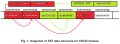
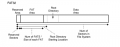
The Root Directory contains the name of a file, the size of that file and where to read the first cluster of the data that is stored in DATA Area. Maybe I read it incorrect but the Root Directory is partly stored in FAT Area and partly stored in DATA area. So the reserved area is for booting stuff as I know and it has fixed size which is 512 bytes. The whole concept of how it works is that Root directory only tells where to start and after reading the 1st cluster it goes back to the FAT Area to check which cluster to read next till the moment when the cluster will contain the EOF- end of file thing.

Which was I think intuitive when it comes to the overall how it works. But the problem was when I tried to understand how it was executed. For example I have 3 files: image.img, text.txt and music.mp3. I understood it the way that there are now 3 Root Directory Starting Locations in FAT Area that indicates where is the rest of Root Directory data stored in DATA area. But what this Root Directory Starting contains in him that indicates "hey I indicate the image.img and not music.mp3 or text.txt or a cluster that is indicated from FAT table".


Like there are only bytes usually to distinguish one thing from another there is a sequence or a specific byte with specific value for example "0xFEFE" will indicate something and if it repeats after 20 bytes again it will indicate that this is a specific file (like with mp3 but the value is the sync "0xFFF" I guess ?).
So I wondered how it distinguish the information stored FAT Area interpreted part as Root Directory Starting that isn't mistaken with other information also stored in FAT Area.


Yea concept is the concept but how it is executed. I know there are already prepared libraries that executes formula "read(), write() etc.", but these libraries needs to have the algorythm to access the file in disc but to access it, it needs to know first what is the address of the Root Directory Starting Location to read it's content and start reading the rest of Root Directory, and then it reads the clusters that contains data of that specific file.
 

Thread Starter

Xenon02

Joined Feb 24, 2021
504
Usually, mass storage media are not accessed one byte at a time.
Let us imagine that the system reads 256 bytes in one go. We can call one block of 256 bytes a sector.
How many sectors are there in 1Mbyte of storage?
Forgot to answer this, sorry
Basically 4x 256 = 1024 but I have 1Mbyte of storage so normally it would be 3 sectors because the 4th won't have enough space but then there is a lot of space wasted so maybe the last sector is just smaller.
 

MrChips

Joined Oct 2, 2009
34,694
Forgot to answer this, sorry
Basically 4x 256 = 1024 but I have 1Mbyte of storage so normally it would be 3 sectors because the 4th won't have enough space but then there is a lot of space wasted so maybe the last sector is just smaller.
No.
In computer circles, 1k = 1024, 1M = 1k x 1k = 1024 x 1024.
 

Thread Starter

Xenon02

Joined Feb 24, 2021
504
No.
In computer circles, 1k = 1024, 1M = 1k x 1k = 1024 x 1024.

A yea sorry you are right, I again looked at it incorrectly. I thought that 1kbytes is just 1000 bytes.
So 1M = 1k x 1k = 1 048 576 bytes / 256 bytes per sector = 4096 sectors.
 

MrChips

Joined Oct 2, 2009
34,694
Ok.
The disk management driver will read/write one whole sector at a time. You have 4096 sectors. How would you know if a sector is already being used?
 

Thread Starter

Xenon02

Joined Feb 24, 2021
504
Ok.
The disk management driver will read/write one whole sector at a time. You have 4096 sectors. How would you know if a sector is already being used?
Used you mean that the sector has data in it ?
If so maybe checking the last byte of the sector to see if it has value other than 0x00 ? Although it might not be a good idea because maybe 0x00 is a part of that data. Perhaps checking if the whole sector if it has different value than only 0, but this also might not be a good idea because maybe this part of data is only 0 and the other part is not 0.

Maybe the first byte of a sector just had an indicator that it is used or not like 0x00 is not used and 0x01 is used. the rest of the sector could be used normally.
 

MrChips

Joined Oct 2, 2009
34,694
Used you mean that the sector has data in it ?
No.
What do you mean by data?
0x00 has as much meaningful data as 0xFF.
Just as 0V has as much meaningful information as 5V in a logic circuit. Logic 0 and logic 1 are both equally valid data.
All memory locations already have data. All disk sectors already have data.

(Think of computer memory. All memory bits will be initialized to random zero or one on power up.)
 

MrChips

Joined Oct 2, 2009
34,694
Maybe the first byte of a sector just had an indicator that it is used or not like 0x00 is not used and 0x01 is used. the rest of the sector could be used normally.
Suppose you needed to find an unused sector.
Think of how inefficient (time consuming) it would be to have to read and test every sector in order to find one that was not used.
 

Thread Starter

Xenon02

Joined Feb 24, 2021
504
All memory locations already have data. All disk sectors already have data.

(Think of computer memory. All memory bits will be initialized to random zero or one on power up.)
Suppose you needed to find an unused sector.
Think of how inefficient (time consuming) it would be to have to read and test every sector in order to find one that was not used.
If everything is initiallized with random zero and ones then checking the 1st byte of a sector is useless because it can randomly have 0x01 even though the rest of the sector can have random data (random I mean randomly placed 0 and 1, not random data is that these 0 and 1 overall gives something a string text or something).
The power up/initialization has a bit frightened me because the data that was stored could be overwritten by random data. So powering up again disk or something I wonder if initialization is turned on again and can overwrite the whole disk with random 0 and 1 so that the usable data (that can give a string or something) will be overwritten.

But okey finding the unused sector when there are random 0 and 1 that's hard. I thought that the whole disk is initialized with 0 only once or rather it stores only 0 so that it could be easier to manage and find the unused data (that's what I've seen in videos about FAT12 etc).

1701448925060.png

I'm not questioning anything you've said I only couldn't understood it in context of already stored data (already stored I mean like before not random 0 and 1 but intended placement of those 0 and 1). If what I said is anything logical ;>

Coming back to question hmmm, hard thing to be honest if I don't have any point to check what is not a random 0 and 1 and what is intended 0 and 1. Maybe it's good to just initialize the whole disk only once to be set to 0 ? And then check the first byte of each sector to see if it's 0x01 or 0x00 so that there won't be random 0 and 1 ? But I see that it can be inefficient, So if the maximal amount of sectors are 4096 then maybe hold this value in directory sector ? So that everytime we want to check if a sector is free we would check in directory for example let's say that the directory give the value 1056 it meas that from 0 to 1056 the sectors are stored and the rest are free, but what if somewhere in between 0 to 1056 was free as well ? this method might be bad so maybe creating a table with numbers to each sector in directory or somewhere that says what number of the sector it is and the status of it. So instead of checking each sector and checking their 1st byte there is now 1 table from 0 to 4096 that has the number of sector and it's status 0x00 or 0x01. Maybe this is better because we don't have to check every sector which is a lot of bytes to skip and to check because first we check the 1st byte and if it's used skip the whole sector n-bytes, and again the cycle repeats. The table is smaller and easier to check ? Table is also in a specific sector but it would be fixed that it is used just like boot sector ?
 

MrChips

Joined Oct 2, 2009
34,694
Engineering is about problem solving. Sometimes and many times you have to solve problems on your own. In other words, you have to come up with your own solutions to difficult and not so difficult problems. I am trying not to spoon-feed you. You need to learn to think things out on your own.

How much information do you need to remind you that something is old and something is new?
 

BobTPH

Joined Jun 5, 2013
11,482
The table is smaller and easier to check ? Table is also in a specific sector but it would be fixed that it is used just like boot sector ?
Now you are getting closer.

There will be a sector (or more) at a know address that contains 1 bit for each sector on the disk. So, in you example, 4096 sectors, it takes 512 bytes to encode the status of all sectors.

Not saying this is actually how it is done, just that it is a way of doing it.
 

Thread Starter

Xenon02

Joined Feb 24, 2021
504
I am trying not to spoon-feed you. You need to learn to think things out on your own.
Understandable ;> I thought for granted that the disk has all 0 in it like in the picture.
So I think my method is as I understand also incorrect oh well. The things if I always power on the disk does it all the time initialize if so it resets everything in it with random 0 and 1 which would be difficult because it would overwrite the data that is usable I don't know how to explain it ;D Usable I mean intended 0 and 1 :D

How much information do you need to remind you that something is old and something is new?
I don't understand ?


Now you are getting closer.

There will be a sector at a know address that contains 1 bit for each sector on the disk. So, in you example, 4096 sectors, it takes 512 bytes to encode the status of all sectors.

Not saying this is actually how it is done, just that it is a way of doing it.
Yea I thought of it this way, not a bad idea, but the random 0 and 1 became a bit difficult if it's initialization and it restarts my whole disk into random 0 and 1. At least that's what I thought because initialization doesn't know what is used and what not.
 

BobTPH

Joined Jun 5, 2013
11,482
Forget the random 0 and 1. First of all, this meant only the first time the disk is used, NOT each time you power up! Secondly, you would never read a sector before you have written it. On a new drive, the first they that happens is all of the sectors are written to a know state. This is known as formatting. It also sets up the initial headers that describe the parameters of the disk. And the initial directory and the boot block.
 

Thread Starter

Xenon02

Joined Feb 24, 2021
504
Forget the random 0 and 1. First of all, this meant only the first time the disk is used, NOT each time you power up!
Ok, so the idea wasn't that bad then.


Secondly, you would never read a sector before you have written it. On a new drive, the first they that happens is all of the sectors are written to a know state. This is known as formatting. It also sets up the initial headers that describe the parameters of the disk. And the initial directory and the boot block.
I don't yet fully understand the headers and parameters. I thought that the whole boot section ect is made by user using some formats that are available.
So I tried to say what happens if it's all made from scratch or at least that's what I understood from MrChips ;>

So Boot sector is at the beggining, that would be used to hold information about the format and how to calculate what he stores and what sector has what size etc I guess.
The Sector with the table of which sector is available and which is not.
The Sector with Data itself that takes the first available place, for example if sector 1000 and 1002 is used then 1001 is not used and it can take this place another part of information can be hold in different place like in 1003 if it's free I guess.
 

MrChips

Joined Oct 2, 2009
34,694
Understandable ;> I thought for granted that the disk has all 0 in it like in the picture.
So I think my method is as I understand also incorrect oh well. The things if I always power on the disk does it all the time initialize if so it resets everything in it with random 0 and 1 which would be difficult because it would overwrite the data that is usable I don't know how to explain it ;D Usable I mean intended 0 and 1 :D


MrChips said:

How much information do you need to remind you that something is old and something is new?

I don't understand ?

Yea I thought of it this way, not a bad idea, but the random 0 and 1 became a bit difficult if it's initialization and it restarts my whole disk into random 0 and 1. At least that's what I thought because initialization doesn't know what is used and what not.
Ignore what is on the disk at any time/state. When you write to disk (or any memory) you will overwrite what was there before.
You need to remember, "Have I already written to this sector before?"

How much information do you need as a reminder?
The answer is one bit.

bit = 0 = something is not done
bit = 1 = something is done
 
Top