Home Assistant devices and uses

Thread Starter

nsaspook

Joined Aug 27, 2009
16,344
https://github.blog/open-source/mai...ame-the-most-important-project-in-your-house/
“The local-first rebellion”: How Home Assistant became the most important project in your house
Learn how one of GitHub’s fastest-growing open source projects is redefining smart homes without the cloud.
The scale is wild. Home Assistant is now running in more than 2 million households, orchestrating everything from thermostats and door locks to motion sensors and lighting. All on users’ own hardware, not the cloud. The contributor base behind that growth is just as remarkable: 21,000 contributors in a single year, feeding into one of GitHub’s most lively ecosystems at a time when a new developer joins GitHub every second.
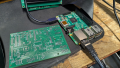
I just gave a complete system (loaded mini-pc and matter-thread devices) to one of my kids for their house.
 

Thread Starter

nsaspook

Joined Aug 27, 2009
16,344
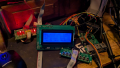
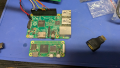
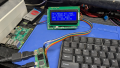
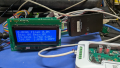
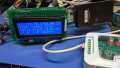
Ported the Q84 daq solar monitor system to the Raspberry Pi 2 Model B (32-bit 900MHz Arm Cortex-A7 quad-core processor ) running Debian Trixie to replace the OPi voltage monitor with the USB board.
1769791317171.png
1769791939698.png
Testing with a old 47Q84 board until I build another complete 57Q84 board with the proper interfaces.

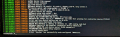
Just needed to make the daq_bmc kernel protocol module SPI code a little less one device specific, update the spi device tree source/makefiles and patch the kernel config source to add the new device as a SPI user mode protocol module. Then build a new kernel, modules and device-tree files so it sees and configures the board correctly.

1769791580515.png
1769791602399.png

1769791669462.png

1769791712336.png
RPi breakout cable.
 

Thread Starter

nsaspook

Joined Aug 27, 2009
16,344
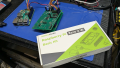
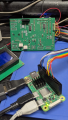
Ported everything to the RPi Zero 2 W. You can run Home Assistant on it but for embedded Linux it's nice board.
Running the 32-bit OS version so I can just move the SD card to the older 2B boards for compatibility testing.

1771128941298.png
Nice kit.

1771128973497.png
1771129016267.png
1771129073182.png
This board has no digital I/O subsystem because the SPI connected input and output chips are not populated. They are not needed for FM80 charge controller, EM540 energy meter control/monitoring and battery voltage/current measurements.
1771130416301.png


1771129150028.png

The Linux driver downloads the unique per board calibration and configuration data from the Q84 DAQ board via the slave SPI link. It uses the Q84 MUI id number (six digit HEX number) to generate a unique MQTT prefix for the names of all data items sent from the DAQ system to Home Assistant from the Linux DAQ Comedi/MQTT application on the sensor host boards.

1771129854035.png
 
Last edited:

Thread Starter

nsaspook

Joined Aug 27, 2009
16,344
Added another Energy Meter to the MODBUS RTU driver in the bmc_daq firmware.
https://www.iammeter.com/newsshow/blog-modbus-rtu-20240617
1773247225733.png

Create a structure frame pointer to map the register to variables, sent a MODBUS command to send all registers to a buffer and set the frame pointer to the address of the buffer where the data starts.
C:
    /*
     * maps the IAMMETER MODBUS registers to int32_t, uint32_t and uint16_t values
     */
    typedef __pack struct IM_data1 {
        volatile uint16_t vl1n, al1, wl1;
        volatile uint32_t aef1;
        volatile uint16_t pfl1;
        volatile uint32_t aer1;
        volatile uint16_t pdi1;

        volatile uint16_t vl2n, al2, wl2;
        volatile uint32_t aef2;
        volatile uint16_t pfl2;
        volatile uint32_t aer2;
        volatile uint16_t pdi2;

        volatile uint16_t vl3n, al3, wl3;
        volatile uint32_t aef3;
        volatile uint16_t pfl3;
        volatile uint32_t aer3;
        volatile uint16_t pdi3;

        volatile uint32_t taef;
        volatile uint16_t hz;
        volatile uint32_t taer;

        volatile uint32_t
        aep1f, aep1r,
        aep2f, aep2r,
        aep3f, aep3r,
        taefd, taerd;

        volatile int32_t
        tps, ap1s, ap2s, ap3s,
        rpp1s, rpp2s, rpp3s;

        volatile uint32_t
        frei1, rrec1,
        frei2, rrec2,
        frei3, rrec3;
    } IM_data1;

static void iammeter_data_handler(void)
{
    /*
     * load IAMMETER data pointer with receive buffer to data structure
     * and munge the data into the correct local formats for client
     */
    em_ptr = (EM_data1*) & cc_buffer[3];
    em.vl1n = mb32_swap(im_ptr->vl1n) / 10;
    em.vl2n = mb32_swap(im_ptr->vl2n) / 10;
    em.vl3n = mb32_swap(im_ptr->vl3n) / 10;
    em.vl1l2 = mb32_swap(im_ptr->vl1n) / 10;
    em.vl2l3 = mb32_swap(im_ptr->vl2n) / 10;
    em.vl3l1 = mb32_swap(im_ptr->vl3n) / 10;
    em.al1 = mb32_swap(im_ptr->al1)*10;
    em.al2 = mb32_swap(im_ptr->al2)*10;
    em.al3 = mb32_swap(im_ptr->al3)*10;
    em.wl1 = mb32_swap(im_ptr->wl1)*10;
    em.wl2 = mb32_swap(im_ptr->wl2)*10;
    em.wl3 = mb32_swap(im_ptr->wl3)*10;
    em.val1 = mb32_swap(im_ptr->rpp1s) / 10000;
    em.val2 = mb32_swap(im_ptr->rpp2s) / 10000;
    em.val3 = mb32_swap(im_ptr->rpp3s) / 10000;
    em.varl1 = mb32_swap(im_ptr->rpp1s) / 10000;
    em.varl2 = mb32_swap(im_ptr->rpp2s) / 10000;
    em.varl3 = mb32_swap(im_ptr->rpp3s) / 10000;
    em.wsys = mb32_swap(im_ptr->tps)*10;
    em.vasys = mb32_swap(im_ptr->tps)*10;
    em.varsys = mb32_swap(im_ptr->tps)*10;
    em.pfl1 = mb16_swap((const int16_t) im_ptr->pfl1);
    em.pfl2 = mb16_swap((const int16_t) im_ptr->pfl2);
    em.pfsys = mb16_swap((const int16_t) im_ptr->pfl1);
    em.hz = mb16_swap((const int16_t) im_ptr->hz);
    emt.hz = (int32_t) (((float) em.hz) * 10.0f);
    em_tmp.hz = (float) emt.hz;

    em_tmp.al1 = ((float) im.al1) / 100.0f;
}
I also use this meter for direct WiFi access to Home Assistant. Using both here.
1773248176987.png
Connecting the MODBUS shield to the antenna ground. Not really needed for this short connection of 10ft and little common-mode voltage offset between A & B on the units.
1773248207739.png
1773248232633.png

1773248578642.png
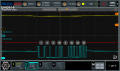
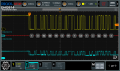
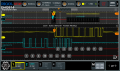
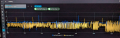
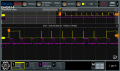
Yellow: after RS485 transeiver data going to the uC serial RX pin Green: RS485 line data.
1773248594306.png
1773248610956.png
 

Thread Starter

nsaspook

Joined Aug 27, 2009
16,344
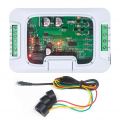
Added a 'new' and cheap 3-phase energy meter to the mix. PZEM-6L24
https://en.peacefair.cn/product/807.html
It's fine for energy tracking but the MODBUS configuration is different from the previous ones in that your send and receive data bytes are reversed from the MODBUS standard addressing and data.
1775069365207.png
1775069273802.png
Setup for 3-phase 3 wire for testing and calibration.
1775068967461.png
1775068994284.png
1775069020574.png
1775069039141.png
Current coils are in series to the same phase wire to the lamp.
1775069057144.png
200W bulb for power testing.
 

Thread Starter

nsaspook

Joined Aug 27, 2009
16,344
You can see the big difference in MODBUS response speed between the much cheaper PZEM and the IAMMETER energy meters.
1775175257408.png
Yellow: PZEM-6L24 3-phase energy device.
1775175338584.png
1775175424870.png
It doesn't matter in this application because the data update rate is several seconds and I don't block program execution waiting for I/O.
1775175979057.png
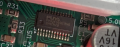
Controller in the PZEM energy meter. Generic 32-bit ARM® Cortex®-M0+ Microcontroller
https://download.py32.org/Datasheet/en/PY32F030_Datasheet_V1.8.pdf
https://www.puyasemi.com/download_path/用户手册/MCU 微处理器/PY32F030_Reference_Manual_V1.7.pdf
 
Last edited:

Thread Starter

nsaspook

Joined Aug 27, 2009
16,344
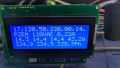
Reactive load.
1775321884374.png
1775321905010.png
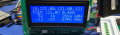
Watts per current sensor, total and current phase angle.
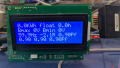
1775322063747.png
Line frequency, Reactive power and Power Factors.
 

Thread Starter

nsaspook

Joined Aug 27, 2009
16,344
Optimizing the data calculation routines on the PIC18F57Q84 that convert each type of energy meters specific MODBUS register format to the general data standard for transmission via MQTT to home assistant.
1775434013976.png
etc...

PZEM sensor MODBUS register layout to C structure
C:
    typedef __pack struct PZ_data1 {
        volatile uint16_t
        vl1n, vl2n, vl3n,
        al1, al2, al3,
        hz1, hz2, hz3,
        pvp2, pvp3,
        pcp1, pcp2, pcp3;

        volatile int32_t
        pap1s, pap2s, pap3s,
        prp1s, prp2s, prp3s,
        papp1s, papp2s, papp3s,
        caps, c1ps, capps;

        volatile uint16_t // power factor
        p1p2pf, p3cpf;

        volatile uint32_t // energy in kWh, kVarh, KVah
        pae1s, pae2s, pae3s,
        pre1s, pre2s, pre3s,
        pappe1s, pappe2s, pappe3s,
        caes, cres, cappes;
    } PZ_data1;
Float data structure used to display data on the LCD and for MQTT
C:
    typedef struct IMD_tmp {
        volatile float
        tps, ap1s, ap2s, ap3s,
        pfl1, pfl2, pfl3, pfsys,
        rpp1s, rpp2s, rpp3s,
        vl1n, vl2n, vl3n,
        vl1l2, vl2l3, vl3l1,
        al1, al2, al3,
        wl1, wl2, wl3,
        val1, val2, val3,
        varl1, varl2, varl3,
        vlnsys, vllsys, wsys, vasys, varsys,
        phaseseq, hz;
    } IMD_tmp;
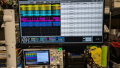
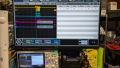
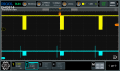
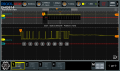
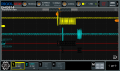
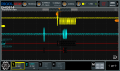
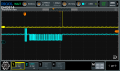
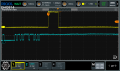
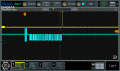
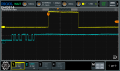
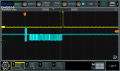
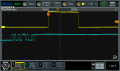
No power to any of the three power inputs. Yellow trace: pulse is data processing time. Blue trace: RS485 data request and data sent from Energy Monitor.
1775432981312.png
1775432999075.png

One input with power.
1775433055330.png
1775433697239.png

All three inputs with power.
1775433102523.png
1775433118646.png
 
Last edited:

Thread Starter

nsaspook

Joined Aug 27, 2009
16,344
PZEM-6L24 phase angle data

Left to Right on display.
Computer power supply: A
Compact lamp: B
Variable Drill: C

1776272220108.png
1776272316668.png
1776272339089.png
1776272398575.png

0.67 system power factor
0.97, 0.91, 0.41 line load power factors.

A excellent value for the Energy Meter and 3 split CT's. Recommended for a low cost Home Assistant energy meter using MODBUS.
https://www.aliexpress.com/i/3256809248084765.html
 
Last edited:

Thread Starter

nsaspook

Joined Aug 27, 2009
16,344
Converted the last of the USB based DAQ systems to the Q84 based DAQ board. This is the bare version (no 24VDC I/O or change controller interface chips installed) It only needs two 65VDC inputs and the 3-phase E-meter interface for MQTT data to the HA system.
1778284983150.png
1778285007928.png
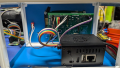
Orange Pi Linux SPI link to board for processing data and networking.

1778285031801.png

It measures the panel voltages for a local and remote array. Another unit measures the voltage at the remote panel location so I can log voltage drop data on the underground DC power cable.
1778285608441.png
 

Thread Starter

nsaspook

Joined Aug 27, 2009
16,344
Integrated the modbus data from the PZEM-6L24 into the home energy control and tracking system.
https://www.ebay.com/itm/157308527891
1779471748942.png
1779471068124.png
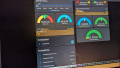
For the kitchen sensor you can see microwave and refrigerator power usage. The HT 240VAC power-feed is split into a isolation transformer for the media-room sub-panel (separately derived power and grounding) to remove neutral and ground noise from the audio/visual system. The other side of the split is connected to a GTI inverter to offset power usage.

1779471538687.png
 

Thread Starter

nsaspook

Joined Aug 27, 2009
16,344
Some 'quick and dirty' ISR telemetry. Optimizing the SPI line protocol controller usage to process the data stream.
Using timer 4 as a 250ns per tick Start/Stop clock. This only happens once per second for the usage figures, so only a single snapshot instead of the actual 1 second running count usage but it's pretty close per packet and is low resources using only a 8-bit register check/reset.
1779744022178.png
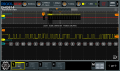
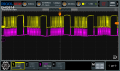
Linux SPI master 8-bit data (yellow) and the Q84 board response and processing time per datum. The actual processing time per datum is lower but it's a good reference for adjustments.
1779745065508.png
C:
/*
* run LED and status indicators, 1 second timer ISR
*/
void onesec_io(void)
{
    RLED_Toggle();
    MLED_SetLow();
    DLED_SetLow();
    V.utc_ticks++;
    BM.one_sec_flag = true;
    if (BM.spi_reset++ >= SPI_RESET_COUNTS) {
        slaveo_time_isr();
        BM.spi_reset = 0;
    }
    report_stat_ss.last_bmc_counts = report_stat_ss.bmc_counts;
    report_stat_ss.last_slave_int_count = report_stat_ss.slave_int_count;
    report_stat_ss.bmc_counts = 0;
    report_stat_ss.slave_int_count = 0;
    report_stat_ss.comm_ok = TMR4; // 250ns per count
    TMR4 = ISR_TIMEMARK;
}

void slaveo_rx_isr(void)
{
    uint8_t command = 0;
    uint8_t tmp_buf = 0;

    /* we only get this when the master wants data, the slave never generates one */
    // SPI port #2 SLAVE receiver

    if (TMR4 == ISR_TIMEMARK) {
        TMR4 = 0;  // reset ISR task time counter, 250ns per count
        T4CONbits.TMR4ON = 1;
    }
    DLED_SetHigh();

    report_stat_ss.slave_int_count++;
// ISR code

isr_end:
    DLED_SetLow();
    T4CONbits.TMR4ON = 0;
}

/** \file main.c
* Lets get going with the code.
* Main application
*/
void main(void)
{
    SPI2STATUSbits.SPI2CLRBF;

    if (STATUSbits.TO == 0) {
        timeout = true;
        boot_char = '!';
    }
// code
                slave_usage = ((float) (report_stat_ss.comm_ok * report_stat_ss.last_slave_int_count)) / ISR_TIME_SCALE;
                if (slave_usage > 99.0f) {
                    slave_usage = 99.0f;
                }
                snprintf(get_vterm_ptr(3, DBUG_VTERM), MAX_TEXT, "C%u S%lu U%.2f%%                        ", report_stat_ss.comm_ok, report_stat_ss.last_slave_int_count, slave_usage);
                refresh_lcd();
/code
}
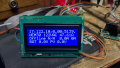
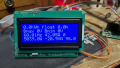
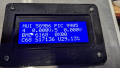
Several configurations of SoC and BMC board configurations. I would like the ISR usage to be between 30 to 50% of the total compute resource.
1779736919295.png
Clock ticks for the ISR run, Slave interrupt calls for 1 second, Usage of the compute resource .

 
Last edited:
Top