Help Needed: Building a DIY TickrMeter with Zero Electronics Experience

Thread Starter

Mayo123

Joined Dec 1, 2024
7
I’m a software engineer trying to build a TickrMeter as a fun side project, but I have no experience in electronics. I’ve spent the past two days learning from GPT and YouTube, and while the coding part seems straightforward, I’m struggling with the hardware.

Here’s my setup:

  • ESP32 for the microcontroller (built-in Wi-Fi/Bluetooth).
  • GDEY029Z95 E-Paper Display for showing stock data.
  • WS2812B LEDs for visual trends.
From what I’ve seen, I just need to connect everything with jumper wires to the correct pins, and it should work. But I feel like I’m missing something.

My Questions:
  1. Portability: I want to make this portable but can’t find good tutorials. Should I use a LiPo battery with something like a TP4056 module?
  2. Connection Durability: Are jumper wires enough for a long-term project, or do I need to learn soldering?
  3. Basic Circuit Knowledge: Do I need to worry about anything?
I’d appreciate any advice or links to good guides, especially for hardware basics and power management. Thanks!
 

Reloadron

Joined Jan 15, 2015
7,850
I am not quite sure what a "tick meter" is? Would it be an up or down counter? Can you post your code and a description of exactly what your objective is?

Thanks
Ron
 

nsaspook

Joined Aug 27, 2009
16,249
The first thing is to make a schematic (if you already have one, show it here) of how it all connects down to the last wire. This helps you to understand the circuit (eventually with lots of reading and doing) instead of relying on sometimes dubious (you need to understand the subject to see what crap some of the material is) sources like GPT and YouTube.

1 Sure. For something like the TP4056, make sure the chip has a heat-sink for good thermal management.
2 Learn to solder.
3. You need to worry about everything.
 

Thread Starter

Mayo123

Joined Dec 1, 2024
7
The first thing is to make a schematic (if you already have one, show it here) of how it all connects down to the last wire. This helps you to understand the circuit (eventually with lots of reading and doing) instead of relying on sometimes dubious (you need to understand the subject to see what crap some of the material is) sources like GPT and YouTube.

1 Sure. For something like the TP4056, make sure the chip has a heat-sink for good thermal management.
2 Learn to solder.
3. You need to worry about everything.
Is this the schematic you were looking for ?
1733072547594.png


I would like you to guide me through this process or provide me with some direction.
This field is vast, and I want to understand the basics. I’m confident that this project is relatively simple.
 

nsaspook

Joined Aug 27, 2009
16,249
Is this the schematic you were looking for ?
View attachment 337114


I would like you to guide me through this process or provide me with some direction.
This field is vast, and I want to understand the basics. I’m confident that this project is relatively simple.
No, a schematic is the drawing of how all of this connects. Example:
1733073751975.png

not just the netlist table.
https://en.wikipedia.org/wiki/Netlist

Both are very useful for the physical layout and assembly.
 

MisterBill2

Joined Jan 23, 2018
27,159
I clicked on that link and I was reminded very much as to why I tend to not click on youtube links. Lots of fast talk garbage about some device. So I left to avoid the hard sell before it hit.

If you are not willing to put out enough effort to at least try to explain what you are in search of then I am not willing to track down links to find out.
 

boostbuck

Joined Oct 5, 2017
1,032
From what I’ve seen, I just need to connect everything with jumper wires to the correct pins, and it should work.
It isn't much more complicated than that, given your peripherals are probably all talking over SPI, but you should draw a detailed schematic showing the hardware and all connections, and get it reviewed here. There will likely be subtle mistakes that others can correct for you.

Once you have a schematic that illustrates a working hardware solution you can physically put it together and start programming it.
 

Thread Starter

Mayo123

Joined Dec 1, 2024
7
I clicked on that link and I was reminded very much as to why I tend to not click on youtube links. Lots of fast talk garbage about some device. So I left to avoid the hard sell before it hit.

If you are not willing to put out enough effort to at least try to explain what you are in search of then I am not willing to track down links to find out.
LMAO, it literally explains itself in the first 10 seconds. If you're tired of life, that's fine just don't take it out on me.
 

MisterBill2

Joined Jan 23, 2018
27,159
LMAO, it literally explains itself in the first 10 seconds. If you're tired of life, that's fine just don't take it out on me.
First, understand that the folks who participate in this forum are not paid consultants who are willing to follow every link to learn what somebody wants to have created or designed, and get paid for that effort. I did not gain that insight into whatever the fast talking guy was saying "instantly."
Certainly I do suffer a handicap of poor hearing, and just as certainly, if you are not willing to go to the effort of putting your request into text, I am not willing to spend much effort in discovering what it is you actually seek.
And understand that a " TickrMeter " is not a common name among many of us, nor does it convey much detail as to the functionality of such a device.
 

meth

Joined May 21, 2016
298
It took me, no more, no less, exactly 6.3 seconds to highlight TickrMeter, right click it and choose "search Google for...".

1734522785445.png

What is it exactly you dont understand? It is a device that draws certain data from the Internet and displays it on some kind of display. It doesnt matter if it is stocks, dog race results, current date and time in French Indochina....
 
Last edited by a moderator:

MisterBill2

Joined Jan 23, 2018
27,159
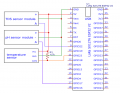
Why, if it is so obvious to your search, did you not spend the effort to state what you wanted in the initial post???? and, given the input devices shown in that circuit diagram, why would I expect it to be a stock ticker???

AND, why in the world should I follow some link because somebody is unwilling to actually explain what they are talking about???

Further, I really do not appreciate your inclusion of illiterate expletive. And it quite possibly is unacceptable in these forums.
 

meth

Joined May 21, 2016
298
My advices to the thread starter:

-As mentioned, draw a schematic so we can all help you better.
-I would go with soldering, protoboard or even better custom-made PCB if possible, makes everything easier instead of the jumping wires (I hate them)
-be careful with everything, especially with the battery charging part!!! If you burn an ESP32 is not so scary (it happened to all of us) but try not to blow up the battery.
*on this point there was discussions in other threads, should the "exit" from the battery be disconnected from the rest of the circuit, so it doesnt charge AND spend at the same time?

Focus on the end project but do it in stages. Try to connect to the ESP32. Try to blink a diode. Try to connect to wifi. Try to display a single string on your display. Never start by doing the complete project immediately, especially if you are beginner, because if it doesnt work from the first try (I guarantee it will NOT :D ) you will not know which stage you messed up. Probably more than one.
 
Top