Good-looking Schematic software

Thread Starter

tttapa

Joined Jan 31, 2016
22
I'd like some recommendations for free (or even open-source) software to create clean, good-looking schematics and circuit diagrams.
Don't get me wrong, Eagle is great for creating professional documents and designing PCBs, but I was wondering if there are alternatives that can export more aesthetically pleasing schematics for publishing images online, for example.

I'm an Ubuntu user, but I've got Windows installed as well, so that's not really a problem.

Looking forward to your suggestions!
Thanks,
Pieter
 

Thread Starter

tttapa

Joined Jan 31, 2016
22
Thanks, I've used SchemeIt a couple of times, and it's great for nice-looking, simple analog circuits. However, I couldn't find an option to add digital ICs ...
 

MrChips

Joined Oct 2, 2009
34,655
For digital logic, use the standard symbols for gates and flip-flops. For more complex logic, create your own function using rectangular boxes.
 

ErnieM

Joined Apr 24, 2011
8,415
For schematics my choice is also Kicad. You can then go on to produce a PCB from the schematic output and get connections tested automatically.

I also do like ExpressPCB for toss together schematics, as you can do just that: toss down shapes that are not necessarily proper symbols and still get a good looking output.

Aside: if you go the ExpressPCB way you are not bound to them forever. They will sell you the Gerber files for a price so you can set them free. Not a bad choice for inexpensive prototyping extensible to production quantities.
 

mcgyvr

Joined Oct 15, 2009
5,394
They will sell you the Gerber files for a price so you can set them free. Not a bad choice for inexpensive prototyping extensible to production quantities.
How nice of them :)
Wonder the cost of such a "service"..

Or just use one of the others and never worry and be able to generate your own gerbers for whatever you want without added costs....
 

ErnieM

Joined Apr 24, 2011
8,415
How nice of them :)
Wonder the cost of such a "service"..

Or just use one of the others to start, and never worry and be able to generate your own gerbers for whatever you want without added costs....
It has been several years since I used that service but as I recall we bought a set of production service boards (full mask and silk screen) for around $70. The gerbers were an additional $70, same as another set of boards.

It is nice. It allows you to use a cheap fast and good prototyping service to start your project, then use the very same artwork for production.

I am not recommending doing it this way (I find Kicad a much better program) but may be a good option for some.
 

GopherT

Joined Nov 23, 2012
8,009
DesignSpark has unlimited PCB size, multilayer and includes Gerber output, pen-plotter output, PDF output or standard window print commands as output.
Huge library but you can also build your own device. Wide array of suppliers are supporting it including some of the Adafruit-type suppliers with additional libraries of parts and pieces (large caps, switches, pots, trimmers, sub-boards (e.g. ultra-sonic range finder, ...).

The auto-router is not great so I generally do it manually or, on smaller circuits, I completely skip the schematic building and I directly draw my pcb with the icons and copper traces (intuitive and locking connections - copper pours, net lists, ...)

Very nice for a free package.
 

hp1729

Joined Nov 23, 2015
2,304
I'd like some recommendations for free (or even open-source) software to create clean, good-looking schematics and circuit diagrams.
Don't get me wrong, Eagle is great for creating professional documents and designing PCBs, but I was wondering if there are alternatives that can export more aesthetically pleasing schematics for publishing images online, for example.

I'm an Ubuntu user, but I've got Windows installed as well, so that's not really a problem.

Looking forward to your suggestions!
Thanks,
Pieter
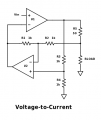
I use ORCAD. They have a free version. sample attached. Very extensive library of parts.
 

Attachments

shortbus

Joined Sep 30, 2009
10,050
I had a look at that one today. But don't you need to be online to use it, at least that is how it seems. And you need to store your work on their site, don't have a problem sharing after I'm done making all my mistakes, but until then I'd like to keep it to myself. MrChips, or anyone else using it, can you tell me if I'm correct on this?

I do like that they have most of their catalog to chose parts from though.
 

MrChips

Joined Oct 2, 2009
34,655
I had a look at that one today. But don't you need to be online to use it, at least that is how it seems. And you need to store your work on their site, don't have a problem sharing after I'm done making all my mistakes, but until then I'd like to keep it to myself. MrChips, or anyone else using it, can you tell me if I'm correct on this?

I do like that they have most of their catalog to chose parts from though.
Yes, you are correct. It requires internet access and your design is saved on the cloud. However, it is still private.

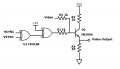
Here is an example of the latest thing I created for my DIY Pong blog:

video-out.png
 

KMoffett

Joined Dec 19, 2007
2,918
MrChips,
No connection dots? What happens if you need to cross, but not connect wires in the schematic?
Ken
 
Last edited:

shortbus

Joined Sep 30, 2009
10,050
Yes, you are correct. It requires internet access and your design is saved on the cloud. However, it is still private.
Can your design be saved to your personal computer? As some one (old?) that has a hard time using CAD, this looks like a pretty easy one to use. Thank you for answering.
 
Top