Looking for a bluetooth to centronics printeradapter schematic

Thread Starter

Klaus Ruckerbauer

Joined Aug 15, 2025
5
Hello!

I am new here and looking for a schematic from an bluetooth to centronics printer adapter. The market is to expensive for some old adapters.

Can anyone please share some schematics of this adapters?

The Deskjet 340 is working well with a USB cable under Windows 11. My laptop has only three usb ports and I wanted to test if it would work with andtroid and ios.

Thanks

Klaus

PS I cannot create or muild schematics cause I am nearly blind.
 

MrChips

Joined Oct 2, 2009
34,626
That is a very unusual request.
Is the Deskjet 340 using a Centronics parallel interface?
I was not aware of any such USB or bluetooth adapters.

You would require a circuit with an MCU to do the protocol conversion.

If you need more USB ports, you can add a USB expander.
 

Papabravo

Joined Feb 24, 2006
22,058
Hello!

I am new here and looking for a schematic from an bluetooth to centronics printer adapter. The market is to expensive for some old adapters.

Can anyone please share some schematics of this adapters?

The Deskjet 340 is working well with a USB cable under Windows 11. My laptop has only three usb ports and I wanted to test if it would work with andtroid and ios.

Thanks

Klaus

PS I cannot create or muild schematics cause I am nearly blind.
Are you certain that such a thing exists or is it just wishful thinking on your part? How would a schematic be helpful to you if you can't see it to build something from it. I imagine you might have a niece or a granddaughter who would be more than capable and willing to do it for you. In any case, it should be possible to do the design and prototype since the specifications for both interfaces are accessible. I agree with @MrChips that a suitable MCU with a reasonable amount of buffer memory would be required. IIRC the original data transfer rate was in the neighborhood of 150 kbytes/sec. This was subsequently upgraded to about 2 Mbytes/sec. The printers could not print that fast, but they had a reasonable amount of memory for the era (ca. 1970)
 

joeyd999

Joined Jun 6, 2011
6,204
The hardware would be relatively easy -- Centronics is a simple parallel port protocol.

I think the hard part would be writing a Win 11 Deskjet 340 printer driver that pushed Centronics over Bluetooth.
 

Thread Starter

Klaus Ruckerbauer

Joined Aug 15, 2025
5
I had one bt to centronics from MPI tech but I lost it. Windows Android and IOS found it but I still didnt have the key.
What I have is a USB to Bluetooth printerserver. I can open it and put some photos here. Maybe someone can help me to give me some advices to replace the usb with a centronics adapter.

Thanks
 

MisterBill2

Joined Jan 23, 2018
27,159
Mister Chips made the best suggestion in post #2 Support for the centronics interface is rather obsolete as of 20 years ago. A USB hub is a current product, and somebody might even give you a slower one free. And slow can work with a printer.
 

MrChips

Joined Oct 2, 2009
34,626
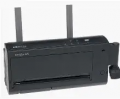
I had to look up DeskJet 340. Does it look like this?

1755355351845.png

In my days, printers with Centronics parallel interface used simple ASCII protocol. There was no font type and size selection. No graphics. It printed a line of characters followed with CR/LF.

I forgot there are such things call printer drivers. If you can send ASCII to a serial COM port, then you can use a CP2102 USB-to-UART adapter to an MCU. The parallel interface is dead easy. Bluetooth becomes feasible.
 

joeyd999

Joined Jun 6, 2011
6,204
I had to look up DeskJet 340. Does it look like this?

View attachment 354302

In my days, printers with Centronics parallel interface used simple ASCII protocol. There was no font type and size selection. No graphics. It printed a line of characters followed with CR/LF.

I forgot there are such things call printer drivers. If you can send ASCII to a serial COM port, then you can use a CP2102 USB-to-UART adapter to an MCU. The parallel interface is dead easy. Bluetooth becomes feasible.
Centronics feeds back the paper-out signal. That's about the most complicated part of it.

Still, to be useful in Windows, a driver is required.
 

Werecow

Joined Aug 4, 2025
37
If your only goal is to add parallel printing from Android/iOS, the bluetooth to USB/parallel printer adapters I know of were obsolete years ago, but you can still find them on the second-hand market: https://www.ebay.com/itm/356687947416 These were rebranded and sold by several different companies.

Probably much cheaper and easier than spinning your own.
 

Thread Starter

Klaus Ruckerbauer

Joined Aug 15, 2025
5
If your only goal is to add parallel printing from Android/iOS, the bluetooth to USB/parallel printer adapters I know of were obsolete years ago, but you can still find them on the second-hand market: https://www.ebay.com/itm/356687947416 These were rebranded and sold by several different companies.

Probably much cheaper and easier than spinning your own.
Thanks

Problems solved.
 

MisterBill2

Joined Jan 23, 2018
27,159
The alternative that I suggested was a USB hub to allow USB access.
I also have a very good laser printer with both a USB port and a Centronics port. When I connect it to the parallel output port on a computer, windows acknowledges it, but the word processor will not send tothe parallel port, only the USB port. Which has more overhead.
 
Top