First Time PCB Review

Thread Starter

Christian_Mingle11434

Joined Sep 15, 2025
20
Hello all,

I'm designing my first PCB.

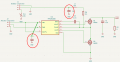
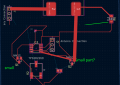
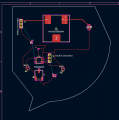
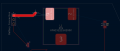
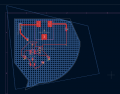
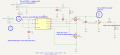
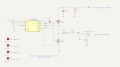
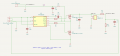
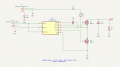
After bashing my head against a wall trying to design the perfect first PCB, I figured I’d make more progress designing one that I know is bad and getting tips from there. I’ve attached the circuit schematic and the PCB file, along with all custom footprints I’ve used so far.

My professor advised me to use the second layer as a ground plane using vias. Have I done that correctly? I’m supposing that running a trace from the Arduino PWM signal directly under my IC isn’t a good idea. I can fix that later, and I’m taking any and all suggestions.

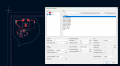
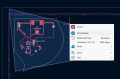
1762740664378.png1762740673030.png
 

Attachments

ronsimpson

Joined Oct 7, 2019
4,691
You need some capacitors.
1762748030312.png
The traces with current flow should be wide. I turned the inductor around to make the loop smaller. Move the transistors together close to the IC>
1762748565598.png
 

Ian0

Joined Aug 7, 2020
13,131
I know that pcb manufacturers CAN make a track between two pins of a SOIC, but that doesn't mean you should make it difficult. If you put J2 approximately where the text "IC2" is it will probably track without. It is much easier to put a track between two pins of J2 if necessary.
I've never seen a resistor in a package like R2, but isn't R2 your external load?
 

Thread Starter

Christian_Mingle11434

Joined Sep 15, 2025
20
@ronsimpson transistors moved. Capacitors added. I realize I didn't change my trace width through the inductor current path in this update, but I can change that later. I used this site to calculate for a current of 10A and a PCB layer of 2 mm thickness to get 0.41 mm trace width. Does that pass a sanity check? I'm unfamiliar with these calculations, but you're not the first person to tell me to make them thicker. I'm getting the idea that I should have more overhead. They're currently sitting at 0.51mm.

I have a requirement of 9A through the inductor, and that leads me to my MOSFETs. You say they're small. I've attached the datasheet for them. This MOSFET is rated for 12.5 A. Should I get more overhead?
________________________________________________________________________________________________________________________________________
@Ian0 Do you mean to trace from J2 to the pins from underneath the IC? I can do that in my next update.

R2 is a potentiometer. Labelled properly in this second design.
________________________________________________________________________________________________________________________________________
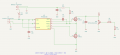
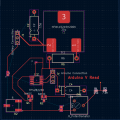
A few more changes I made:

1. The Arduino can only handle 5V into a pin, so I created a voltage divider to reduce the 12V output of the potentiometer to 4V. The Arduino will read this, convert back to 12V and try to maintain that across a range of loads.

2. I changed R6 (shunt resistor) to a through hole so it's easier to change out if necessary. This is my first time working with a shunt resistor and I figure I should be cautious. I was told that through hole was acceptable due to my low 50 kHz frequency. This was after selecting my other components, of course.:)
On that note, I need a test point across R6.
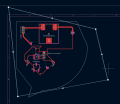
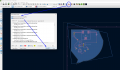
1762758716885.png1762758728518.png

I'm open to new ideas and suggestions.
 

Attachments

panic mode

Joined Oct 10, 2011
4,978
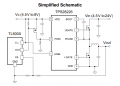
it took me a moment to realize that what i was looking at is not TPS282260 but TPS28226D... oh well, need glasses i guess.

https://www.ti.com/lit/ds/symlink/t...335592&ref_url=https%3A%2F%2Fwww.mouser.ca%2F

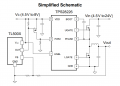
so my first comment is why not stick with layout that matched datasheet? Signals are supposed to flow from left to right. Datasheet clearly shows that Vout is the output, but your schematics makes it look as input power.

1762782604868.png

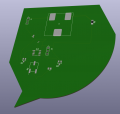
next your PCB lacks board edges.

1762782887214.png

perhaps something odd like this:
1762783168221.png

so you can admire your creation in 3D
1762783210970.png

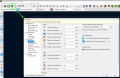
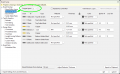
next, you really need to setup board before routing etc.
1762782977322.png


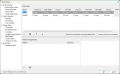
one of the things you need to specify is number of layers and stackup:
1762783069269.png

one of the most important things is net classes...
you create classes for different trace sizes, for example

4mm for really high current circuits
1.5mm for DC power and output,
0.5mm for signals,
etc.

1762783502268.png

Then you would specify which nets belong to which class.

but... you did not spend time to make schematic properly either, so your net names are all auto-generated.
this is not just VERY ugly but also limits what you see or understand while routing, and makes net class assignment crap because you cannot really joker characters.

for example i name all powers something with V (24V, 5V, 3.3V etc.). then in net class i say anything that has V is of class Power (*V)

in YOUR case this does not work... so you need to manually pick net names for inductor, power etc. it means more typing..
1762784208419.png

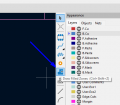
and AFTER this - routing becomes fun... correct track width is chosen as you click on things. here is an example of wider trace:
1762784295054.png


one of the steps you were asked to do is use back layer as ground plane. so click on filled zone icon:
1762784536964.png


and draw some area.
if wanted you can exceed board edges... this will be trimmed down automatically.
 

panic mode

Joined Oct 10, 2011
4,978
for example:
1762784693067.png

then draw points and close the outline
1762784781180.png

and you get something like this:
1762784809634.png

then run design rule checker and make sure to refill any zones. you should get something like this:
1762784922181.png

or maybe you like hatched pattern:
1762785069624.png
 

panic mode

Joined Oct 10, 2011
4,978
this is better layout (compare with ckt from datasheet).
note labeling of the signals.
no clue what R2 is doing there, it is just wasting energy.
1762787916238.png

1762788064001.png
 

ronsimpson

Joined Oct 7, 2019
4,691
There are two 15pf caps. Change the one on the IC to 0.01uF. Change the one on the incoming power to 15uF or something big.

In the schematics we have some that are a boost and some that are a buck. Which is it?

Why R6 0.1ohm?
 

Thread Starter

Christian_Mingle11434

Joined Sep 15, 2025
20
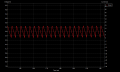
@panic mode I appreciate the in-depth responses, but I can assure you that my general layout is correct. I probably should have clarified that with some waveforms. The layout in the datasheet is for a buck converter, I'm building a boost converter. The datasheet states that the driver can be used in either design.

With a 3-4V battery input, I expect 12V out, controlled by the Arduino. This is the steady state result I get in my simulation.

Screenshot 2025-11-05 032555.png

Thank you for the invaluable design tips in regards to the nets and ground plane, though.

I would guess that it is there so that the current waveform could be observed on a scope. If I’m correct about that, there should be some means of connecting said scope
Yes, that is exactly it! I did mention both of these points my previous comment.
 

Ian0

Joined Aug 7, 2020
13,131
Are those 1210 size resistors? Most folks use 1206 or 0805. I prefer 1206, because the are rated at 200V/125mW so I don't have to keep thinking "are these resistors still in spec"; (and so the hot air gun doesn't blow them quite so far away) but 1210s are a bit large for the job.
What's going on underneath IC2?
For the large tracks (L1 to J2, and L1 to Q1), instead of using a track, which automatically gives you the rounded ends which are difficult to deal with, go to Place->Draw Filled Zones, and draw the area with nice squared off ends so that it doesn't have a chance to short to the other pin of J2. You have to tell KiCad which net the filled zone belongs to but that's written on the pad it's going to: IC2-Phase for instance.
For a boost converter, the area of the current loop should be minimised so keep interference and transients low, so I would recommend moving Q2 until it is almost touching Q1, and the ground pads of C1 and C2. Join the grounds of C1 C2 and Q2 with some wide red track (or another filled zone) so the currents don't have keep swapping sides through vias.
I presume you know you haven't joined a lot of the capacitor grounds to the ground plane yet.
 
Top