Factory Variable Resistance Cruise Control Switch Converter to Basic 12 Volt On/Off Switch Outputs Needed for Aftermarket Rostra Cruise Control Unit

Thread Starter

boochman123

Joined Sep 22, 2025
2
Hello all,

I'm a new member to the website and an old Electronics Engineer with a very dated A.S.E. certification that I'm attempting to combine in order to upgrade my wife's 2020 Chevy Trax. Her car was purchased used without cruise control and I'm hoping to make use of a factory cruise control switch from an upgraded version of her car, combined with a high quality aftermarket cruise control unit made by Rostra. The factory switch is a resister ladder configuration with one signal wire output providing varied levels of the original 12 volt input voltage, translated by the vehicle's Body Control Module (BCM) as to which cruise button had been pressed. Chevy dealers are reluctant to update our BCM in order to simply "turn on" the cruise control option, and the few dealers willing to update our BCM, are quoting unreasonable fees. For now, the Rostra provided steering-column-mountable cruise switch will suffice; however, I'm certain there is a better solution for being able to make use of the newly installed factory steering wheel cruise control switch. For further background and insight, I've attached a link to the Chevy Trax Forum post we created on this very topic:

https://www.traxforum.com/threads/a...termarket-rostra-cruise-kit.11875/#post-87661

...and while researching this project, I ran across a dated discussion thread on this site, addressing an extremely similar project, but with out concluding posts:

https://forum.allaboutcircuits.com/threads/cruise-control-variable-resistance-switches.119092/

If anyone on this site has any additional input, or a way to reach the members of the above thread, we'd love to hear your thoughts and/or be connected with the members of the last linked thread.

Thank you in advance for any help.

Kind regards,
Paul B.
USAF Joint Service Retired
 
Last edited:

Ya’akov

Joined Jan 27, 2019
10,226
Welcome to AAC.

The most straightforward solution to your problem is to use a small MCU (MicroController Unit) with an ADC (Analog to Digital Converter) and sufficient GPIO (General Purpose Input/Output) pins to provide switched outputs for the cruise control unit.

The MCU would read the voltage on its ADC input and pull the appropriate GPIO pin(s) high or low as needed. Further circuitry such as optoisolators to galvanically isolate the MCU from the CC control and switching devices such as a MOSFET, relay, or the like would provide signal conditioning and compatibility.

This is a very easy project for someone with midlevel MCU and electronics skills and experience—but if you are starting from scratch with MCU programming and interfacing there will be a perceptual shear face to the learning curve. Fortunately this is mostly just appearance.

Given that you have a presently working arrangement, I would suggest to play a (relatively) long game and get an Arduino¹ starter kit², then follow the tutorials without concern for your particular application³. This will give you a foundation to approach solving this problem using an MCU and associated interface circuitry.

If you choose this path you will enter a functionally unlimited world of MCUs, sensors, and actuators that makes many hard things easy and many otherwise impractical things possible. I am certain you will find application after application for the toolset you acquire. Good luck and don't hesitate to ask questions here as they arise—you will find plenty of help.

See the footnotes below for further information.

1. Arduino
The Arduino project originated in 2005 at the Interaction Design Institute Ivrea in Italy, where Massimo Banzi and David Cuartielles created an easy-to-use, low-cost microcontroller board to enable practical use of embedded processor technology in building interactive projects.

At the time, embedded systems technology was an arcane, highly specialized field that required manufacturer specific tool chains and costly development tools. The few systems that attempted to offer a more accessible ecosystem (e.g.: BASIC Stamp) were still too costly in time and money to be an easily employed option by non-specialists.

The first board, based on an Atmel AVR chip, was named “Arduino” after a local bar in Ivrea. Its open-source hardware design and freely available software environment quickly attracted a global community of makers, educators, and engineers. In 2008, the Arduino team formally established the Arduino Foundation (later Arduino LLC/Arduino AG) to coordinate development, protect the brand, and foster growth. Since then, Arduino has become a cornerstone of the maker movement, expanding into education, IoT, and professional prototyping while maintaining its ethos of open hardware and accessible design.

People often call development boards “Arduinos” even when they were not designed by Arduino LLC, so long as they are supported in the Arduino development environment. This broad use of the name reflects how Arduino has grown beyond a single line of boards into a hardware-independent abstraction framework: a standardized set of libraries, APIs, and conventions that let the same code run across many different microcontrollers.

The development of Arduino-based projects centers around an IDE (Integrate Development Environment). The combination of the abstraction framework aspect of "Arduino" is the magic that made it so popular. This front-end hides an enormous amount of arcane, hardware specific magic that previously required embedded wizard status to weild.

The abstraction of things like burning bootloader, compiling code, and uploading to hardware to a single "button" suddenly made embedded systems—easy. While the official Arduino IDE is the most visible tool for working within this framework, alternatives such as PlatformIO and Visual Studio Code extensions also support it, reinforcing the idea that Arduino is not just a family of boards but a portable development model spanning hardware and software.

Many people start off with actual Arduino dev boards but soon find the amazing variety of third-party dev boards supported under the framework is a rich source of inexpensive, specialized, or readily available options some offering abilities or attributes not available among the Arduino, LLC offerings. Even bare MCU chips for priojects with custom PCBs are easily used.

So, for your project, the Arduino ecosystem—whether you end up using an "Arduino" (dev board) or not, is certainly the best option.

2. Arduino Starter Kits
There is a dizzying array of "Arduino starter kits" on the market. These are a combination of a dev board and a selection of sensors and actuators, as well as passive and active components, and, critically, a collection of tutorials on key topics in the development of Arduino based projects. Because the Arduino framework provides such an extensive selection of dev board and hardware libraries, knowledge gained from a such a starter kit is portable to anything you might want to do.

You have two basic options when purchasing a starter kit: an official Arduino, LLC kit. or a third party. First, I would strongly encourage you to buy an official kit (here, and here) if possible. The principle reason for this is support of the Arduino mission and the work done by them to create and extend the framework. It also ensures you will get high quality tutorial content (though many 3rd party options do as well) and a treasure trove of associated resources.

What's the downside? Cost. The Arduino kits will be considerably more expensive. This is echoed in the cost of official dev boards and so you are likely to buy 3rd party options in the future for this and various reasons. This is why I suggest that if it is at all possible you start with an official kit to support the literally world changing work of Arduino.

When considering 3rd party options, avoid buying solely on price. Read reviews and watch videos about the kit under consideration to be sure you will get something that helps instead of discouraging. This kit, by Elegoo is a good, low cost option if you are very price sensitive.

3. Ignoring your Practical Need
You might be tempted to follow a path through the tutorials that seems most relevant to your current project. I suggest you avoid that impulse and go through the material systematically. If you try to guess what you need to know, not only will you be unaware of other aspects of the technology you may well, in your ignorance, not learn something you actually need.

Remember that this is a combination of hardware and software and so the programs contain concepts you may need that isn't identifiable by the hardware list or application. Invest the time to complete the tutorials, then prototype your own. Don't go directly to building something you could install in the car. Instead build something that embodies the input and output requirements, and the UI (User Interface), then start on versions that look like something embeddable.
 

Thread Starter

boochman123

Joined Sep 22, 2025
2
Thank
Welcome to AAC.

The most straightforward solution to your problem is to use a small MCU (MicroController Unit) with an ADC (Analog to Digital Converter) and sufficient GPIO (General Purpose Input/Output) pins to provide switched outputs for the cruise control unit.

The MCU would read the voltage on its ADC input and pull the appropriate GPIO pin(s) high or low as needed. Further circuitry such as optoisolators to galvanically isolate the MCU from the CC control and switching devices such as a MOSFET, relay, or the like would provide signal conditioning and compatibility.

This is a very easy project for someone with midlevel MCU and electronics skills and experience—but if you are starting from scratch with MCU programming and interfacing there will be a perceptual shear face to the learning curve. Fortunately this is mostly just appearance.

Given that you have a presently working arrangement, I would suggest to play a (relatively) long game and get an Arduino¹ starter kit², then follow the tutorials without concern for your particular application³. This will give you a foundation to approach solving this problem using an MCU and associated interface circuitry.

If you choose this path you will enter a functionally unlimited world of MCUs, sensors, and actuators that makes many hard things easy and many otherwise impractical things possible. I am certain you will find application after application for the toolset you acquire. Good luck and don't hesitate to ask questions here as they arise—you will find plenty of help.

See the footnotes below for further information.

1. Arduino
The Arduino project originated in 2005 at the Interaction Design Institute Ivrea in Italy, where Massimo Banzi and David Cuartielles created an easy-to-use, low-cost microcontroller board to enable practical use of embedded processor technology in building interactive projects.

At the time, embedded systems technology was an arcane, highly specialized field that required manufacturer specific tool chains and costly development tools. The few systems that attempted to offer a more accessible ecosystem (e.g.: BASIC Stamp) were still too costly in time and money to be an easily employed option by non-specialists.

The first board, based on an Atmel AVR chip, was named “Arduino” after a local bar in Ivrea. Its open-source hardware design and freely available software environment quickly attracted a global community of makers, educators, and engineers. In 2008, the Arduino team formally established the Arduino Foundation (later Arduino LLC/Arduino AG) to coordinate development, protect the brand, and foster growth. Since then, Arduino has become a cornerstone of the maker movement, expanding into education, IoT, and professional prototyping while maintaining its ethos of open hardware and accessible design.

People often call development boards “Arduinos” even when they were not designed by Arduino LLC, so long as they are supported in the Arduino development environment. This broad use of the name reflects how Arduino has grown beyond a single line of boards into a hardware-independent abstraction framework: a standardized set of libraries, APIs, and conventions that let the same code run across many different microcontrollers.

The development of Arduino-based projects centers around an IDE (Integrate Development Environment). The combination of the abstraction framework aspect of "Arduino" is the magic that made it so popular. This front-end hides an enormous amount of arcane, hardware specific magic that previously required embedded wizard status to weild.

The abstraction of things like burning bootloader, compiling code, and uploading to hardware to a single "button" suddenly made embedded systems—easy. While the official Arduino IDE is the most visible tool for working within this framework, alternatives such as PlatformIO and Visual Studio Code extensions also support it, reinforcing the idea that Arduino is not just a family of boards but a portable development model spanning hardware and software.

Many people start off with actual Arduino dev boards but soon find the amazing variety of third-party dev boards supported under the framework is a rich source of inexpensive, specialized, or readily available options some offering abilities or attributes not available among the Arduino, LLC offerings. Even bare MCU chips for priojects with custom PCBs are easily used.

So, for your project, the Arduino ecosystem—whether you end up using an "Arduino" (dev board) or not, is certainly the best option.

2. Arduino Starter Kits
There is a dizzying array of "Arduino starter kits" on the market. These are a combination of a dev board and a selection of sensors and actuators, as well as passive and active components, and, critically, a collection of tutorials on key topics in the development of Arduino based projects. Because the Arduino framework provides such an extensive selection of dev board and hardware libraries, knowledge gained from a such a starter kit is portable to anything you might want to do.

You have two basic options when purchasing a starter kit: an official Arduino, LLC kit. or a third party. First, I would strongly encourage you to buy an official kit (here, and here) if possible. The principle reason for this is support of the Arduino mission and the work done by them to create and extend the framework. It also ensures you will get high quality tutorial content (though many 3rd party options do as well) and a treasure trove of associated resources.

What's the downside? Cost. The Arduino kits will be considerably more expensive. This is echoed in the cost of official dev boards and so you are likely to buy 3rd party options in the future for this and various reasons. This is why I suggest that if it is at all possible you start with an official kit to support the literally world changing work of Arduino.

When considering 3rd party options, avoid buying solely on price. Read reviews and watch videos about the kit under consideration to be sure you will get something that helps instead of discouraging. This kit, by Elegoo is a good, low cost option if you are very price sensitive.

3. Ignoring your Practical Need
You might be tempted to follow a path through the tutorials that seems most relevant to your current project. I suggest you avoid that impulse and go through the material systematically. If you try to guess what you need to know, not only will you be unaware of other aspects of the technology you may well, in your ignorance, not learn something you actually need.

Remember that this is a combination of hardware and software and so the programs contain concepts you may need that isn't identifiable by the hardware list or application. Invest the time to complete the tutorials, then prototype your own. Don't go directly to building something you could install in the car. Instead build something that embodies the input and output requirements, and the UI (User Interface), then start on versions that look like something embeddable.
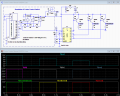
Thank you very much Ya'akov, you've been very explanatory and provided great food for thought! One of the research threads I explored, from this site, referenced the use of the Arduino, but also offered a less programmable option using the IC LM3914, along with 3 transistors:

Curise Control.PNG

https://forum.allaboutcircuits.com/threads/cruise-control-variable-resistance-switches.119092/

Although the Arduino route seems more interesting, my main limiting factor is time. Since retiring from the service, I've run a not-for-profit security company, as well as helping a friend's locksmith shop as a mobile electronics locksmith...then running a veteran donation facility on the weekends. I tend to overfill my dance card which limits my time for much else LOL. with this factor in mind, I'd love your thoughts on the IC/transistors solution.

Thank you again for your insight.

Kind regards,
Paul B
 

sghioto

Joined Dec 31, 2017
8,634
Hi Paul,
Have you measure the voltage levels from the factory cruise needed to convert?
Analog solution using a LM3914 is feasible if not comfortable using a microprocessor.
 
Last edited:

MisterBill2

Joined Jan 23, 2018
27,359
The complexity of the solution certainly depends on your requirements. IF, really, all you require is ON/OFF control then a simple relay triggered by the presense of enough voltage from the present control can work. BUT if you want all of those control functions, then the scheme suggested with using the control voltage to the analog input of a processor is indeed the way to go.
 

Ya’akov

Joined Jan 27, 2019
10,226
Thank
Thank you very much Ya'akov, you've been very explanatory and provided great food for thought! One of the research threads I explored, from this site, referenced the use of the Arduino, but also offered a less programmable option using the IC LM3914, along with 3 transistors:

View attachment 356795

https://forum.allaboutcircuits.com/threads/cruise-control-variable-resistance-switches.119092/

Although the Arduino route seems more interesting, my main limiting factor is time. Since retiring from the service, I've run a not-for-profit security company, as well as helping a friend's locksmith shop as a mobile electronics locksmith...then running a veteran donation facility on the weekends. I tend to overfill my dance card which limits my time for much else LOL. with this factor in mind, I'd love your thoughts on the IC/transistors solution.

Thank you again for your insight.

Kind regards,
Paul B
I fear that using discrete components to "save time" is false economy. Changes to such a solution involves rebuilding hardware while the MCU approach has stable hardware and changes—including very clever feature additions is all software. You can try 10s or 100s of versions "free", you can tweak things, and you can even add things like long press or multi-button triggers.

If you want to save time, you could short circuit the Arduino learning process and focus on a critical path to your particular application—going back later to learn more. The power of the MCU will leave you speechless when you see it., and future projects that might otherwise have taken days could take hours instead, or even be possible instead of impossible.

Consider just leaning enough to do this project—it wouldn't be hard to find examples that have what you need in them. And asking here, with good information (your posts are comprehensive and orderly, so you already have a leg up on the average TS) will get you a lot of help.

I sincerely believe that this first MCU project will take no longer—if not less time—than a half-... hearted... attempt using discrete components while changing the landscape for you permanently.

Would you consider getting the starter kit and committing four hours to the beginning tutorials to see if you have an affinity for the MCU toolset?
 
Top