ESP32-S2-devkitc-1 and LCD 10.1"

Thread Starter

FroceMaster

Joined Jan 28, 2012
708
Hi,
Have been struggeling for some weeks. but i do need some help.
have tried to get correct id from LCD but it's not replying correct.
I use PlatformIO for VS-code. I use

platform = espressif32
board = esp32-s2-saola-1
framework = arduino
monitor_speed = 115200
upload_port = COM4
Display is a
Serial SPI I2C 10.1"TFT LCD Module Dislay w/RA8876,OPTL Touch Panel
Chip i not RA8876 but LT7683 , can be with either one.
have this code for reading out the id,
Code:
void setup() {
   // Aktiver pull-up modstand på GPIO0 og GPIO2 for normal start
   pinMode(0, INPUT_PULLUP);  // GPIO0 input with pull-up
   pinMode(2, INPUT_PULLUP);  // GPIO2 input with pull-up 

   // Aktivate pull-down on GPIO15 for normal start
   pinMode(15, INPUT_PULLDOWN);  // GPIO15 as input with pull-down 

  // Start seriel monitor
  Serial.begin(115200);
  //pinMode(TFT_CS, OUTPUT);
//digitalWrite(TFT_CS, HIGH);  // starts HIGH

  delay(1000);
  Serial.println(" Initialiserer screen...");
//testSPI();
Serial.println(" Resetting LT7683...");

pinMode(TFT_RST, OUTPUT);
digitalWrite(TFT_RST, LOW);
delay(50);  // Hold LOW i least 50ms
digitalWrite(TFT_RST, HIGH);
delay(100); // wait for stabilisering

Serial.println("✅ LT7683 Reset Done!");


SPI.begin(12, 13, 11, 10);
SPI.beginTransaction(SPISettings(1000000, MSBFIRST, SPI_MODE1)); //1 MHz, SPI mode 1

pinMode(TFT_CS, OUTPUT);
digitalWrite(TFT_CS, HIGH);
delay(10);


digitalWrite(TFT_CS, LOW);
delayMicroseconds(50);  // wait some before SPI-transfer

SPI.transfer(0xD0);  // Read Command
delayMicroseconds(10);
SPI.transfer(0x00);  // Read Chip ID Register
delayMicroseconds(10);
uint8_t chipID1 = display.readRegister(0x00);
delay(10);
uint8_t chipID2 = display.readRegister(0x00);

Serial.print("LT7683 Chip ID (first reading): 0x");
Serial.println(chipID1, HEX);
Serial.print("LT7683 Chip ID (second reading): 0x");
Serial.println(chipID2, HEX);

delayMicroseconds(50);  // wait before CS HIGH
digitalWrite(TFT_CS, HIGH);
SPI.endTransaction();

Serial.print("LT7683 Chip ID: 0x");
Serial.println(chipID1, HEX);

if (chipID1 == 0x80) {
    Serial.println("✅ LT7683 is correct initialiseret!");
} else {
    Serial.println("⚠ ERROR! Check wires");
}
i use

#define TFT_MISO 13
#define TFT_MOSI 11
#define TFT_SCK 12
#define TFT_CS 10
#define TFT_RST 9 // Reset
#define TFT_BUSY 8 // Busy pin (if nessesary)

Have tried with many different setting for delays, and mode form 100 khz to 10mhz SPI mode 0-1-2-3
Have read that display ID should allways be 0x80.

Edit, translate from danish
 
Last edited:

nsaspook

Joined Aug 27, 2009
16,250
LT768x is control by external Host and through the host interface to access LT768x‟s Registers and
Display Memory. LT768x provide 8bits or 16bits parallel mode, serial SPI mode, and I2C mode for Host's
communication. These interface mode is setup by PSM[2:0] pins:

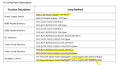
Make sure the display module is configured for 4 wire SPI interface mode by setting those pins.
 

Thread Starter

FroceMaster

Joined Jan 28, 2012
708
LT768x is control by external Host and through the host interface to access LT768x‟s Registers and
Display Memory. LT768x provide 8bits or 16bits parallel mode, serial SPI mode, and I2C mode for Host's
communication. These interface mode is setup by PSM[2:0] pins:

Make sure the display module is configured for 4 wire SPI interface mode by setting those pins.
Yes have checked and checked those "jumpers" / solders. It's like i ordrer, 3.3v 4-wire SPI and capacitive touch , and internal Backlight. I use some standard driver, cause i cant find a header for this controller.
 

Attachments

nsaspook

Joined Aug 27, 2009
16,250
The next thing is to check your controller SPI signals with a oscope or logic probe to see the sck, miso mosi and cs toggles and voltage levels. What value(s) is received when you send data to the display?
 

geekoftheweek

Joined Oct 6, 2013
1,429
What libraries are you using? I have used the Arduino IDE with a few ESP12 projects in the past and from what I recall and the little bit of digging I just did normally you would do something like
Code:
RA8876.begin(12, 13, 11, 10);
instead of
Code:
SPI.begin(12, 13, 11, 10);
to initialize the library to use SPI to communicate with the display.
There is nothing that I can see in your code that would "link" display.readRegister() to any SPI channel.
You could strictly use the SPI functions to communicate with the display, but that will leave you without the convenience of the drawing functions.
 

Thread Starter

FroceMaster

Joined Jan 28, 2012
708
What libraries are you using? I have used the Arduino IDE with a few ESP12 projects in the past and from what I recall and the little bit of digging I just did normally you would do something like
Code:
RA8876.begin(12, 13, 11, 10);
instead of
Code:
SPI.begin(12, 13, 11, 10);
to initialize the library to use SPI to communicate with the display.
There is nothing that I can see in your code that would "link" display.readRegister() to any SPI channel.
You could strictly use the SPI functions to communicate with the display, but that will leave you without the convenience of the drawing functions.

Yes i could do that, but where to get the lib, have tried serach in PlatformIO, and if search for RA8876 i only get LovyanGFX and GUIslice, and when you look closely, it's only for RA8875 not 76. Have tried them both.
 

geekoftheweek

Joined Oct 6, 2013
1,429
My guess is then that instead of display.readRegister() you are going to have to use SPI functions to communicate with the display adapter.

Code:
uint8_t chipID1 = SPI.transfer(0x00);
delay(10);
uint8_t chipID2 = SPI.transfer(0x00);
Should do the trick. I looked through the RA8876 datasheet to try and figure out quickly how everything needs to work, but the format and such leaves a little to be desired in making it easy to read. It looks like you are on the right track other than function calls. It would be nice if there was a library available or some good example to follow, but I seem to have come up short myself while looking.

Other than that I have to agree with post #4 to start looking into the signalling to make sure everything is at least "working" as expected.
 

Thread Starter

FroceMaster

Joined Jan 28, 2012
708
i did have a little loop for testing 'SPI, so data i send and returning again, i have startet new basic test for LCD, use of h and c files for that spicified display controller LT7683. run at little test code just to get life in lcd. but my program crash, due to watchdog.
here is my code,
C:
[env:esp32-s2-saola-1]
platform = espressif32
board = esp32-s2-saola-1
framework = espidf
monitor_speed = 115200
lib_ldf_mode = deep+
I know it's not the right board, but the closest ( ESP32_S2_Devkit1-c). her is main code
C:
#include "lcd_spi.h"
#include "LT7683.h"
#include "freertos/FreeRTOS.h"
#include "freertos/task.h"
#include <stdio.h>

void lcd_test_task(void *pvParameters) {
    LT7683_init();  // Initialize screen
    while (1) {
        printf("Testing LCD...\n");
        LT7683_fillScreen(0xF800);  // RED
        vTaskDelay(pdMS_TO_TICKS(1000)); 
        LT7683_fillScreen(0x07E0);  // GREEN
        vTaskDelay(pdMS_TO_TICKS(1000)); 
        LT7683_fillScreen(0x001F);  // BLUE
        vTaskDelay(pdMS_TO_TICKS(1000)); 
    }
}

void app_main() {
    lcd_spi_init();  // Initialize SPI
    xTaskCreatePinnedToCore(lcd_test_task, "LCDTest", 4096, NULL, 1, NULL, tskNO_AFFINITY);
    

}
 

geekoftheweek

Joined Oct 6, 2013
1,429
I have not used xTaskCreatePinnedToCore() myself yet, but that part looks correct according to what I could find. A watchdog fault is usually from not returning to the system from your program in a set time. I do not know off hand what exactly the time frame is for the watchdog. Most delay() type functions will satisfy that requirement which I am going to assume you have a few in the LT7683_init() (not that they will be needed most likely).

Do you get the "Testing LCD" output or does it not make it that far?
 

Thread Starter

FroceMaster

Joined Jan 28, 2012
708
have done some more debug and found that in this
C:
static void lcd_spi_cs_pin_init(void) {
    gpio_config_t io_conf = {};
    io_conf.pin_bit_mask = (1ULL << PIN_NUM_CS);
    io_conf.mode = GPIO_MODE_OUTPUT;
    io_conf.pull_up_en = GPIO_PULLUP_DISABLE;
    io_conf.pull_down_en = GPIO_PULLDOWN_DISABLE;
    gpio_config(&io_conf);
    gpio_set_level(PIN_NUM_CS, 1);
}
i get this error--
✅ SPI init færdig
Debug: LT7683_RST_PIN = 25
E (289) gpio: GPIO_PIN mask error
E (289) gpio: gpio_set_level(240): GPIO output gpio_num error
✅ LT7683 GPIO init færdig! and a lot more of same error. and it's when calling the above code
 

geekoftheweek

Joined Oct 6, 2013
1,429
Debug: LT7683_RST_PIN = 25
E (289) gpio: GPIO_PIN mask error
E (289) gpio: gpio_set_level(240): GPIO output gpio_num error
✅ LT7683 GPIO init færdig! and a lot more of same error. and it's when calling the above code

I have also not used gpio_config_t myself for anything yet as I had similar problems in the past and found another way around it. Now this time I came across https://github.com/espressif/esp-id...ls/gpio/generic_gpio/main/gpio_example_main.c that shows beginning on line 38 there are different definitions for the pin numbers for the pin_bit_mask. I have a feeling that may be your issue there.


Edit:
I missed a small detail when I looked at that page and realized I was wrong
 

geekoftheweek

Joined Oct 6, 2013
1,429

Thread Starter

FroceMaster

Joined Jan 28, 2012
708
Bitmask part is fixed, damm, i missed that i use pin25. but no pin25 on my board. It was reset pin not CS i focused on, now it runs correct, but now comes next problem. Cant get the LCD to reply anything, I think maybee its due to the LT7683,c ,h file. have some different command to initiliaze and use the screen. i use the 'SPI from the ESP-IDF, so the command SPI.begin ect is not declared.
 

geekoftheweek

Joined Oct 6, 2013
1,429
Bitmask part is fixed, damm, i missed that i use pin25. but no pin25 on my board. It was reset pin not CS i focused on, now it runs correct, but now comes next problem. Cant get the LCD to reply anything, I think maybee its due to the LT7683,c ,h file. have some different command to initiliaze and use the screen. i use the 'SPI from the ESP-IDF, so the command SPI.begin ect is not declared.
Glad you found it. I wonder what the difference is between your board and the others that don't have pins 6-11. I could not find anything for sure when I was looking so I thought maybe that was the issue.
I have not used SPI myself so I will not be any help there either.
Good luck!!
 
Top