Digital Display goes Crazy

djsfantasi

Joined Apr 11, 2010
9,237
Let us see if we can nail this down.

This is the sketch that you showed back in post #15.
View attachment 262272

Let us begin with the Arduino.

Make a list of all the pins on the Arduino Uno board and the function of each pin you plan to use. Please number each pin according to the Arduino board numbering.

Next step, select one pin as output (perhaps a spare pin that you are not planning on using) and write the code to make an LED (via 1kΩ series resistor) flash at 1-2Hz (frequency is not critical).
One thing to consider is the pin maximums.

First, where are you using resistors? You shouldn’t use 10kΩ on D1-D4. But you need 330Ω resistors on each segment (pins D2-D9; a-g) to limit current to 10ma per segment.

But that causes up to a 80ma draw on D1-D4 (Arduino pins D10-D3). The Arduino can only supply 20ma (the specs say 40ma, but that’s a maximum). Twice the maximum will cause wonky behavior.

You need a transistor on D10-D3… Either a BJT or MOSFET. I used 2N7000s.

I’ve done a four digit fake scoreboard with an Arduino. I’ve done the power analysis, etc…. I apologize for missing the USB serial pin assignments. My bad.
 

Thread Starter

Lawrence H

Joined May 6, 2019
98
I will start over so you can get an updated view of what is happening.

First, the current code I am using. It first starts off by making sure that the var "digit" is not over 14. If it is, it makes it loop back to 10, which is the first pin for the digits. At the end of every iteration, it adds one to the var digit.

Then, the for loop will go through every part of the digit that is currently powered, selected through the system mention above. I removed pins 2 and 3 from the code, and from the loop. So now it skips pinA and pinB, and it starts from pinC, loops until it reaches pinDB, and then jumps back to pinC, which is now the first pin, and pinDB is the last.

Code:
//Digital Display
/*
INFO:
LOW on Digit pins means they are on, HIGH on partition is ON
*/

/*DEBUG
byte pinA = 2; //11 on display
byte pinB = 3; //7 on display
*/

byte pinC = 4; //4
byte pinD = 5; //2
byte pinE = 6; //1
byte pinF = 7; //10
byte pinG = 8; //5
byte pinDP = 9; //3

byte i = 0;
byte digit = 10; //The first digit pin

byte pinD1 = 10; //12 + 10k resistor
byte pinD2 = 11; //9 + 10k resistor
byte pinD3 = 12; //8 + 10k resistor
byte pinD4 = 13; //6 + 10k resistor

unsigned int wait = 100;
unsigned int loops = 0;
unsigned int mainTimer = 0;
unsigned int mainTimerReset = 3000;

void setup() {
  //Serial.begin(9600);

  /*
  pinMode(pinA,OUTPUT);
  pinMode(pinB,OUTPUT);
  */
 
  pinMode(pinC,OUTPUT);
  pinMode(pinD,OUTPUT);
  pinMode(pinE,OUTPUT);
  pinMode(pinF,OUTPUT);
  pinMode(pinG,OUTPUT);
  pinMode(pinDP,OUTPUT); //DOT
 
  pinMode(pinD1,OUTPUT);
  pinMode(pinD2,OUTPUT);
  pinMode(pinD3,OUTPUT);
  pinMode(pinD4,OUTPUT);
}

void loop() {
  if (digit > 13)
  {
    digit = 10;
  }
 
  if (digit == 10)
  {
    digitalWrite(pinD1,LOW);
    digitalWrite(pinD2,HIGH); 
    digitalWrite(pinD3,HIGH); 
    digitalWrite(pinD4,HIGH);
  }
  else if (digit == 11)
  {
    digitalWrite(pinD1,HIGH);
    digitalWrite(pinD2,LOW); 
    digitalWrite(pinD3,HIGH); 
    digitalWrite(pinD4,HIGH);
  }
  else if (digit == 12)
  {
    digitalWrite(pinD1,HIGH);
    digitalWrite(pinD2,HIGH); 
    digitalWrite(pinD3,LOW); 
    digitalWrite(pinD4,HIGH);
  }
  else if (digit == 13)
  {
    digitalWrite(pinD1,HIGH);
    digitalWrite(pinD2,HIGH); 
    digitalWrite(pinD3,HIGH); 
    digitalWrite(pinD4,LOW);
  }
  else
  {
    delay(10000);
  }
 
  for (i = 4; i < 10; i ++) //i = first pin in use for phase A; i < last pin in use + 1; add 1 to i
  {
    digitalWrite(i, HIGH); //Turn on part A in display
    delay(wait); //Wait
    digitalWrite(i,LOW); //Turn off part A in display
    delay(wait);
  }
 
  ///Finalize
  digit ++;
}
The code and the diagram shows you where the pins are going on the Arduino and the Display.

Digit partition pins
Arduino Pin 4 -> Display Pin 4 = C
Arduino Pin 5 -> Display Pin 2 = D
Arduino Pin 6 -> Display Pin 1 = E
Arduino Pin 7 -> Display Pin 8 = F
Arduino Pin 8 -> Display Pin 5 = G
Arduino Pin 9 -> Display Pin3 = DOT

Pins that Select the Digits - All of these following connections goes through it's own resistor.
Arduino Pin 10 -> Display Pin 12 = Digit 1
Arduino Pin 11 -> Display Pin 9 = Digit 2
Arduino Pin 12 -> Display Pin 8 = Digit 3
Arduino Pin 13 -> Display Pin 6 = Digit 4

There are no extra pins left after plugging in the display, since it's already under pinned after removing pins 2 and 3. I can use one of them to blink the light. Is the idea to blink it while the display code is running, or is this a separate test?
 

MrChips

Joined Oct 2, 2009
34,820
Yes. We are attempting to determine the integrity of your entire system.
If there are no spare pins, use one of the output pins which select one of the 4 digits.

We will keep this LED flashing while we output to a single digit. Hence for the moment we will work with a single 7-segment digit.

I know it is getting late now. We can continue tomorrow.
 

Thread Starter

Lawrence H

Joined May 6, 2019
98
Yes. We are attempting to determine the integrity of your entire system.
If there are no spare pins, use one of the output pins which select one of the 4 digits.

We will keep this LED flashing while we output to a single digit. Hence for the moment we will work with a single 7-segment digit.

I know it is getting late now. We can continue tomorrow.
I'm in no rush to go to bed. So here's what happened.

The LED will only blink if things go crazy, but will not blink if they work normally. Just now the system actually went back to normal and then went crazy again.
 

Thread Starter

Lawrence H

Joined May 6, 2019
98
Code:
//Digital Display

/*

INFO:

LOW on Digit pins means they are on, HIGH on partition is ON

*/


/*DEBUG

byte pinA = 2; //11 on display

byte pinB = 3; //7 on display

*/

byte pinLED = 2;

unsigned int timerLED = 0;

unsigned int timerLEDReset = 200;


byte pinC = 4; //4

byte pinD = 5; //2

byte pinE = 6; //1

byte pinF = 7; //10

byte pinG = 8; //5

byte pinDP = 9; //3


byte i = 0;

byte digit = 10; //The first digit pin


byte pinD1 = 10; //12 + 10k resistor

byte pinD2 = 11; //9 + 10k resistor

byte pinD3 = 12; //8 + 10k resistor

byte pinD4 = 13; //6 + 10k resistor


unsigned int wait = 100;

unsigned int loops = 0;

unsigned int mainTimer = 0;

unsigned int mainTimerReset = 3000;


void setup() {

  //Serial.begin(9600);


  /*

  pinMode(pinA,OUTPUT);

  pinMode(pinB,OUTPUT);

  */


  pinMode(pinLED,OUTPUT);

  pinMode(pinC,OUTPUT);

  pinMode(pinD,OUTPUT);

  pinMode(pinE,OUTPUT);

  pinMode(pinF,OUTPUT);

  pinMode(pinG,OUTPUT);

  pinMode(pinDP,OUTPUT); //DOT


  pinMode(pinD1,OUTPUT);

  pinMode(pinD2,OUTPUT);

  pinMode(pinD3,OUTPUT);

  pinMode(pinD4,OUTPUT);

}


void loop() {


  if (timerLED < (timerLEDReset / 2))

  {

    digitalWrite(pinLED,HIGH);

  }

  else

  {

    digitalWrite(pinLED,LOW);

  }


  if (timerLED >= timerLEDReset)

  {

    timerLED = 0;

  }


  if (digit > 13)

  {

    digit = 10;

  }


  if (digit == 10)

  {

    digitalWrite(pinD1,LOW);

    digitalWrite(pinD2,HIGH);

    digitalWrite(pinD3,HIGH);

    digitalWrite(pinD4,HIGH);

  }

  else if (digit == 11)

  {

    digitalWrite(pinD1,HIGH);

    digitalWrite(pinD2,LOW);

    digitalWrite(pinD3,HIGH);

    digitalWrite(pinD4,HIGH);

  }

  else if (digit == 12)

  {

    digitalWrite(pinD1,HIGH);

    digitalWrite(pinD2,HIGH);

    digitalWrite(pinD3,LOW);

    digitalWrite(pinD4,HIGH);

  }

  else if (digit == 13)

  {

    digitalWrite(pinD1,HIGH);

    digitalWrite(pinD2,HIGH);

    digitalWrite(pinD3,HIGH);

    digitalWrite(pinD4,LOW);

  }

  else

  {

    delay(10000);

  }


  for (i = 4; i < 10; i ++) //i = first pin in use for phase A; i < last pin in use + 1; add 1 to i

  {

    digitalWrite(i, HIGH); //Turn on part A in display

    delay(wait); //Wait

    digitalWrite(i,LOW); //Turn off part A in display

    delay(wait);

  }


  ///Finalize

  i = 0;

  digit ++;

  timerLED ++;

}
 

djsfantasi

Joined Apr 11, 2010
9,237
There are no extra pins left after plugging in the display, since it's already under pinned after removing pins 2 and 3. I can use one of them to blink the light. Is the idea to blink it while the display code is running, or is this a separate test?
I made a mistake regarding pins 2-3. You should be able to use them. However, by not using them you may have corrected another problem.

You can use pins A0-A3 as digital pins even though they’re labeled as analog pins. Just initialize them as if they are digital pins, and it will work.

I asked about how you are using resistors. They are necessary to limit current to all of the digit segments. Can you explain how and where you have resistors in your circuit?

Incorrect use of resistors will cause failures in such a manner as to produce “random” results…
 

Thread Starter

Lawrence H

Joined May 6, 2019
98
I made a mistake regarding pins 2-3. You should be able to use them. However, by not using them you may have corrected another problem.

You can use pins A0-A3 as digital pins even though they’re labeled as analog pins. Just initialize them as if they are digital pins, and it will work.

I asked about how you are using resistors. They are necessary to limit current to all of the digit segments. Can you explain how and where you have resistors in your circuit?

Incorrect use of resistors will cause failures in such a manner as to produce “random” results…
I seem to have missed your message.

I use a single resistor per digit only, and none on the partitions. I can add resistors to each of the partitions as well. I am also making a timer, so just a moment.
 

MrChips

Joined Oct 2, 2009
34,820
That's a lot of baggage for just testing an LED.
Can we do something like this instead?
Code:
void loop()
{
  digitalWrite(ledPin, HIGH);
  delay(500);
  digitalWrite(ledPin, LOW);
  delay(500);
}
 

Thread Starter

Lawrence H

Joined May 6, 2019
98
That's a lot of baggage for just testing an LED.
Can we do something like this instead?
Code:
void loop()
{
  digitalWrite(ledPin, HIGH);
  delay(500);
  digitalWrite(ledPin, LOW);
  delay(500);
}
Sure but that means that it won't blink in the background, but will halt the program and then blink.
 

MrChips

Joined Oct 2, 2009
34,820
We are simply testing one thing at a time.
The loop I have shown will flash an LED once a second.
This should be able to run indefinitely without failure.
 

Thread Starter

Lawrence H

Joined May 6, 2019
98
It is now running so that the LED blinks after every digit. I will leave it like that and see what happens. I added that piece of code you gave to it, that's the only change to the code posted before. I removed my failed timer completely.
 

Thread Starter

Lawrence H

Joined May 6, 2019
98
Ah right, the system does work in that sense. I will only loop the LED for now.

I actually made a buzzer that would play a sound every minute for the longest time. Hmmm that reminds me of something.
 

djsfantasi

Joined Apr 11, 2010
9,237
I seem to have missed your message.

I use a single resistor per digit only, and none on the partitions. I can add resistors to each of the partitions as well. I am also making a timer, so just a moment.
A single resistor per digit will change the voltage allowed to each segment in each digit, as the number of segments illuminated change.

The correct way is one resistor per segment.

MrChips posted that each segment needs 10ma based on the datasheet. I didn’t see that, but let’s use that value to calculate the resistor needed. The datasheet stated the forward voltage for each segment is 1.8V. That results in needing a 330 ohm resistor per segment or on pins 2-9.

The problem then becomes you are pulling too much current from D1-D4 or pins 10-13. When displaying an 8 or any number with more than 4 segments, you are exceeding the 40ma maximum an Arduino pin can supply. It is recommended that no more than 20ma come from any one pin (there is a maximum that the total draw doesn’t exceed, but I think you’re not exceeding 200ma total).

Sure it may work for a while because you only have those pins on for one quarter of the time, but eventually they’re going to heat up.

We need to address this problem.
 

Thread Starter

Lawrence H

Joined May 6, 2019
98
A single resistor per digit will change the voltage allowed to each segment in each digit, as the number of segments illuminated change.

The correct way is one resistor per segment.

MrChips posted that each segment needs 10ma based on the datasheet. I didn’t see that, but let’s use that value to calculate the resistor needed. The datasheet stated the forward voltage for each segment is 1.8V. That results in needing a 330 ohm resistor per segment or on pins 2-9.

The problem then becomes you are pulling too much current from D1-D4 or pins 10-13. When displaying an 8 or any number with more than 4 segments, you are exceeding the 40ma maximum an Arduino pin can supply. It is recommended that no more than 20ma come from any one pin (there is a maximum that the total draw doesn’t exceed, but I think you’re not exceeding 200ma total).

Sure it may work for a while because you only have those pins on for one quarter of the time, but eventually they’re going to heat up.

We need to address this problem.
Right, so this could be a likely solution. I added a delay to the end of the entire loop, and that seems to keep it running again. I don't think I have enough wire for all the resistors, so I will light up as many of the parts of the digit at the same time as possible, with the resistors.

I will be right back.
 

MrChips

Joined Oct 2, 2009
34,820
While your test code is running let's see if we can drive your 7-segment display more elegantly.
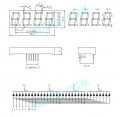
If your display looks something like this, which Ardunio pins are connected to which 7 segments?

4x7-segment display.jpg
 

Thread Starter

Lawrence H

Joined May 6, 2019
98
I found an issue so I got a little side tracked but I think this might be important.

Here is a piece of code that does NOT blink the LED on pin 13:
Code:
byte pinA = 2; //11 on display
byte pinB = 3; //7 on display
byte pinC = 4; //4
byte pinD = 5; //2

byte pinLED = 13;

byte pinD1 = 10; //12 + 10k resistor

unsigned int mainTimer = 0;
unsigned int mainTimerReset = 500;

void setup() {
  // put your setup code here, to run once:
  //Serial.begin(9600);
 
  pinMode(pinA,OUTPUT);
  pinMode(pinB,OUTPUT);
  pinMode(pinC,OUTPUT);
  pinMode(pinD,OUTPUT);

  pinMode(pinLED,OUTPUT);

  pinMode(pinD1,OUTPUT);
}

void loop() {
  ////TIMER
  if (mainTimer < mainTimerReset/2)
  {
    digitalWrite(pinLED,LOW);
  }
  else
  {
    digitalWrite(pinLED,HIGH);
  }
 
  if (mainTimer >= mainTimerReset)
  {
    mainTimer = 0;
  }
  ///TIMER END
  ///Finalize
  mainTimer += 1;
  //Serial.println(mainTimer);
 
}
And here is the exact same code, that WILL blink the LED on pin 13. As you can see, the only difference is the serial monitor usage. It does not matter whether I have the serial monitor window open or not:

Code:
byte pinA = 2; //11 on display
byte pinB = 3; //7 on display
byte pinC = 4; //4
byte pinD = 5; //2

byte pinLED = 13;

byte pinD1 = 10; //12 + 10k resistor

unsigned int mainTimer = 0;
unsigned int mainTimerReset = 500;

void setup() {
  // put your setup code here, to run once:
  Serial.begin(9600);
 
  pinMode(pinA,OUTPUT);
  pinMode(pinB,OUTPUT);
  pinMode(pinC,OUTPUT);
  pinMode(pinD,OUTPUT);

  pinMode(pinLED,OUTPUT);

  pinMode(pinD1,OUTPUT);
}

void loop() {
  ////TIMER
  if (mainTimer < mainTimerReset/2)
  {
    digitalWrite(pinLED,LOW);
  }
  else
  {
    digitalWrite(pinLED,HIGH);
  }
 
  if (mainTimer >= mainTimerReset)
  {
    mainTimer = 0;
  }
  ///TIMER END
  ///Finalize
  mainTimer += 1;
  Serial.println(mainTimer);
 
}
It requires that the mainTimer is actually printed to run. Starting the connection with the serial monitor in itself is not enough.

Now to the pins:

My connected pins are in Arduino, 2 to 9 in order, and on the display 11, 7, 4, 2, 1, 10, 5, 3. Then the digit pins are from 10 to 13 in order, and 12, 9, 8, 6 on the display.

I will now run a limited version with resistors. I will edit the code.
 

Thread Starter

Lawrence H

Joined May 6, 2019
98
I am now using an external 12V power source, I limited the pins to segments A, B, C, and D, and am using only the first digit. I added resistors to all the connections.

This is the current code I am running; Be advised, check what is in comments and ignore them, they are there for later debugging etc. :

Code:
byte pinA = 2; //11 on display
byte pinB = 3; //7 on display
byte pinC = 4; //4
byte pinD = 5; //2

byte pinLED = 13;

byte pinD1 = 10; //12 + 10k resistor

unsigned int mainTimer = 0;
unsigned int mainTimerReset = 500;

unsigned int wait = 100;

void setup() {
  // put your setup code here, to run once:
  Serial.begin(9600);
 
  pinMode(pinA,OUTPUT);
  pinMode(pinB,OUTPUT);
  pinMode(pinC,OUTPUT);
  pinMode(pinD,OUTPUT);

  pinMode(pinLED,OUTPUT);

  pinMode(pinD1,OUTPUT);
}

void loop() {
  /*
  ////TIMER
  if (mainTimer < mainTimerReset/2)
  {
    digitalWrite(pinLED,LOW);
  }
  else
  {
    digitalWrite(pinLED,HIGH);
  }
 
  if (mainTimer >= mainTimerReset)
  {
    mainTimer = 0;
  }
  ///TIMER END
  ///Finalize
  mainTimer += 1;
  Serial.println(mainTimer);
  */

  digitalWrite(pinA,HIGH);
  digitalWrite(pinB,HIGH);
  digitalWrite(pinC,HIGH);
  digitalWrite(pinD,HIGH);

  digitalWrite(pinD1,LOW);
  delay(wait);

  /*
  digitalWrite(pinA,LOW);
  digitalWrite(pinB,LOW);
  digitalWrite(pinC,LOW);
  digitalWrite(pinD,LOW);
  */

  digitalWrite(pinD1,HIGH);
  delay(wait);
 
}
 
Top