OK if this is the problem I am forever in your debt. I will actually go through my house to see whether I have something I could use. It is a real shame that six months ago I decided to get rid of all kinds of old electrical appliances that to some I had help on to for almost two decades with no use, and now that I finally need them, they are gone.
And finally, 12V two amps, but that's for my router so I probably don't want to tinker with that one since if I break it I'll be cut off from my social life support.
Power
The Arduino Uno can be powered via the USB connection or with an external power supply. The power source is selected automatically. External (non-USB) power can come either from an AC-to-DC adapter (wall-wart) or battery. The adapter can be connected by plugging a 2.1mm center-positive plug into the board's power jack. Leads from a battery can be inserted in the Gnd and Vin pin headers of the POWER connector. The board can operate on an external supply of 6 to 20 volts. If supplied with less than 7V, however, the 5V pin may supply less than five volts and the board may be unstable. If using more than 12V, the voltage regulator may overheat and damage the board. The recommended range is 7 to 12 volts.
The power pins are as follows: VIN. The input voltage to the Arduino board when it's using an external power source (as opposed to 5 volts from the USB connection or other regulated power source). You can supply voltage through this pin, or, if supplying voltage via the power jack, access it through this pin.
5V. This pin outputs a regulated 5V from the regulator on the board. The board can be supplied with power either from the DC power jack (7 - 12V), the USB connector (5V), or the VIN pin of the board (7-12V). Supplying voltage via the 5V or 3.3V pins bypasses the regulator, and can damage your board. We don't advise it.
3V3. A 3.3 volt supply generated by the on-board regulator. Maximum current draw is 50 mA.
I even had one of those adapters where you could switch the voltage. The last time I used it was back in the late 2000's. And just six months ago I decided that even though they might be useful, I need to get rid of clutter since I moved relatively far away. My hoarding senses are tingling so bad right now.
Power
The Arduino Uno can be powered via the USB connection or with an external power supply. The power source is selected automatically. External (non-USB) power can come either from an AC-to-DC adapter (wall-wart) or battery. The adapter can be connected by plugging a 2.1mm center-positive plug into the board's power jack. Leads from a battery can be inserted in the Gnd and Vin pin headers of the POWER connector. The board can operate on an external supply of 6 to 20 volts. If supplied with less than 7V, however, the 5V pin may supply less than five volts and the board may be unstable. If using more than 12V, the voltage regulator may overheat and damage the board. The recommended range is 7 to 12 volts.
The power pins are as follows: VIN. The input voltage to the Arduino board when it's using an external power source (as opposed to 5 volts from the USB connection or other regulated power source). You can supply voltage through this pin, or, if supplying voltage via the power jack, access it through this pin.
5V. This pin outputs a regulated 5V from the regulator on the board. The board can be supplied with power either from the DC power jack (7 - 12V), the USB connector (5V), or the VIN pin of the board (7-12V). Supplying voltage via the 5V or 3.3V pins bypasses the regulator, and can damage your board. We don't advise it.
3V3. A 3.3 volt supply generated by the on-board regulator. Maximum current draw is 50 mA.
Awesome, so I have figured this all wrong in a sense. I have a 5V supply for the motherboard but I did not recognize the need for more voltage for a stable output.
Reading this, plugging the Arduino in with a 5V supply from the wall is not enough? I don't want to assume I'm right
The computer's USB port is ok for just programming and testing the Arduino's code. Once you start drawing more current to power such things as LEDs and motors, the USB port cannot supply the current.
Connecting 5V directly to the Arduino is a bad idea. It would be best to make use of the 5V regulator already onboard.
To feed power into the 5V regulator, you need a minimum of 7V.
The vast majority of transformer style power adapters are rated while supplying full load.
A 7VDC adapter would be outputting about 8-12VDC when not loaded.
A 12VDC adapter would output about 15-20VDC when not loaded.
Hence I would recommend an adapter rated at 7-9VDC at 1-2A.
Before you plug in any adapter, check the output voltage and polarity. You want the center pin to be positive.
I was just about to go on a scavenger hunt in my apartment building, when I noticed some wires sticking out on the top of my tall cabinet. Then I remembered, that I cleared my old external hard drive and copied the files onto a HDD.
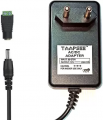
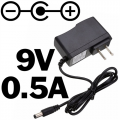
The adapter on that one is +12V 2A. It fits straight into the Arduino, and it has a marking that has three circles with horizontal lines connecting them. First one is - then a black circle, then positive.
Is this too much, since it's the absolute max? And what does the +12V mean? That it's somewhere over 12V but not a full half Volt?
I assume that if the center circle would be connected to the minus sign it would be center negative? The one I had is center negative, but I still went to look around, and I found all kinds of abandoned electrical parts, and 3 adapters, but all of them were 12V. I was hoping for a 9V.
So if it CAN take 12V, it should be safe, right? Maybe not optimal, but within the limits?
I plugged it in with the 12V, and it still goes erratic. So either it's too much current now, or then something is wrong with the board or a part of it.
I am now trying everything you guys have thrown at me. This is I think the final test that I can debug without using a multimeter etc.
1. The power is being supplied from an external 12V source. Checking with the multimeter, the board is pushing out a steady 5V.
1.1 There is no USB connection as I test the board using the external source.
2. The code is OK, and tested.
3. I removed the use of pins 2 and 3. (simply unplugging them did not work I think)
4. I also removed the use of pin 2 and 3 from the code.
5. I am not printing anything into the serial monitor, nor is the connection to it even started. It would be impossible anyways without the USB.
6. I am checking the heat on the board, and since there is no real power consumption, there is no heat.
7. I have switched wires and tested different connections.
Right now, the loop is going strong. Could it be possible, that due to the cheapness of the board, using so many pins creates an issue with the chip or some other part of the board?
Ok it happened again, but it took a long time. The loop ran clearly over 15 minutes it seems, since the loop was running before I even started my last post, and my last edit was 16 minutes ago.
Got anything else I could try? And with two less pins being used, it seems the loop went on for MUCH longer. Not sure what that means, but maybe you've got something.
If what you show in the first part of the video is what the code is supposed to be doing then that is wrong.
I have not looked that closely at your code but when I have some time I will post some suggestions.
This is the sketch that you showed back in post #15.
Let us begin with the Arduino.
Make a list of all the pins on the Arduino Uno board and the function of each pin you plan to use. Please number each pin according to the Arduino board numbering.
Next step, select one pin as output (perhaps a spare pin that you are not planning on using) and write the code to make an LED (via 1kΩ series resistor) flash at 1-2Hz (frequency is not critical).

 Facebook
 Google
 GitHub
 Linkedin