2-Wire Serial Temperature Sensor

Papabravo

Joined Feb 24, 2006
22,082
I have looked datasheet, Connecting SDO to GND results in slaveaddres is 01110110(0x76), after sending slave address 0x76, next we send register address, which register address do you select for temperature?
Zero - Register Zero. You do not write the value of Temperature. The A/D converter puts a value there. Your only job is to read it.
 

Thread Starter

aspirea5745

Joined Apr 17, 2019
106
Zero - Register Zero. You do not write the value of Temperature. The A/D converter puts a value there. Your only job is to read it.
Where do you get this information in datasheet ?

next byte should be (A0h), I am confused because of Figure 7: I²C multiple byte write (not auto-incremented) , page 29
Register address (A0h) 1 0 1 0 0 0 0 0
 

Papabravo

Joined Feb 24, 2006
22,082
Where do you get this information in datasheet ?

next byte should be (A0h), I am confused because of Figure 7: I²C multiple byte write (not auto-incremented) , page 29
Register address (A0h) 1 0 1 0 0 0 0 0
Yes from the datasheet. There is no other place to get information from. I guess the only thing I can suggest is that you keep reading until you grok the protocol and the device. Multiple explanations from multiple people have gone in one ear and out the other. Rather than continue this fruitless interaction, I suggest you take some quiet time, alone by yourself to go over each and every detail in excruciating detail until you reach the light bulb moment.
 

djsfantasi

Joined Apr 11, 2010
9,237
Look at the code for the sensor in post #11. It shows you exactly what you need to do.

I’m not sure, but the sample code seems to indicate that reading register 0 returns the temperature.

You said in an earlier post that you hadn’t worked with an Arduino before. But reading a register isn’t specific to an Arduino. There is no function “readRegister()”.

It is only a serial write then a read. The Arduino has an I2C library, wire.h, to do this over an I2C connection.

Have you already looked at the post in #11? Can you decipher what the sample program/sketch is doing?
 

Thread Starter

aspirea5745

Joined Apr 17, 2019
106
Yes from the datasheet. There is no other place to get information from. I guess the only thing I can suggest is that you keep reading until you grok the protocol and the device.
I think there is some misunderstanding We were discussing about TCN75 up to post #18, after that Les posted a datasheet of bump180's in post

so please reread you post #21, Are you sure that what you said is correct. I was asking page number, where you got register zero in datasheet of bump180
 

LesJones

Joined Jan 8, 2017
4,511
76 is not a valid slave address for the TCN75 it will be 0x9xxx xxx is A2,A1, A0. So if yo connect A2,A1 & A0 to ground the slave address 0x90 or 0x91 as the least significant bit is the RW bit. The address 0x76 is one of the two valid slave addresses for the BMP280 (I think you must have been looking at the wrong data sheet.) To read the temperature you need to read the temperature register. This is selected with a pointer register value of 0x00 (See table 5.1)(You may need to write this value to the pointer register or it might default to that value.)

Les.
 

Thread Starter

aspirea5745

Joined Apr 17, 2019
106
76 is not a valid slave address for the TCN75 it will be 0x9xxx xxx is A2,A1, A0. So if yo connect A2,A1 & A0 to ground the slave address 0x90 or 0x91 as the least significant bit is the RW bit. The address 0x76 is one of the two valid slave addresses for the BMP280 (I think you must have been looking at the wrong data sheet.) To read the temperature you need to read the temperature register. This is selected with a pointer register value of 0x00 (See table 5.1)(You may need to write this value to the pointer register or it might default to that value.)

Les.
There is a little misunderstanding here , I was talking about a datasheet of TCN75 u to post #18. You posted datasheet of bump180's in post 19,

You said that this is very easy to understand After that I started read datasheet of bump180' Response of My post # 20 for bump180 not for TCN75
 

Thread Starter

aspirea5745

Joined Apr 17, 2019
106
I am trying to understand sourcecode for bump180 https://github.com/ControlEverythingCommunity/BMP280/blob/master/C/BMP280.c
C:
#include <stdio.h>
#include <stdlib.h>
#include <linux/i2c-dev.h>
#include <sys/ioctl.h>
#include <fcntl.h>
#include <math.h>

void main()
{
    // Create I2C bus
    int file;
    char *bus = "/dev/i2c-1";
    if((file = open(bus, O_RDWR)) < 0)
    {
        printf("Failed to open the bus. \n");
        exit(1);
    }
    // Get I2C device, BMP280 I2C address is 0x76(108)
    ioctl(file, I2C_SLAVE, 0x76);

    // Read 24 bytes of data from address(0x88)
    char reg[1] = {0x88};
    write(file, reg, 1);
    char data[24] = {0};
    if(read(file, data, 24) != 24)
    {
        printf("Error : Input/output Error \n");
        exit(1);
    }
    // Convert the data
    // temp coefficents
    int dig_T1 = data[1] * 256 + data[0];
    int dig_T2 = data[3] * 256 + data[2];
    if(dig_T2 > 32767)
    {
        dig_T2 -= 65536;
    }
    int dig_T3 = data[5] * 256 + data[4];
    if(dig_T3 > 32767)
    {
        dig_T3 -= 65536;
    }
    // pressure coefficents
    int dig_P1 = data[7] * 256 + data[6];
    int dig_P2  = data[9] * 256 + data[8];
    if(dig_P2 > 32767)
    {
        dig_P2 -= 65536;
    }
    int dig_P3 = data[11]* 256 + data[10];
    if(dig_P3 > 32767)
    {
        dig_P3 -= 65536;
    }
    int dig_P4 = data[13]* 256 + data[12];
    if(dig_P4 > 32767)
    {
        dig_P4 -= 65536;
    }
    int dig_P5 = data[15]* 256 + data[14];
    if(dig_P5 > 32767)
    {
        dig_P5 -= 65536;
    }
    int dig_P6 = data[17]* 256 + data[16];
    if(dig_P6 > 32767)
    {
        dig_P6 -= 65536;
    }
    int dig_P7 = data[19]* 256 + data[18];
    if(dig_P7 > 32767)
    {
        dig_P7 -= 65536;
    }
    int dig_P8 = data[21]* 256 + data[20];
    if(dig_P8 > 32767)
    {
        dig_P8 -= 65536;
    }
    int dig_P9 = data[23]* 256 + data[22];
    if(dig_P9 > 32767)
    {
        dig_P9 -= 65536;
    }
        
    // Select control measurement register(0xF4)
    // Normal mode, temp and pressure over sampling rate = 1(0x27)
    char config[2] = {0};
    config[0] = 0xF4;
    config[1] = 0x27;
    write(file, config, 2);
    
    // Select config register(0xF5)
    // Stand_by time = 1000 ms(0xA0)
    config[0] = 0xF5;
    config[1] = 0xA0;
    write(file, config, 2);
    sleep(1);
    
    // Read 8 bytes of data from register(0xF7)
    // pressure msb1, pressure msb, pressure lsb, temp msb1, temp msb, temp lsb, humidity lsb, humidity msb
    reg[0] = 0xF7;
    write(file, reg, 1);
    if(read(file, data, 8) != 8)
    {
        printf("Error : Input/output Error \n");
        exit(1);
    }
    
    // Convert pressure and temperature data to 19-bits
    long adc_p = (((long)data[0] * 65536) + ((long)data[1] * 256) + (long)(data[2] & 0xF0)) / 16;
    long adc_t = (((long)data[3] * 65536) + ((long)data[4] * 256) + (long)(data[5] & 0xF0)) / 16;
        
    // Temperature offset calculations
    double var1 = (((double)adc_t) / 16384.0 - ((double)dig_T1) / 1024.0) * ((double)dig_T2);
    double var2 = ((((double)adc_t) / 131072.0 - ((double)dig_T1) / 8192.0) *(((double)adc_t)/131072.0 - ((double)dig_T1)/8192.0)) * ((double)dig_T3);
    double t_fine = (long)(var1 + var2);
    double cTemp = (var1 + var2) / 5120.0;
    double fTemp = cTemp * 1.8 + 32;
        
    // Pressure offset calculations
    var1 = ((double)t_fine / 2.0) - 64000.0;
    var2 = var1 * var1 * ((double)dig_P6) / 32768.0;
    var2 = var2 + var1 * ((double)dig_P5) * 2.0;
    var2 = (var2 / 4.0) + (((double)dig_P4) * 65536.0);
    var1 = (((double) dig_P3) * var1 * var1 / 524288.0 + ((double) dig_P2) * var1) / 524288.0;
    var1 = (1.0 + var1 / 32768.0) * ((double)dig_P1);
    double p = 1048576.0 - (double)adc_p;
    p = (p - (var2 / 4096.0)) * 6250.0 / var1;
    var1 = ((double) dig_P9) * p * p / 2147483648.0;
    var2 = p * ((double) dig_P8) / 32768.0;
    double pressure = (p + (var1 + var2 + ((double)dig_P7)) / 16.0) / 100;
    
    // Output data to screen
    printf("Pressure : %.2f hPa \n", pressure);
    printf("Temperature in Celsius : %.2f C \n", cTemp);
    printf("Temperature in Fahrenheit : %.2f F \n", fTemp);
}
I understood only two sequence
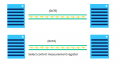
1586663274452.png
What are other byte sequence in the code ?
 

LesJones

Joined Jan 8, 2017
4,511
It was only the information on pages 29 and 30 of the BMP280 datasheet that you needed to look at as it shows the I2C protocol for reading and writing. The BMP280 is a far more complex device than the TCN75. It has more registers to be configured and the raw data reading have to be turned into temperature and pressure values by doing calculations based on calibration data (Read from registers in the BMP280 at manufacturing time.) and the raw data values. I think you would be better off doing a google search for "TCN75 Arduino" There seems to be many matches. Most of them seem to be for the Arduino which seems to use a version of "C" which you understand but I don't. I can post the code for a PIC12F1840 that I have written to read the BMP280. As you do not understand assembler the only thing that may help you are the comments indicating what sections of the code are doing.

Les.
 

Thread Starter

aspirea5745

Joined Apr 17, 2019
106
I can post the code for a PIC12F1840 that I have written to read the BMP280. As you do not understand assembler the only thing that may help you are the comments indicating what sections of the code are doing.
Les.
Ok, Please post the assembly code, Maybe get some help
 

LesJones

Joined Jan 8, 2017
4,511
I have attached the source file. You should be able to read it with most text editors. (You may have to change the extension from ,asm to ,txt) There are some sections of code commented out. These were used while getting the code working. I left them in in case I want to modify the code to work with a BME280. (Which also reads humidity.)

Les.
 

Attachments

Thread Starter

aspirea5745

Joined Apr 17, 2019
106
I have attached the source file. You should be able to read it with most text editors. (You may have to change the extension from ,asm to ,txt) There are some sections of code commented out. These were used while getting the code working. I left them in in case I want to modify the code to work with a BME280. (Which also reads humidity.)

Les.
@LesJones, 0xEE which register of address is this in the datasheet BMP280
it does not have this address 4.2 Memory map, datasheet BMP280
Code:
;****************************************************************************************   
;*                                              *
;*    Write BMP280                                    *
;*    Input    BMP280 register address in W_Reg.                    *
;*          Data to be written in BMP_Wdata                        *
;*                                            *
;* One byte of data written to selected register in BMP280                *
;*                                            *
;****************************************************************************************

Write_BMP280:

    MOVWF    BMP_Reg        ;Save required BMP280 register address

    CALL    I2C_start

;Select register
    MOVLW    0xEE            ;control byte Slave address 0 (in bits 1 to 7) (Bit 0 set to indicate a read from slave.)
    CALL    I2C_TX

    MOVFW    BMP_Reg        ;Get BMP280 register address back into "W"
    CALL    I2C_TX            ;Send register address

    MOVFW    BMP_Wdata    ;Get data to be written into "W"
    CALL    I2C_TX

    CALL    NACK
    CALL    I2C_stop

    RETURN
 

Papabravo

Joined Feb 24, 2006
22,082
He is transmitting the Least Significant Bit (LSB) first. To read the bits in reverse order:

0xEE --> 0b0111 0111 --> 0x77 ; You would use the value 0x77 if you were transmitting the Most Significant Bit (MSB) first.

The clue was in the comment that bit 0 had to be a '1'.
 

LesJones

Joined Jan 8, 2017
4,511
In the BMP280 data sheet they give the slave address as a 7 bit number so 0x77 is 1110111 But when you append the RW bit to the right hand end it becomes 11101110 if RW is zero (= 0xEE) or 11101111 if RW is a 1 (= 0xEF) When I was talking about the TCN75 I wrote the slave address in the form that it would be sent over the I2C bus with the RW bit already appended to the right hand end.
Papabravo, In post #33 I think you are getting mixed up with the way the calibration values are stored with the least significant byte sent first. This confused me at first as the raw data values are sent with the most significant byte sent first. I only realised when I noticed that the bytes in the calibration values were reversed to the way I had read them. (Some of the calibration values seem to be the same for all BMP280s ) I re read the data sheet and confirmed they were reversed.

Les
 

djsfantasi

Joined Apr 11, 2010
9,237
It was only the information on pages 29 and 30 of the BMP280 datasheet that you needed to look at as it shows the I2C protocol for reading and writing. The BMP280 is a far more complex device than the TCN75. It has more registers to be configured and the raw data reading have to be turned into temperature and pressure values by doing calculations based on calibration data (Read from registers in the BMP280 at manufacturing time.) and the raw data values. I think you would be better off doing a google search for "TCN75 Arduino" There seems to be many matches. Most of them seem to be for the Arduino which seems to use a version of "C" which you understand but I don't. I can post the code for a PIC12F1840 that I have written to read the BMP280. As you do not understand assembler the only thing that may help you are the comments indicating what sections of the code are doing.

Les.
Code (Arduino) for the TCN75 has been provided in post #11. It’s fairly easy to understand. Ask me if you need help. Additionally, the temperature register is shown in a snippet from the datasheet, in post #14.

How did we go from the TCN75 to the BMP 180 (and at least in one case, BMP280)? Wouldn’t it be easier us we discussed only one device at a time, until issues for that device are resolved? Otherwise posters are talking about Device X while the TS is asking about Device Y. No one is getting anywhere while this is going on.
 

LesJones

Joined Jan 8, 2017
4,511
Hi djsfantasi, It was me that introduced the BMP280 but it was just because it had a very good description on pages 29 & 30 of reading and writing using I2C protocol. I think now it was a mistake as it seem to have confused the TS even more. I agree with you that he would be better off using someone else's code of the web and trying to understand that before writing code himself.

Les.
 

djsfantasi

Joined Apr 11, 2010
9,237
@aspirea5745

so as I and @LesJones have suggested, take the code in post #11 and get it to work. If you have trouble understanding that, you’ll have an almost impossible time writing your own code.

As I’ve mentioned, I can help you with that step. I have a strong programming background, including Arduino C.

Just type @djsfantasi in your post and I’ll be notified. Kinda like the Bat Signal.
 

Papabravo

Joined Feb 24, 2006
22,082
Not everybody has the required skills and intuition to get this stuff quickly. Some of it is just opaque and difficult to grapple with. In an era where hard data was lacking and we were on the bleeding edge of technology the only recourse left to us was to implement, instrument, experiment, and verify. This is my recommendation to the TS. The place to start is to send the slave address, with the Read/Write bit equal to 0, then send a 0 to set the register address. Wash, rinse repeat until you can get an ACK at the end of both writes. The next experiment is to write the Slave address with the read bit = 1 and if you get an ACK you read 2 more bytes and see if it looks like a temperature. And so proceed ad infinitum.
 

djsfantasi

Joined Apr 11, 2010
9,237
Not everybody has the required skills and intuition to get this stuff quickly. Some of it is just opaque and difficult to grapple with. In an era where hard data was lacking and we were on the bleeding edge of technology the only recourse left to us was to implement, instrument, experiment, and verify. This is my recommendation to the TS. The place to start is to send the slave address, with the Read/Write bit equal to 0, then send a 0 to set the register address. Wash, rinse repeat until you can get an ACK at the end of both writes. The next experiment is to write the Slave address with the read bit = 1 and if you get an ACK you read 2 more bytes and see if it looks like a temperature. And so proceed ad infinitum.
That’s a good general approach, if you’re working at a low level.

But it appears the TS is working with an Arduino. And if he isn’t, @aspirea5745 should stop reading this so as not to be confused.

But on an Arduino, all of your comments about the R/W bit, and waiting for, acknowledging and processing an ACK,...

Is just totally confusing and cannot help the TS.

All that ‘stuff’ is handled in the library calls. And it’s not necessary, if you’re using Arduino C and the I2C library!

Here is, once again, the Arduino sketch. Look at how simple is.

C:
// Distributed with a free-will license.    
// Use it any way you want, profit or free, provided it fits in the licenses of its associated works.

    // TCN75A

    // This code is designed to work with the TCN75A_I2CS I2C Mini Module available from ControlEverything.com.

    // https://www.controleverything.com/content/Temperature?sku=TCN75A_I2CS#tabs-0-product_tabset-2


    #include <Wire.h>


    // TCN75A I2C address is 0x48(72)
    #define Addr 0x48

    void setup()
    {
    // Initialise I2C communication as Master
    Wire.begin();

    // Initialise serial communication, set baud rate = 9600, used for displaying results 
    Serial.begin(9600);

    
    // Start I2C transmission
    Wire.beginTransmission(Addr);

    // Select configuration register
    Wire.write(0x01);

    // 12-bit ADC resolution
    Wire.write(0x60);

    // Stop I2C transmission
    Wire.endTransmission();
    delay(300);

    }


    void loop(){

    unsigned int data[2];

    // Start I2C transmission
     Wire.beginTransmission(Addr);

    // Select data register
     Wire.write(0x00);

    // Stop I2C transmission
    Wire.endTransmission();

    // Request 2 bytes of data
    Wire.requestFrom(Addr, 2);


    // Read 2 bytes of data
    // temp msb, temp lsb
    if (Wire.available() == 2)
    {
    data[0] = Wire.read();
    data[1] = Wire.read();
    }
    
    // Convert the data to 12-bits
    int temp = (((data[0] * 256) + (data[1] & 0xF0)) / 16);

    if(temp > 2047)    temp -= 4096;
    float cTemp = temp * 0.0625;
    float fTemp = 
                 (cTemp * 1.8) + 32;

    // Output data to serial monitor
    Serial.print("Temperature in Celsius : ");
    Serial.print(cTemp);
    Serial.println(" C");
    Serial.print("Temperature in Fahrenheit : ");
    Serial.print(fTemp);
    Serial.println(" F");
    delay(1000);
}
 

Papabravo

Joined Feb 24, 2006
22,082
I guess information hiding is good in some circumstances, but apparently not in this one. It actually looks like the Arduino Environment has inhibited his ability to connect to the hardware, and maybe he will never grok the combination of hardware and Arduino. That is a shame actually.
 
Top