Facebook
 Google
 GitHub
 Linkedin

Hello, I'd like to begin with saying that I am no expert in electronics, I just like to tinker with things when I get the chance.
This might also not be the correct sub-forum for my problem, I'm brand new here...
My problem goes like this:
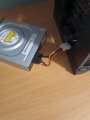
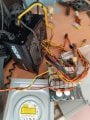
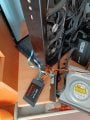
I recently found some DVDs that I wanted to play, but my current PC did not have a DVD player, though my old one did. After breaking apart my older PC that I haven't used or connected to a power socket for a good 3 years now I intended on connecting both my DVD player and some older solid state drives, but there were really no ports I could connect to my newer power supply or motherboard that would connect to those electronics, so I had the idea of connecting a socket from my old power supply that's completely independent to the new one as it fits, while also connecting the other sockets that do fit from the old power supply to said electronics. As for those, they each need 2 cables connected to work, 1 is connected straight to the motherboard of the currently used PC and the other to the old unpowered power supply circuit. Will it hold out as a circuit if I use that method or will it fry all components in my system? I've attached some images for reference, the black and yellow cable on the first image that goes from the top of the new power supply is my connection point for the 2.
For some more context, I've tried to ask before in a different forum about my issue, but was turned away after they've told me I should not be messing with power supplies without a degree in electronic engineering. If you believe that the solution to my issue would require me opening my newer power supply or doing some electronics work that needs specialist tools that are for professionals then I'll dismiss the idea entirely. I thank you for your time taken reading this.
This might also not be the correct sub-forum for my problem, I'm brand new here...
My problem goes like this:
I recently found some DVDs that I wanted to play, but my current PC did not have a DVD player, though my old one did. After breaking apart my older PC that I haven't used or connected to a power socket for a good 3 years now I intended on connecting both my DVD player and some older solid state drives, but there were really no ports I could connect to my newer power supply or motherboard that would connect to those electronics, so I had the idea of connecting a socket from my old power supply that's completely independent to the new one as it fits, while also connecting the other sockets that do fit from the old power supply to said electronics. As for those, they each need 2 cables connected to work, 1 is connected straight to the motherboard of the currently used PC and the other to the old unpowered power supply circuit. Will it hold out as a circuit if I use that method or will it fry all components in my system? I've attached some images for reference, the black and yellow cable on the first image that goes from the top of the new power supply is my connection point for the 2.
For some more context, I've tried to ask before in a different forum about my issue, but was turned away after they've told me I should not be messing with power supplies without a degree in electronic engineering. If you believe that the solution to my issue would require me opening my newer power supply or doing some electronics work that needs specialist tools that are for professionals then I'll dismiss the idea entirely. I thank you for your time taken reading this.
Attachments
-
 2.2 MB Views: 6
 -
 2.8 MB Views: 6