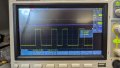
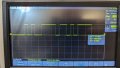
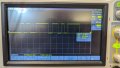
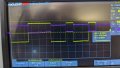
If all the voltages are correct as I have given,
1) with no signal at R1IN, what is the voltage at R1OUT? It should be 5V.
2) with R1IN at 5V, what is the voltage at R1OUT? It should be 0V.
I have since used a new known working sketch and am getting the same result, it can tx a "hi" to the terminal just fine, I'm supposed to be able to type a lowercase letter and get an uppercase back but I get nothing, I can see the data going to the 232 side on the scope when I kit the key but nothing on the TTL side despite the 10k resistor test working.
Yes it is at 1V, I can have the scope on the TTL tx press reset and see the data, "hi" appears in terminal, and the scope triggers on it, I move scope to Rx press a key and nothing, then move scope to rs232 Rx, press a key and see the data there at rs232 levels
If all the voltages are correct as I have given,
1) with no signal at R1IN, what is the voltage at R1OUT? It should be 5V.
2) with R1IN at 5V, what is the voltage at R1OUT? It should be 0V.
This is the issue, no output what so ever, everything has been ohmed out 5 times to ensure I'm on the right pins, no matter what there is just nothing there, enable pin is low, shutdown is high. Just did the test, here is the scope shot.
Let us focus on one thing at a time and examine what the oscilloscope is showing.
We can still get to the bottom of this.
When the MAX242 is not connected, the RS-232 TD signal swings from -7.5V to +7.5V as shown in post #9 and #11.
When the MAX242 is connected, the RS-232 TD signal as seen at R1IN or R2IN is different from before? In other words, it should still swing from -7.5V to +7.5V.
(Ignore R1OUT and R2OUT for the moment.)
Show a photo of how your oscilloscope probe tip and GND clip are connected to your test circuit.
You nailed it, PC ground was not common, serial adapter ground was 5, was using 7, corrected this and all is working. I cannot thank you enough for this guidance. It is very much appreciated, and I have learned a lot Thank you so much.
You nailed it, PC ground was not common, serial adapter ground was 5, was using 7, corrected this and all is working. I cannot thank you enough for this guidance. It is very much appreciated, and I have learned a lot Thank you so much.
You are very welcome. Glad you found the problem. Never discard the thought that it is a simple problem.
The other important lesson is that it is important to try and resolve the issue and not try to rip things apart and start over again.
You learn more by finding and correcting your mistakes than getting things working right the first time.

 Facebook
 Google
 GitHub
 Linkedin