Robot project using STM32G474 MCU

djsfantasi

Joined Apr 11, 2010
9,237
No progress, just stuck. Some suggestions are way beyond me i.e. LED flash - don't know what it is. So, helpless.
LED flash is beyond you? Where are you from, in case there is a language problem we have to overcome.

Flash or blink. Either action is what was asked of you. Led turns on, there’s a short delay, LED turns off, another short delay. Repeat forever. Program code to do this, connect an LED and resistor to the MCU and load the program.
 

Thread Starter

beatsal

Joined Jan 21, 2018
425
LED flash is beyond you? Where are you from, in case there is a language problem we have to overcome.

Flash or blink. Either action is what was asked of you. Led turns on, there’s a short delay, LED turns off, another short delay. Repeat forever. Program code to do this, connect an LED and resistor to the MCU and load the program.
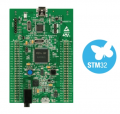
Thanks. Got it. From Canada, so no lang. problem. I do have a programmer that is not called LED programmer, so was a tad confused. Wonder what is the next step.
 

MrChips

Joined Oct 2, 2009
34,817
Fine. The next step would be to get STM32CubeIDE up and running and attempt to download a dummy shell program to your target MCU.
If you don't know how to do this I can take you through the steps.
 

MrChips

Joined Oct 2, 2009
34,817
Invoke STM32CubeIDE

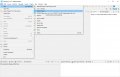
Step 1 - Select New > STM32 Project

STM32CubeIDE-01.jpg


Step 2 - Target Selection > Select STM32G474VETx > Next

STM32CubeIDE-02.jpg

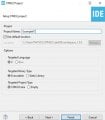
Step 3 - Enter Project Name > Finish

STM32CubeIDE-03.jpg

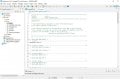
Step 4 - View Workspace > Core > Scr > main.c

STM32CubeIDE-04.jpg

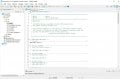
Step 5 - Attempt to compile and run

STM32CubeIDE-05.jpg


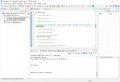
Step 6 - Compiler runs. ST-LINK fails to connect.

STM32CubeIDE-06.jpg


Step 7 - Connect ST-LINK and try again. Click on Debug icon.

STM32CubeIDE-07.jpg

That's it.

If that works then you can go back and reconfigure your project in order to try a "Flash LED" test program.
 
Top