Projector Trigger Circuit

ebeowulf17

Joined Aug 12, 2014
3,307
Go back to post#1 and look at the attachment PNG3, and see the terminals, in order, up, stop, down, gnd, and then the data link connections. For the test, with the screen powered up and in the up position, momentarily connect a capacitor, 0.1Mfd, between the gnd and the Dn points. If the screen starts "down" then that capacitor is large enough. Next, try the same for the up mode, momentarily connecting the capacitor between the up and gnd points. You will undoubtedly need to connect some wire extensions to do this check, you may be able to solder from the top of the board, saving some work.. PLease let me know your results. If it does not work you may need a larger capacitor, 0.47Mfd, possibly.
I'm not the thread starter, so I can't try those tests. Regardless, my question isn't whether or not a cap can take enough charge to pull down the input temporarily, but how and where you connect a capacitor (or multiple capacitors) between the two separate devices in order to make the presence or absence of a 12V signal from one device control two separate 5V inputs on another device.
 

MisterBill2

Joined Jan 23, 2018
27,522
I'm not the thread starter, so I can't try those tests. Regardless, my question isn't whether or not a cap can take enough charge to pull down the input temporarily, but how and where you connect a capacitor (or multiple capacitors) between the two separate devices in order to make the presence or absence of a 12V signal from one device control two separate 5V inputs on another device.
OK, now I understand. The projector interface portion would be very similar to the relay connections shown in post#17, but only using the relay portion of the circuit. BUT, if the projector is a video projector similar to the ones that I am familiar with, and it it is operated by remote control, then it does indeed become more complex. The relay would need to be a current operated relay in series with the AC power connection to the projector, so that when the projector lamp starts to draw current the relay would engage. Probably this can be created wit a reed switch and several turns of wire adequate for the projector current draw. That would provide total isolation and be fully automatic, as well as not requiring any modification of the projector. In addition, it would be cheap and easy.
 

ebeowulf17

Joined Aug 12, 2014
3,307
BUT, if the projector is a video projector similar to the ones that I am familiar with, and it it is operated by remote control, then it does indeed become more complex. The relay would need to be a current operated relay in series with the AC power connection to the projector,
The thread starter already said in the very first post that there is a 12V trigger output from the projector that indicates when it's on, so we don't need any complicated current sensing arrangement to sense when it's on.

The part I'm struggling to understand is how you'll turn that 12V output into discrete pulses on two separate inputs, pulsing one input when the 12V signal turns on, and pulsing the other when the 12V signal turns off. You keep saying just use a capacitor, as if that's a complete answer. What are you connecting the capacitor TO and FROM in order to achieve this?

Schematic please!
 

MisterBill2

Joined Jan 23, 2018
27,522
The process of turning the state change of the switch is done with those capacitors. A discharged capacitor is a functional short circuit for a small amount of time. So that is what I am thinking will serve as I described in post #13. Once a capacitor has charged there is no current flow and so it is a very high resistance to DC. AND, inside the screen control box is some sort of circuit that is pulling the voltage up towards 5 volts, until a button is pushed, momentarily grounding that point. Connecting a capacitor will produce the same momentary pull down effect. For a more extensive explanation look up "R C Time constants, which is what this approach is taking advantage of.
 

ebeowulf17

Joined Aug 12, 2014
3,307
The process of turning the state change of the switch is done with those capacitors. A discharged capacitor is a functional short circuit for a small amount of time. So that is what I am thinking will serve as I described in post #13. Once a capacitor has charged there is no current flow and so it is a very high resistance to DC. AND, inside the screen control box is some sort of circuit that is pulling the voltage up towards 5 volts, until a button is pushed, momentarily grounding that point. Connecting a capacitor will produce the same momentary pull down effect. For a more extensive explanation look up "R C Time constants, which is what this approach is taking advantage of.
I give up.

I've read your post 13 numerous times, and I don't understand where in a circuit you're suggesting a capacitor belongs, nor what you think the rest of the circuit should look like. There isn't an existing circuit to add a capacitor to! There are two devices with somewhat mismatched input/output requirements, and an optional relay used in a previous installation.

If you have a clever solution to this, I'd like to learn from you, but I'm not following your verbal circuit description at all.

As for capacitors-as-shorts, RC time constants, delays, etc, I'm comfortable with all that, but I can't picture the specific circuit you have in mind to take advantage of those principles.

If you're willing to share a schematic showing the circuit you would propose to interface between these two devices, I would love to see it, and hopefully learn something from it. If not, then I'll just leave it be, cause the verbal description isn't getting me anywhere.
 

MisterBill2

Joined Jan 23, 2018
27,522
Certainly there IS an existing circuit to add a capacitor to, it is the internal circuit of the screen controller. Internal to that controller is a voltage source that feeds through two resistances to pull the up and down connections to +5 volts. Also within that controller are voltage sensors that are triggered when the voltage is pulled down to zero, or at least below some threshold level, that latch and initiate the motion. Those are the elements of the circuit that already exist. What I propose to add, external to those two input circuits, are two additional capacitors connected to the contacts of a relay that is operated by the 12 volt signal from the projector. The common from the relay contacts is the return path back to the screen controller ground connection. So it is a very simple circuit indeed, with much of it already existing but not seen. I hope that this explanation is clear enough to help you.

Unfortunately the computer that I would use for drawing the circuit was damaged by a lightning hit a week ago and the one that I am using now does not have any drawing software on it.
 

ebeowulf17

Joined Aug 12, 2014
3,307
Certainly there IS an existing circuit to add a capacitor to, it is the internal circuit of the screen controller. Internal to that controller is a voltage source that feeds through two resistances to pull the up and down connections to +5 volts. Also within that controller are voltage sensors that are triggered when the voltage is pulled down to zero, or at least below some threshold level, that latch and initiate the motion. Those are the elements of the circuit that already exist. What I propose to add, external to those two input circuits, are two additional capacitors connected to the contacts of a relay that is operated by the 12 volt signal from the projector. The common from the relay contacts is the return path back to the screen controller ground connection. So it is a very simple circuit indeed, with much of it already existing but not seen. I hope that this explanation is clear enough to help you.

Unfortunately the computer that I would use for drawing the circuit was damaged by a lightning hit a week ago and the one that I am using now does not have any drawing software on it.
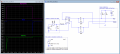
I think I follow what you're saying now. Something like this?

Makes sense to me now. Yes, much simpler! There's definitely a part of me that feels more comfortable with the relatively crisp switching of the MOSFETs in my drawings above, but that may not actually matter in the real world. Might depend on subtleties of the screen controller input - do the inputs have hysteresis, are they debounced, etc. I suspect your circuit would work just fine (now that I think I understand it.)

Thanks,
Eric
pulses-from_12V_05.png
 

Attachments

MisterBill2

Joined Jan 23, 2018
27,522
OK, Just exactly like the circuit you show, but R4 and R7 may not be needed, and if they are, probably a higher value would be a better choice, perhaps 470K or even 1 Meg. And the values of R2 and R3 are just a guess, unless you have information that I don't have. It is about the simplest arrangement that I can come up with that does not have a potential problem. So now it will just be a matter of waiting until the system is built to get a report on how it works. Unfortunately I am unable to open the waveform file, Pulses-from 12V 05.asc https://forum.allaboutcircuits.com/attachments/pulses-from_12v_05-asc.160079/
 

ebeowulf17

Joined Aug 12, 2014
3,307
OK, Just exactly like the circuit you show, but R4 and R7 may not be needed, and if they are, probably a higher value would be a better choice, perhaps 470K or even 1 Meg. And the values of R2 and R3 are just a guess, unless you have information that I don't have. It is about the simplest arrangement that I can come up with that does not have a potential problem. So now it will just be a matter of waiting until the system is built to get a report on how it works. Unfortunately I am unable to open the waveform file, Pulses-from 12V 05.asc
Agreed on all counts. I shared that just to confirm that I understood the concept correctly, not to set exact values.

I'm only guessing on the internal pull up values - just had to put some reasonable number in to make the simulation run.
 

Thread Starter

boon147

Joined Sep 1, 2018
9
OK, Just exactly like the circuit you show, but R4 and R7 may not be needed, and if they are, probably a higher value would be a better choice, perhaps 470K or even 1 Meg. And the values of R2 and R3 are just a guess, unless you have information that I don't have. It is about the simplest arrangement that I can come up with that does not have a potential problem. So now it will just be a matter of waiting until the system is built to get a report on how it works. Unfortunately I am unable to open the waveform file, Pulses-from 12V 05.asc
Agreed on all counts. I shared that just to confirm that I understood the concept correctly, not to set exact values.

I'm only guessing on the internal pull up values - just had to put some reasonable number in to make the simulation run.
Hi both,

Thanks for your very valuable input. The projector does indeed have a 12v trigger built in so will be using that for the signal to the relay.

I have ordered various parts of differing values to enable me to test and choose the best solution. It’s a project for the weekend so I’ll hopefully post back with an update, if not it’ll be sometime next week.

Thanks again for your help.

Paul
 

Thread Starter

boon147

Joined Sep 1, 2018
9
Evening all,

Small update. Not all electrical components have arrived yet, however the capacitors have and I can confirm that the 0.1mfd produced no activity, but it was a successful test with 0.47mfd.

I don't know how long it would take to discharge, so had to short the legs with a screwdriver before I could get it to work again. I assume the resistor will be needed, but all depends on the discharge rate on its own.

Just thought I'd let you know the current status. Next update probably wont be till next weekend now as am away with work for most of it so wont get chance, but hopefully be able to produce full and final update after.

Thanks again.
 

MisterBill2

Joined Jan 23, 2018
27,522
GREAT!! Evidently the input circuit is a lower impedance and thus took the larger capacitor. Sometimes the very simplest solution is a good choice.
 

Thread Starter

boon147

Joined Sep 1, 2018
9
Evening all,

So, final update,...it worked, flawlessly!

The circuit had to include the resistors as the discharge from the capacitors wasn’t sufficient (measured in increments of 5 minutes up to 20 with no result) so with the resistor in place, the up and down triggers work exactly as required.

It also turns off the in-built relay within the control box, therefore cutting the power to the screen motor so will not suffer any side effects (like the whistling explained in post #1). I have built the circuit into its own little control box, so with the exception of my soldering, you would be forgiven if you thought it was part of the inital setup.

I just want to thank you immensely and I was a very happy bunny when I got it to work yesterday. I can now get to sealing it up in a pelmet so the screen appears from nowhere.

Do the forum rules allow me to reference this post from another forum? The reason I ask, is because my screen is a generic Amazon / eBay screen and most of them come with very similar control boxes. I’m sure there are numerous members over at AVForums that would like to do something similar?

Thank you all so much.

Kind Regards,

Paul
 

MisterBill2

Joined Jan 23, 2018
27,522
I am very pleased with the report that it worked as it was supposed to work, given that the internal circuit was not visible. Sometimes the only way is to evaluate the requirements without knowing the actual hardware. Of course, this is not the first time an RC differentiation circuit has produced pulses from a steady state change.
And very important, it reminds us of the importance of providing more details about what we are looking for than the bare minimum
 
Top