Printing Envelopes

Thread Starter

biferi

Joined Apr 14, 2017
516
I have Win10 and I use LibreOffice Writer.

I open a blank page and type my Return Address on the top Left.

Then on the Center I type the Address of who it is going to.

After I click print I click Print Properties.

In the Paper size I pick Envelopes then in the list of Envelope Types I pick A10.

This is for a Standard skinny Envelope and it all prints good.

Now I want to print on a Greeting Card Envelope.

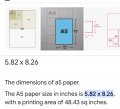
This is 8 and a Half by 5 and a Half I am in the USA.

I see nothing in this list.

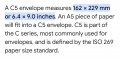
Will it not be called C5 or what do I look for or do?

Thanks for the time.
 

twohats

Joined Oct 28, 2015
607
Hi,
When I experience a printer nightmare:
Cut a piece of paper the size of your greeting card envelope and experiment.
I found labels worked very well. Using Avery wizard.
In the UK it's not critical where the address is.
Good luck............
 

001100

Joined Apr 18, 2018
1
I have Win10 and I use LibreOffice Writer.

I open a blank page and type my Return Address on the top Left.

Then on the Center I type the Address of who it is going to.

After I click print I click Print Properties.

In the Paper size I pick Envelopes then in the list of Envelope Types I pick A10.

This is for a Standard skinny Envelope and it all prints good.

Now I want to print on a Greeting Card Envelope.

This is 8 and a Half by 5 and a Half I am in the USA.

I see nothing in this list.

Will it not be called C5 or what do I look for or do?

Thanks for the time.
I'm in the usa too, and I don't understand why it has to be on a list .

Why don't you just set print size manually? Worst case set a 3rd party print manager all the printer companies make them as do software companies.

For super simple :

In libra office or any office choose letter size

Position your info on the page where you think it goes , print it, hold up tona light with envelope see if it lines up.

If not move it around on letter sheet in software , until the printout matches where you want things

Then save that as your template
2Simpo 4 u.

Do that for as many things as you want , .

"Marty you don't need templates and drop downs "
Doc Brown Back to the future

I know his request is ancient , but the answer may help others .

Silly me for thinking engineering was about inventing your own solutions to problems lol

I used to run a direct to client business and for labels we just printed a 8.5x11 sheet cut it down and taped it to , envelops , packages etc .

Maybe you wanna save money on paper, idk. Bulk Copier paper is still cheap wholesale even at Costco. Makes great labels
 
Top