PCB board program issue-Arduino mega board replica

Thread Starter

saifudeen rizal

Joined Jun 5, 2018
50
Hello,

When I look at the schematic I see the following things:
1) Pin 45 (RXD1/INT2) are (what I think inputs) is connected to the pin 10 of the 232 wich is also an input.
2) Pin 46 (TXD1/INT3) , in case of TXD1 the pin is an output, in case of INT3 the pin is input, is connected to pin 9 of the 232 wich is an output.
As Pin 45 is always input, the led will not blink.

Bertus

I have given 45 (mapping the pin of D3) in the program by mapping with the IC.,
so as per ur reply the "45" i have mentioned in the program is #D3 pin

-saif
 
I believe that your understanding of pin mapping that the Arduino language is using is incorrect.

I also do not see anywhere that you have clearly designated what connector/ATMEGA2560 pin that you are connecting the LED to on your schematic.

The statement pinMode(45, OUTPUT); refers to the normal Mega's 18X2 connector, connection marked 45 (pin 26 on 18X2 connector). That connection is from the ATMEGA2560 PL4 which is pin ATMEGA2560 pin 39. When I run your program and connect an LED to pin 26 on the 18X2 connector on my Mega, it properly works.

When you do not follow the connectors of the original Mega board, you don't get to assume they are represented in the same way. Instead, you have to follow the connections on the MEGA SCHEMATIC back to the pins on the ATMEGA2560 to find out the correct pinMode(XX, OUTPUT); to access. The XX does NOT refer to the ATMEGA2560 pins numbers.
 
yah., but i didnt connect the LED to 45 i have connected it to D3.,#the thing i mentioned as 45 is the pin-mapped no., for the IC no.39.(D3)..!

-saif
OK, reading more carefully: You are saying that YOUR D3 (from your schematic) is connected to a resistor and to an LED with the other side of the LED to GND and that your D3 is ATMEGA2560 pin 39, PL4. Is that correct?

If so, then your program that uses pinMode(45, OUTPUT); should blink the LED. It does on my mega as I indicated.

So, you are using the correct pin mapping. It looks like you have a wiring error. Have you tested some/any other pins to narrow it down?

Edited to add: One approach would be to check the GPIO on ALL of your J2 pins in the same way (LED/resistor/Gnd) or just a meter. If none of them are working....

.... can you get any program to do something/anything for sure (don't know what, maybe spit bits out of a serial port).

If no, then suspect the bootloader is not executing the program that you are loading? Look at PD7, pin 13 on IC4 on the original schematic - look how DTR is handled? Are you duplicating this somewhere in your schematic??
 
Last edited:

ericgibbs

Joined Jan 29, 2010
21,448
hi saif,
I would write a short test program to use the UART TX and RX pins, also Toggle PORTB pins On/Off and check if the MCU is actually running any program.

E
 
hi saif,
I would write a short test program to use the UART TX and RX pins, also Toggle PORTB pins On/Off and check if the MCU is actually running any program.

E
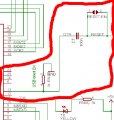
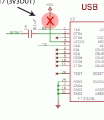
Looks like we may be thinking along the same lines. Look at this thread not so much the TS's original problem which is a bit different, but post #4 about the DTR circuit for the bootloader. It is suggested that if not implemented properly, it could cause auto reset. There are also fuse issues possible when burning the bootloader. My question though, is where is the analagous circuitry for USB Boot enable (on the genuine Mega schematic) on the TS's schematic - can you see it?

Edit: I mean the section shown below from the original schematic.

megabooten.jpg
 
Last edited:

Thread Starter

saifudeen rizal

Joined Jun 5, 2018
50
Looks like we may be thinking along the same lines. Look at this thread not so much the TS's original problem which is a bit different, but post #4 about the DTR circuit for the bootloader. It is suggested that if not implemented properly, it could cause auto reset. There are also fuse issues possible when burning the bootloader. My question though, is where is the analagous circuitry for USB Boot enable (on the genuine Mega schematic) on the TS's schematic - can you see it?

Edit: I mean the section shown below from the original schematic.

View attachment 158976

sorry i am litttle bit new to the circuits., can u eloborate what do u mean by fuse issues?
 

Thread Starter

saifudeen rizal

Joined Jun 5, 2018
50
Hai.,

MY code(LED -ON) dumbs in my board but i am facing the voltage drop across the digital pins.,when i have made the dig.,pins to HIGH it gives only 1.2V in it and when i connect the LED to it it drops to 0.47v?????

DO u guyz have any idea why it is not giving 5V when i made the pin high ?

and then why there is drop(to 0.4V)in it eventhough it only give 1.6V?

-SAIF
 

ericgibbs

Joined Jan 29, 2010
21,448
hi saif,
I would say that the program is not running and the pins are not being controlled.
Did you do that simple test as post #26.?
Also the point regarding the USB reset connection that is on the original Arduino pcb, post #28
E
 

Thread Starter

saifudeen rizal

Joined Jun 5, 2018
50
hi saif,
I would say that the program is not running and the pins are not being controlled.
Did you do that simple test as post #26.?
Also the point regarding the USB reset connection that is on the original Arduino pcb, post #28
E

YAh i have tested as u say in the post #26 ....! Its not working....?
So the problem would be on MCU?ri8?

-saif

Have you loaded the bootloader firmware? Without it, the processor will not do anything.
i have bootload it several times and reprogrammmed it.,But none works....!


-saif

Did you burn a bootloader? If so, how did you do it?

I have bootloaded it using the USBasp and also tried it to bootload by making my other arduino board as USBasp firmaware ...!

-saif
 
Last edited by a moderator:

Phil-S

Joined Dec 4, 2015
241
Nick Gammon's website (gammon.com.au) is always worth a look for doing bare board Arduinos.
He has done a lot of work on libraries like Arduino sketches (yes, that is the name) with diagnostics, bootloaders etc (Detective, Programmer etc.) As this item illustrates, getting the first one running can be frustrating.
 
Top