Facebook
 Google
 GitHub
 Linkedin

Hello,
I'm using the full suit of ORCAD 17.2.
I have designed a circuit of temperature sensors using 2 MAX devices. I have downloaded into ORCAD CAPTURE those 2 MAX devices symbols
and used them in the design. but when i try to create a NETLIST (under PSpice --> Create Netlist) in order to upload it into the ALLEGRO PCB Editor
i get some errors :
INI File Location:C:\Cadence\SPB_Data\cdssetup\OrCAD_Capture/17.2.0/Capture.ini
INFO(ORCAP-2191): Creating PSpice Netlist
INFO(ORNET-1041): Writing PSpice Flat Netlist c:\cadence\spb_data\gsr temp sens-PSpiceFiles\SCHEMATIC1\SCHEMATIC1.net
WARNING(ORNET-1119): The part/device cannot be simulated. No PSpiceTemplate found on U21, ignoring this part/device from simulation netlist. Use Place->PSpice Component...->Search to place simulation ready part
WARNING(ORNET-1119): The part/device cannot be simulated. No PSpiceTemplate found on U17, ignoring this part/device from simulation netlist. Use Place->PSpice Component...->Search to place simulation ready part
WARNING(ORNET-1043): Illegal net name 5V.
WARNING(ORNET-1119): The part/device cannot be simulated. No PSpiceTemplate found on U22, ignoring this part/device from simulation netlist. Use Place->PSpice Component...->Search to place simulation ready part
WARNING(ORNET-1043): Illegal net name 5V.
WARNING(ORNET-1119): The part/device cannot be simulated. No PSpiceTemplate found on J1, ignoring this part/device from simulation netlist. Use Place->PSpice Component...->Search to place simulation ready part
WARNING(ORNET-1119): The part/device cannot be simulated. No PSpiceTemplate found on J2, ignoring this part/device from simulation netlist. Use Place->PSpice Component...->Search to place simulation ready part
INFO(ORNET-1156): PSpice netlist generation complete
These errors prevent me from continuing the PCB design.
I also get green circles above almost every part in the schematic.
the electrical schematic is attached to this post.
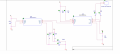
thanks in advance.
I'm using the full suit of ORCAD 17.2.
I have designed a circuit of temperature sensors using 2 MAX devices. I have downloaded into ORCAD CAPTURE those 2 MAX devices symbols
and used them in the design. but when i try to create a NETLIST (under PSpice --> Create Netlist) in order to upload it into the ALLEGRO PCB Editor
i get some errors :
INI File Location:C:\Cadence\SPB_Data\cdssetup\OrCAD_Capture/17.2.0/Capture.ini
INFO(ORCAP-2191): Creating PSpice Netlist
INFO(ORNET-1041): Writing PSpice Flat Netlist c:\cadence\spb_data\gsr temp sens-PSpiceFiles\SCHEMATIC1\SCHEMATIC1.net
WARNING(ORNET-1119): The part/device cannot be simulated. No PSpiceTemplate found on U21, ignoring this part/device from simulation netlist. Use Place->PSpice Component...->Search to place simulation ready part
WARNING(ORNET-1119): The part/device cannot be simulated. No PSpiceTemplate found on U17, ignoring this part/device from simulation netlist. Use Place->PSpice Component...->Search to place simulation ready part
WARNING(ORNET-1043): Illegal net name 5V.
WARNING(ORNET-1119): The part/device cannot be simulated. No PSpiceTemplate found on U22, ignoring this part/device from simulation netlist. Use Place->PSpice Component...->Search to place simulation ready part
WARNING(ORNET-1043): Illegal net name 5V.
WARNING(ORNET-1119): The part/device cannot be simulated. No PSpiceTemplate found on J1, ignoring this part/device from simulation netlist. Use Place->PSpice Component...->Search to place simulation ready part
WARNING(ORNET-1119): The part/device cannot be simulated. No PSpiceTemplate found on J2, ignoring this part/device from simulation netlist. Use Place->PSpice Component...->Search to place simulation ready part
INFO(ORNET-1156): PSpice netlist generation complete
These errors prevent me from continuing the PCB design.
I also get green circles above almost every part in the schematic.
the electrical schematic is attached to this post.
thanks in advance.