My first DIY PCB board - A little help?

Thread Starter

Lumenosity

Joined Mar 1, 2017
614
Hello,
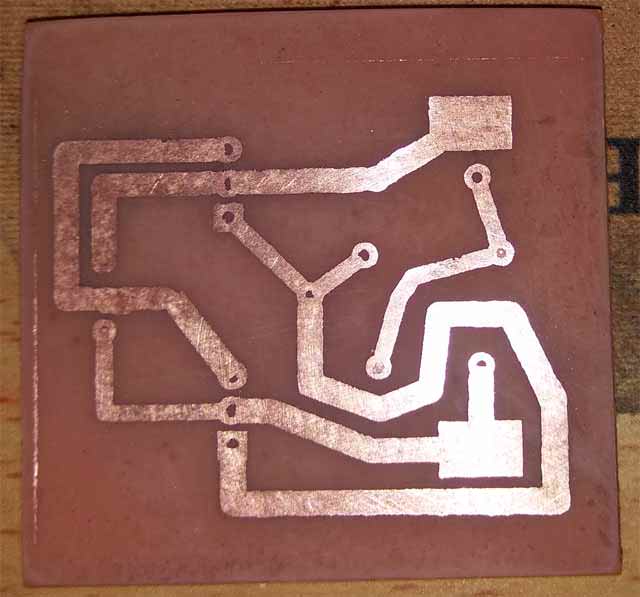
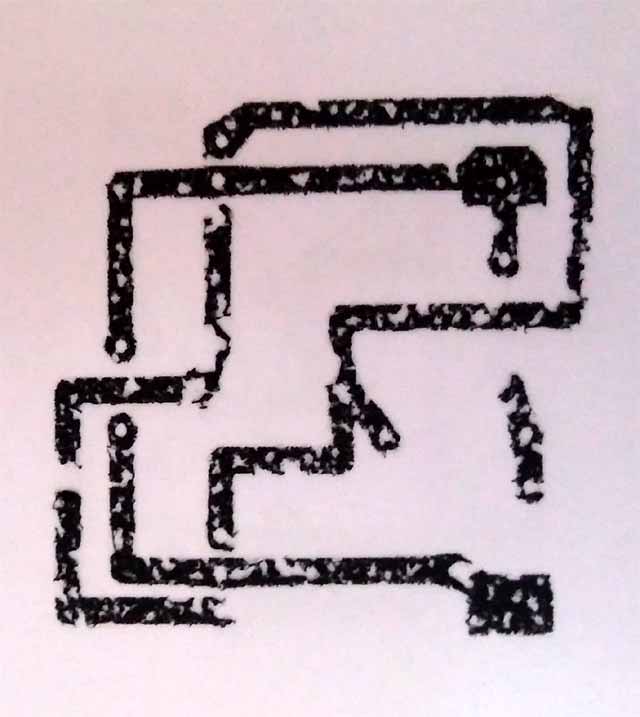
Today I made my first ever attempt at a single sided PCB board at home. So far, all seems good. I made my circuit in Fritzing and printed it (mirrored), ironed it onto my copper PCB board, soaked the paper for about an hour then removed the paper.... and it looks pretty good.

An FYI....I used a Brother HL-L2315D laser printer with the setting to lay heaviest toner.

However, it seems the traces have a bit of paper stuck to them (like ghosting) and I'm not sure if I should just leave it or if I need to try to get that paper off before etching? It only appears to be on the traces. There does not seem to be any paper stuck to the copper PCB itself.

Should I go over the board with scotchbrite, or anything before etching it with the Ferric chloride solution?

Thanks
 

dl324

Joined Mar 30, 2015
18,326
However, it seems the traces have a bit of paper stuck to them (like ghosting) and I'm not sure if I should just leave it or if I need to try to get that paper off before etching?
That's common when using paper as the transfer medium. Some scrub it off (gently) with a tooth brush. If you're too aggressive, you could lift some toner.

You won't know how good your transfer was until you etch.
 

Thread Starter

Lumenosity

Joined Mar 1, 2017
614
I was thinking it couldn't do any harm. I guess the paper and toner fused together a bit under the heat of the iron.
I'm thinking to just leave it alone. Any additional picking at it could only cause damage and not really help.

There were a couple of very tiny places where I touched it up with a permanent marker but otherwise very pleased with it.

I wasn't sure if Brother Laser printers (their toner) were compatible with this or not.

Yes, after etching I'll know how well it adhered to the copper.

Thanks for the reply.
 

dl324

Joined Mar 30, 2015
18,326
I guess the paper and toner fused together a bit under the heat of the iron.
The paper will muck up your etchant faster, but I haven't heard anyone complaining about it.

Some use wax and don't have that problem. I use inkjet transparencies (yes, in a laser printer). When I run out of transparencies, I plan to switch to wax paper. Once I found one that worked, I bought 500 sheets; so I should have a lifetime supply.
 

Thread Starter

Lumenosity

Joined Mar 1, 2017
614
The paper will muck up your etchant faster, but I haven't heard anyone complaining about it.

Some use wax and don't have that problem. I use inkjet transparencies (yes, in a laser printer). When I run out of transparencies, I plan to switch to wax paper. Once I found one that worked, I bought 500 sheets; so I should have a lifetime supply.
I was considering wax paper but read that there's a chance it could muck up your laser printer. Not willing to risk that.
I saw a YT video where a guy used the backing from sticker paper.

Would you mind specifying exactly what inkjet transparencies you used? I might try that.
 

Thread Starter

Lumenosity

Joined Mar 1, 2017
614
Well, I must say I'm purdy siked over this. I know this is not that complex and this board is super simple.... but still, to get it to (seemingly) turn out good on my very first try ever at a PC board lol

I'm right proud of my little simple, first ever PC board !!

Of course, thanks to all the good people who took the time to post videos and threads on HOW-To helped tremendously.

Next time I think I'll try to make the pads a bit larger. Not sure why.

My last concern is trying to drill the holes. How easy is it for the drill bit to twist the traces off the board?


dl324

Joined Mar 30, 2015
18,326
Congrats!
Next time I think I'll try to make the pads a bit larger.
I prefer my pads to be elongated and large enough to leave a decent amount of copper after drilling the holes.

I also like to use copper fill to reduce the amount of copper that needs to be etched. Faster etching gives less undercut and potential for etching through thin traces.
My last concern is trying to drill the holes. How easy is it for the drill bit to twist the traces off the board?
The copper is glued down, so drilling shouldn't pull them off. If you don't have a drill press, you should consider one. Especially if you use carbide bits.
 

ronsoy2

Joined Sep 25, 2013
71
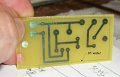
Best to use pre sensitized positive circuit board. Then use an ink jet printer (substantially darker blacks than laser) to make your positive onto inkjet transparencies. The results will let you make 15 mil wide traces. (not practical with the laser transfer method. )
The photo is a board I made an hour ago. It took 30 minutes from artwork to board in hand. Note the 10 mil wide trace around the perimeter! The board looks like it has etch-through but that is only the camera image. It is perfect. Using this technique you can get two traces between standard 1/10 inch spacing I.C. leads. You can't get away with that using the laser jet toner method. The pre sensitized board may seem expensive but when you divide it down to the smaller board sizes it is only a buck or so a board. This will save you a LOT of frustration!
board1.jpg
 

Thread Starter

Lumenosity

Joined Mar 1, 2017
614
nice board. funny, but nobody ever said you could use an inkjet for this. At least in all the videos and discussions i read up on this topic.

Will look into the pre sensitized board.
thanks

What did you mean by this??
The results will let you make 15 mil wide traces. (not practical with the laser transfer method. ){/quote]
 

dl324

Joined Mar 30, 2015
18,326
nobody ever said you could use an inkjet for this.
For toner transfer, you need to use a laser printer.

Inkjet can be used for photo sensitive boards. You'll also need a UV light source to expose the etch resist and a developer.

Which reminds me... I still owe you a part number for the HP inkjet transparencies. I tried around half a dozen different brands before I found one that worked well. I had some CompUSA transparencies - they produced very dark shapes, but the toner wouldn't release well. No laser transparency worked very well.

Running inkjet transparencies through a laser printer could cause problems (transparency melting). I've tried them in a number of laser printers and never experienced any jams or melting.
 

dl324

Joined Mar 30, 2015
18,326
Would you mind specifying exactly what inkjet transparencies you used?
The part number is 5962-0400. Described as "HP INK JET CLEAR REM TOP STRIPE". I don't know how this corresponds to what HP sells in office supply stores, so you may need to do some experimenting.

When I was experimenting, I had a sample sheet that came with an HP inkjet printer. It worked, so I bought in bulk (box of 500 transparencies) with no retail labeling.
 

Thread Starter

Lumenosity

Joined Mar 1, 2017
614
I tried printing on Arlon backing paper as suggested by many and it flat out didn't work for me.
Brother Laser Printer HL-L2315D
I'd better find a few test sheets of transparency before investing in a $30 full box of it.

 
Top