Multiplexing 7Segs and using timer Countdown

JohnInTX

Joined Jun 26, 2012
4,787
Well done! You've shown tenacity and resourcefulness in taking a lot of new concepts, haphazardly explained, and put them to effective use. That's a good thing - he says, licking the red pencil with relish..
Rich (BB code):
/******* OverHeat Conversion routine  **********************/
void OFFmsg(SegBits, unsigned short ofs)
{
    unsigned short x,i;               // this gets removed by the optimizer
                                    // Appends passed decimal point to first digit
    x = i/100;
    DigitsBuf[ofs] = SegTable[0];

    x = (i/10)%10;
    DigitsBuf[ofs+1] = SegTable[10];

    x = (i%10);
    DigitsBuf[ofs+2] = SegTable[10];
}
I'm not beating on you (one of the redlines is mine but is now a good illustration) but you are doing well and I want to contain the strays before they become unmanageable so here we go - nuts and bolts first:

/******* OverHeat Conversion routine **********************/
Overheat? What Overheat - this routine displays OFF - accurate comments are a must if you are going to maintain sanity.


SegBits Looks like a stray from my suggested header (which would determine the design of the function). So it looks like you took my suggestion to make a version of Int2Segs without really understanding some things. No problem with that. So.. what is SegBits and what does it do? There is nothing in the function body that uses it. (and I had to compile it myself to see that the compiler is OK with it.. hmmm).

x = i/100; et al. These no longer do anything and should be removed..

unsigned short x,i; ..and then you would not need to add dummy variables.

DigitsBuf[ofs+1] = SegTable[10]; Perfectly valid, since you correctly put the segment pattern for 'F' but I would not use '10' directly. Later on, you might change the order in the seg table. Its better to put its offset in a #define so that if it changes, the code follows.

As for mine:

unsigned short x; // this gets removed by the optimizer
My bad. That should have been removed long before this to avoid just this kind of confusion. A good rule of thumb is to clear up all warnings, messages from the compiler frequently. Then its easier to find the new ones and avoid replicating them.

Which is the purpose of all the redlining. Before going much further, make a clean up pass through the code and slick things up. Do it until the compiler issues no warnings or optimizer messages, etc. I suspect you were going to anyway but its important so I emphasize it.


OFFmsg - Does exactly what you want it to do and even better after some cleanup. But, it only displays one message. If each message requires its own routine you'll be burning ROM that you don't need to. The 'canned messages' approach I mentioned before allows you to pass a pointer to a character string (a one-dimensional array of bytes in C) to a single function to put it on the display. Sound better? If so, let me know.

All things considered, you are making great progress. While I may snipe at your methods, success is success and you should be happy with your progress!

Carry on!


JohnInTX

Joined Jun 26, 2012
4,787
You indicated you had some difficulties with how I described 'canned' messages i.e. simple, fixed groups of segment patterns that spell symbols or letters. Here's how to do it.

First, describe and name the various symbols you need as segment patterns. Hint: if you click the green '7' on the MikroC toolbar, it brings up the 7 segment editor which allows you to toggle segments to make symbols/characters and, by sheer coincidence, will show the actual code WE use in the Common Cathode window. Use these values to verify the correct segments in DigitsBuf[]. OK, onward.. here are some symbols I thought up, some spell letters, some not so much. It doesn't matter. They are just lit segments.

Rich (BB code):
 // Symbols that are used in 'canned messages' of raw segment patterns (not character codes)
#define DigitDASH (SegG)
#define DigitBLANK 0
#define DigitQUESTIONMARK (SegA + SegB + SegE + SegG)
#define DigitEXCLAMATION_POINT (SegB + SegC + SegDP)
#define Digit_n (SegE + SegG + SegC)
#define Digit_o (SegC + SegD + SegE + SegG)
Next. Use these symbols to create canned messages as arrays of type SegBits (which have been typedef'd as unsigned chars AKA - bytes) like this:
Rich (BB code):
//Canned messages - These are stored as raw segment patterns. The symbols do not
// have character codes assigned in this implementation.
const SegBits LEDmsg_OFF[] = {Digit0,DigitF,DigitF};     //'OFF'
const SegBits LEDmsg_WTF[] = {DigitQUESTIONMARK,DigitQUESTIONMARK,DigitQUESTIONMARK}; // '???'
const SegBits LEDmsg_BLANKALL[] = {DigitBLANK,DigitBLANK,DigitBLANK};  // '   '
const SegBits LEDmsg_3DASHES[] = {DigitDASH,DigitDASH,DigitDASH};      // '---'
const SegBits LEDmsg_no[] = {Digit_n,Digit_o,DigitEXCLAMATION_POINT};  // 'no!'
We have created 5 canned messages here saying various things..
To display them, we need to know is what to display (the name of the message e.g. LEDmsg_3DASHES) and where to display it (in the volts, amps or time field of the display).

Here's the routine to do it:
Rich (BB code):
//***************** CANNED MESSAGE PROCESSOR *******************************
// Puts a canned message (3 segment patterns in ROM) onto DigitsBuf starting
// at the passed offset (for Volts, Amps, Time etc).
// 'msg' is a pointer to a 3 byte array of segment patterns in
// a string (character array typedef'd as SegBits with storage class 'const' = ROM)
// Different ways of accessing the seg patterns in the array are shown for GRINS.
// Inspect the generated assembler code to see what generates the least code and calls
// and use that consistently.

void CannedMsg(const SegBits *msg, unsigned short ofs)
{
   DigitsBuf[ofs] = *msg;          // *msg is the first byte in the string
   DigitsBuf[ofs+1] = msg[1];      // it's also an array which can be indexed
   DigitsBuf[ofs+2] = *(msg+2);    // or the pointer 'msg' can be offset and dereferenced
}
Note the different ways of accessing the 1st, 2ed and 3rd byte of the message - they are equivalent ways of accessing a character array. If you don't understand one or any, take a break and brush up on arrays and pointers. It will be time well spent. That said, all this does is copy 3 bytes of segments patterns at 'msg' to DigitsBuf starting at the offset corresponding to the desired field (volts, amps or time) so pick one method (the middle one is a good one for PIC) and stick with it.

Whew! almost done. To display canned messages use calls like these:
Rich (BB code):
    CannedMsg(LEDmsg_OFF,dTime);  // 'OFF' to Time field
    CannedMsg(LEDmsg_3DASHES,dVolts); // '---' to Volts field
    CannedMsg(LEDmsg_no,dAmps);   // no! to Amps field
So, we now have 2 categories of displays - numeric data and fixed messages. While you can fetch characters of fixed messages from SegTable, its an unnecessary step if we define the fixed messages as we did. Either way works. I like the separation of function. So for numeric data its Int2Segs(..), for fixed messages its CannedMsg(..). Nice.

How's that?

BTW: You should be starting to see some layers of abstraction here.. as in the 4 code windows in order above.. Canned messages of seg patterns to segments to display AND Integers to digits which are indexes to an array of segment patterns to display.... AND...
Ain't it slick to describe new display digits as a combination of segments i.e. SegD + SegG (=) instead of 0b00100001? Yes it is and, since hopefully this is not your last program, you can take all of those characters and symbols and put them in a .h file for the next time. Just define what the individual segs are on the IO level and away you go.

Nice.
 
Last edited:

Thread Starter

R!f@@

Joined Apr 2, 2009
10,007
Wow ! I think I get it now.
Rich (BB code):
void CannedMsg(const SegBits *msg, unsigned short ofs)
 {
 DigitsBuf[ofs] = *msg;          // *msg is the first byte in the string    
DigitsBuf[ofs+1] = msg[1];      // it's also an array which can be indexed    
DigitsBuf[ofs+2] = *(msg+2);    // or the pointer 'msg' can be offset and dereferenced }
actually this was confuses me. :confused:

But now it is getting clear how it works.

As for commenting. I do it how I refer them. Some may not like it but when I see it I know that routine does and linked to which.

But I can change them to more better way like you said.

All good points given. Thanks.
I will change them soon..

Later last night, I was trying to make a flow chart and I got frustrated and get's confused.

Coding is actually easy for me. I just look at it and figure out if this happens this need to be done and so on. And I put this snippet there and that snippet here and checks the easyPIC if it is doing it.

It may not be how you do it but it works for me, and if it works I tend to stick with it.

I think as I progress I will change my ways.

I am just starting.

Never actually even tried to mux with assembly too.
And there is this Timer and interrupt thing which can do hell more I ever thought.

The book you referred to, I checked, is it available for download ?
 

Thread Starter

R!f@@

Joined Apr 2, 2009
10,007
I did it, I did it..oh yeah :D

I almost get this part now.

Managed to get the can in the code. Both OFF and ---.
Thanks John.

Rich (BB code):
/******* John's Canned Message Display *********************************/
void CannedMsg(const SegBits *msg, unsigned short ofs)
{
    DigitsBuf[ofs] = msg[0];
    DigitsBuf[ofs+1] = msg[1];
    DigitsBuf[ofs+2] = msg[2];
}
Rich (BB code):
/******* Shut Down Loop ***********************************/
void ShutDown()
{
  while(1)
  {
    CannedMsg(SEGmsg_OFF,dTime);    // Show "OFF" in Time Display.
    CannedMsg(SEGmsg_OFF,dVolts);   // Show "OFF" in Volts Display.
    CannedMsg(SEGmsg_OFF,dAmps);    // Show "OFF" in Amps Display.
    SD_Rly = 0;                     // Turn Off All Relays.
    BVt_Rly = 0;                    // ------ DO --------
    Ch_Rly = 0;                     // ------ DO --------
    CVs_Rly = 0;                    // ------ DO --------
    LEDs_flash(SD_LED);             // Flash Alarm LED
    LEDs_off(CH_LED+CV_LED+CC_LED+BI_LED+BH_LED);// All LED's OFF except SD_LED
    Sink_Temp = ADC_Read(3);        // Get 10-bit results of HeatSink temperature.
   if(Sink_Temp<=300)               // 300 is dummy value for testing
   {
    HeatSink_threshold = 0;         // If heat sink is cooled reset flag
    break;                          // Move on if Temperatue is OK
   }                                // While loop exits
  }
}
Now I get all OFF in shut down and "---" in Time and Amps in Battery test mode.
Battery test mode only shows Volts value. Which I can show 8.5V for a full 5V ADC
 

Thread Starter

R!f@@

Joined Apr 2, 2009
10,007
I know. I owe more than a drink. :)

Now I am doing the encoder..which too is a first. :p

Just like to know if I am on the write track
Rich (BB code):
unsigned char State;
unsigned char Count;
static unsigned char PrevState;
Rich (BB code):
/******* Read Encoder **************************/
/*
RB5 - Selector Sw,
RB6 - RotaryEncoder input A. En_A
RB7 - RotaryEncoder input B.  EN_B */
void Encoder()
{
   State = (En_A<<1)|En_B;
   switch(State)
   {
    case 0:
         if(PrevState == 1)Count++;
         else Count--;
         break;
    case 1:
         if(PrevState == 3)Count++;
         else Count--;
         break;
    case 2:
         if(PrevState == 0)Count++;
         else Count--;
         break;
    case 3:
         if(PrevState == 2)Count++;
         else Count--;
         break;
   }
}
void ChargeSet()
{
    Encoder();
   // to be continues
}
I like to make sure if I can put the count value in to display using int2Seg..

OK. I put count and Time is speeding and going crazy..
Need to rethink this
 
Last edited:

Thread Starter

R!f@@

Joined Apr 2, 2009
10,007
Did not work, but guess what did.
Rich (BB code):
/******* Read Encoder (THE_RB's example)**********************/
/*
RB5 - Selector Sw,
RB6 - RotaryEncoder input A. En_A
RB7 - RotaryEncoder input B.  En_B 
char TopUp_Time;                  // Top Up Timer Value
char Enc_New;                     // Encoder new status vars.
char Enc_Old;                     // Encoder old status vars.*/
 
void Encoder()
{
    Enc_New = (PORTB & 0xC0);       // keep on RB7 and RB6 bits.
  if(Enc_New != Enc_Old)            // If Encoder moved.
  {
   if(Enc_New.RB7 == Enc_Old.RB6)   // Check Direction.
         TopUp_Time++;              // If CW, increment TopUp.
      else
         TopUp_Time--;              // If CCW, decrement TopUp.
    Enc_Old = Enc_New;              // Save Encoder status.
  }
  Int2Segs(TopUp_Time,dTime,SegDP); // update display.
}
Now I can see the time increment or decrement form 000 to 255.
It rolls over. but does not matter. Will think of it later

for now....I am charged a bit

Since I am setting the charge settings I would need a way to determine which setting is selected by the switch button. i.e Time, Volts or Amps.
I can change all the displays at once an I think I can select one setting at a time but there is no way for me to know which is selected. I remember John saying about flashing the Digits by toggling a bit. I added the blanking digit as said above but am getting lost on how to flash the display when it is selected.

Would I need to put another int2seg as in canned msg to setting routine to do this ?
 
Last edited:

JohnInTX

Joined Jun 26, 2012
4,787
I think you're going to owe John some beers when this project is done! :D
Its a holiday weekend, I'll have one on you!

All you have to do on the limits is qualify the current value before the inc/dec i.e.

For increment
if(TopUp_Time <255) TopUp_Time++;
For decrement
if(TopUp_Time) TopUp_Time--;

Don't forget the braces around your new compound statements.

Have fun!
 

Thread Starter

R!f@@

Joined Apr 2, 2009
10,007
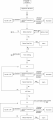
How is this for a flow chart.
Does it need improvements ? :D

Found a mistake in flow chart. :eek:
Will up it after correcting
 
Last edited:

THE_RB

Joined Feb 11, 2008
5,438
Thank you very much, that is much appreciated. :)

For someone who said you were not very good at flowcharts you have done an excellent job, with the flowchart AND with the actual program flow.

As you can see there is a fair amount of repetition of elements (like the "fan off/heatsink temp check/shutdown" group) which is fine, and you should look at wrapping these repeated elements in neat functions so the same functions can be called from the different places in your code.

As for improvements... It looks like there is only one place you do the T,V,I setting, which is done before the constant current and constant voltage control loops.

So in that case there is no way to make changes to the user settings once charging starts.

If you are happy with that, fine, that is probably simpler anyway. Otherwise you could wrap the T,V,I setting in a function and call it during the CC and CV loops so the user has some control to change things as the battery is charging.

The other thing is that you might want to include some recovery ability if the battery temp goes high during charging. At the moment your flowchart just shows "alarm", but there is no system to correct the fault?

Maybe you could add something pro-active there, like when it detects battery over-temp it cuts the current for 1 minute, then after 1 minute re-tests the temperature and maybe continues the charge process?

Assuming your goal is to make the device automatic, it is good to account for all possibilities and make the device tolerate and (if possible) auto-recover from all fault conditions. :)

And speaking of all fault conditions, have you got a way to detect shorted battery leads (or even a shorted battery)?
 

Art

Joined Sep 10, 2007
806
Might as well tell yourself what you're really doing..

Rich (BB code):
/******* Shut Down Loop ***********************************/
void ShutDown()
{
  while(Heatsink_threshold != 0)
  {
    // other stuff

   if(Sink_Temp<=300)               // 300 is dummy value for testing
   {
    HeatSink_threshold = 0;         // If heat sink is cooled reset flag
   }                                // While loop exits
  }
}
then…

Rich (BB code):
/******* Shut Down Loop ***********************************/

// called because Sink_Temp was too high

void ShutDown()
{
  while(Sink_Temp<=300)
  {
    // other stuff
  Sink_Temp = ADC_Read(3);    // Get 10-bit results of HeatSink temperature
                              // While loop exits
  }
}
So you remember what you were doing six months from now.
 

Thread Starter

R!f@@

Joined Apr 2, 2009
10,007
Might as well tell yourself what you're really doing..

Rich (BB code):
/******* Shut Down Loop ***********************************/
void ShutDown()
{
  while(Heatsink_threshold != 0)
  {
    // other stuff

   if(Sink_Temp<=300)               // 300 is dummy value for testing
   {
    HeatSink_threshold = 0;         // If heat sink is cooled reset flag
   }                                // While loop exits
  }
}
then…

Rich (BB code):
/******* Shut Down Loop ***********************************/

// called because Sink_Temp was too high
 
void ShutDown()
{
  while(Sink_Temp<=300)
  {
    // other stuff
  Sink_Temp = ADC_Read(3);    // Get 10-bit results of HeatSink temperature
                              // While loop exits
  }
}
So you remember what you were doing six months from now.
Are u referring to the part I high lighted in RED :confused:

This is my shutdown code snippet.
Rich (BB code):
/******* John's Canned Message Display *********************
Canned Message displays OFF in all Displays during the ShutDown loop.
This snippet only works during shut down loop*/
void CannedMsg(const SegBits *msg, unsigned short ofs) {
      DigitsBuf[ofs] = msg[0];
      DigitsBuf[ofs+1] = msg[1];
      DigitsBuf[ofs+2] = msg[2];
}
/******* Shut Down Loop ***********************************
Loop is called when heat sink temperature is too high.
program stays in shutdown until the heat sink temp drops,
to a safe value then resumes. All relays are OFF and Over heat Alarm
LED flashes.*/
void ShutDown() {
 while(1) {
      CannedMsg(SEGmsg_OFF,dTime);  // Show "OFF" in Time Display.
      CannedMsg(SEGmsg_OFF,dVolts); // Show "OFF" in Volts Display.
      CannedMsg(SEGmsg_OFF,dAmps);  // Show "OFF" in Amps Display.
      SD_Rly = 0;                   // Turn Off charger PSU Relays.
      BVt_Rly = 0;                  // Turn Off Battery V test Relays.
      Ch_Rly = 0;                   // Turn Off charger Relays.
      CVs_Rly = 0;                  // Turn Off charger V selector Relays.
      LEDs_flash(SD_LED);           // Flash Alarm LED
      LEDs_off(CH_LED+CV_LED+CC_LED+BI_LED+BH_LED);// All LED's OFF except SD_LED
      Sink_Temp = ADC_Read(3);      // Get ADC results of HeatSink temperature from sensor.
    if(Sink_Temp<=300)              // 300 is dummy value for testing
    {
      HeatSink_threshold = 0;       // If heat sink is cooled reset flag
      break;                        // Move on if Temperature is OK
    }                               // While loop exits
 }
}
Added comment just now.
 
Last edited:

Thread Starter

R!f@@

Joined Apr 2, 2009
10,007
Thank you very much, that is much appreciated. :)

For someone who said you were not very good at flowcharts you have done an excellent job, with the flowchart AND with the actual program flow.
Really ? I am getting good then :D

As you can see there is a fair amount of repetition of elements (like the "fan off/heatsink temp check/shutdown" group) which is fine, and you should look at wrapping these repeated elements in neat functions so the same functions can be called from the different places in your code.
Already done that.

As for improvements... It looks like there is only one place you do the T,V,I setting, which is done before the constant current and constant voltage control loops.

So in that case there is no way to make changes to the user settings once charging starts.

If you are happy with that, fine, that is probably simpler anyway. Otherwise you could wrap the T,V,I setting in a function and call it during the CC and CV loops so the user has some control to change things as the battery is charging.
I want that once. As during charging there is no need to make changes.
I don't see a reason to make changes once it is charging. Do you have any reason for your suggestion.


The other thing is that you might want to include some recovery ability if the battery temp goes high during charging. At the moment your flowchart just shows "alarm", but there is no system to correct the fault?

Maybe you could add something pro-active there, like when it detects battery over-temp it cuts the current for 1 minute, then after 1 minute re-tests the temperature and maybe continues the charge process?
I believe as per my code it does resume. The code snippet keeps reading the battery temp and waits till it cools down to resume charging.

Assuming your goal is to make the device automatic, it is good to account for all possibilities and make the device tolerate and (if possible) auto-recover from all fault conditions. :)
It is semi Auto as I said before. Still it will resume from faults. Like over heat of heatsink and battery

And speaking of all fault conditions, have you got a way to detect shorted battery leads (or even a shorted battery)?
No shorted leads possible. It will have a cradle for battery.
But for shorted battery, nope, as I will test the batteries before I try charging

The charging PSU has current limit built in. Plus short circuit protection
 

Thread Starter

R!f@@

Joined Apr 2, 2009
10,007
I am in a bit of a jam.

U see in the setting loop, I require a 30s time inactive time out period.
I figured I could use the 1 second timer to increment a counter to exit the loop when counter reaches 30 second.
Would I need
Rich (BB code):
unsigned short blahblah;
or
Rich (BB code):
unsigned int blahblah;
for the 30 second counter.

And also I require a 1 sec button press to set and exit the loop.
I like to know if I can use the timer to count 1 second for button press.

Or a delay ( dumb delay i.e ) would be OK. Since the setting will exit to point A or into the main loop if the setting is in active for 30 seconds.
The setting counter can be reset if the there is encoder activity going on that is a setting is being made. And after all the settings is done a 1 second press will ack that charging is now ready to begin.

I will bang my head later on how to store the value.

Oh yes, and there is the flashing part of the display which is being set too...!
or there is the easy way I think. Blank out the rest except the setting one.
Which one would be easier ?
 
Last edited:

Thread Starter

R!f@@

Joined Apr 2, 2009
10,007
So I sat there thinking and wondering and came up with this.
Rich (BB code):
void Setting() {
//En_Sw at RB5
//unsigned short SettingTimeOut;
    SystemTime_Secs = 0;
    SettingTimeOut = 0;             // Clear Setting Count timer.
     while(1)
   {

    if(Sec_Elapsed)      // maintain multibyte timers
     {
        Sec_Elapsed = 0;      // ack flag
        SystemTime_Secs++;   // bump system timer by one sec
        SettingTimeOut++;
        if (SystemTime_Secs & 0x0001)  // one way to flash the decimal if its running
           Int2Segs(SystemTime_Secs,dTime,SegDP);// update display
        else
           Int2Segs(SystemTime_Secs,dTime,0);// update display - DP off
      } // one second elapsed*/
     if(SettingTimeOut == 0x1F)     // Looks for 31 second before exiting
      break;
   }
 }
Setting Time Out; is the counter.
I used John's snippet to check if the while loop exits when count reaches to 30
The last statement
Rich (BB code):
if(SettingTimeOut == 0x1F)     // Looks for 31 second before exiting       
break;
is used as 31 counts as I do not see a Zero reset from the display.
In the middle is the counter incrementer...
But all in all I can exit the loop perfectly when the counter reaches 30 seconds now. :p

OK...So for now I have the time out for the setting loop working...!

Good huh!:D
 
Last edited:

JohnInTX

Joined Jun 26, 2012
4,787
Good huh!:D
Good, yeah!
You also could add another interrupt-driven 1 sec derived timer, load it with 32 and wait until it runs to 0. Then you don't have to do the counting in the main code. This time it works either way but you may want it more automatic later. Like this:

Rich (BB code):
if (CCP1IE_bit)                //System Tik (dont specify Time here, it may change then this will be confusing)
    if (CCP1IF_bit){            // Interrupt on Timer1 = CCP
      CCP1IF_bit = 0;           //Ack IRQ
                                // Decrement derived timers
      if (SYStik_timerA) SYStik_timerA--;
      
      SecsTimerPS--;       // dec Seconds timer prescaler
      if(SecsTimerPS == 0){  // iff one second passed..
        SecsTimerPS = SecsTimerPSset;  // reload the prescaler
        SecElapsed = 1;                // signal main program (one way to do it)
                                       // maintain derived seconds timer(s)
        if(SettingTimeOut) SettingTimeOut--;
        if(Secs_timerA) Secs_timerA--; // add as many as you need here
        if(Secs_timerB) Secs_timerB--;

      }
    }
To use it:
Rich (BB code):
    
 SettingTimeOut = 32;             // Clear Setting Count timer.  
 while(SettingTimeOut)
{
 .. blah blah
}
Now, you don't need to increment or test anything and no break required. Its also easier to see that the whole loop is guarded by SettingTimeOut. Nice.

Food for thought: The reason that SystemTime_Secs was originally suggested in this way is because it is a 2 byte timer and to read or set multi-byte values that can be modified by an interrupt routine takes some care (disabling interrupts and making a copy for read etc.) That was beyond the scope of the original discussion for a multibyte value. While your way of handling SettingTimeOut is just fine here, its more general to handle the time as a decrementing single byte value in the interrupt routine and frequently easier to use.

Another thought- while its not an issue here, if you DO do compares on changing values, you should use if(SettingTimeOut >= 0x1F) for a test. If you ever got late on a test and the counter ran past 1F you would miss the == compare and it would be a bad thing. In your construct, it can't happen but its still a good habit to get into.

But, looking good so far!
 
Last edited:

Thread Starter

R!f@@

Joined Apr 2, 2009
10,007
Hey that it is simpler.
Lemme try it.

thanks.

by the way, does the below is also OK, instead of unsigned int...
Rich (BB code):
char SettingTimeOut;              // T,V & I Setting Time out vars.
Code works for char SettingTimeOut too u know

u know the rollover part in post #108
I cannot get it done. I can get up to 255. It never decrements.
I don't think I get what u said or may be I am lost at how to put that into my code.

right now I am experimenting with this part.
Rich (BB code):
/******* T,V & I Setting **********************************
En_Sw at RB5
char SettingTimeOut
En_Sw at RB5_bit;
RB6 - RotaryEncoder input A. En_A
RB7 - RotaryEncoder input B.  En_B
char TopUp_Time;                  /
char Enc_New;
char Enc_Old;                    */
void Setting() {
    SystemTime_Secs = 0;
    SettingTimeOut = 0;             // Clear Setting Count timer.
  while(1) {

   if(Sec_Elapsed)                  // maintain multibyte timers
  {
    Sec_Elapsed = 0;                // ack flag
    SystemTime_Secs++;              // bump system timer by one sec
    SettingTimeOut++;               // Inrement TimeOut counter
   if (SystemTime_Secs & 0x0001)    // one way to ash the decimal if its running
    Int2Segs(SystemTime_Secs,dVolts,SegDP);// update display
   else
    Int2Segs(SystemTime_Secs,dVolts,0);// update display - DP off
  } // one second elapsed*/
      
      
    Enc_New = (PORTB & 0xC0);       // keep only RB7 and RB6 bits.
   if(Enc_New != Enc_Old)           // If Encoder moved.
  {
   if(Enc_New.RB7 == Enc_Old.RB6)   // If CW
    TopUp_Time++;                   // Increment TopUp Timer
   else                             // else
    TopUp_Time--;                   // CCW, Decrement Timer
    Enc_Old = Enc_New;              // Save Encoder status.
    Int2Segs(TopUp_Time,dTime,SegDP);// update display
    SettingTimeOut = 0;             // Resets Timeout counter if encoder moved
  }

      
// Waits for 31 second Time out (1 count/second) before exiting
   if(SettingTimeOut == 0x1F)       // If counter equals 31 counts
    break;                          // Exit loop
 }
}
I switched the timer to volts display and using encoder to change the time display and it works.
When encoder is moved the time out resets.
I will try your suggestion as using the time out in the interrupt and get back.

But for now can you please elaborate on your post #108
 
Top