Locating a Short

Thread Starter

Lorne Allaire

Joined Apr 17, 2017
26
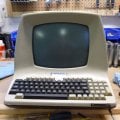
I have an old glass tele-type terminal that is not working. The pcb contains rows upon rows of TTL chips. I suspect there's a short somewhere but am unable to locate it with the equipment I have and my limited knowledge on how to use them. What I have are an Oscilliscope, DMM, and a Logic Probe.

With the board powered off, all the components and IC's test fine with my DMM in "continuity" mode.
When I apply power, most (but not all) the ceramic caps at the head of each chip indicate a short.
Is this a normal behavior for these caps? Or is there in fact a short somewhere?

I also tested each TTL chip across the Gnd and Vcc pins with both power on and off.
All tested fine with no power but when powered, two chips of the same type show a short across these pins.

Any suggestions or advice would be appreciated immensely.
 

wayneh

Joined Sep 9, 2010
18,104
• You can't test for continuity while a device is powered.
• There's no guarantee that the failure is a short.
• The presence or lack of continuity on IC pins tells nothing without knowledge of what the expected result should be.

I'd back up and start with some basics. By that I mean check to see if you have AC power delivered to the input of the power supply, and DC at the output. On a device that old you probably have a bridge rectifier and a capacitor filter. One or both are a common failure mode for old electronics. Exactly what sort of DC to look for depends on the specifications but certainly the voltage that appears on the power pins of the ICs should be fairly smooth and within the range the IC requires.

If that doesn't uncover anything, you may need a service manual. These can be hard to find - if they ever existed - but are so useful that it's definitely worth your time to search around.
 

dl324

Joined Mar 30, 2015
18,326
I suspect there's a short somewhere but am unable to locate it with the equipment I have and my limited knowledge on how to use them. What I have are an Oscilliscope, DMM, and a Logic Probe.
What makes you think there's a short? Is this short pulling down the power supply, or is an output stuck HIGH or LOW?

My go to tool for troubleshooting shorts is the HP547A current tracer.

It's described in this HP Journal.
 

MrChips

Joined Oct 2, 2009
34,809
A dead short across Vcc and GND on computer electronics is one of the most difficult and time-consuming repairs to tackle.
There are various tricks of the trade. Sometimes you need just a touch of luck.

With the board powered off, all the components and IC's test fine with my DMM in "continuity" mode.
You cannot test ICs with a DMM in "continuity mode", power or no power.

When I apply power, most (but not all) the ceramic caps at the head of each chip indicate a short.
That makes no sense. If the caps are all connected across a common Vcc and GND, it will be either all powered with proper Vcc or with reduced Vcc to all.

Is this a normal behavior for these caps? Or is there in fact a short somewhere?
Before we go any further, you need to clearly identify the symptoms. Do you have a circuit schematic?
To be sure that all the capacitors tested are connected to a common Vcc, follow the PCB traces visually and confirm with resistance test with POWER OFF.

I also tested each TTL chip across the Gnd and Vcc pins with both power on and off.
All tested fine with no power but when powered, two chips of the same type show a short across these pins.
As mentioned earlier, you can only make resistance tests with the POWER OFF.
With the POWER ON, do voltage checks across Vcc and GND pins.

Report back before we delve into the tricks of the trade.
 

Thread Starter

Lorne Allaire

Joined Apr 17, 2017
26
Okay, here are the facts as I know them:

Symptom 1: Turned on terminal and heard a pop and saw some smoke.

Action Taken: Located a blown tantalum on the smps. Replaced it along with all the electrolytic caps on both the smps and monitor chassis, just to be safe.

Symptom 2: Was not getting proper output voltages.

Action Taken: After much diagnosis it was determined that the opto-coupler was bad. Replaced it and now getting proper voltages (+5, +12, -12, +15)

Symptom 3: Monitor displays a vertical line, the smps makes a clicking noise, the Main pcb board beeps once and the CAP lock LED is on continuously.

Actions Taken:
1. Replaced the filter cap on the monitor chassis
2. Replaced the flyback since I was not getting high voltage
3. Replaced the horizontal output transistor

Symptom 4: After numerous power recycling, the monitor will cycle between a vertical line and horizontal line and the smps would click, the Main pcb would beep once and the CAP light stays on.

Actions Taken:
1. At this point I was trying to determine if the problem lies with the CRT or the Main pcb, or both. It was suggested that the Main pcb has a short along the 5v rail causing the smps to shut down and restart. I disconnected the CRT; leaving only the Main pcb hooked up, and now the clicking noise is gone.
2. I’m getting 4.78-4.80v across all the ic’s. Several of the chips require -12v and it’s getting -10.18v which is a little low but the data sheet says it’s within tolerance.
3. That’s when I started testing the components for shorts with power on and off. Now I know that with power on, the tests are no good.
4. The Main pcb has two crystal oscillators, one tested good but the other was about half the frequency of what it should be. I replaced that one only.
5. I re-seated all the socketed ic’s.

There is no schematic of the Main pcb to be found anywhere. I do have schematics for the smps and monitor.

If there’s anything else I could test, please let me know.
 

Thread Starter

Lorne Allaire

Joined Apr 17, 2017
26
It’s a Lear Siegler ADM-31. I found the smps schematic in the ADM-3A Maintenance Manual and the monitor schematic in the ADM-5 Technical Manual.
 

MrChips

Joined Oct 2, 2009
34,809
The symptoms you described in post #5 is a far cry from a short across Vcc and GND.

How were you able to determine that one of the crystal oscillators was at half the expected frequency? What tools did you use?
Do you have access to an oscilloscope?

You have three separate modules, the power supply, CRT, and ADM-31 mother board. There are ways to check them separately.
Is the ADM-31 circuitry the same as the ADM-3A?
Can you post photos of the ADM-31 outside and inside, including mother board, CRT and power supply.

I am very familiar with the ADM-3A having assembled a number of those from kits. I also did extensive mods on the circuitry to convert them to graphics displays.
 

Thread Starter

Lorne Allaire

Joined Apr 17, 2017
26
Yes, I have an oscilloscope but I am not very familiar with its use. I can muddle through.
The 3A is significantly different than the 31 from what I could tell from photos on the internet.
I will post detailed photos of the terminal later this evening when I get home.
 

Thread Starter

Lorne Allaire

Joined Apr 17, 2017
26
To test the crystal oscillators, I built the G3PTO Xtal Tester circuit on a breadboard. It was bang on for one of them but only about half for the other one. I sent DigiKey the frequency and they programmed a replacement for me.

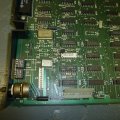
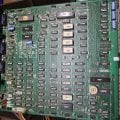
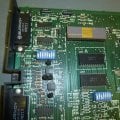
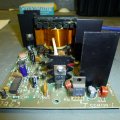
Here are some pics of the dumb terminal.
ADM-31 01.JPG Main PCB 01.JPG Main PCB 03.JPG Main PCB 02.JPG Main PCB 05.JPG

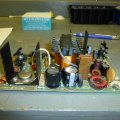
SMPS.
Power PCB 01.JPG Power PCB 02.JPG Power PCB 04.JPG

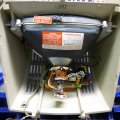
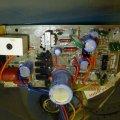
Monitor
Picture Tube 01.JPG Monitor PCB 01.JPG
 
Last edited:

MrChips

Joined Oct 2, 2009
34,809
Alright. What is the make and model of the oscilloscope?
If you want to get into electronics repair you will be further ahead learning how to use the oscilloscope. You cannot beat an oscilloscope for doing simple and advanced trouble shooting.

This is as good as any place to getting started.
Tell us more about the oscilloscope probes that you have.
Is there a x1 and x10 switch on the probe?
 

MrChips

Joined Oct 2, 2009
34,809
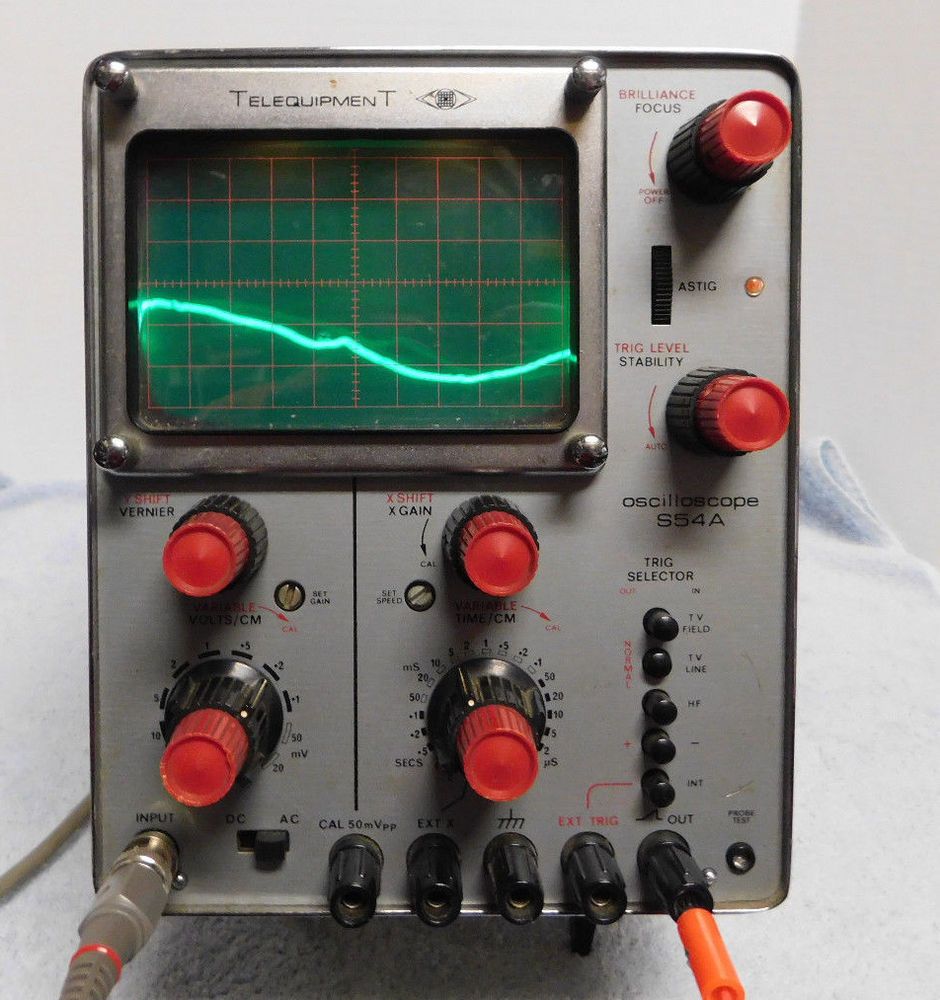
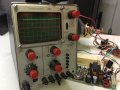
Unfortunately the oscilliscope I have is not very good. It's a Telequipment S54A and probes have no switches.


Hey, that's better than no scope at all. Fire it up and connect the probe between INPUT and CAL. Set the input to DC. Set input switch to DC.
Is your CAL 50mVpp or CAL 500mVpp?

Show us a photo of what you have.
 

MrChips

Joined Oct 2, 2009
34,809
We are going to help you learn how to use the oscilloscope.

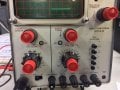
We need to see all the controls on the front panel, not just the screen. See the example in post #13.
Make sure the red knobs are turned all the way to the CAL position, i.e.

VOLTS/CM VARIABLE → CAL
TIME/CM VARIABLE → CAL


Also black knob
X GAIN VARIABLE → CAL

Adjust the FOCUS and ASTIG back and forth (along with BRILLIANCE) until you get the sharpest trace on both horizontal and vertical portions of the trace.
 

Thread Starter

Lorne Allaire

Joined Apr 17, 2017
26
That's great. I always wanted to learn how but never had the opportunity. They've always intimidated me with all the controls.

I adjusted my oscilloscope as you described and also by page 4 of the manual "First-Time Operation".

BRILLIANCE = Fully anti-clockwise
FOCUS = Central or there about to get clearest image

ASTIG = Central

TRIG LEVEL = Fully anti-clockwise - AUTO
STABILITY = Fully clockwise

TRIG SELECTOR = all buttons except lowest out

X SHIFT = Central
X GAIN = Fully anti-clockwise

VARIABLE = Fully clockwise
TIME/CM = 5 mS

Y SHIFT = Central
VERNIER = Central

VARIABLE = Fully clockwise
VOLTS/CM = 100mV

DC-AC = DC

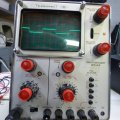
And this is the waveform I got :
P1020863.JPG
 

MrChips

Joined Oct 2, 2009
34,809
It would appear that both vertical VOLTS/CM and horizontal TIME/CM calibrations are off.
The first thing you want to do is tweak the SET GAIN and SET SPEED.

Set VOLTS/CM to 50mV.
Adjust SET GAIN so that the peak-to-peak trace falls between two horizontal grid lines. (You may need to adjust Y SHIFT as well).

The CAL 50mVpp frequency is 60Hz. This is a period of 1/60Hz = 16.667 ms.
With the TIME/CM set to 5ms, 17ms would be three divisions plus one small tick mark on the horizontal axis.
Adjust SET SPEED to achieve this. (You may need to adjust X SHIFT to bring one of the signal edges to line up with a major vertical grid line).

After you have made these adjustments, remove the input signal and adjust Y SHIFT so that the trace falls on the middle of the screen.
 

MrChips

Joined Oct 2, 2009
34,809
Not bad. FOCUS and ASTIG can do with some tweaking.

Now that you have a working oscilloscope, you can use it to examine voltages on the ADM-31.
Along the edge of the board you will find some power supply decoupling capacitors (black).
Set VOLTS/CM to 2 when measuring 5V. You should expect to see the trace move up 2.5 divisions from baseline.
For 12V supply, the trace should move 6 divisions from baseline, upwards for +12V and downwards for -12V.
(You may have to readjust the Y SHIFT).

Also check for 60Hz ripple.

This test would allow you to confirm +5V, +12V and -12V supplies.
 

Thread Starter

Lorne Allaire

Joined Apr 17, 2017
26
My baseline is in the middle of the screen.
I set VOLTS/CM to 2 but the signal went off the screen.
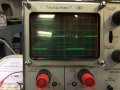
I set it to 5 and got a signal you see below.

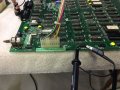
Probe is connected like this
.0BABE522-C855-42CA-978A-530391C59C90.jpeg

Oscilloscope shows this set to 5.
85908195-2D3F-4BDD-ADB5-FE5B815E94A8.jpeg

I measured the voltage with my DMM at this capacitor and it read 4.81v.
 
Top