Line management in a text editor

Thread Starter

Hamith Narayan

Joined Jun 24, 2024
2
I'm developing a text editor using esp32 to which an LCD display is connected. Currently, to edit a file, I have a single large buffer of characters which is displayed on the screen line by line. I have implemented line splitting so that a word doesn't break when it reaches the end of a line but shifts into next line. Now, how to handle cursor navigation such that when the user presses the left arrow key when the cursor is at the start of a line, the cursor should move to the end of the previous line, considering that the lines have different lengths and I don't know where the previous line ended? How does windows notepad do this normally?
allAboutCircuitsThreadPhoto.png
 

BobTPH

Joined Jun 5, 2013
11,463
Keep track of the position in the buffer that starts the top line on the screen. Then, when the cursor moves, you calculate where it is in the screen by running your wrap algorithm forward from the top line.

If the cursor goes lower than the top line, you need to recalculate from the beginning.

Alternately, you could keep an array with the position of the start of each line. But keeping this up as you edit is a nigjtmare.
 
Instead of storing your text as a single large buffer, you can keep it as an array of strings, where each string represents a single line of text. This way, you'll always know the length of each line and where the line breaks occur.

When the user presses the left arrow key at the beginning of a line, you can:

  1. Find the current line index in your array.
  2. Decrement the index to move to the previous line.
  3. Use the length of the previous line (stored in the array) to position the cursor at the end.
This approach makes it simpler to track line endings and efficiently handle cursor movement.

There are other methods like using a linked list or a rope data structure, but this is a good starting point for keeping things straightforward.
 

BobaMosfet

Joined Jul 1, 2009
2,211
How you use memory is up to you. A single block works fine. Or an array. If you use a single block, then simply user pointers for the start of each line. Update their position. accordingly. Or use an array, and make the compiler build the framework to manage this for you.

Or put a linefeed character at the end of each line and zip through the text each time finding them. The ways you can do this is endless.
 

ApacheKid

Joined Jan 12, 2015
1,762
I'm developing a text editor using esp32 to which an LCD display is connected. Currently, to edit a file, I have a single large buffer of characters which is displayed on the screen line by line. I have implemented line splitting so that a word doesn't break when it reaches the end of a line but shifts into next line. Now, how to handle cursor navigation such that when the user presses the left arrow key when the cursor is at the start of a line, the cursor should move to the end of the previous line, considering that the lines have different lengths and I don't know where the previous line ended? How does windows notepad do this normally?

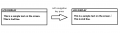
View attachment 325319
This is a very interesting problem in abstractions.

I've designed editor-like UI's before and learned a few things along the way, I'll share this with you here.

Define these abstractions and the problem becomes easier to discuss:

  1. KeyEvent
  2. EditMode (Insert/Overlay)
  3. Display
    1. Width
    2. Height
  4. TextBuffer
    1. LineCollection
    2. CursorPosition

In the beginning the TextBuffer is empty and the display blank, the Line Collection is empty, CursorPosition is at say 0,0

You use a KeyEvent to make updates to the TextBuffer, the TextBuffer in turn makes updates to the Display as changes are made in the TextBuffer.

These are easily modelled as classes in an OO language like Java or C#, and in fact writing this initially in an OO language will enable you to define, test, debug and refine the algorithms, once its working you can recode that into C or whatever your using for the ESP32.

The TextBuffer class could expose operations like ProcessKey, in that code you'd categorize the key as say a text key, a cursor key or control key.

Now, if the key is a cursor key you update the CursorPosition a member of the class TextBuffer, that's all you do, just adjust the cursor position based on its current value and the nature of the cursor key. You might also need to redraw the cursor too if there isn't one automatically present in the system.

If the key is a text key though you will update the buffer, or a specific TextLine, for example if the edit mode is insert and the key "g" is pressed you must update the text buffer to insert a "g" at the location of the cursor and move the text on the right of that to the right and finally adjust the cursor position.

Now once the key has been processed and the text buffer updated, you will redraw the text buffer on the screen, that is clear the display and write the buffer's contents to the display.

So in this design pressing keys ONLY updates the buffer and the buffer then updates the screen. In fact you might as well have a control loop like this in pseudocode.

C:
while (whatever)
{
    k = WaitForKey();
    buffer.ProcessKey(k);
    Display.Write(buffer);
}
This is the idea anyway, separation of concerns, don't let your mind get cluttered by how a key updates the displays, all the key should do is update the buffer and the display should only understand how to write the buffer to the screen. If you can rigidly enforce the isolation between key presses and display updates you've already pretty much solved the problem.

Identify edge cases like

moving to the left when already at extreme left, and moving to right when already at extreme right, the max buffer size you want to support, handling del/backspace when in insert mode and then in overlay mode.

If the display was large then we might not want to redraw the entire display each time a key is pressed but that's a more complex design, it can be done but is likely overkill for a small screen.

This is how I'd think about it anyway, if you work along these lines you'll get decent code, easy to update and bug fix and so on.

You can also make this unit testable by having unit tests for the buffer. Those unit tests can be multiple calls to ProcessKey and the a check that buffer's final state is as expected. Getting the edge cases all tested and working will make the display update part much easier.

Unit tests might look like this

C:
void Test_1()
{
    Buffer.Reset(); // set to defaults etc
    Buffer.ProcessKey(RIGHT_ARROW);
    Buffer.ProcessKey(LEFT_ARROW);
    if (Buffer.Left != 0 && Buffer.Right != 0)
        assert("Test 1 failed")
}
With a solid collection of unit tests you can fix a bug or add some new feature and just rerun all the tests to ensure nothing got broken. Not sure how people do that with C in an MCU world but I'm sure there are ways.
 
Last edited:

Thread Starter

Hamith Narayan

Joined Jun 24, 2024
2
Instead of storing your text as a single large buffer, you can keep it as an array of strings, where each string represents a single line of text. This way, you'll always know the length of each line and where the line breaks occur.

When the user presses the left arrow key at the beginning of a line, you can:

  1. Find the current line index in your array.
  2. Decrement the index to move to the previous line.
  3. Use the length of the previous line (stored in the array) to position the cursor at the end.
This approach makes it simpler to track line endings and efficiently handle cursor movement.

There are other methods like using a linked list or a rope data structure, but this is a good starting point for keeping things straightforward.
As this is a text editor, the user can type in new characters or delete them. So, in that case, we should be able to add/remove a string in between the array. How can we handle that?
 

Jon Chandler

Joined Jun 12, 2008
1,560
Or put a linefeed character at the end of each line and zip through the text each time finding them. The ways you can do this is endless.
Yep. This is the easiest way. A linefeed (LF) and/or a carriage return (CR) would be the usual delimitors in an ASCII text file, but they are non-printing characters so they're hard to find in a file (by eye). Easier might be a delimitor like a slash (/) or backslash (\) or any other character not used for the display to show line breaks.
 

BobTPH

Joined Jun 5, 2013
11,463
Let’s clarify what you are doing here. What I call a text editor generally has explicit line breaks. A word processor generally allows but does not require them and wraps the text.

Which are you trying to do?
 

ApacheKid

Joined Jan 12, 2015
1,762
As this is a text editor, the user can type in new characters or delete them. So, in that case, we should be able to add/remove a string in between the array. How can we handle that?
There are a finite number of cases, identify them, write them down.

A key can be a control key or a data key (or even an ignored key like say a function key), the editing can be in insert mode or update mode and there is always a cursor position whether we are clearly aware of that or not.

Look at say Windows Notepad, how does it behave if the text is empty and you press ? how does it behave if it is empty and you press BACKSPACE? If there's text like HAMMER and the cursor is situated before the first M and you press X, what does it do? how does it react in INSERT mode or OVERLAY mode? What about pressing the DEL key rather than X, again how does it behave?

There are finite number of distinct cases, unless you identify these before you start coding, you will never reliably solve the problem, your code will get messy and patchy and slowly degrade and develop subtle bugs that are very hard to correct - so do the problem analysis first - that's my advice.
 
Last edited:
Top