Learning to program the PIC16LF1823

Thread Starter

cmartinez

Joined Jan 17, 2007
8,763
Don't do it.
Get 5.25.
Otherwise you will have to deal with the new Assembler. No the best now for you.
Already did :( ... and now the stupid thing is reporting:

error: Configuration "default" builds with "MPASMWIN", but the support for this toolchain type is not installed.
Errors have occurred while loading one or more configurations.
If a specific error is not shown above, this may happen when you import a project from another computer.
+ You can add language tools in Tools->Options embedded tab.
+ You can change which language tool to use in the project properties dialog.
 

Thread Starter

cmartinez

Joined Jan 17, 2007
8,763
Welp... I managed to get things to work using MPLAB X v5.20, and things are more or less back to normal. Though I still have to see if there are any real improvements to X v4.20, if at all.

In the meantime, I think I'm finally figuring out how to use the debugger... Joey's recommendation did the trick, although it was not easy to learn how to use the RES directive, I finally figured out how the syntax should be. Now the debugger is reporting the values of my defined variables in real time.

Many thanks to you, Joey. You've saved me quite a headache by pointing me in the right direction.
 

Thread Starter

cmartinez

Joined Jan 17, 2007
8,763
Finally ... I was able to make the 8-bit/8-bit routine work using the rather primitive method of successive subtractions... and then I discovered this code, which I quickly translated as shown below, and it worked on the first try. The code is far faster and more efficient than the brute force approach.

Code:
;*****************************************************************************************
;  Using CORDIC fast division, perform an 8-bit/8-bit division using DIVIDEND/DIVISOR and
; report RESULT and REMAINDER
;  This code was translated from: https://www.convict.lu/Jeunes/Math/Fast_operations2.htm
;*****************************************************************************************
divv8:
      movf DIVISOR, f
      btfsc STATUS, Z ;exit routine if DIVISOR is zero
    return

      clrf RESULT
      movlw d'1'
      movwf TEMP00

shift_it8:
      btfsc DIVISOR, 7
      goto divu8loop
      bcf STATUS, C
      rlf TEMP00, f
      bcf STATUS, C
      rlf DIVISOR, f
     goto shift_it8

divu8loop:
      movf DIVISOR, w
      subwf DIVIDEND
      btfsc STATUS, C
      goto count8
      addwf DIVIDEND
     goto final8

count8:
      movf TEMP00, w
      addwf RESULT

final8:
      bcf STATUS, C
      rrf DIVISOR, f
      bcf STATUS, C
      rrf TEMP00, f
      btfss STATUS,C
     goto divu8loop

      movf DIVIDEND, w          ;store the REMAINDER in its appropriate register
      movwf REMAINDER

    return
This small division adventure cost me a whole day of work, but hey, I did learn quite a few things in the process.
 

jpanhalt

Joined Jan 18, 2008
11,087
Sorry to reply so late. Daughter gave me rather short notice she and her family were visiting today from the DC area.

I edited the 16-bit by 16-bit division to be 8-bit by 8-bit. Remainder is valid and Divisor is preserved, For 16-bit it was quite fast; for 8-bit,I suspect much of that speed advantage is lost.

Revised for newer program:
253/13 = about 74 Tcy
254/2 = 104 Tcy
254/1 = 121 Tcy
254/127 = 31 Tcy (divisor = dividend/2 can be a problem with this algorithm, fix = divisor >= (dividend/2 +1)
127/128 = 16 Tcy

Under "Test" is where I add test values. Code written for 16F1829 but should work for you too.

Code:
Start
     nop
     call      Test
  
Test
     movlw     253
     movwf     T0
   
     movlw     13
     movwf     B0             ;neither this or next step is necessary

;UseWREG
;Prepare working registers
;Test for zero
     clrf      R0
     movlw     1
     movwf     count          ;fixes "problem" of decfsz skipping when count=1

     movf      B0,w
     btfsc     STATUS,2
     retlw     0xFF           ;return to call w/any flag
Divide8                       ;adjust divisor to be left justified
     btfsc     WREG,7
     bra       Loop           ;divisor left shifted to ensure > (dividend/2 +1)
     lslf      WREG
     incf      count,f        ;accounts for left shifts of divisor
     bra       $-4
DivLoop               
;shift in next result bit and shift out next
;dividend bit to remainder
     lsrf      WREG           ;shift divisor lsb            
     btfss     R0,0           ;test whether subtraction was success or failure
     addwf     T0,f           ;subtraction borrow, add divisor to remainder
     btfsc     R0,0
Loop
     subwf     T0,f           ;no borrow, subtract divisor from remainder
     rlf       R0,f
     decfsz    count,f
     bra       DivLoop
     btfsc     R0,0           ;only needed for valid remainder                 
     return
     addwf     T0,f                           
     return                  ;remainder in T0
    
;23 instructions
;Remainder is in T0 and is valid.  However, it is negative when
;the least significant bit of the result is clear.  Since the loop
;does not immedicately add back in that situation (i.e., the subtrahend
;is larger than the minuend), the negative "remainder" must be added to the
;original divisor to recover the true remainder.
;    
;If you do not need a valid remainder, a few steps can be shaved. Eliminate the
;following steps in order from "Next" btfsc R0,0; movf B0,w; addwf T0,f; and
;Return.  NB: Original divisor is preserved in B0 at end.
     end
EDIT
The crowd left, and I took a a second look. The divisor (B0) stays in WREG, so there is no need keep replacing it. That saved about 3 instructions and it runs about 5 to 9 instruction cycles faster. The code posted above is the newly revised version. About 24 instructions.
EDIT2
Since the add and subtract subroutines are only one instruction, I updated to eliminate the branches and just used a btfss/btfsc pair. That reduced the number of instructions by 1 and timing by 2 to 9 Tcy's depending on how many zeros or ones were in the quotient. Timings are also updated to reflect the new code.
 
Last edited:

Thread Starter

cmartinez

Joined Jan 17, 2007
8,763
Is the answer to the question of the meaning of life 43? ... I don't know, but that's the lowest reading I can get from the chip's ADC (I'm using channel AN2, I haven't tested any other channels)

After setting up a 10k pot as a voltage divider, with the chip's power being fed by a humble 7805, and connecting it to RA2, and after quite a few lines of programming, I was able to get stable readings out of the thing.

Since the chip's ADC works at a 10-bit resolution, I was expecting 1024 divisions from my measurements... and lo and behold!, when I turn the pot and raise the input voltage, the chip does report a maximum measurement of 1023 when voltage at the pin reaches 4.096V, which is the voltage reference that I configured internally in the chip. But when I turn the pot the other way, the lowest reading I get is 43 and not a simple flat zero, as I was expecting. I even disconnected the pot and shorted the pin to ground to no avail...

What gives? Is the chip damaged? Would it be the way I drew the traces on the board? is the 7805 too sucky and it somehow interferes with what I'm trying to do?
 

Thread Starter

cmartinez

Joined Jan 17, 2007
8,763
I am suspecting this is the culprit:

1594311934379.png

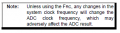
I adjusted the internal working clock frequency of 32MHz by -2.032% to more accurately generate the UART's 115,200 target baudrate. Maybe that affected the ADC's internal calibration. No matter, as long as that lowest value of 43 remains constant (which it does) I can compensate for it myself when reporting measurements.
 

Thread Starter

cmartinez

Joined Jan 17, 2007
8,763
Nope... that wasn't it ... I canceled the OSCTUNE instructions responsible for adjusting the internal clock frequency, and the ADC's lowest reported value remained at 43... The chip is a DIP plugged into an ic socket, so there was no way it could've suffered thermal damage due to soldering (it's happened to me before with other chips). And I extremely doubt it was damaged in any way by ESD ... I guess this is going to have to remain a mystery for now... I can't spend more time trying to fix this to perfection.
 

atferrari

Joined Jan 6, 2004
5,012
Nope... that wasn't it ... I canceled the OSCTUNE instructions responsible for adjusting the internal clock frequency, and the ADC's lowest reported value remained at 43... The chip is a DIP plugged into an ic socket, so there was no way it could've suffered thermal damage due to soldering (it's happened to me before with other chips). And I extremely doubt it was damaged in any way by ESD ... I guess this is going to have to remain a mystery for now... I can't spend more time trying to fix this to perfection.
On testing the ADC function in a micro I discovered that the problem was in the presets. Reversing the terminals proved that. Residual resistance I don't know where...(¿?)
Right now, tow of the five in a board do that.

Picture attached to give color to the landscape not to show any specific data.

20200620_122948.jpg
 

Thread Starter

cmartinez

Joined Jan 17, 2007
8,763
Are your weak pull ups enabled? That will do it. It happened to me on a PIC that doesn't allow individual pull ups enabled. It's all or none.
YES! ... that was exactly it! ... I disabled the internal pull up and things immediately got fixed! ... thank you so much, Peter.
 

jpanhalt

Joined Jan 18, 2008
11,087
@cmartinez

I took a closer look at the code you post in #303. It is very similar in approach to what I posted. Basically, the divisor is rotated left to be >= to the dividend/2 +1 (or simply rounded up). If it is exactly equal to the dividend/2, instead of getting an answer like 0x2, you will get 0x1 with a remainder.

Once one decides to use that algorithm, the actual code must balance instructions steps with speed. The trick is, of course to align the msb bits of the dividend and divisor. The better the alignment, the faster the code runs, but it has more instructions. With 16 x 16 division, I spend more instructions aligning them, because the time savings are significant. With 8 x 8, I just rotated the divisor unit its bit<7> = 1.

It is just fun indoor's work when the sky is bright sunlight and the temp is 94°F. That may be mild for you, but not for me.

John
 

Thread Starter

cmartinez

Joined Jan 17, 2007
8,763
It is just fun indoor's work when the sky is bright sunlight and the temp is 94°F. That may be mild for you, but not for me.
That ain't mild at all for me. It's mid-hot for what I'm used to. But next week's forecast is a hellish high of 42C (108F) every weekday. And even then, the city of Mexicali in Baja California today registered 52C (126F) .... now that's hot.
 

jpanhalt

Joined Jan 18, 2008
11,087
I grew up in the San Gabriel Valley of SoCal. 106°F was not unusual, but humidity was also low. Of course we never had a "snow day", but one year (kindergarten to 12 grade) we had 2 heat days. I was in HS, not air conditioned, and some students passed out just sitting at their desks.

My brother lives in the area of Palm Springs, CA. They do see days like you describe. The local joke is that a car with the windows down has the right away.
 

Thread Starter

cmartinez

Joined Jan 17, 2007
8,763
In the 8051 architecture, if I wanted to include a string as part of the program data, all I have to do is assign a label location to it, and define the consecutive bytes as data bytes. Something like this

Code:
DEVICE_SERIAL: DB 'SN2052',13,0
With data formatted that way, in order to transmit a string through the UART all one has to do is feed the data pointer (DPTR) with the location of the DEVICE_SERIAL label, and then load a register with the data byte that DPTR is pointing to. Then the program keeps incrementing DPTR and then transmits the corresponding data bytes until the byte pointed at is zero. That last condition would signal the end of the data transmission routine. Notice that the last valid character in the sequence is 13, corresponding to the <CR> carriage return character. That way a simple ReadLine instruction at the PC can retrieve the whole string.

How exactly does one do something similar in PIC assembly? I know that instead of using DPTR, I'm supposed to use one of the FSR register, no mystery there. But when I tried something like this the instruction got rejected:
Code:
DEVICE_SERIAL: DB "SN2052",13,0
That is, I tried using double quotes instead of single, but the assembler won't accept the instruction as shown. What's the correct syntax for something like this?
 

jpanhalt

Joined Jan 18, 2008
11,087
It's actually similar. To start with, here is how it appears in my in-line code:

Code:
     PutStr    "Set End Temp"
"PutStr" is a macro:
Code:
PutStr    macro text          ;go in any bank retun in |B0
     call PutText
     dt   text,0
     endm
Then PutText is one of 3 of 4 routines I have. Some use indirect addressing and others are stack based. The string is put into a table. The quotation marks tell the assembler to put each character as an entry. DT is is simplest. It puts one character per byte. DA will pack the bytes.

Finally is the routine for sending. Here is the current, stack based one I am using for a graphical display. For a character display is quite a bit simpler. All that "OutStr" stuff is because the graphical display does not have built in characters.

Code:
PutText
     banksel   TOSL           ;                                                 |B31
     movf      TOSL,w         ;                                                 |B31
     movwf     FSR1L          ;                                                 |B31
     movf      TOSH,w         ;                                                 |B31
     movwf     FSR1H          ;                                                 |B31
     bsf       FSR1H,7        ;                                                 |B31
     movlb     2              ;prepare GLCD for writing data                    |B2
     bcf       LCD_CS         ;    "                   "                        |B2
     movlb     4              ;    "                   "                        |B4
;     call      AddrLCD       ;accepts any bank retunrs B4                      |B4
                              ;call to subroutine x2 = same length of code
GetChar
     moviw     FSR1++         ;                                                 |B4
     btfsc     STATUS,2       ;skpnz                                            |B4
     bra       PutExit        ;                                                 |B4
     call      OutStr         ;NB: OutStr is also called for single chars       |B4
     bra       GetChar        ;                                                 |B4

PutChar                       ;make sub for "AddrLCD" w/ 1st 3 steps (also above)
     movlb     2              ;prepare GLCD for writing data                    |B2
     bcf       LCD_CS         ;    "                   "                        |B2
     movlb     4              ;    "                   "                        |B4
     call      OutStr         ;                                                 |B4
     bra       ExitDat        ;may need goto returns to call in B0              |B4

OutStr                        ;FSR0 used for accessing ascii table
     clrf      FSR0H          ;                                                 |B4
     addlw     -32            ;adjusts for 0x20 ascii offset                    |B4
     movwf     FSR0L          ;WREG = ascii value                               |B4
     lslf      FSR0L          ;(ascii - ascii offset)x8 = table offset          |B4
     lslf      FSR0L          ;largest ascii = 0x7F, no carry w/ 1st rotate     |B4
     rlf       FSR0H          ;                                                 |B4
     lslf      FSR0L          ;                                                 |B4
     rlf       FSR0H          ;theoretical max FSROH = 0x03 (b.0000 0011)       |B4
     bsf       FSR0H,3        ;sets table location at 0x0800                    |B4
     bsf       FSR0H,7        ;set FSROH,7 to accesse program memory as data    |B4

;NB: The first real ascii character is 0x20.  Preceding control characters are
;not in the Table. One could begin the table at 0x900 instead of 0x800 and avoid
;adding "-32" to align the ascii value with Table start index. One extra
;instruction avoids the shenanigans of offsetting the Table location.

OutStr_Loop
     movlw     6              ;bytes per character +1 for skipping on 0         |B4
     movwf     count0         ;                                                 |B4
Loop
     moviw     FSR0++         ;                                                 |B4
     call      PutDat+3       ;no need to clear LCD_CS each time                |B4
     decfsz    count0,f       ;                                                 |B4
     bra       Loop           ;                                                 |B4
     return                   ;                                                 |B4

PutExit    
     banksel   TOSL           ;reset stack to call location                     |B31
     movf      FSR1L,w        ;                                                 |B31
     movwf     TOSL           ;                                                 |B31
     movf      FSR1H,w        ;                                                 |B31
     bcf       WREG,7         ;                                                 |B31
     movwf     TOSH           ;                                                 |B31
     bra       ExitDat        ;returns to "fixed" call in B0                    |B31
I am a bit bushed right now. Just so I don't get too far off tract, are you using a graphical or character display? SPI or UART-like? I will check my filed projects in the morning and give you something more useful hopefully. This is just to indicate that what did in the 8051 is not much different than the enhanced mid-range chips. Do you want stack-based or indirect addressing (FSR)? I usually use the stack-based routine.

John
 

Thread Starter

cmartinez

Joined Jan 17, 2007
8,763
Thanks, John. I have the MPASM Assembler User's guide, and that PutStr macro you've mentioned is nowhere to be found.
 

Thread Starter

cmartinez

Joined Jan 17, 2007
8,763
I think I found an alternative. The DA directive:

Code:
DEVICE_SERIAL: DA "SN2052",13,0
That last instruction is accepted by the assembler without complaints. Now I need to learn how to extract said info and transmit it.
 
Last edited:

MaxHeadRoom

Joined Jul 18, 2013
30,662
Not sure if t is relevant, but the macro definition can be any arbitrary name, Did you read the chapter in the user guide "Macro Language" ?
It has it all there.
Max.
 

jpanhalt

Joined Jan 18, 2008
11,087
Yes, DA will work. I use that or DT as shown. I had some problems years ago with DB too; although, the manual says it it should work with 16F devices.

The macro to which I refer is not part of MPASM. It is one I wrote for convenience. It's the second bit of code I posted. Some others that I use are:
1) PutDec (aka PutDelim) for placing a decimal or other delimiter (e.g., : ) when printing fixed point numbers
2) RegPrint for printing a register's contents -- used mainly for debugging
3) xchgf which exchanges the contents of RegA and RegB

EDIT:
Here's the macro for DA that I use:
Code:
StrPrint  macro     label   
     call      PutText                 
     da        label,0         
     endm
The corresponding PutText subroutine is a little more interesting as the ascii values are packed:
Code:
;*******************************************************************************
;    SCREEN PRINTING -- EEPROM READ OF PROGRAM MEMORY -- da Version
;    Incorporates suggestions from Mike McLaren (K8LH)
;    Does not use the most recent version with one less instruction
;*******************************************************************************
PutText
     movlb     31             ;                                       |B31
     movf      TOSL,w         ;                                       |B31
     movlb     3              ;                                       |B3
     movwf     EEADRL         ;                                       |B3
     movlb     31             ;                                       |B31
     movf      TOSH,w         ;                                       |B31
     movlb     3              ;                                       |B3
     movwf     EEADRH         ;                                       |B3
GetChar             
     bcf       EECON1,CFGS    ;not 'config' memory                    |B3
     bsf       EECON1,EEPGD   ;select 'program' memory                |B3
     bsf       EECON1,RD      ;initiate 'read'                        |B3
     nop                      ;required 'nop'                         |B3
     nop                      ;required 'nop'                         |B3
     movlb     31             ;                                       |B31
     incf      TOSL,f         ;bump return address                    |B31
     btfsc     STATUS,2       ;bump return address                    |B31
     incf      TOSH,f         ;bump return address                    |B31
     movlb     3              ;                                       |B3 
     lslf      EEDATL,w       ;put EEDATL.7 in Carry                  |B3
     rlf       EEDATH,w       ;get lsb of high byte                   |B3
     movf      WREG           ;check   EEDATH = 0                     |B3
     btfsc     STATUS,2       ;zero, skip else                        |B3
     bra       PutExit        ;exit (end-of-string, '0')              |B3
     call      Put232         ;send character to LCD                  |B0
     movlb     3              ;                                       |B3
     movf      EEDATL,w       ;get low byte character                 |B3
     andlw     0x7F           ;check EEDATL = 0                       |B3
     btfsc     STATUS,2       ;zero, skip else                        |B3
     bra       PutExit        ;exit (end-of-string, '0' pad)          |B3
     call      Put232         ;send character to LCD                  |B0
     bra       PutText        ;                                       |B0
PutExit
     movlb     0              ;                                       |B0
     return                   ;                                       |B0
;*******************************************************************************
 
Last edited:
Top