Facebook
 Google
 GitHub
 Linkedin

Thank you, nerdegutta, I just did something similar
Anyway here is the code
I changed port C to Port D.
Some configuration options seemed not to be available to the 4553.
What to do now....
Anyway here is the code
Code:
/*
* File:   main.c
*Here we have adapted the code from JohninTx that is originally for 16F1787
* to our processor 18F4553
*
* Created on 2015/08/06, 16:57
*/

//#include <stdio.h>
#include <stdlib.h>

#include <xc.h>

// #pragma config statements should precede project file includes.

#pragma config PLLDIV = 5  //(20MHz crystal div by 5 preescale
#pragma config CPUDIV = OSC4_PLL6  //we get 16 MHz
#pragma config FOSC = INTOSC_HS   //Internal oscillator, HS oscillator used by USB (INTHS)
#pragma config USBDIV = 2  //Usb from PLL
#pragma config FCMEN    = OFF   //ADDED fail safe clock disabled
#pragma config IESO = OFF  //oscillator switch over mode disabke
#pragma config PWRT = OFF
#pragma config BOR = ON  //CHANGED
#pragma config BORV=3 //ADDED
#pragma config VREGEN = ON //CHANGED
#pragma config WDT = OFF
#pragma config WDTPS = 32768


#pragma config CCP2MX = ON
#pragma config PBADEN = OFF
#pragma config LPT1OSC = OFF

#pragma config MCLRE = ON

#pragma config STVREN = ON
#pragma config LVP = OFF
#pragma config ICPRT = OFF
#pragma config XINST = OFF
#pragma config DEBUG = OFF
#pragma config WRTD = OFF


#define _XTAL_FREQ 4000000      // 4MHz for the delay function

void initIO(void)
{
OSCCON = 0x62; // 0110 0010 set CPU Frequency as 4 MHz Internal Oscillator
TRISD=0x00;
PORTD=0x00;
//no analog inputs on D

}

//---------------------IO DEFINITIONS  --------------------------
// These are for the F4553
#define lcd_port  LATD        // write to LAT, read from PORT
// RD7-4 is the LCD 4 bit databus
#define LCD_RSout LATD2     // moved from ICSP
#define LCD_ENout LATD3

//-------------------- DISPLAY SETTINGS  ---------------------
// Define some display settings.  These could be defined as complete
// commands as well..
#define lcdLINE1 0x00       // where line 1 begins
#define lcdLINE2 0x40       // where line 2 begins

//--------------------- STROBE LCD ---------------------------
// Pulses E line on LCD to write
int strobeLCD(void)
{
LCD_ENout = 1;
__delay_us(2);     // Added a little here
LCD_ENout = 0;
}

//--------------------- WRITE 8 BIT DATA TO LCD  -----------------
// Assumes LCD is ready and RS is set to correct value
// LCD data bus is RD4-RD7
// Enable cycle time is a side effect of execution time - faster clocks
// may require a specific delay.
void writeLCD(unsigned char dat)
{
    lcd_port &= 0x0f;               // get current port, clear upper bits
    lcd_port |= (dat & 0xf0);       // combine w/upper nibble, leave lower same
    strobeLCD();

    lcd_port &= 0x0f;               // get current port, clear upper bits
    lcd_port |= ((dat <<4) & (0xf0)); // combine w/lower nibble, leave lower port same
    strobeLCD();
    __delay_ms(2);                // wait for display to process
}
//-------------------- WRITE LCD COMMAND  -------------------------
// Write cmd to LCD with RS=0
// Assumes E is low and display is NOT busy
void lcd_cmd (unsigned char cmd)
{
    LCD_RSout = 0;       // select command register
    writeLCD(cmd);
}
//---------------------- WRITE LCD DATA  --------------------------
// Write dat to LCD with RS=1
// Assumes E is low and display is NOT busy
void lcd_data (unsigned char dat)
{
    LCD_RSout = 1;       // select data register
    writeLCD(dat);
}

//-------------------- RESET/CONFIGURE LCD  -------------------------
// Delays are generous, trim when able

void lcd_init(void)
{
    lcd_port &= 0x0f;   // clear upper bits of LCD port
    lcd_port |= 0x30;   // direct data to LCD DB7-4
    LCD_RSout = 0;
    strobeLCD();        // write 3h, wait 10ms
    __delay_ms(10);
    strobeLCD();        // write 3h, wait..
    __delay_ms(10);
     strobeLCD();       // write 3h
    __delay_ms(10);

   lcd_port &= 0x0f;    // clear upper bits of LCD port
   lcd_port |= 0x20;    // direct data to LCD DB7-4
   strobeLCD();         // write 2h
   __delay_ms(10);

    lcd_cmd(0x28);       // Funciton Set: 4-bit mode - 2 line - 5x7 font.
    lcd_cmd(0x0e);       // DisplayON, cursor ON, blink OFF
    lcd_cmd(0x06);       // Automatic Increment - No Display shift.
    lcd_cmd(0x80);       // Address DDRAM with 0 offset 80h.
}

//----------------------- WRITE STRING TO LCD  ---------------------
// Writes null terminated string to LCD from ROM
void lcd_WriteStr(const unsigned char *c)
{
    while(*c != '\0'){
        lcd_data(*c);
        c++;
    }
}

//--------------------  SETS CURSOR ANYWHERE IN DISPLAY MEMORY  ---------
// Valid locations are 0-79 decimal.  This doesn't check for valid location

void lcd_SetCursor(unsigned char loc)
{
    lcd_cmd(loc | 0x80);        // form and send 'set DDRAM address' cmd
}

//----------------- CANNED LINE COMMANDS  -------------------------
// For a 2 line display

void lcd_LINE1(void)
{
    lcd_SetCursor(lcdLINE1);
}

void lcd_LINE2(void)
{
    lcd_SetCursor(lcdLINE2);
}

//======================= MAIN =====================================
const char spin[] = {".oOo. "};

int main(int argc, char** argv)
{
    unsigned char i;
    initIO();               // init the chip IO
    __delay_ms(100);        // power up delay for LCD - adjust as necessary
    __delay_ms(100);
    __delay_ms(100);
    lcd_init();             // init the LCD
    lcd_WriteStr("Howdy there");
    lcd_LINE2();
    lcd_WriteStr("from TX!");
    // a little active display :)
    do{
        for(i=0; spin[i]!= '\0'; i++){
            lcd_SetCursor(lcdLINE2 + 11); // locate spinner
            lcd_data(spin[i]);
            __delay_ms(100);
            __delay_ms(100);
//            __delay_ms(200);
        }
    }while(1);       // do forever


    return (EXIT_SUCCESS);
}Some configuration options seemed not to be available to the 4553.
What to do now....

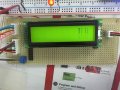
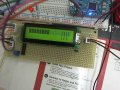
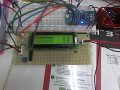
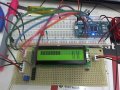
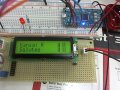
 , I checked the wiring since I have been changing it for every code I ve tried. In the first try I did the data lines were actually inverted but now they are ok. How do you see for sure if the LCD is blown? I dont want to go to the shop buy another one and have the same problem...