
 Facebook
 Google
 GitHub
 Linkedin

Figured I'd share this works great . First off grab a remote anyone would work next let's install the libraries needed.
https://github.com/cyborg5/IRLib2
Next let's get IR Sensor most any will work i happened to have a 38kHz one laying around.

http://www.vishay.com/docs/82479/tssp58038.pdf
The code to find out what your remote is and list output to a terminal is from .
https://learn.adafruit.com/using-an-infrared-library/hardware-needed
This is there code for finding the key codes and remotes works really good.
The top line gives you the needed values we have NEC and my key press was FF50AF
The above code finds your keys code which we set in the next code to turn on and off 3 pins of the arduino.
This is code I did to turn on and off with 3 buttons 3 leds the pins could be used for anything you need to control.
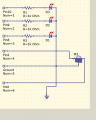
The circuit
The pins are named pin10 to 8 for the leds, Ground and Vdd for power, And pin2 for the IR output to the arduino.
Here what I put it in a dumptruck im going to down size the uno but it works
https://github.com/cyborg5/IRLib2
Next let's get IR Sensor most any will work i happened to have a 38kHz one laying around.
http://www.vishay.com/docs/82479/tssp58038.pdf
The code to find out what your remote is and list output to a terminal is from .
https://learn.adafruit.com/using-an-infrared-library/hardware-needed
This is there code for finding the key codes and remotes works really good.
Code:
Decoded NEC(1): Value:FF50AF Adrs:0 (32 bits)
Code:
#include "IRLibAll.h"

//Create a receiver object to listen on pin 2
IRrecvPCI myReceiver(2);

//Create a decoder object
IRdecode myDecoder;

void setup() {
  Serial.begin(9600);
  delay(2000); while (!Serial); //delay for Leonardo
  myReceiver.enableIRIn(); // Start the receiver
  Serial.println(F("Ready to receive IR signals"));
}

void loop() {
  //Continue looping until you get a complete signal received
  if (myReceiver.getResults()) {
    myDecoder.decode();           //Decode it
    myDecoder.dumpResults(true);  //Now print results. Use false for less detail
    myReceiver.enableIRIn();      //Restart receiver
  }
}This is code I did to turn on and off with 3 buttons 3 leds the pins could be used for anything you need to control.
Code:
int led1 = 8;
int led2 = 9;
int led3 = 10;
#include <IRLibAll.h>

IRrecv myReceiver(2);//receiver on pin 2
IRdecode myDecoder;//Decoder object

void setup()
{
  pinMode (led1, OUTPUT);
  pinMode (led2, OUTPUT);
  pinMode (led3, OUTPUT);
  Serial.begin(9600);
  myReceiver.enableIRIn(); // Start the receiver
}

void loop() {
  if (myReceiver.getResults()) {
    myDecoder.decode();
    if (myDecoder.protocolNum == NEC) {
      switch(myDecoder.value) {
        case 0xFF50AF:  //Volume Down
        Serial.println(F("Volume Down"));
        digitalWrite(led1, !digitalRead(led1));
          break;
        case 0xFFA05F:  //Play/Pause
        Serial.println(F("CH UP"));
        digitalWrite(led2, !digitalRead(led2));
          break;
        case 0xFF7887:  //Volume Up
        Serial.println(F("Volume up"));
       digitalWrite(led3, !digitalRead(led3));
          break;
      }
   }
     myReceiver.enableIRIn(); //Restart the receiver
  }
}
The pins are named pin10 to 8 for the leds, Ground and Vdd for power, And pin2 for the IR output to the arduino.
Here what I put it in a dumptruck im going to down size the uno but it works
Last edited:






