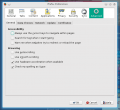
Incorrect appearance of buttons on dropdown

Thread Starter

tjohnson

Joined Dec 23, 2014
611
I just confirmed the problem in Firefox 35.0.1 and IE11 on Win8.1. It also happens in Chrome on a Win7 machine I have access to.

@bertus: Have you cleared your cache recently? The only browsers I have access to have all either had their cache cleared in the past week, or else I used them so rarely that they didn't have AAC in their cache.
 
Last edited:

bertus

Joined Apr 5, 2008
22,955
Hello,

I can't remember when I cleared the cache lately.
I once in a while clear all cookies and browser history.

Bertus
 

Thread Starter

tjohnson

Joined Dec 23, 2014
611
Hello,

I can't remember when I cleared the cache lately.
I once in a while clear all cookies and browser history.

Bertus
I'm a perfectionist, so I usually clean mine at least once a week. But sometimes I regret it, when later I find myself wondering, "Where's that page I viewed yesterday?":)

Any idea what could be causing this problem? It seems odd that I see it on every PC and browser combination I try, but the only other person on this forum who reported seeing it is #12 (although I imagine there are many more who didn't report it). I tried browsing the CSS in the Firefox style editor, but I'm not knowledgeable enough to find the applicable section.
 
Last edited:

Thread Starter

tjohnson

Joined Dec 23, 2014
611
I tried browsing the CSS in the Firefox style editor, but I'm not knowledgeable enough to find the applicable section.
I think I did find it now. In css.php, beginning at line 1152:
Code:
.xenOverlay .formOverlay .tabs a:hover{
   background:url(rgba.php?r=255&g=255&b=255&a=63);
   background:rgba(255,255,255,0.25);
   _filter:Progid:DXImageTransform.Microsoft.gradient(startColorstr=#3FFFFFFF,endColorstr=#3FFFFFFF)
}
It looks like it tries to call DirectX (I'm assuming that's what DX stands for) to draw a blue gradient, but if that doesn't work, it will just show white and black, like I'm seeing.

EDIT: I'm not sure how to get rid of the smilies in the code.
 

Thread Starter

tjohnson

Joined Dec 23, 2014
611
It looks like it tries to call DirectX (I'm assuming that's what DX stands for) to draw a blue gradient, but if that doesn't work, it will just show white and black, like I'm seeing.
Oops, I was wrong about that. I think what it's really doing is:
  • First, drawing a transparency layer. This is the white and black that I'm seeing.
  • Second, using DirectX to draw a blue gradient on top. For some reason, this isn't working on any of the PCs or browsers that I've tested.
The problem doesn't seem related to:
  • Flash Player, since I had the issue even with it disabled
  • Windows updates, since it happens on Windows XP which no longer receives updates from Microsoft
  • web browsers, since I've seen it in IE, Firefox, and Chrome
  • operating systems, since I've seen it in Windows XP, Windows 7, Windows 8.1, and Fedora 20
so I think that the reason why not everyone is seeing it may just be because they haven't cleared their caches recently.

Anyway, this issue isn't that important, and I'll quit posting about it for now. I hope this information will help to ultimately resolve it.
 
Last edited:

bertus

Joined Apr 5, 2008
22,955
Hello,

Could there be a graphics driver problem with your systems?
Perhaps there are newer drivers available on the graphics card suppliers website.

Bertus
 

Thread Starter

tjohnson

Joined Dec 23, 2014
611
Hello,

Could there be a graphics driver problem with your systems?
Perhaps there are newer drivers available on the graphics card suppliers website.

Bertus
Seems doubtful, since one uses Intel and the other two AMD. If they all had a driver in common, I'd more readily think that would be the case.
 

Thread Starter

tjohnson

Joined Dec 23, 2014
611
Switching off the hardware acceleration in Firefox didn't help.

But, what's really weird is, the CSS for the XenForo forum looks like the exact same, except it lacks character returns:
Code:
.xenOverlay .formOverlay .tabs a:hover{background:url(rgba.php?r=255&g=255&b=255&a=63);background:rgba(255,255,255, 0.25);_filter:progid:DXImageTransform.Microsoft.gradient(startColorstr=#3FFFFFFF,endColorstr=#3FFFFFFF)}
and it works for me.:eek: I don't want to jump to conclusions, but it seems like based on that, the problem lies with AAC somewhere and not my computer.
 

bertus

Joined Apr 5, 2008
22,955
Hello,

I know that we use an other color scheme than the original software.
The scheme is called vB 3.x -fluid.

jrap has made some changes to have some extra buttons in the menu bar.

Bertus
 

Thread Starter

tjohnson

Joined Dec 23, 2014
611
Switching off the hardware acceleration in Firefox didn't help.

But, what's really weird is, the CSS for the XenForo forum looks like the exact same, except it lacks character returns:
Code:
.xenOverlay .formOverlay .tabs a:hover{background:url(rgba.php?r=255&g=255&b=255&a=63);background:rgba(255,255,255, 0.25);_filter:progid:DXImageTransform.Microsoft.gradient(startColorstr=#3FFFFFFF,endColorstr=#3FFFFFFF)}
and it works for me.:eek: I don't want to jump to conclusions, but it seems like based on that, the problem lies with AAC somewhere and not my computer.
Oh, I just checked and there is a difference. I wouldn't have thought that it should matter, but the AAC forum has "Progid" (first letter capitalized) rather than "progid" (lowercase). Could the problem be this simple?

EDIT: I think this might be the problem, since I also noticed that elsewhere in the AAC CSS file "progid" is lowercase, for example in the style for tooltips, and AFAIK tooltips show correctly for me.
 
Last edited:

Thread Starter

tjohnson

Joined Dec 23, 2014
611
Hello,

I see what you mean.
If the text is case sensitive, that could indeed be a problem.

I will report the issue to jrap.

Bertus
Thank you, bertus! I appreciate your persistent help.
Even though AAC uses a different theme than XenForo, the colors in the header bar are the exact same, so I'm hopeful that changing this will fix it.
 

Thread Starter

tjohnson

Joined Dec 23, 2014
611
Sorry, I was wrong. I noticed that the CSS file has been updated now, but it doesn't make any difference. I realize now that I was looking at the wrong style in the CSS, and I'm not sure what the right one is.

However, I think I figured out something else that is likely causing both this problem and the one reported by djsfantasi. I found out that the vB Fluid theme was last updated January 17th, around the time when both of us started seeing appearance problems. It seems to me that they were caused by this forum updating to version 1.4.4 of the theme, which appears to be buggy.
 
Last edited:

Thread Starter

tjohnson

Joined Dec 23, 2014
611
I just noticed that this has been fixed. Thank you to whoever fixed it.

I'm curious whether the version of the theme was reverted, or if just the applicable style in the CSS file was edited?
 
Top