How to transform a signal into a square wave ?

Thread Starter

PauloConstantino

Joined Jun 23, 2016
266
:confused: In post #10 you said all your 5MHz crystals gave weird signals.
All my 5MHz ones act weird. But I have a few 24MHz ones that output triangle waves. I'm not sure if triangle waves are a good output for these crystals.

Why would some give weird harmonics and some give triangle waves? I know triangle waves can also be made of sines but I bought these from the same manufacturer....

I was expecting to get square waves out of them. Or at least good sine waves. I got none of that...
 

Alec_t

Joined Sep 17, 2013
15,121
If you google "crystal oscillator waveform" you'll see a variety of wave-shapes, including some similar to yours. Whether or not the crystal oscillates at its fundamental frequency or a harmonic, and the driving circuit configuration, may/will affect the wave shape.
 

dl324

Joined Mar 30, 2015
18,350
But I have a few 24MHz ones that output triangle waves. I'm not sure if triangle waves are a good output for these crystals.
It's probably a combination of overcompensated probes (from your 5MHz problem) and scope bandwidth (100MHz). With a 20MHz crystal, you're scope will limit you to a few (odd) harmonics.
 

Thread Starter

PauloConstantino

Joined Jun 23, 2016
266
It's probably a combination of overcompensated probes (from your 5MHz problem) and scope bandwidth (100MHz). With a 20MHz crystal, you're scope will limit you to a few (odd) harmonics.

You !!!

I tried changing the scope's probes from x1 to x10, and the waveform flattened significantly! However it is still ringing at the edges... What's going on? Are my probes bad quality ? They are cheap probes


Please have a look at the new waveform. This is the 5MHz oscillator.


dl324

Joined Mar 30, 2015
18,350
I tried changing the scope's probes from x1 to x10, and the waveform flattened significantly! However it is still ringing at the edges... What's going on?
Probe is probably still over compensated. All probes should have an adjustable low frequency compensation. Does you scope have a low kHz square wave that can be used for compensating probes?
 

Thread Starter

PauloConstantino

Joined Jun 23, 2016
266
What is the bandwidth of your scope? Have you checked probe compensation?
I realized I was completely ignorant about compensation. I forgot I had to adjust both the x10 and the compensation on the probe...


The wave has cleaned considerably however there is still a little ringing on it even though I adjusted it.

Shame I dont have a proper square wave oscillator to adjust it
 

Thread Starter

PauloConstantino

Joined Jun 23, 2016
266
I can't thank you guys enough. Now I have an oscillator! Thank you so much everyone.

I can start thinking about my composite video card now :(
 

PhilTilson

Joined Nov 29, 2009
154
That makes a nice change! Someone who actually says "Thanks" for the help!

I have made several posts on this forum that I have spent considerable time over, only to be completely ignored by the OP. I shall be more choosy in future!

Phil
 
The oscillogram does not look good but the output of HC14 should work correct.
It might be some kind of resonance.

1. Please use a capacitor of 100nF direct at the supply pins of the oscillator package.
2. use a oscilloscope probe with 10:1 divider and show us the pin 2 of HC14.
 

MrChips

Joined Oct 2, 2009
34,850
I realized I was completely ignorant about compensation. I forgot I had to adjust both the x10 and the compensation on the probe...


The wave has cleaned considerably however there is still a little ringing on it even though I adjusted it.

Shame I dont have a proper square wave oscillator to adjust it
You have a proper square wave oscillator already.
That oscillator module puts out square waves, not sine waves.
Ringing on the rising and falling transitions are caused by long leads and improper transmission line termination.

You already found the first remedy - use the scope probe on 10x attenuation, not 1x.
Use the scope probe at 10x all the time. That is what scope probes are for.

See all your jumper wires on your breadboard? Cut each wire and make them as short as possible.
See the jumper wires on the scope probe and scope ground? Get rid of those or make them as short as possible.
See you GND connection on the scope probe? Connect that to the GND pin of the oscillator module, not the ground rail.

As someone else already said, put a 0.1μF ceramic capacitor across the Vcc and GND pins of the module, not the power rails of the breadboard. Cut the leads of the capacitor to the shortest possible.
 

Thread Starter

PauloConstantino

Joined Jun 23, 2016
266
You have a proper square wave oscillator already.
That oscillator module puts out square waves, not sine waves.
Ringing on the rising and falling transitions are caused by long leads and improper transmission line termination.

You already found the first remedy - use the scope probe on 10x attenuation, not 1x.
Use the scope probe at 10x all the time. That is what scope probes are for.

See all your jumper wires on your breadboard? Cut each wire and make them as short as possible.
See the jumper wires on the scope probe and scope ground? Get rid of those or make them as short as possible.
See you GND connection on the scope probe? Connect that to the GND pin of the oscillator module, not the ground rail.

As someone else already said, put a 0.1μF ceramic capacitor across the Vcc and GND pins of the module, not the power rails of the breadboard. Cut the leads of the capacitor to the shortest possible.

I have moved a 0.1uF capacitor across the pins of the crystal but it by itself didn't do anything noticeable. I will cut the wires and see what happens.


A strange and curious thing is that my scope has 4 options for the signals: DC, AC, DC + BW Lim and AC +BW Lim.

When I put the BW Lim thing, it clears the waveform. Why is this? Also, for this type of signal, should I choose DC or AC afterall ? When I choose DC, the wave shows no negative voltage. When I choose AC, it has a negative part! When I then put BW Lim option, the ringing disappears but the voltage limits are the same as either the DC or AC.

Why is it that the waveform changes like this? Here are some photos


MrChips

Joined Oct 2, 2009
34,850
Welcome to the fascinating world of electronics.
You are learning appropriately - by experimenting, careful observation and query.

1. I didn't expect the 0.1μF capacitor to show any noticeable change. Installing decoupling capacitors is standard practice.

2. The difference and application of DC vs AC on oscilloscope input is a common misunderstanding.

One initially learn that DC = Direct Current and AC = Alternating Current.
In the context of an oscilloscope, these terms have a different meaning.
Think DC = Direct Coupling
Think AC = coupling with DC removed

All electrical signals can be considered to be DC + AC, that is, using the first definition of DC and AC, signals contain a 0Hz component (DC) and higher frequency components (AC).

When the scope input is set to DC (direct coupling) we are allowing DC + AC.
When the scope input is set to AC, we allow AC only, that is, the DC component has been blocked using a high-pass filter.

When the scope input is set to DC, you observe the proper absolute voltages of the signal.
When the scope input is set to AC, the DC component is removed, the average value that remains is now 0V. Hence the trace now straddles the 0V reference line (the line if you set the input option = GND).

For digital signals, leave the setting to DC.
When you want to see relatively low voltage ripples on the power rails, for example, set the input coupling to AC.

3. You have a darn good sampling scope with a bandwidth to 100MHz. You should be proud of that!

It means that the scope can view signals from 0Hz to 100MHz.

Any sharp rise or fall, for example at the edges of a square wave, contains high frequencies that go beyond 100MHz.
If you reduce the bandwidth of the scope, you lose those sharp edges and they start to look like rising or falling slopes.
You get the same effect if you smooth the signal with a capacitor in parallel to GND.

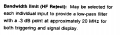
By selecting the BW option that is in fact what you are selecting, i.e. to reduce the bandwidth to something lower than 100MHz (maybe 20MHz, read the scope manual).

So now you smooth the rising and falling edges and the ringing is eliminated. They are still there in the original signal. You just don't observe them on the scope. The scope hides them from you.

Hence use the scope with the BW limit disabled.
 

Thread Starter

PauloConstantino

Joined Jun 23, 2016
266
Welcome to the fascinating world of electronics.
You are learning appropriately - by experimenting, careful observation and query.

1. I didn't expect the 0.1μF capacitor to show any noticeable change. Installing decoupling capacitors is standard practice.

2. The difference and application of DC vs AC on oscilloscope input is a common misunderstanding.

One initially learn that DC = Direct Current and AC = Alternating Current.
In the context of an oscilloscope, these terms have a different meaning.
Think DC = Direct Coupling
Think AC = coupling with DC removed

All electrical signals can be considered to be DC + AC, that is, using the first definition of DC and AC, signals contain a 0Hz component (DC) and higher frequency components (AC).

When the scope input is set to DC (direct coupling) we are allowing DC + AC.
When the scope input is set to AC, we allow AC only, that is, the DC component has been blocked using a high-pass filter.

When the scope input is set to DC, you observe the proper absolute voltages of the signal.
When the scope input is set to AC, the DC component is removed, the average value that remains is now 0V. Hence the trace now straddles the 0V reference line (the line if you set the input option = GND).

For digital signals, leave the setting to DC.
When you want to see relatively low voltage ripples on the power rails, for example, set the input coupling to AC.

3. You have a darn good sampling scope with a bandwidth to 100MHz. You should be proud of that!

It means that the scope can view signals from 0Hz to 100MHz.

Any sharp rise or fall, for example at the edges of a square wave, contains high frequencies that go beyond 100MHz.
If you reduce the bandwidth of the scope, you lose those sharp edges and they start to look like rising or falling slopes.
You get the same effect if you smooth the signal with a capacitor in parallel to GND.

By selecting the BW option that is in fact what you are selecting, i.e. to reduce the bandwidth to something lower than 100MHz (maybe 20MHz, read the scope manual).

So now you smooth the rising and falling edges and the ringing is eliminated. They are still there in the original signal. You just don't observe them on the scope. The scope hides them from you.

Hence use the scope with the BW limit disabled.


I am mind blown in many ways now !!!

You know I was in a Microelectronics master's course at a university here in the UK (my undergrad was in maths). I stayed in the course for 1 month and left because I was learning more in forums, books and the internet in general than with the teachers at the university. Their materials were completely bogus and lacking, and they wouldn't reply to my e-mails when I asked for help.

Now here, we don't even know each other and you have spent the time to clarify a lot of my questions. Unbelievable! That's why I love talking to people who are passionate about their subjects because they love explaining. Thank you so much.


Although I know that signals can be represented by sine waves via fourier series, I had never thought of digital signals as being really high frequency signals and hence why they change so instantly. This is fascinating! So that's why we get the ringing at the edges afterall!? The gibbs phenomenon I've heard before in maths classes!

I have actually tried connecting capacitors and resistors in parallel to see the effects. Sometimes the waveform completely flattens out and sometimes it becomes a distorted sawtooth wave! Because I have no idea what values to use.

It's interesting that everything seems to boil down to LRC circuits and fourier series. Is that right ?

So BW Lim means Bandwidth Limit! Shame it doesn't say to what Limit. I will read the manual.


Thanks for all the explanation. It's fascinating!

I bought this scope particularly because I saw it used to be one of the best. It's a beautiful scope.
 
Last edited:
Top