
How to program TWI with ATtiny404?

Thread Starter

AverageMoss

Joined Apr 24, 2021
34
Hello, I have an ATtiny404 that I'm programming in Microchip Studio. I'm trying to learn how to program the Two Wire Interface (TWI) to communicate with another ATtiny404. I've been searching all over the internet to find out how to do it but nothing I've found matches TWI registers of the ATtiny404.

If anyone knows how to program TWI, I would really appreciate some help with this. I'm familiar with the ATtiny404 TWI registers, I just don't know what the code looks like for transmitting/receiving data.

Here is what I have so far with the limited knowledge I have (I know it's wrong):
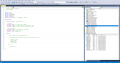
Screenshot-1.png
 

Papabravo

Joined Feb 24, 2006
22,082
IIRC TWI and I2C are similar if not identical in operation. Once upon a time there was an intellectual property spat between Atmel and Philips that was at least partially resolved by Atmel deciding to call it TWI.

It may be the case that the description of I2C is equally as mysterious to you as the TWI information. If that is the case, we may have to go back to a more fundamental level.
 

Thread Starter

AverageMoss

Joined Apr 24, 2021
34
Interesting. I knew there is a difference between the two, but the documentation on TWI is very poor. I read as much as I can find on it.

I can't find any documentation on how to program a data transmission. I can only find register descriptions and very general steps on how to initialize those registers.
 

Thread Starter

AverageMoss

Joined Apr 24, 2021
34
You already said that. Ok, so answer the question: "do you know how an I2C connection works?"
I2C has a clock line (SCL) and a data line (SDA). Both lines are always held high and when data is to be transmitted, the data line is pulled low to signal a start condition. It is a master/slave communication where only one device can communicate on the bus at one time. The SCL line transmits the clock pulse (baud rate) to synchronize communication with slave devices and the SDA line transmits the "transaction". The "transaction" includes the start condition, address packet (includes read/write and acknowledge bit), first data packet (includes acknowledge bit), second data packet (includes acknowledge bit), and finally the stop condition.
 

Papabravo

Joined Feb 24, 2006
22,082
I2C has a clock line (SCL) and a data line (SDA). Both lines are always held high and when data is to be transmitted, the data line is pulled low to signal a start condition. It is a master/slave communication where only one device can communicate on the bus at one time. The SCL line transmits the clock pulse (baud rate) to synchronize communication with slave devices and the SDA line transmits the "transaction". The "transaction" includes the start condition, address packet (includes read/write and acknowledge bit), first data packet (includes acknowledge bit), second data packet (includes acknowledge bit), and finally the stop condition.
That is substantially correct. Now you need to construct a command byte which will contain the device (slave) address of the device you are going to talk to and a Read/Write bit. Can you construct this byte on paper, ate least.
 

Thread Starter

AverageMoss

Joined Apr 24, 2021
34
That is substantially correct. Now you need to construct a command byte which will contain the device (slave) address of the device you are going to talk to and a Read/Write bit. Can you construct this byte on paper, ate least.
Okay, I'm following. So if I understood you correctly the command byte should look like this...

Slave Address: 1110101 (7-bit address)
Read/Write Bit: 0 (low = write)

final command byte/address packet should be: 11101010
 

Papabravo

Joined Feb 24, 2006
22,082
Okay, I'm following. So if I understood you correctly the command byte should look like this...

Slave Address: 1110101 (7-bit address)
Read/Write Bit: 0 (low = write)

final command byte/address packet should be: 11101010
Yes, that looks good assuming the device address is correct. Since your first transaction will be a write you need to wait for an ACK on the 1st (Command/Address) byte and when that comes you write the 2nd (Data) byte and wait for the ACK. At this point the transaction might be finished, or it might require additional bytes. When the last byte has been sent and ACK'ed you can send the STOP condition.
 

Thread Starter

AverageMoss

Joined Apr 24, 2021
34
Yes, that looks good assuming the device address is correct. Since your first transaction will be a write you need to wait for an ACK on the 1st (Command/Address) byte and when that comes you write the 2nd (Data) byte and wait for the ACK. At this point the transaction might be finished, or it might require additional bytes. When the last byte has been sent and ACK'ed you can send the STOP condition.
Okay thank you! I understand how that works.

So my next question is, when the address and R/W bits are assigned to their corresponding registers, how do I trigger the start condition? Do I have to write to a specific register which triggers the start condition or do I make a call to a function?
 

Papabravo

Joined Feb 24, 2006
22,082
Okay thank you! I understand how that works.

So my next question is, when the address and R/W bits are assigned to their corresponding registers, how do I trigger the start condition? Do I have to write to a specific register which triggers the start condition or do I make a call to a function?
I'm at a bit of a disadvantage because I do not know what resources you have access to. By resources I meant the actual processor (ATtiny404) hardware and any kind of software environment you may have at your disposal. I'll start with the datasheet and get back to you.
 

Papabravo

Joined Feb 24, 2006
22,082
The datasheet has a very complete description of what is going on. Are you sure that you have no familiarity with the device datasheet. The hardware is very intelligent about things unlike the bad old days when we had to bit bang this stuff. Anyway the answer to your immediate questions is from the following paragraph on p. 318 of document # DS40002318A

25.3.2.2.3 Transmitting Address Packets
The host starts performing a bus transaction when the Host Address (TWIn.MADDR) register is written with the client
address and the R/W direction bit. The value of the MADDR register is then copied into the Host Data (TWIn.MDATA)
register. If the bus state is Busy, the TWI host will wait until the bus state becomes Idle before issuing the Start
condition. The TWI will issue a Start condition, and the shift register performs a byte transmit operation on the bus.
Depending on the arbitration and the R/W direction bit, one of four cases (M1 to M4) arises after the transmission of
the address packet.
This presumes that you have setup the other things you need to initialize operations. If you don't know what I am referring to then we have to go all the way back to the beginning.
 

Thread Starter

AverageMoss

Joined Apr 24, 2021
34
The datasheet has a very complete description of what is going on. Are you sure that you have no familiarity with the device datasheet. The hardware is very intelligent about things unlike the bad old days when we had to bit bang this stuff. Anyway the answer to your immediate questions is from the following paragraph on p. 318 of document # DS40002318A

25.3.2.2.3 Transmitting Address Packets
The host starts performing a bus transaction when the Host Address (TWIn.MADDR) register is written with the client
address and the R/W direction bit. The value of the MADDR register is then copied into the Host Data (TWIn.MDATA)
register. If the bus state is Busy, the TWI host will wait until the bus state becomes Idle before issuing the Start
condition. The TWI will issue a Start condition, and the shift register performs a byte transmit operation on the bus.
Depending on the arbitration and the R/W direction bit, one of four cases (M1 to M4) arises after the transmission of
the address packet.
This presumes that you have setup the other things you need to initialize operations. If you don't know what I am referring to then we have to go all the way back to the beginning.
Okay, the number of times I've scanned by this portion without noticing the answer staring me right in the face is killing me!
I just want to thank you for taking the time out of your day to help me and many others.

"To become an expert, you must first be a fool."
 

Papabravo

Joined Feb 24, 2006
22,082
Okay, the number of times I've scanned by this portion without noticing the answer staring me right in the face is killing me!
I just want to thank you for taking the time out of your day to help me and many others.

"To become an expert, you must first be a fool."
We all had to start somewhere. After reading a few you develop a knack for boring right into the heart of the matter.
 
Top





