Do what you think is best. I have time so no rush.
I kind of understand your point of 'it's a mess'. I am thinking of making myself an editor in my c#... but later in the future.
Right now, I kind of figure out a way that works. Without any aditional programming involved, only 'smartly' using the tools I gathered so far, and is starting to work. A bit hard since I have to get used to it, but Ill overcome it. It must become a reflex, right?
-Also... that problem I mentioned earlier, it appears that the hex that is creating, when loaded back in the program (whatever which one) it is recoded again in hex, making a mess. BUT it's default encoding is bin, so it is normally saving in bin and also succesfully loading back in bin as well as it was before. That bin file is re-converted back in editing format. But the bin itself, if you look in it in a plain text with the notepad, it will show you the encoded characters that no one can read. I believe I clear it enough now.
This no frills code will convert a series of hex characters to binary. You can put any separators you want between the hex digits, but A-F must be capitalized. Max line length is 255 characters.
- Here is some progress with the general feel and work flow I developed so far, like I said previously, "...without any aditional programming involved, only 'smartly' using the tools I gathered so far....".Here I present this aspect and make abstraction of the project itself.
- I said "no programming involved" but I may jump soon enough and remake only that little "Modify Bits" app, small but very useful in my eyes, that I think is very helpful, as a stand alone (also downloadable) windows app (winapp). Right? And I think you also agree with me.
- Thank you.
the movie is 12min long
Thank you @Ian Rogers , I will look into it right now. Do read my last replies at #62 and #65
...edited...
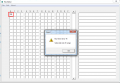
Cause: When editing the first square #0 and clicking on #1, this error pops out. Heh, dont worry, this is happening to me all the time when I have to make something.
also some labels with some markings what everything represents is a good idea to have.
Yes... This is an old VB program it was written just to move blocks.. Most hex editors cannot shift blocks of data, I made this so I could "insert" a value without re-writing..
Try this HxD editor, is very good and free to use (downloadable from their website) https://mh-nexus.de/en/hxd/
also watch my last movie I posted here in #65 and 'kind of' see how Im using it.

 Facebook
 Google
 GitHub
 Linkedin