Thank you mister @Ian Rogers and welcome back into the discussion.
This is working EXCELENT !!! I want it's 'code' behind the .bin conversion. Also to convert it myself and get the same result.
Check this out:
( ~3min video: -ultra short )
You know Im listening to everyone and that Im a very good boy.
From all my testings so far and try to believe me on this. If the code I insert is good, every Output will stay at 0V and only the correct High pins will open. If the code is wrong or faulty for some reason (only proteus knows) I get this random behaviour. I also changed and replaced the chip with a brand new one. Multiple times, these days. The same exact behavior. And Im talking without putting everything to 0V like unused addreses or/and outputs. This is a simulator after all and stuff works like Im explaining and showing. It is tested. But I will keep them to gnd as you said. No problem.
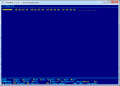
If you have downloaded ZTree you can use these steps to make a bin file
I create a text file and open it.
If you want to edit 16 locations type "................" into the editor and save.
Load this txt document into ZTREE and hit view then hit hex..
Once you can see the file hit edit and just enter the values... Ie.. all the dots will be 0x2E.
Once you are happy save then rename the new file as XXX.bin.
NOTE*** ZTREE's editor uses hex values.. This doesn't make it a hex editor..
A hex file has a line number.. several numeric values ( in hexadecimal ) and a checksum on every line.
A bin file is just raw data....
Hexadecimal is just decimal shorthand for a binary number 01010101(binary) = 0x55(hexadecimal) = 85(decimal) SAME..
I can do something better actually.
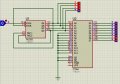
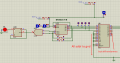
I can share my proteus saved file with you. Be aware of my Proteus version to be as yours. Mine is v8.11
If you have an older version, you better update it at least to my version, or to Higher.
Check this window attachment.
If you have downloaded ZTree you can use these steps to make a bin file:
I create a text file and open it.
If you want to edit 16 locations type "................" into the editor and save.
Load this txt document into ZTREE and hit view then hit hex..
Once you can see the file hit edit and just enter the values... Ie.. all the dots will be 0x2E.
Once you are happy save then rename the new file as XXX.bin.
AHAHAHAAAAAAAAAAA!!! it is working my good friend.
I strongly believe this is a matter of character encoding !!!
I actually had to 'recode' like 3 times until the proper order of Address and its coresponding Output was in sincronization.
EXCELENT !!!!!
I will make a movie to prove it !
Im so happy ! You deserve all the thanks in the world for guiding me and getting me out from the blackness !
Aaaaaaaaaaand check this out : Hahahahahahahahahaha:
I choose another website to upload short movies and not clutter my youtube account. You know.
And after ONLY -------2---------- movies uploaded, NAAAIIIN , money, upgrade, more money.
Hahahahahaha. what a lough. Unbelievable.
I will have to edit this last movie and put it as usual on Youtube. It will take a bit but I will announce you.
Thank you very much again mister @Ian Rogers !!!!
-----
And I believe....im not completly sure but I think, that mister dl324 version failed because it was very important to be able to edit the file from it's 'Buffer' tab, the one on the bottom. And that editing option failed in my win7 or later for w10,w11. I remember you pointed this detail that only in w95-98 is doing it's bizniz correctly. But I can see now, it is pretty much the same thing, the key is coding inside the program !!! And then save it as bin. But that coding inside the program is more important that we thought. Because it can not load correctly a manual made file. Is not ONLY a matter of saving as .bin. Very interesting. I hope Im wrong. But as much as I tried so far this is the conclusion I see.
It's not working on Win10, but that feature is rarely used because the primary function of that program is to program or read devices. That won't work on Win10. It worked on WinXP, but if you didn't take care to disable printer polling, that could cause inadvertent device writes.
I only have it on Win10 so I can do hex/binary data conversions.
Ok then... please make me a help guide as mister @Ian Rogers here did in #45 and I could follow it step by step and it worked. I want the same thing from you with this tool. Can you do it for me? Again, Im very interested in all the options possible. The more the better.
Thanks to you guys here, I managed to find some modern editors that are doing the exact same thing as the ZTreeWin.
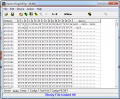
I tried 2 more editors: [HxD] and [Hex Editor Neo]. Hex Editor Neo is a bit overcomplicated but it has some very interesting functions inside. HxD is simple and to the point. Both give me the same result as .bin and as .hex and I tested everything in Proteus to be sure its working correctly. I also discovered the encoding used; it was Intel 8-bit HEX. There are also others like 'Intel 16-bit HEX' and 32. But my good sense is telling me the 8-bit is the most used one.
- Im also attaching some MicrosoftWord help files I made for myself and hopefully for others in the future that will read these things discussed. Also for you guys that helped me so far, why not, try these new editors and follow my instructions and confirm back to me its the correct (or not) thing.
mister @Ian Rogers,
I start to understand why you had to create your own home made hex editors.
ALL the commercial editors are plain stupid. In the sense that the code I write in them is not saved at all, it is saved only the conversion, either in .bin or .hex. And when I load THAT into the editor is scrambling everything up. It is not 'reconverting' back to the original code I made, but it is ---interpretting--- the new content as a NEW hex code. Which is horrible.
Can you give me all your home made tools that you said you have? I can make something myself in c# no problem but it will take time. Im appealing to the simpler solution, asking to your stuff and your experience. It will also be a new lesson for me, learning from you.
Thank you !
It'll be messy.. My hexeditor is actually a binary file reader / writer but edits the vales in hexidecimal..
However I never published it.. I will drag it out, but it'll have to be at work as I wrote it in VB... Most of my other "homebrew" stuff is for block moiving specifically written for our programs.. Pretty much useless to anyone else..
If you can hold on a bit I can re-create my hex editor in Pascal which would be standalone..

 Facebook
 Google
 GitHub
 Linkedin