How to display number on LCD through user input

Thread Starter

Parth786

Joined Jun 19, 2017
642
previously I learned how to display message on LCD screen. Now I want to increase complexity of program. I want to make program for following condition
if button 1 pressed than display number 1 on LCD
if button 2 pressed than display number 2 on LCD
else don't show any value
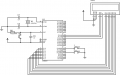

upload_2017-7-18_14-10-24.png

Code:
#include<reg51.h>
#define port P1           /* Data pins connected to port P1 */
sbit RS = P2^0;           /* RS pin connected to pin 0 of port P2 */
sbit RW = P2^1;           /* RW pin connected to pin 1 of port P2 */
sbit EN = P2^2;           /* EN pin connected to pin 2 of port P2 */
sbit B1 = P3^0;           /* push button 1 */
sbit B2 = P3^3;           /* push button 2 */

void Delay(unsigned int wait)
{
    unsigned i,j ;
    for(i=0;i<wait;i++) 
    for(j=0;j<1200;j++);
}
/* Function to send command instruction to LCD */
void LCD_Command(unsigned char cmd)
{
    port = cmd;
    RS=0;
    RW=0;
    EN=1;
    Delay(2);
    EN=0;
}
/*Function to send display dato LCD */
void LCD_Data(unsigned char Data)
{
    port = Data;
    RS=1;
    RW=0;
    EN=1;
    Delay(2);
    EN=0;
}

/* function for delay */

/* Function to prepare the LCD */
void LCD_init()
{
    LCD_Command(0x38);
    Delay(20);
    LCD_Command(0x0f);
    Delay(20);
    LCD_Command(0x01);
    Delay(20);
    LCD_Command(0x81);
    Delay(20);
}
void main()
{
  unsigned char string[15]="This is Parth";
  char *buffer = string;
  LCD_init();
  while(*buffer)
        {
         LCD_Data(*buffer++);
         Delay(60);
        }
}
I am having problem to write program. I have knowledge of loop , conditional statement , array strings data type ...etc but I have no idea how to write program.?
 

Thread Starter

Parth786

Joined Jun 19, 2017
642
may be posted complicated task. ok Try to explain what I want to do. here is my general approach.
Note: its just hand made code
Code:
#include <reg51.h>
define lcd port
set B1 P3.1
set B2 P3.2
delay function ()
data function ()
command function ()
LCD initialize function ()
int main
{
   LCD initialize
while (1)
if (B1==1)                    /* if button 1 pressed than display number 1 on LCD
   { display 1 on LCD)
   B2=0;
  if (B2==1)                   /* if button 2 pressed than display number 2 on LCD
  {display 2 on LCD}
   B1=0;
else 
{ don't display}
}
I think I have to do something like this but I am having problem to develop original program
 

ErnieM

Joined Apr 24, 2011
8,415
You want to do a few more things than just display a message, which your first program does quite nicely. To display multiple message,well, you define multiple message strings.

But displaying messages is a bit more complicated than say lighting some LEDs with buttons. First you have to erase any old message before you show the new one. Then you have to make sure the finger is off the button before continuing least the display flash as the same data is displays and quickly erased over and over.

See what you can come up with given these hints.
 

Thread Starter

Parth786

Joined Jun 19, 2017
642
You want to do a few more things than just display a message, which your first program does quite nicely. To display multiple message,well, you define multiple message strings.

But displaying messages is a bit more complicated than say lighting some LEDs with buttons. First you have to erase any old message before you show the new one. Then you have to make sure the finger is off the button before continuing least the display flash as the same data is displays and quickly erased over and over.

See what you can come up with given these hints.
Previously I wrote program to display message on LCD after that I wanted to write program for calculator but after my many attempt I couldn't complete the program. than I decided to start with small example and I started with buttons but I think I have selected tough task for me. I just want learn programming where "LCD show message according to user input" what do you think ? what is basic example should I have to use?. I don't have much knowledge just trying to improve. as per my knowledge, I tried to select best example so If I am going in wrong direction please let me know

I understand general things
start LCD
check Button B1 if pressed than Display 1 on LCD
check Button B2 if pressed than Display 2 on LCD
else don't display anything on LCD

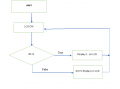
Draw the flowchart first.
I just tried to Implement but sure this not one that I want to work in program.
I made just for one button

upload_2017-7-21_0-5-2.png
 
Top