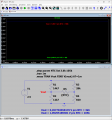
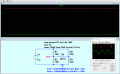
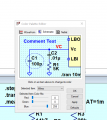
Rht-click on the trace label in the waveform viewer and the Expression Editor will popup. You can select the color with the "Default Color" pulldown menu selector.
Rht-click on the trace label in the waveform viewer and the Expression Editor will popup. You can select the color with the "Default Color" pulldown menu selector.
Place each trace in its own pane, and select a color.
-or-
The colors are selected and displayed in the order set in the "Color Preferences" settings.
You'll need to set these up like you want. But the order will be used as defaults for all graphs.
Or another way is...
According to your stepping parameter, you have set two steps.
So...in the waveform window, select the label and append @1 to the label name.
This sets the trace to represent step 1.
Then "add' a new trace, and do the same but append @2.
Now you will have two independent traces and can select the color for each.
You can keep both traces in the same pane or place in separate panes.
Hi @Kevil
In LTSpice
Tools menu on Top Bar
Select Colour preferences
Select Waveforms
Use colour Pallet, select the item you need to change, click apply etc
Hi @Kevil
In LTSpice
Tools menu on Top Bar
Select Colour preferences
Select Waveforms
Use colour Pallet, select the item you need to change, click apply etc

 Facebook
 Google
 GitHub
 Linkedin