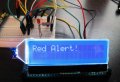
ERC802-1 Serial I2C LCD

Thank you - I am sure that you are trying to help, but you are concentrating on aspects of the problem which are in fact not helpful to me. You may rest assured that I have wired it correctly. Since you ask about it - I am using the 5v supply option in which VLCD is connected to +5V. But if you think about it you will probably agree with me that an error in this area would not cause my problem - which is absence of ACK. Checking the connections was my first reaction on finding that there is a problem. Checking the software likewise - the scope display seems to show that this is faultless (though if anyone can find a fault in it, that would be most helpful). When one undertakes a project of this kind there are often uncertainties which can only be resolved by experiment. Interpretation of the datasheet comments on ACK and BUSY is one which has troubled me. I think I have worked out that ACK-low also implies NOTBUSY (though this might be wrong). Waiting for ACK, and using no other indication of NOTBUSY seems to be a feature of the sample software, and I have replicated this in my own GETACK subroutine. Perhaps you can comment on that. I hope you will understand that haranguing me over the absence of a schematic showing that I joined the SCK output to the SCK input, VDD to +5v etc is to approach the problem at the wrong level to be helpful to me; I am asking readers to assume that I have checked that kind of thing. An example of something that seemed useful was the query that someone else raised about the need for an open-drain output and pullup on SCK; that seemed worth thinking about, but on reflection I cannot see how that would make it work. I am now awaiting the delivery of a replacement LCD, and that, I feel is likely to move the matter on, one way or another. But I would also very much like to meet someone who has sorted all this out successfully, and who can share his or her experience with me.
I'm glad that you are staying with the project and staying with the board. Still, you strike me as being a bit condescending in the sense that you *seem* to have decided that I (and others here) simply do not know enough to be of any help to you. Remember, when you make a public request for help, you are likely to get a variety of responses and only some might be of any help. But, enough of that.

This morning, I dug up the two LCDs that I had mentioned previously. These are not the same LCD as you have, but they are the same ST7032i that yours has. It took me a good three hours to get one up to the point where I could test it out. Much of that time was spent with the pain of the 1.27 mm pins (see below), which I managed to solder onto one half of a 28-pin SOP-4 board. I can also state that at $3.24, they are over-priced and as cheap an LCD as I have ever seen. In fact, I have to glue the back light back on as it is flopping around.
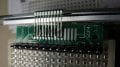
conr I MG_8865.jpg

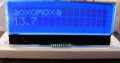
Nevertheless, after messing around a bit with the usual vagaries of bad datasheets, I got to here:
dr IMG_8873.jpg

So, I now meet your requirement as being someone who got one of these to work - as long as we stretch the definition to mean simply an LCD that uses an ST7032 controller and an I2C interface.

To go back to your picture comparing your screen with another (with both powered) to make a determination of whether your 7032 screen is bricked. I think I responded in your first thread that I did not think that the comparison was a good way to make that determination. I am staying with that answer. Whether you have the back light on or not, when you power up, you will not see the cells (the matrices for characters) unless the contrast is high enough. The contrast is controlled by a register that can take the value of 0-63 (for a 3.3v interface, something like 35-40 is about right). The power up value appears to be 0 or not connected or otherwise useless. A proper initialization set the contrast registered as the datasheet shows. I think @ericgibbs already brought this up.

As far as the reset. I have tested the power-up reset (connecting rst high) and, in this case, it works fine. The 40ms delay (which has already been mentioned) is likely a good idea to follow. If using power up reset or if using GPIO driven reset, the delay should be respected. When I brought this up in your first thread it was because I thought it was a reasonable possibility and very easy to test.

I understand your concern about not getting an ACK, but I don't think you are "there" yet. What I mean is that your traces are clearly showing that you are not getting an ACK, but that does not mean that you have a bricked LCD.

I took a brief look at your code, I believe that your lcdinit is wrong and that you do not understand the possible interfaces that are available on the ST7032i and your LCD.

Your initialization routine below:
Code:
;initialise the lcd
lcdinit
;normal state of lcd interface is: lower part of PB input, E = R/W = RS = 0, Bank 0 selected
     movlf   8,lcdcar     ;small screen byte counter
     call    funset       ;set up 4-bit bus
     movlw   h'28'       ;function set- '2 line' display enables last 8 print positions
     clrf   lcdrs       ;request register 0
     call   lcdwrite       
     movlw   h'28'       ;function set- '2 line' display enables last 8 print positions
     clrf   lcdrs       ;request register 0
     call   lcdwrite     
     movlw   h'c'       ;display on, no cursor or blink
     clrf   lcdrs       ;request register 0
     call   lcdwrite     
     movlw   h'6'       ;cursor direction right 
     clrf   lcdrs       ;request register 0
     call   lcdwrite
     call   cls         ;clear the display, clear lcdcount
     return
is not correct for the I2C interface. I'm not sure where you got those values from from but I can't imagine it would work on your I2C interface, but what do I know?

In this regard, it is not surprising that you do not get an I2C ACK since the I2C interface has not been properly initialized - at least that is how it seems to me.

Your initialization code should follow the instructions in the datasheet (version 1.4 available here ) on page 33-34. The 8051 code example is very clear and should be easy to port.

Since I have no real use for this LCD, I was thinking/hoping that a previously written set of routines that I wrote for the ST7036i can be utilized with a new initialization and a few modifications. At least, then I could have an LCD ready for breadboard use. If i do that successfully, I will be happy to share the initialization code.

One other point. Again, I did not look at your code very closely but it looks like you think that you can also read a READY status from the 7032 (other than the I2C ACK) (you also referred to this issue in one of your posts). Good luck with that because I don't think you can do it with the I2C interface.

In version 1.4 and earlier (e.g. 1.2) of the datasheet it was spelled out rather elegantly...

I2C interface
It just only could write Data or Instruction to ST7032 by the IIC Interface.
It could not read Data or Instruction from ST7032 (except Acknowledge signal).

cheers
 
Last edited by a moderator:

Thread Starter

g4oep

Joined Jul 4, 2018
16
Hi,
You have clarified your problem and now I understand what you are trying to do. I will answer your questions to the best of my ability.:

1. I do not use the power-up as a reset. The displays are run from the same 5V supply as the processor and they are both powered on at the same time. I do not use a 40 mS delay before configuring the software.

2. The display on power-up varies from one device to another. I do have one that looks like your green display, showing all of the pixels in the top line, so you can assume that it is normal.


3 There are lots of warnings about handling in the spec sheet but I have only ever had one that failed - the back-light died for no apparent reason.

I read everything on the datasheet for the I2C display and noticed that there was no mention of the I2C interface address for the device. Was is included with the literature that you received with the display? I have used a number of different devices on the I2C bus and found on several occasions that that the supplied address was incorrect. This is probably the first thing that you should check if you are getting no response from the display.
many thanks for that. I have posted a document which gives the slave address as
I'm glad that you are staying with the project and staying with the board. Still, you strike me as being a bit condescending in the sense that you *seem* to have decided that I (and others here) simply do not know enough to be of any help to you. Remember, when you make a public request for help, you are likely to get a variety of responses and only some might be of any help. But, enough of that.

This morning, I dug up the two LCDs that I had mentioned previously. These are not the same LCD as you have, but they are the same ST7032i that yours has. It took me a good three hours to get one up to the point where I could test it out. Much of that time was spent with the pain of the 1.27 mm pins (see below), which I managed to solder onto one half of a 28-pin SOP-4 board. I can also state that at $3.24, they are over-priced and as cheap an LCD as I have ever seen. In fact, I have to glue the back light back on as it is flopping around.
View attachment 155787

Nevertheless, after messing around a bit with the usual vagaries of bad datasheets, I got to here:
View attachment 155788

So, I now meet your requirement as being someone who got one of these to work - as long as we stretch the definition to mean simply an LCD that uses an ST7032 controller and an I2C interface.

To go back to your picture comparing your screen with another (with both powered) to make a determination of whether your 7032 screen is bricked. I think I responded in your first thread that I did not think that the comparison was a good way to make that determination. I am staying with that answer. Whether you have the back light on or not, when you power up, you will not see the cells (the matrices for characters) unless the contrast is high enough. The contrast is controlled by a register that can take the value of 0-63 (for a 3.3v interface, something like 35-40 is about right). The power up value appears to be 0 or not connected or otherwise useless. A proper initialization set the contrast registered as the datasheet shows. I think @ericgibbs already brought this up.

As far as the reset. I have tested the power-up reset (connecting rst high) and, in this case, it works fine. The 40ms delay (which has already been mentioned) is likely a good idea to follow. If using power up reset or if using GPIO driven reset, the delay should be respected. When I brought this up in your first thread it was because I thought it was a reasonable possibility and very easy to test.

I understand your concern about not getting an ACK, but I don't think you are "there" yet. What I mean is that your traces are clearly showing that you are not getting an ACK, but that does not mean that you have a bricked LCD.

I took a brief look at your code, I believe that your lcdinit is wrong and that you do not understand the possible interfaces that are available on the ST7032i and your LCD.

Your initialization routine below:
Code:
;initialise the lcd
lcdinit
;normal state of lcd interface is: lower part of PB input, E = R/W = RS = 0, Bank 0 selected
     movlf   8,lcdcar     ;small screen byte counter
     call    funset       ;set up 4-bit bus
     movlw   h'28'       ;function set- '2 line' display enables last 8 print positions
     clrf   lcdrs       ;request register 0
     call   lcdwrite       
     movlw   h'28'       ;function set- '2 line' display enables last 8 print positions
     clrf   lcdrs       ;request register 0
     call   lcdwrite     
     movlw   h'c'       ;display on, no cursor or blink
     clrf   lcdrs       ;request register 0
     call   lcdwrite     
     movlw   h'6'       ;cursor direction right 
     clrf   lcdrs       ;request register 0
     call   lcdwrite
     call   cls         ;clear the display, clear lcdcount
     return
is not correct for the I2C interface. I'm not sure where you got those values from from but I can't imagine it would work on your I2C interface, but what do I know?

In this regard, it is not surprising that you do not get an I2C ACK since the I2C interface has not been properly initialized - at least that is how it seems to me.

Your initialization code should follow the instructions in the datasheet (version 1.4 available here ) on page 33-34. The 8051 code example is very clear and should be easy to port.

Since I have no real use for this LCD, I was thinking/hoping that a previously written set of routines that I wrote for the ST7036i can be utilized with a new initialization and a few modifications. At least, then I could have an LCD ready for breadboard use. If i do that successfully, I will be happy to share the initialization code.

One other point. Again, I did not look at your code very closely but it looks like you think that you can also read a READY status from the 7032 (other than the I2C ACK) (you also referred to this issue in one of your posts). Good luck with that because I don't think you can do it with the I2C interface.

In version 1.4 and earlier (e.g. 1.2) of the datasheet it was spelled out rather elegantly...

I2C interface
It just only could write Data or Instruction to ST7032 by the IIC Interface.
It could not read Data or Instruction from ST7032 (except Acknowledge signal).

cheers

Many thanks to all who have contributed to this and who have tried to help. I have taken a break from it over the w/e but an now ready to try again. The discussion has ranged widely, so here is my attempt at a synopsis. I would like to steer contributors away from areas which seem to be either definite dead ends or explorations which will only lead to predictable results. I would also like to stay focused on the technical problem, and rigorously avoid any personal comments.

1) I am using the 5v power option with the lcd's reset input wired to +5v. The screen is uniformly blank and does not respond to my attempts at programming it. The problem has been narrowed down to absence of ACK after the first byte has been written, namely slave address with write = 7c hex. This byte conforms with the info on p12 of the sd7032 data sheet.

2) I have checked the wiring many times. I have published a screenshot showing the sck and sda signals measured on the ribbon cable of the lcd. My interpretation of the sda waveform is that it exactly matches the illustration of bits on p 13 of the datasheet (first 10 bits of fig 5) and has very generous timing (data setup delays are in the sub microsec region according to the datasheet. This screenshot makes all discussion of software, cpu type, wiring diagrams, etc irrelevant. Scrutiny of the waveform re timing and any other possible error I have missed remains worthwhile. I posted the wrong initialisation software listing, and will repost if anyone is really interested, but I would prefer to direct attention to the scope screenshot which should answer all relevant questions re software. The software can be judged by what it does (its physical output); headbanging against the listing is simply a waste of time. Please look at the screenshot; if necessary I shall upload a clearer one.

3) Contributors have helpfully answered my questions about use of power-on reset (2 people have found that it works), and also about screen appearance (some examples look like my blank picture, others do not, and it might not be relevant anyway since the power-on contrast might be too low to show any pattern - though I have reservations about this; it seems more likely that the power-on reset would set a working initial contrast).

4) I can't think of any other relevant points. My interpretation of the situation is that the failure of the lcd to return ACK-low is the most significant item. It suggests either an error in the timing of the signals, the wrong slave address, a failed chip or maybe something else I have not thought of. If anyone can jog me out of my own maybe unduly fixated view it would be greatly appreciated - I am waiting for the 'Aha' moment which someone might trigger.

5) What to do next ?
a) try a different lcd (my preferred first choice - I have one on order)
b) try toggling the Reset input and write an initialisation routine which does not rely on ACK, but uses timed delays instead. This is repeatedly documented in the material I have and would definitely be worth trying. But I hesitate to commit energy to it since as a solution it is premised on the assumption that the power-on reset does not generally work as documented, and we know from the experience of others that this is not true.
c) this leads me back to (a) !
 

ericgibbs

Joined Jan 29, 2010
21,439
hi g4,
Ref the possible 'unknown' I2C address
This is a summary of a web clip.
E
Clip:
Write an I2C "ping" utility for a micro-controller.
Scan through all 128 addresses and for each address
Send I2C Start condition
Send a single byte representing the address, and get the ACK/NAK
Send the stop condition.

If there is an ACK, that is the data line held low on the 9th clock cycle, then a device with that address is present on the I2C bus.
For no ACK then no device is present.

The I2C addresses are in the upper 7 bits of the byte.the last bit is for read/write.
Ignore the special I2C addresses in the scan,
http://www.i2c-bus.org/addressing/
 
Not sure we will hear from @g4oep, but I want to post about my further experiences with the ST7032i.

I actually put the LCD on a board with a header so that it might come in handy. My LCD's documentation is even worse than that for the ERC-802-1. Don't believe me? Take a look at the pdf here. The interface wiring was no big deal. I used a 2.2uf cap across CAP1P and CAP1N. The SHLS/SHLC signals gave me some pause. They invert the display - I tied one high and the other low so that it was right side up for me. I just used a fixed resistor (a 220 I think) on the back light as I had no low ohm pots handy. I also brought reset out to a header and tied it high on the board switchable with a little hat (that way I have a choice of GPIO reset or power on reset).

I managed to transport my existing routines for an ST7036i without much trouble, although I have not tested them thoroughly. Worse, those routines are in C on a D2000 board which is not getting much use anymore.

But, I do have a PIC16F18875 Curiosity board and a PIC32 MZ2048 Curiosity board, so I think I will be trying my hand at XC8 and XC32 I2C and if anyone has some advice, I am all ears. I have used I2C with asm but never C on a PIC.

Before getting to that and more on topic: I was still troubled by the no ACK business. As I said earlier, I looked at the code and was quite certain that the initialization was messed up, but powered up ok, wouldn't you still expect to get an ACK for the initial address byte sent, irrespective of the rest? Maybe so and maybe his LCD was bad. But I noticed that the code used was bit-banging and it seems that unless you waited for an ACK, the code could be faster than a slow device. That was what I was wondering and I have some but not a whole lot of experience with I2C and less with bit banging. So, I decided to try to initialize the LCD and display a message using bit banging, which I have never done (well, I have for some 1200 baud serial stuff a few years ago, but never I2C).

For the processor, I chose the lowly PIC10F202. I used the bit banging routines from Microchip's AN982. I was particularly interested in using their code because it was designed for a 4 MHz clock and designed to meet a minimum 100 kHz I2C speed. I used an LED tied to a GPIO that would light as a dead end if no ACK was received. Everything worked like a charm and I never failed to get an ACK!

The code is attached (I optimized nothing and slopped it together to see if I could do it - it is not a work in progress, it is a fait accompli ) and it might be helpful to someone to see how I did the initialization. Also, I have 335 bytes left!
cIMG_8879.jpg

As an aside, this is the second time I have messed around with a Sitronix controller and I don't think I like them. Their data sheets have a penchant for minimizing some critical and, to me, strange fact (like Co and RS). That annoys me, but they are cheap.
 

Attachments

t d

Joined Apr 26, 2018
6
The "R" in Red is what will get these 8x2 COGs working/Displaying [EastRising/BuyDisplay].
B '01 000000' => Control Byte to Write to Display per ST7032.pdf pg.13

Use LED to check ACK before, of course, eg. test only:
Code:
i2csend        ; Send a byte over the I2C interface,
   movwf    COM      ; return 0x00 if ACK
   movlw    0x08
   movwf    TMP      ; TMP is used as a counter
   BANKSEL I2CTRIS
   bcf    I2CTRIS,SDA    ; SDA as output
   BANKSEL I2CPORT
icloops
   bcf    I2CPORT,SCL    ; Clock low: change of SDA allowed
   rlf    COM,f
   bcf    I2CPORT,SDA
   btfsc    STATUS,C    ; Test the carry bit
   bsf    I2CPORT,SDA
   call    shortdelay
   bsf    I2CPORT,SCL    ; Clock high
   call    shortdelay
   decfsz    TMP,f
   goto    icloops    ; i2cwaitack follows directly
   bcf    I2CPORT,SCL    ; Clock low: change of SDA allowed
;------
   BANKSEL I2CTRIS
   bsf    I2CTRIS,SDA    ; SDA as input
   BANKSEL I2CPORT     ;Data Line now Hi
   btfsc    I2CPORT,SDA
;================= <------Testing Only!!!
   goto   $-1     ;Del01;   $-1;await ACK from slave
   bsf   I2CPORT,SCL   ;Data Bus pulled low by slave, set ACK-Clock Hi
;================= <------Testing Only!!!
   bsf   PORTB,0     ;ACK received! Turn on LED
   call   shortdelay
   bcf   PORTB,0  

   bcf   I2CPORT,SCL   ;ACK Pulse done, set Clock Lo

   BANKSEL I2CTRIS
   bcf    I2CTRIS,SDA    ; SDA as output
   BANKSEL I2CPORT     ;Set Data Line Lo
   bcf   I2CPORT,SDA   ;Data Line now Lo  
   return
;-------------------------------
shortdelay        ; A short delay ;-)     [from [URL]http://jonw0224.weebly.com/pic-asm-library.html][/URL]
   call   Del10    ;<---- works for testing at 4MHz
;   nop
;   nop
;   nop
;   nop
   return
;----------------------------------
;EXAMPLE
  movlw  0x40     ;Start  Write
   call   i2csend     ;01000000
   call   Del10

   movlw  0x52     ;R
   call   i2csend  
   call   Del10

   movlw  0x65     ;e
   call   i2csend  
   call   Del10

   movlw  0x64     ;d
   call   i2csend  
   call   Del10
   movlw  0x20     ;blank
   call   i2csend  
   call   Del10
etc...

Mod edit: code tags
 
Last edited by a moderator:

t d

Joined Apr 26, 2018
6
To move cursor to the bottom line:
Code:
;Cursor Lower;==================
   call  i2cstop
   call   Del10

   call  i2cstart
   call   Del10

;I2C address
   movlw  0x7c    ;slave's addie. yes, it's correct
   call   i2csend  
   call   Del10
;--------
   movlw  0x80   ;Command [Lower Line command follows, Co=1]
   call   i2csend   ;"tells" slave "next command", is not a write instruction.
   call   Del10

   movlw  0xC0   ;[0x80+0x40] ;Command [Start of Lower Line, Co=1, another command following]
   call   i2csend   ;Set Cursor to beginning of Lower Line [DDRAM 0x40]
   call   Del10

;Next Line
   movlw  0x40     ;Command Write [last Command, Co=0]
   call   i2csend  
   call   Del10

   movlw  0x21      ;!
   call   i2csend  
   call   Del10

   movlw  0x21      ;!
   call   i2csend  
   call   Del10

   movlw  0x21      ;!
   call   i2csend  
   call   Del10

   movlw  0x21      ;!
   call   i2csend  
   call   Del10

   movlw  0x21      ;!
   call   i2csend  
   call   Del10

   movlw  0x21      ;!
   call   i2csend  
   call   Del10

   movlw  0x21      ;!
   call   i2csend  
   call   Del10

   movlw  0x21      ;!
   call   i2csend  
   call   Del10
   goto  $
Moderators note : please use code tags for pieces of code
 

Attachments

Last edited by a moderator:

t d

Joined Apr 26, 2018
6
TEST HEX using Pic16F628A
4MHz internal clock, 4.7K pull-up resistors to SDA and SCL lines.
__config 0x3F71 ;"1"=>check clock-out...
SCL PortA, 0
SDA PortA,1

MCLR: 10kOhm pull-up [+5V]
LCD Reset: +5V
LCD Pin 8: +5V
LED on Pin 6 [not necessary]
Back-light, not needed

If nothing, then it's DEAD!
 

Attachments

t d

Joined Apr 26, 2018
6
TEST HEX using Pic16F628A
4MHz internal clock, 4.7K pull-up resistors to SDA and SCL lines.
__config 0x3F71 ;"1"=>check clock-out...
SCL PortA, 0
SDA PortA,1

MCLR: 10kOhm pull-up [+5V]
LCD Reset: +5V
LCD Pin 8: +5V
LED on Pin 6 [not necessary]
Back-light, not needed
TEST HEX using Pic16F628A
4MHz internal clock, 4.7K pull-up resistors to SDA and SCL lines.
__config 0x3F71 ;"1"=>check clock-out...
SCL PortA, 0
SDA PortA,1

MCLR: 10kOhm pull-up [+5V]
LCD Reset: +5V
LCD Pin 8: +5V
LED on Pin 6 [not necessary]
Back-light, not needed

If nothing, then it's DEAD!

If nothing, then it's DEAD!
 

Attachments

t d

Joined Apr 26, 2018
6
Let's see you beat my attached file size, doing the same thing!!!

Love to see the others with their "C"; size, i.e.
Since we are brought up to be "competitive"...

Not sure we will hear from @g4oep, but I want to post about my further experiences with the ST7032i.

I actually put the LCD on a board with a header so that it might come in handy. My LCD's documentation is even worse than that for the ERC-802-1. Don't believe me? Take a look at the pdf here. The interface wiring was no big deal. I used a 2.2uf cap across CAP1P and CAP1N. The SHLS/SHLC signals gave me some pause. They invert the display - I tied one high and the other low so that it was right side up for me. I just used a fixed resistor (a 220 I think) on the back light as I had no low ohm pots handy. I also brought reset out to a header and tied it high on the board switchable with a little hat (that way I have a choice of GPIO reset or power on reset).

I managed to transport my existing routines for an ST7036i without much trouble, although I have not tested them thoroughly. Worse, those routines are in C on a D2000 board which is not getting much use anymore.

But, I do have a PIC16F18875 Curiosity board and a PIC32 MZ2048 Curiosity board, so I think I will be trying my hand at XC8 and XC32 I2C and if anyone has some advice, I am all ears. I have used I2C with asm but never C on a PIC.

Before getting to that and more on topic: I was still troubled by the no ACK business. As I said earlier, I looked at the code and was quite certain that the initialization was messed up, but powered up ok, wouldn't you still expect to get an ACK for the initial address byte sent, irrespective of the rest? Maybe so and maybe his LCD was bad. But I noticed that the code used was bit-banging and it seems that unless you waited for an ACK, the code could be faster than a slow device. That was what I was wondering and I have some but not a whole lot of experience with I2C and less with bit banging. So, I decided to try to initialize the LCD and display a message using bit banging, which I have never done (well, I have for some 1200 baud serial stuff a few years ago, but never I2C).

For the processor, I chose the lowly PIC10F202. I used the bit banging routines from Microchip's AN982. I was particularly interested in using their code because it was designed for a 4 MHz clock and designed to meet a minimum 100 kHz I2C speed. I used an LED tied to a GPIO that would light as a dead end if no ACK was received. Everything worked like a charm and I never failed to get an ACK!

The code is attached (I optimized nothing and slopped it together to see if I could do it - it is not a work in progress, it is a fait accompli ) and it might be helpful to someone to see how I did the initialization. Also, I have 335 bytes left!
View attachment 156235

As an aside, this is the second time I have messed around with a Sitronix controller and I don't think I like them. Their data sheets have a penchant for minimizing some critical and, to me, strange fact (like Co and RS). That annoys me, but they are cheap.
 

Attachments

Top