Ender 3 Pro V3 SE

Thread Starter

Wendy

Joined Mar 24, 2008
23,797
So a good friend assembled this printer for in exchange for my old printer which was damaged beyond my Ability to repair. It is derived from the original Ender 3 pro but has been improved in many ways . One of the biggest improvements is a self leveling feature for the bed. So the first item I made was a light/camera mount Which I will post in a bit after I finish installing it. So the first thing I noticed was the Z axis is more accurate, which was a problem on the old printer. In addition it is actually faster than the old printer an 11 hour print took 10 hours. I also found it to be much quieter too. I am in love with the automatic bed leveling feature.

My friend who assembled the printer also bought This work surface which works like charm doesn’t need any adhesive and leaves a texture I find quite pleasing besides. Overall I highly recommend this printer.


Ender 3 Pro SE.png


Work surface.png

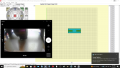
and of course the first thing I made was a new camera mount since the old one was incompatible.
SS.png
 
Last edited:

Ya’akov

Joined Jan 27, 2019
10,226
PEI is great stuff. I use it most of the time. I know that you print exclusively in PLA but if you decide to try TPU (which I encourage, and your direct extruder will make it much easier) use some gluestick. TPU has amazing layer adhesion, but it extends to the build plate as well!

The glue stick will allow you to remove the TPU item without removing the PEI from the bed.

Also, you probably already know this but the trick with PEI is that its surface energy is proportional to its temperature, so things stick tenaciously when the bed is hot but will completely release from the surface when it is cool. So, wait for it to be cool, or you can hasten it with a short blast from a can of component cooler or an inverted “compressed air” duster.

Have fun with your new printer.
 

Thread Starter

Wendy

Joined Mar 24, 2008
23,797
For the very first time I have had some problem with adhesion on the plate so I put a little squirt of Hairspray on it and I will try cleaning the Hairspray after with water and elbow grease.
 

seanstevens

Joined Sep 22, 2009
323
I waited for Ender-3 V3 KE "clipper" version with touch screen interface for my first 3D printer experience and I wasnt disappointed, the bed levelling is great and the benchy printed in either 14 or 16 minutes looking perfect. So far no problem and I havent ventured into Clipper yet...
@Ya'kov, I will remember your glue tip when I try TPU. My first choice was Bamboo Lab A1, but when I went to order, they had a recall on that model due to a wiring issue.
 

Ya’akov

Joined Jan 27, 2019
10,226
For the very first time I have had some problem with adhesion on the plate so I put a little squirt of Hairspray on it and I will try cleaning the Hairspray after with water and elbow grease.
Adhesion problems with PLA on PEI can only mean a couple of things. Your bed temperature is too low or (more likely) you need to clean the surface with some IPA. The latter will do miracles. Also, don’t always put the model in the center. All bed surfaces are consumable in the end, move the model around so you don’t wear out a single spot.

EDITED TO INCLUDE
I forgot to mention the one other thing that can be the culprit: we filament. PLA is hydroscopic and as it accumulates water the print quality and. adhesion suffer. Excessive stringies are one of the clear signs of wet filament. See below where I describe a way to dry filament without a filament drier. A large number of print quality and success issues are fixed with dry filament.
 
Last edited:

Ya’akov

Joined Jan 27, 2019
10,226
I waited for Ender-3 V3 KE "clipper" version with touch screen interface for my first 3D printer experience and I wasnt disappointed, the bed levelling is great and the benchy printed in either 14 or 16 minutes looking perfect. So far no problem and I havent ventured into Clipper yet...
@Ya'kov, I will remember your glue tip when I try TPU. My first choice was Bamboo Lab A1, but when I went to order, they had a recall on that model due to a wiring issue.
The Ender printers are undoubtedly excellent bang-for-the-buck products. I have an 3 Neo and it’s been really good considering what I paid. Of course it isn’t anything like my X1 Carbon, but I didn’t pay the price either.

I’ve heard really good things about the A1 and one of my sons has one (though I haven’t seen it in person). He is very happy with it (among others I trust). A shame about the recall, that really hurt everyone.

Re: TPU—yes, TPU is a marvelous filament. Incredibly tough, flexible, chemical resistant, can be watertight—of course it comes at a cost. TPU takes care and some practice. It doesn’t strictly need a direct extruder. I printed it very well on me 3 Neo before putting the sprite tool head on it.

The adhesion is a double-edged sword. TPU (or TPE*) layer adhesion is truly amazing. Very thin TPU structures, when printed at the right temperature and with reasonably large layers (~0.2mm) can withstand surprising loads. I have a 3D printed wallet from TPU and it seems to be ready to last forever if I want to keep it.

But when you combine TPU with high surface energy build surfaces (e.g. glass, PEI) they sometimes grab on to each other and don’t want to let go. This is exacerbated by TPU’s toughness usually exceed the build plates surface. TPU can pull out chunks of glass from a glass plate and tear the laminated surface off a PEI plate.

That's why the glue stick is good. It takes only a film that acts as an interface to each preventing the death grip. Remeber, it only takes a film. If you put too much it may or may not provide adhesion but it will make your print's surface look bad and make a mess on the plate that is hard to clean up.

I always clean my plate with IPA before. printing because any residue (oils from hands, old gluesitck, polymer remnants can be the cause of a print failure—and while sometimes they happen on the first layer, they seem to wait until the final layers to come off the bed.

Remember, TPU comes in a variety of hardnesses typically from a comically floppy <70A to a flexible but with some stiffness 95A. I even have some that that resembles PET-G, quite hard but still with signature flexibility and toughness of its TPU roots. The smaller the hardness number the more challenging to print with a conventional extruder (direct or otherwise).

The TPU will stretch causing uneven feeding or even wrapping itself around the extruder gears and making a proper mess. To avoid this, choose a hardness that is as low as you actually need but not lower. If you are just starting to experiment, choose 95A. make sure the filament isn't pulled and stretched as it feeds into the extruder.

This means making sure the filament (which very much likes to stick to itself) it not spooled onto the reel in such away that it can get caught under the next layer as it unspools. If it is, take the time to rewind at least the amount your expect to use so it cleanly feeds.

And something you might like to skip but certainly should not: dry the filament before printing. TPU is very hydroscopic. Freshly dried filament will actually absorb water fast enough to have a different quality at the start and end of the job. If surface finish is critical, you should use a dry box that allows the filament to be fed out of it, otherwise drying it before printing is enough.

If you don’t have a filament drier don’t fret, you actually do—your printer. Here’s a method I have worked out that seems to be much faster than the traditionally suggested ones actually making a substantial difference in ⅓ of the normal dry time—or less. Here’s what you need:

• a filament vacuum bag of the sort sold everywhere, using the little vacuum pump to draw it down;
3A molecular sieves and a container to put them in;
• one or two towels or microfiber clothes big enough to cover the bag with the spool in it but not too big to fit on the printer
• something that is heat resistant and has a lot of open space thick enough to stand the spool off the bed ~0.5cm, and;
• a printer with a heated bed.

Set your print bed to 70°C and let it heat up.

Take a bag of the sieves and the filament and put them together in a vacuum bag, suck out the air—most is enough you don’t have to simulate interstellar space. In fact, you can just use any decently thick ziplock type bag with the air squeezed out if it’s all you have. (This doesn’t seem to be as good, but it does work).

Take your standoff (three large nuts or bearings works well) and set the bag on it with the sieves on top and the flat part of the spool on the bottom supported by the standoff(s).

Cover the bagged spool with the towel(s). You can use one larger towel folded if that’s what you have.

Give it a few hours or as long as you can wait up to 8 hours. Expect the bag to “lose” vacuum. It’s not leaking, that’s the outgassing from the heated polymer and it’s not a problem unless it begins to balloon up or something.

The key to this process are the sieves. Amazing little buggers and worth having around when water needs to be removed. They are what rice pretend to be. Read about how they work—I‘ve already written too much. Really, look them up.

*TPE is thermoplastic elastomer a category of heat-formable polymers that are "rubbery" while TPU is thermoplastic urethane a particular sort of TPE. It is very common for elastomers to be thermoset—that is, to become a fixed shape during the curing process and to burn but not melt.
 

seanstevens

Joined Sep 22, 2009
323
Ya’akov Thank you very much for your very useful and detailed guide, I am sure it will come in very handy when I start to use TPU.
I read your review of your 3D Bamboo printer and found that useful too which made me decide to go for the A1, however, it was always a choice between A1 and Ender for my first Printer and so far I am happy with it. At work, we have a Bamboo X1 Carbon which prints amazingly and fast!
 
Top