Facebook
 Google
 GitHub
 Linkedin
During operation, the periodic plasma cutting torch begins to run away from the drawing at high speed. Since we have two identical machines in our workshop, we transferred the Shape cutting control MicroEDGE to another machine and it did the same thing on another machine.
Initial data:
Plasma cutting machine table 6000x3000 мм.
TITLE: KMP-KP080402
Produced: 2008.06.10
Model: KPM-M-4X9-1-2-P1650
Power source: Hypertherm Powermax 105
Shape cutting control MicroEDGE
Model Number: H2P2-0X56-0000-02
Serial Number: 0608011550
Item number: H2P2-0X56-0000
Changed Boards:
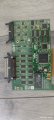
1) 2 axis servo board BD interface PCBS-0154 Rev B
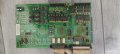
2) PCI-4 AXIS MCC 3 3V Motion control card Axis card MICROEDGE Hypertherm
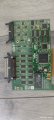
To eliminate viruses and malfunction of the program, we reinstalled the system and checked the functionality of the Phoenix system on another Shape cutting control MicroEDGE of the working machine. Everything worked fine.
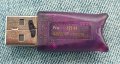
This convinced us that the problem was with the Shape-cutting control MicroEDGE. To determine the faulty board, we replaced the 2-axis servo board BD interface (PCBS-0154 Rev B) and PCI-4 AXIS MCC 3 3V Motion control card with Shape cutting control MicroEDGE. We also inserted a hardware key from the machine on which these boards were installed.
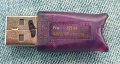
After installing the boards and turning on the machine, the system writes “Drive Disabled Active”.
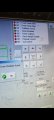
When we returned back the boards that were on this device, it still displayed the message “Drive Disabled Active”. Pressing the “Drive disable” key in the Phoenix program does not produce any results.
We checked whether the “Emergency STOP” key was released, and the button was disabled, but the system again displayed the message “Drive Disabled Active”.
Could replacing the boards cause a software failure or damage to the boards?
We cleaned all contacts and connected all cables and wires correctly.
How should we proceed?
Initial data:
Plasma cutting machine table 6000x3000 мм.
TITLE: KMP-KP080402
Produced: 2008.06.10
Model: KPM-M-4X9-1-2-P1650
Power source: Hypertherm Powermax 105
Shape cutting control MicroEDGE
Model Number: H2P2-0X56-0000-02
Serial Number: 0608011550
Item number: H2P2-0X56-0000
Changed Boards:
1) 2 axis servo board BD interface PCBS-0154 Rev B
2) PCI-4 AXIS MCC 3 3V Motion control card Axis card MICROEDGE Hypertherm
To eliminate viruses and malfunction of the program, we reinstalled the system and checked the functionality of the Phoenix system on another Shape cutting control MicroEDGE of the working machine. Everything worked fine.
This convinced us that the problem was with the Shape-cutting control MicroEDGE. To determine the faulty board, we replaced the 2-axis servo board BD interface (PCBS-0154 Rev B) and PCI-4 AXIS MCC 3 3V Motion control card with Shape cutting control MicroEDGE. We also inserted a hardware key from the machine on which these boards were installed.
After installing the boards and turning on the machine, the system writes “Drive Disabled Active”.
When we returned back the boards that were on this device, it still displayed the message “Drive Disabled Active”. Pressing the “Drive disable” key in the Phoenix program does not produce any results.
We checked whether the “Emergency STOP” key was released, and the button was disabled, but the system again displayed the message “Drive Disabled Active”.
Could replacing the boards cause a software failure or damage to the boards?
We cleaned all contacts and connected all cables and wires correctly.
How should we proceed?
Attachments
-
 2.5 MB Views: 1
 -
 449.9 KB Views: 1
Last edited by a moderator: