CTRL + P works for me (Win 7 Pro/Chrome). If that doesn't work, try CTRL+A (select all), then CTRL+P. If that doesn't work, maybe someone has another idea.
OK, so keeping in mind I'm using a computer that has Win 7, How do I enter "/p" on the thread in question? I have recovered enough mentally I was able to trash the Completed Project Index that I made. and am I able to reconstruct it. Using the way back machine website I can more easily put all the old treads back in the category they had been put into.
Eventually I'm going to have to learn Linux (See! I can now spell it correctly!) I have noticed you are a Linux guru, So I might be pestering you later... @bertus , @john_in
OK, so keeping in mind I'm using a computer that has Win 7, How do I enter "/p" on the thread in question? I have recovered enough mentally I was able to trash the Completed Project Index that I made. and am I able to reconstruct it. Using the way back machine website I can more easily put all the old treads back in the category they had been put into.
Eventually I'm going to have to learn Linux (See! I can now spell it correctly!) I have noticed you are a Linux guru, So I might be pestering you later... @bertus , @john_in
You can also "print" to a pdf if you have Adobe or another driver installed. You may want to try that as sometimes the printing is not the same as on your screen and neither is the pdf, but it is a bit easier to work with.
You can also "print" to a pdf if you have Adobe or another driver installed. You may want to try that as sometimes the printing is not the same as on your screen and neither is the pdf, but it is a bit easier to work with.
That’s because your default printer is set to output a pdf. If you were to click on the drop down arrow, it should show a list of all installed printers.
That’s because your default printer is set to output a pdf. If you were to click on the drop down arrow, it should show a list of all installed printers.
I believe you can choose a forum setting to NOT paginate a thread? It might be wise to do that before printing it. There might be other settings that would reduce the dead space that would normally print, so that you get all the content into less pages.
I just used ctrl+p on this thread and the pdf is attached. It still paginates but gets the whole thread and it does not look distorted with the BLUE scheme, unlike the Orange.
You can use file->Print preview.
I use landscape to have the full pictures on the page.
Then tick the Simplify page and scale.
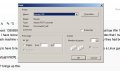
I have the dutch version of Firefox, I have set the translation in the picture:

 Facebook
 Google
 GitHub
 Linkedin