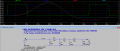
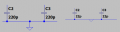
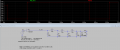
You didn't attach the LTspice file for the schemtic shown in your postHello, I am trying to build a delay line as shown below.
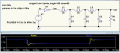
but as you can see in the schematics i get absolutely no delay from the input.
befaroe the delay line and after are the same .
Why i cant see any delay?
LTSPICE files are attached.
Thanks.
View attachment 319288

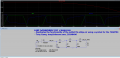
You need to change the DC voltage source value to 3.0 since this is supposed to be a 3.0v circuit.I am certain you posted this days ago and were told U1 was not set up correctly. So I removed U1 and have V1 driving the delay line.
I will avoid that, and move to other problems. C1,2,3,4, R1, D1 are not connected to ground! You can't just leave them handing.
Next C1 is doing nothing. Move C1 to across R1. I did not do that but you need to.
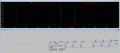
View attachment 319294
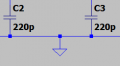
Note I added a second ground at C2.
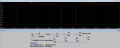
Because you have not taken the advice given above.why is that?
Because the ground symbol did not connect to the wire. Please retry. There needs to be a connection dot where ground connects. Best to move Ground down a little and have a wire going up.Why i cant see any shift in the output?

| Thread starter | Similar threads | Forum | Replies | Date |
|---|---|---|---|---|
| Y | problem simulation a pulse delay line | PCB Layout , EDA & Simulations | 19 | |
|
|
Seeking delay line. | General Electronics Chat | 5 | |
| P | Analog Delay line in multisim | Analog & Mixed-Signal Design | 0 | |
| J | Programable analog delay line | Analog & Mixed-Signal Design | 15 | |
| V | Delay line IC - digital | General Electronics Chat | 12 |