Converting a traffic light into a timer

No, I was just making a guess, which was apparently wrong. My next guess is that the crystal is the wrong frequency. It should be 32.768 kHz; is that what it is, transitory?
I just tried it, disconnected X1, blinky LED quit blinking. :)

From the Dallas data sheet:


Accuracy of crystal
The frequency accuracy of a crystal-based oscillator circuit is mainly dependent upon the accuracy of the crystal and the accuracy of the match between the crystal and the oscillator capacitive load. If the capacitive load is less than the crystal was designed for, the oscillator runs fast. If the capacitive load is greater than what the crystal was designed for, the oscillator runs slow.

Slow Clocks
The following are the most common scenarios that cause a crystal-based RTC to run slow.
1.Overshoots on RTC input pins. It is possible to cause a RTC to run slow by periodically stopping the oscillator. This can be inadvertently accomplished by noisy input signals to the RTC. If an input signal rises to a voltage that is greater than a diode drop (~0.3V) above VDD, the ESD protection diode for the input pin will forward bias, allowing the substrate to be flooded with current. This, in turn, stops the oscillator until the input signal voltage decreases to below a diode drop above VDD.
This mechanism can cause the oscillator to stop frequently if input signals are noisy. Therefore, care should be taken to ensure there is no overshoot on input signals.
Another situation that is common to overshoot problem is having an input to the RTC at 5V when the RTC is in battery-backup mode. This can be a problem in systems that systematically shut down certain circuits but keep others powered up. It is very important to ensure there are no input signals to the RTC that are greater than the battery voltage (unless stated otherwise in the device data sheet) when the device is in battery-backup mode.
2.Wrong crystal. A RTC typically runs slow if a crystal with a specified CL is less than the CL of the RTC. The severity of the inaccuracy is dependent on the value of the CL.
3.Stray capacitance. Stray capacitance between the crystal pins and/or to ground can slow an RTC down. Therefore, care must be taken when designing the PC board layout to ensure the stray capacitance is kept to a minimum.
4.Temperature. The further the operating temperature is from the crystal turnover temperature, the slower the crystal oscillates. See Figures 3 and 4.


Apparently, frequent access of the data causes the DS1307 to slow considerably too. Can he leave the pull-ups connected and disconnect the I2C lines from the Picaxe, just to see if "breadboard" noise is plaguing the data lines?

:) joe
 

tracecom

Joined Apr 16, 2010
3,944
@ Joe

That's good info.

As much as I like solderless breadboards, I have never built an RTC circuit on one, so I don't have any first hand experience. I have never had problems with frequent data access, so I don't know if that would help. The prototype I built is pretty accurate. How is the accuracy on yours?

I suspect the added capacitance of the wires and the breadboard is slowing the crystal. Your suggestion to solder the crystal leads directly to the DS1307 pins seems like a good possibility. The PCB layout suggestions from at least one of the datsheets specify a ground plane under the crystal.

@ transitory

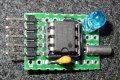
Can can you rebuild the clock circuit on a piece of perfboard to minimize lead length similar to the attached photo? That might solve your problems. (The pull-up resistors are on the back of my perfboard, but that's not critical.)
 

Attachments

elec_mech

Joined Nov 12, 2008
1,500
Also, for what it is worth there is an error in the schematic. Pin 16 according to the code goes to green, the schematic lists that as to red. Easy enough to fix, though.
Okay, I finally had a few minutes to shift through the postings. The code is written around my schematic from post 101. It appears you're referring to tracecom's schematic from post 115. I hadn't compared the two in detail, but there is that difference and perhaps others. This isn't to say tracecom's is bad, just that the code you're using has been designed and tested around the schematic from post 101.


The clock circuit appears to be wired correctly in your pictures. Tracecom and Joe make some excellent suggestions. Adding my own two cents, you might also try the following:
  1. Replace the crystal with a different one. If you have an old motherboard lying around, you can usually find a 32.768kHz crystal and desolder it.
  2. Replace the DS1307 with a new one.
  3. Remove the wire connecting pin 7 of the DS1307 to the PICAXE and see if the LED blinking time is any more accurate. If yes, this leads us to the stray capacitence Joe mentioned due either to the wire or noise elsewhere on the circuit.
  4. Reinstall the wire and remove the LED just to see if that affects the timing or not. There is a 0.01% chance this is the problem, but no harm in trying.
I used tracecom's DS1307 board when I tested the unit, but before I got that working, I used Bill's 1Hz clock circuit using a CD4060 and CD4013 with the same crystal. That was done on the breadboard and ran successfully along with a few a other projects, so I know it is possible to use a crystal successfully on a breadboard without a lot of effort.
I looked to order a few spares and now they are out of stock!
Digikey has several that should work here.
 
I left the DS1307 & crystal on the breadboard (crystal soldered to 2-pin male header plugged into the breadboard holes closest to the DS1307) running all night (about 11pm to 8:30am,) it lost 2.5 minutes! The other DS1307 with the crystal tacked to the IC lost about a second but I question my own accuracy. (grin) Two 20M2’s are talking to its own DS1307 and each 20M2 is outputting to its own AXE133Y. Both circuits are powered by a 5V (4.95V) 50A switching power supply with plenty of bypass & electrolytic caps. I don’t have the very-noisy MAX7221 on either 20M2 though. The third DS1307 with the crystal leads poked directly in the breadboard quit during the night but resumed after I fidgeted with the crystal a bit. The third DS1307 is running off an 18X with an old PHAnderson LCD117 + 2004 LCD combo. All three have an LED via 680R on the blinky (SQW) output, none have the b.u. battery connected.

I have a central air & heat thermostat controller built in November 2009 (or 2008?) using a DS1307 + crystal, it is off about 11 minutes – fast!

All of the DS1307 circuits I’ve built, whether on perfboard, single-sided homemade PCB’s (no ground plane) or custom PCB’s from a commercial house (with ground plane,) have the crystal casing grounded with a small loop jumper gently tugging the crystal case to GND, plus it mechanically stabilizes the crystal. The jumper loop is not soldered to the crystal. All things considered, I accept the accuracy for what it is, not WWV but “horseshoes and hand grenades” close enough.

I doubt if my back injury lets me do anything additional today but please yell if I can help with any other tests or if you want to read any more useless info like I’ve reported in this post. :)

:) joe
 

Thread Starter

Transitory

Joined Jan 2, 2013
64
I have some spare parts on the way. Will get here Saturday or Tuesday, most likely. Will resume troubleshooting when that happens.

Until then, I want to talk a little about stepping up to the full scale. Can you explain to me the preference for RV 12VDC bulbs or LED? I was talking to a elec-tech friend I know and he suggested just getting a simple relay to scale up the voltage to supply an incandescent. I am not quite sure I understand why one option would be better than the other (to make a good decision and just to learn).
 
Last edited:

elec_mech

Joined Nov 12, 2008
1,500
Can you explain to me the preference for RV 12VDC bulbs or LED?
It's entirely up to you. Here are some pros and cons.

AC Bulbs
Pros: Price, ease of installation (since traffic light is already wired for them)
Cons: Get hot, not efficient (not a big deal unless you decide to go with battery power), dangerous if wired incorrectly or there is opportunity for kids to touch live wires.

LEDs
Pros: Efficient, cool, safe
Cons: pricey compared to AC bulbs

My biggest concern with using AC is safety. If you don't absolutely know what you're doing, you can seriously hurt yourself or someone else. Even if you're a pro, there is still a chance a kid in the classroom may decide to open the light and accidently touch a live wire or contact. If you're using 12VDC, no worries.
 

Thread Starter

Transitory

Joined Jan 2, 2013
64
My biggest concern with using AC is safety. If you don't absolutely know what you're doing, you can seriously hurt yourself or someone else. Even if you're a pro, there is still a chance a kid in the classroom may decide to open the light and accidently touch a live wire or contact. If you're using 12VDC, no worries.
This makes sense, given the housing for the light is entirely metal. Still, the wiring can't be too complicated, right? It's just one + end and one - end snugly placed into the bulb base and well insulated. Connect that to a fuse and a relay and you should be okay, right? Or am I missing a step?

As far as kids getting to it, I doubt it. I plan on keeping the buttons and display well away from the light and to keep the light mounted high behind my desk. It would be as hard to open up the main fluorescent light housing and get zapped as it would to access the light. I trust these high schoolers with thousand dollar camera equipment so I feel they won't bother climbing up to the light. Still, I absolutely understand and appreciate any concern for safety in any public space.

Now, LED light bulbs aren't that expensive, really. What kind of voltage would they need to run and how would we get there from the chip?
 

elec_mech

Joined Nov 12, 2008
1,500
The AC wiring wouldn't be complicated - the reason I and others hesitate to offer much in the way of advice is the fact if something goes wrong, someone could get seriously hurt or worse. Short of doing this ourselves - and I'm no expert - there is no way to ensure safety.

Whether you opt to use AC or DC for the lights, I suggest keeping it simple and use a pre-made relay board such as this. You feed the output of the PICAXE to the relay board and connect the lights to the relays. Be sure to use standoffs so the bottom of the board does not touch any surface.

If you use LED lights, say 12VDC, you'll get a 12VDC wall wart with a current rating the same or more of whatever you need to power one light and the buzzer (or enough to power all three lights and the buzzer if you decide to modify the program later). The positive 12VDC power lead goes into one side of each of the relays. The positive lead of each light goes into the other side of each relay, then the negative leads of all the lights go to the negative lead of the power supply. I'll draw a diagram if you decide to go this route - just post a link to the lights you have in mind as well as the buzzer and I'll find a suitable supply.
 

Thread Starter

Transitory

Joined Jan 2, 2013
64
I've tried replacing crystals and still had a slow clock. I replaced the DS1307 and have the LED blinking at what seems to be the appropriate rate, but now the timer function won't start (seconds, minutes, and reset works - but it won't start counting down). I've been trying to look for some sort of missing connection that might have come loose when I replaced the chip but no luck yet.
 

elec_mech

Joined Nov 12, 2008
1,500
Shoot some pictures of the breadboard and allow some fresh eyeballs to give it a peek. Probably just wiggled a wire loose.
I agree with Joe - sounds like something isn't making a connection. Assuming the uC is communicating with the DS1307 (evident, I think, by the blinking LED), then I suspect the culprit is the connection between pin 7 of both the PICAXE and the DS1307. I'd start there first.
 
I've tried replacing crystals and still had a slow clock. I replaced the DS1307 and have the LED blinking at what seems to be the appropriate rate, but now the timer function won't start (seconds, minutes, and reset works - but it won't start counting down). I've been trying to look for some sort of missing connection that might have come loose when I replaced the chip but no luck yet.
I'd sure like to know what's happening! :) Did you find the loose wire?

:) joe
 

elec_mech

Joined Nov 12, 2008
1,500
I'll take a look in more detail as time allows, but off the bat:
  • Disconnect/unplug power to circuit.
  • Use an ohm meter and check continuity between position 1 and position 60 on each and every power bus strip.
  • If you do not see continuity between positions 1 and 60, add a jumper between positions 31 and 33 and retest.
  • Do this for all power bus strips including the one along the left side in the photos.
Some of the larger breadboards I use have a break in the power bus bars at the middle requiring me to add jumpers to each. Don't know if it is the case with yours, but worth checking.

I'd also suggest using a meter to check that the DS1307 is receiving power (power pin is +5V, GND pin is 0V) when power is reconnected.
 

elec_mech

Joined Nov 12, 2008
1,500
Okay, I've had time to look it over a bit. You've connected C9 to pin 6 of DS1307. It should instead go to pin 7. Give that a shot and let us know if anything improves.
 

Thread Starter

Transitory

Joined Jan 2, 2013
64
Power is good across all buses.

I switched C9 to Pin 7.

The DS1307 is getting power. Now the blue LED doesn't blink at all. All other functions work.
 

elec_mech

Joined Nov 12, 2008
1,500
Odd. If reset and start/pause didn't work I'd see a correlation. Since reset works though . . .

Try putting C8 across SW4 and removing R8. Does start/pause work now? May act sporadic because the original configuration allows edge-triggering only.
 

Thread Starter

Transitory

Joined Jan 2, 2013
64
Odd. If reset and start/pause didn't work I'd see a correlation. Since reset works though . . .

Try putting C8 across SW4 and removing R8. Does start/pause work now? May act sporadic because the original configuration allows edge-triggering only.
What do you mean by "Put c8 across switch 4"? I'm not sure where you want the two ends of C8 to go.
 
Top