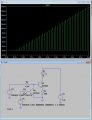
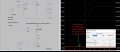
Here is a far dumber and simpler circuit that would work.
You can set the current with a control voltage, the current can be capped by selecting the emitter resistance, and you can apply PWM - independently.
It's a current sink, so it cares not about the Vf of the LED, you could add more in series, supply voltage being the limiting factor.
It can also handle the situation where the current control voltage = 0, which is problematic with opamp designs, there is always a small offset which can cause the LED to glow dimly.
Opamp circuits can also give you problems with current overshoot in transients, because loop response... this circuit is too dumb to have that problem.
I've seen LED's burn out in 2 to 5 seconds. I've seen LED's emit smoke. I've seen LED's turn into SED's. All because of over current. MY question is - do you really need to run them at that high a current? The human eye adjusts for low level light, so even if your LED is running at half the current it won't appear to be half as bright. You'll probably notice the change but it will likely seem insignificant.
So, do you really need to run them at that high a current?
PEAK current on an LED can be the culprit.
But now for a more relevant question. What about the power supply for the LM324? Is it really a constant stable bipolar supply like in the simulation drawings?? Is the supply noise-free? Or is it being used with pin #11 tied to the circuit common return line? Any failure in the negative supply side will put the positive supply voltage on the output pins.
In fact, we never asked about the location of the failures? Is it always in the same location, or are the failures randomly located???
There is always a chance that a failure is a mechanical issue or even an assembly error, I have seen both. Even the very best circuits can not always survive mechanical issues, such as poor quality IC sockets or inadequate solder joints.
A very interesting issue arose when an assembly tech had been knotting the connections together of shield braid wires and those knots were beneath the cable retainer clamps on MS connectors. Intermittent random short circuits in a cable assembly took a few minutes to locate the source of the problem.
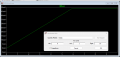
Once again thank you for your help, I am new to LTSpice how did you plot I(D1) and V(e,e1)*I(D1)? or maybe how to set it up? I think it's interesting as you mentioned if LED_adj is >4.1V the LED will over-heat
Once again thank you for your help, I am new to LTSpice how did you plot I(D1) and V(e,e1)*I(D1)? or maybe how to set it up? I think it's interesting as you mentioned if LED_adj is >4.1V the LED will over-heat
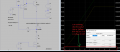
To plot I(D1) run the simulation then place the cursor over the diode until it becomes an arrow symbol then left click.
To plot dissipation, do the same but hold down ALT until the arrow becomes a thermometer, then left click.
On the chart, for transient simulations only, CTRL-left click on the tracename brings up the time averaged value of the property over the time interval displayed.
To plot I(D1) run the simulation then place the cursor over the diode until it becomes an arrow symbol then left click.
To plot dissipation, do the same but hold down ALT until the arrow becomes a thermometer, then left click.
On the chart, for transient simulations only, CTRL-left click on the tracename brings up the time averaged value of the property over the time interval displayed.
Certainly there is also a time in product development when it becomes important to physically verify the design with actual hardware and adequate instrumentation.
That need is independent of which simulator used, because not even a perfect simulator can compensate for an incorrect model of some component. Bob Pease reminded us of that at least once. And he was vastly more expert than I am, as to simulation.
It relates to that old computer evaluation: "Garbage IN, Garbage OUT!"
Not every model is correct in all aspects.
AFAIK it seems to do it by default following the 'stepped' parameter... if you right click the axis it tells you what it represents (there is a way to put the parameter name on the axis, but I can never recall how)

 Facebook
 Google
 GitHub
 Linkedin