Battery Backup (UPS) issues with charging

Thread Starter

Lumenosity

Joined Mar 1, 2017
614
Hello,
I have a CyberPower AVR900 Battery Backup UPS that is having issues recharging the batteries.
What I am asking is ......

1). How does one go about diagnosing the problem with circuit board in hand like this? I've heard of using InfraRed but I don't have access to that.
2). Is there a "most likely" culprit in situations like this?

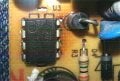
Notice the 8 pin micro chip in the lower left corner of the photo below just above the capacitor. It looks like the board has been toasted on the right side of this chip next to the diode. Is that suspect? it's a Viper22A Low Power OFF-Line SMPS Primary Switcher.
Nothing else on the board looks suspect, visually. No bulging capacitors, no other burn marks etc.

CyberPowerAVR900_Mainboard_1.jpg

Also, on the back of the board where the chip is soldered looks odd. Most of the pins are soldered together? I wonder if the excess heat flowed the solder to them or if they are supposed to be that way?

Viper22A_2.jpg
 
Last edited:

IMP002017

Joined Jan 28, 2017
192
Looking at the bottom of the board to me it looks like they traces were together for what is soldered there anyway so having the extra solder isn't going to be an issue. This isn't 100% only what I can see in the picture and it is hard to tell when you have arrows covering things. Same with the Red it looks like the Trace for them are also together so the solder is no issue....

About the board and your idea of burnt parts there are more areas that I can see that look like they were burnt at one time and may have been replaced because the Resistors in there now seem to look ok.

So for me I would look at back of board behind R25, R26, R28 and R29 Also I am going to guess it is also at Y marked for Yellow for a Spade connector The Chip you stated and item next to it.

I would go over all the Traces on the bottom around area that looks burnt on top to be safe, Look for bad joint or stress cracks, if you have a ESR meter I would test your CAPs if you don't I would remove and test best you can with DVOM.

Need to look over your CHIPS look up the Data sheets on them and see what one is for charging and see if it is within spec. Also have you confirmed that the battery isn't bad? *How old is the Battery* they don't last forever...

James
 

Thread Starter

Lumenosity

Joined Mar 1, 2017
614
Looking at the bottom of the board to me it looks like they traces were together for what is soldered there anyway so having the extra solder isn't going to be an issue. This isn't 100% only what I can see in the picture and it is hard to tell when you have arrows covering things. Same with the Red it looks like the Trace for them are also together so the solder is no issue....

About the board and your idea of burnt parts there are more areas that I can see that look like they were burnt at one time and may have been replaced because the Resistors in there now seem to look ok.

So for me I would look at back of board behind R25, R26, R28 and R29 Also I am going to guess it is also at Y marked for Yellow for a Spade connector The Chip you stated and item next to it.

I would go over all the Traces on the bottom around area that looks burnt on top to be safe, Look for bad joint or stress cracks, if you have a ESR meter I would test your CAPs if you don't I would remove and test best you can with DVOM.

Need to look over your CHIPS look up the Data sheets on them and see what one is for charging and see if it is within spec. Also have you confirmed that the battery isn't bad? *How old is the Battery* they don't last forever...

James
Thank you for the reply James!

The batteries are brand new and tested to be good. So I ruled that out.
\The spot marked "Y" is a spade cnnector on the board. The reason there is a burned spot next to it is because it came out when I was trying to pull the wire off and I had to solder it back onto the board but used a bit too much heat at that spot. So that was my error at the location marked "Y"

I'll check carefully the items you listed.
 

IMP002017

Joined Jan 28, 2017
192
Now I can't really tell because the picture is what it is. However also looking at the area where there is a Spade connector that I was talking about looking like being burnt. From this picture looking above that at the yellow fuse or transistor looking thing, it looks like the resistor to the right of that maybe broke at the part close to where it enters the board next to the Transformer? I can't really tell kind of looks like it isn't going into the hole there from this picture. However it could be just the quality of picture and flash wash...

So being with this type of install, I would check over all exposed items where they enter the board. Just another idea.
 

Thread Starter

Lumenosity

Joined Mar 1, 2017
614
Thanks for your input James :)

Really appreciated. I took a close look at that resistor and it's just the photo. It's kosher. No problems there.
 

Thread Starter

Lumenosity

Joined Mar 1, 2017
614
Ok...so I'll do my best to chronicle my progress here (if any) for the benefit of anyone who later comes along trying to fix their UPS.

So, I tested all the FETs, MOSFETs, resistors and fuses. So far everything seems ok. I have a suspicion that the problem is the Viper22A IC chip mentioned in the first post. But that's only because it appears to have overheated.

I still need to test the capacitors, the transformers and a few other components.

Anyway, I ordered a new Viper22A and it should arrive in 4 - 6 weeks so I'll be bagging and tagging this project and all the pieces for a month or so until those arrive.

If it DOES turn out to be the Viper22A, I'll add a small heatsink to it to help dissipate the heat next time.
 

IMP002017

Joined Jan 28, 2017
192
TBO, I think that was do to over heating of the soldering when they were putting this together. If I read this right that is all the same Drain side and was also all Soldered together on the other side. Sadly I think they used to much heat doing so and discolored the board? The other 2 soldered together is Source in the chip and that leave Vdd and FB that were soldered alone. To be honest I am not sure this chip could do that kind of damage. One of the things is if this board is soldered with Lead Free solder it is likely overheated board?

Hope you find out what is going on with your system. Seeing you ordered one, With hope that is the problem.

James
 

Thread Starter

Lumenosity

Joined Mar 1, 2017
614
Here's an uncluttered shot of he back of the Viper22A chip without the arrows
Still think it was overheated during initial soldering?

Viper22A_Rear.jpg
 

IMP002017

Joined Jan 28, 2017
192
To me it looks like a few things. Now I can't see very well in picture, However it does look like it was over heated and is or was Dry Solder joints. If it is a Dry solder joint it could be they didn't really take to the pad and is Arc between solder and pad?

I am not sure that is what is going on.

(I) would clean off the old Resin flux that does look like it was very hot when solder was applied. Add some Amtech 559 flux and reflow this. This would be done very fast in a way not to over heat chip. Then the hardest part because of the ability to over heat this chip. I would use some Gootwick CP3515 that is the largest of the Gootwick I use at 3.5mm and would remove all the solder off them pins.(this would be done rather fast may need little extra flux to help if needed) Clean up with some 99% Alhohol, add some more 559 Flux and solder that area back in again not leaving the soldering iron there for long and would most likely use my Hakko Fx-951 with a Chisel tip maybe my DL52 or DL32 wouldn't know until I was looking at the board. I would look over all the soldering from manufacture and reflow anything that don't look right.

Now as I said (I) that is what I would do... Not saying that is what you have to do. Plus with new chip coming not much of an issue of replacement is needed after all..

Sadly that is some Arc welding looking soldering job to be honest Most likely from a soldering pot type of solder job....

Edit: By the way the part about Soldering Pot Soldering job was a joke. Just mean it looks like the crude off the top of a soldering pot that isn't skimmed. Just saying.
 
Last edited:

Thread Starter

Lumenosity

Joined Mar 1, 2017
614
Thanks again!
Ok, I'm going to remove the chip and replace it when the new one arrives.
Will follow your instructions.

All the capacitors "look" good but I'm going to test them. Other than the Viper22A chip, I just don't see anything else.

I also want to look over the datasheets for the Viper22A and see if all 4 pins on that one side should be connected.
Seems odd to me.
 

Thread Starter

Lumenosity

Joined Mar 1, 2017
614
Was just thinking....

I don't know exactly how these devices work but there are a number of relays on the board.
4 on this one.

I'm wondering if one of them is a charge relay?

I guess I need to test all the relays but then the Viper22A"might" operate the relay....I don't know
 

IMP002017

Joined Jan 28, 2017
192
All the Pins on one side are the same (Drain) As I was saying in post 8 also the other 2 are also the same so connected together is fine.

I also think the chip would be hard pressed to get heated enough to damage the board unless it don't have any Thermal Mass to it. I think the chip has protection to shut down in the event it gets hot. I guess it could have been really hot just under the protection values for long times and that may have over heated the board. Looking at the Soldering on back with the amount of Rosin solder around the area I think it may be from soldering this together.

About the Charging of the battery it is part of the Viper to help with making sure the battery is able to charge at the right current and so on. It very well could be the Chip is bad. I am not 100% sure that it was damaged by over heating to a point that the board is like it is... It has loads of protection in that chip to shut things down if things are going bad. Over Current, Over Voltage and Temps are part of its uses.

If something went wrong it could be something with the Feedback and still with other protections in place it shouldn't have had an over voltage event because on the main input it has Over voltage protection in the chip..
 

Thread Starter

Lumenosity

Joined Mar 1, 2017
614
All the Pins on one side are the same (Drain) As I was saying in post 8 also the other 2 are also the same so connected together is fine.

I also think the chip would be hard pressed to get heated enough to damage the board unless it don't have any Thermal Mass to it. I think the chip has protection to shut down in the event it gets hot. I guess it could have been really hot just under the protection values for long times and that may have over heated the board. Looking at the Soldering on back with the amount of Rosin solder around the area I think it may be from soldering this together.

About the Charging of the battery it is part of the Viper to help with making sure the battery is able to charge at the right current and so on. It very well could be the Chip is bad. I am not 100% sure that it was damaged by over heating to a point that the board is like it is... It has loads of protection in that chip to shut things down if things are going bad. Over Current, Over Voltage and Temps are part of its uses.

If something went wrong it could be something with the Feedback and still with other protections in place it shouldn't have had an over voltage event because on the main input it has Over voltage protection in the chip..
James,
Can't tell you how much I appreciate your feedback and insight.
Thank you.
As things progress I'll keep the thread updated.
 

Thread Starter

Lumenosity

Joined Mar 1, 2017
614
I replaced the Viper22A chip and that didn't resolve the issue......however....it does seem to be charging now but VERY VERY slowly. It may have been charging at this rate before....not sure. I measured .09amps. Not even one tenth of an amp.

That said, occasionally one of the relays on the board would click and then the charge rate would increase momentarily to .5 amps (half an amp).....but would not stay there....it drops back to .09amps.

So something strange is going on but I'm not sure what.

What could cause the charge rate to be very LOW ? I was expecting at least 1 amp charge rate.
 

Dodgydave

Joined Jun 22, 2012
11,395
The Viper chip is a Smps chip, the pins 1,2 and 5-8 are desinged to be shorted together, i would suggest that chips U4, U7 are to do with charging the battery.
 

Thread Starter

Lumenosity

Joined Mar 1, 2017
614
The Viper chip is a Smps chip, the pins 1,2 and 5-8 are desinged to be shorted together, i would suggest that chips U4, U7 are to do with charging the battery.
Thank you for the reply DD. I will most certainly check into them.

U4 is
LM324-N Low Power Quad Operational Amplifier

and I think U7 is the same

Would that verify that these chips control the charging circuit?
What is the likelihood either or both would fail?

A little searching turned up this on the LM324N......

In this thread......
https://forum.allaboutcircuits.com/threads/lm324-tester-circuit.45301/

beenthere
Retired Moderator said.........

I just had one that went bad in my scope.
475s are scopes from the 1970s. And Tek power supplies are always a bit fragile.

One op amp in 40 years isn't too bad for lifetime. They hardly ever fail (with the caveat 'in a good design').


Thanks
 
Last edited:

dendad

Joined Feb 20, 2016
4,635
The board looks like it is burnt from long time heating, not soldering.
Those Viper pins do look sus. And C23 and D23 need to be checked for good connections. usually they would be nicely aligned. It does look like the heat has softened the solder enough to allow them to move a bit.
As in all things switchmode, check the electrolytic caps for capacitance and ESR (Equivalent Series Resistance) and if they are failing, chuck them. It is a pretty good idea to change the electros if it is old anyway. But use low ESR 105C caps, not the 85C ones.
It may have been a poor solder joint on the Viper switcher that caused the overheating, but crook electros can do that too as the switched supply will have a lot of noise on it and at higher volts so the Viper will have to dissipate a lot more energy. I've seen quite a few switchmode supplies burn a hole in the PCB because of dried out electros not doing their job. There was a stack of 24V HMIs from a factory I fixed thet had that problem. It was made worse by the manufacturer not installing the on board fuses but putting links in their place. A polyswitch or fuse would have saved these boards from such damage. After the repair I did, the links were tossed and polyswitches installed!
But again, ELECTROS!!! Big switchmode killers!
 
Top