Facebook
 Google
 GitHub
 Linkedin
Hello and Happy New Year! So, I have had this X54H laptop for about a year now, bought it used at a very good price for the performance, but since it arrived it had one issue: the left trackpad button wasn't working. So, now that I had some free time, I decided to open it up and fix it. To my suprise, the buttons were soldered on to the Motherboard. So, I went to a local electronics shop and bought me a similar button to the broken one, the difference being in the fact that the new one is missing a 5th pin. I hoped it would work just fine, but when I went to solder it on the Motherboard, two copper pads came off.
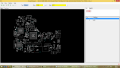
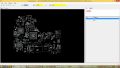
Now, I started looking for a schematic, which I actually found and used to solder some wires to connect the button pins to the needed signal creators. The schematic will be in the attachments below. I had to replace SW3101, but both the LEFT copper pads came off, so I soldered the LEFT pins from the button together and soldered a copper wire to the chip creating the signal from the bottom side of the board (forgot its name, I'm writing this from my phone and I can't view the schematic right now). The LEFT signal is indeed being triggered, only issue is that it's always triggered, regardless of the physical press. Why is this and how can I fix this?
Now, I started looking for a schematic, which I actually found and used to solder some wires to connect the button pins to the needed signal creators. The schematic will be in the attachments below. I had to replace SW3101, but both the LEFT copper pads came off, so I soldered the LEFT pins from the button together and soldered a copper wire to the chip creating the signal from the bottom side of the board (forgot its name, I'm writing this from my phone and I can't view the schematic right now). The LEFT signal is indeed being triggered, only issue is that it's always triggered, regardless of the physical press. Why is this and how can I fix this?
Attachments
-
143.5 KB Views: 13