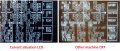
If I had the computer I would get a scope picture of the video and syncs running a CRT.
Then get a picture of the video into the LCD.
My guess is that you have 4 volage levers going into the monitors.
sync, black, white, bright. I think the LCD sees white and bright as the same thing. Why?
1) The video has too much signal. (reduce the amount of video)
2) Turn down the brightness and or contrast.
The difference is quite obvious.
The LCD uses pixels. A pixel is either on or off.
The CRT responds to analog signals. Hence you can vary the brightness by varying the signal peak amplitude and width of the pulse.
I don't know what type of LCD is being used. Many LCD monitors can make 256 brightness levels. Some can do 1024 or 4k levels. It is hard to find a 2 level LCD display that is more than character basted.
The ADC in the front end of the LCD monitor can probably only handle 1 volt of signal. A 1.5 volt signal will clip and remove the "bright" level.
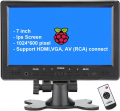
Regarding monitor . Found this:
Car Monitor 7 inch TFT LCD Display 2 Way Video Input PAL/NTSC Monitor 12V for Auto Rearview Home Security Surveillance Camera
Specification:
Screen size: 7-inch high-resolution TFT LCD display
Aspect ratio: manual 16:9 and 4:3
Resolution: 480 (H) * 234 (V) or 800 (H) * 480 (V)
Input voltage: DC 12V
Brightness: 300cd/m2
Product size: 174 * 113 * 19mm/6.85*4.45*0.75"
Standard: PAL / NTSC automatic switching
Video input: DVD AV1, Car Camara AV2, AV2 is priority
Power consumption: <7W
If I had the computer I would get a scope picture of the video and syncs running a CRT.
Then get a picture of the video into the LCD.
My guess is that you have 4 volage levers going into the monitors.
sync, black, white, bright. I think the LCD sees white and bright as the same thing. Why?
1) The video has too much signal. (reduce the amount of video)
2) Turn down the brightness and or contrast.
My hobby scope can take pictures. Do you mean that ?
Are input signals different in case of LCD and CRT ? I can take only separate signals for CRTt . For LCD I can take separate before my mixer and composite after.
Does it matter if I adjust brightness on the output board vs LCD monitor (via menu) itself ? Tuning output pots did not bring satisfaction. Monitor not tryed yet as need disassemle machine to get to its buttons.
Today finally got may hands on VGA computer monitor. Nothing happened. Monitor reported "No Signal" and was gone to sleep land. Not a blink.
Interesting why is that ?
Today finally got may hands on VGA computer monitor. Nothing happened. Monitor reported "No Signal" and was gone to sleep land. Not a blink.
Interesting why is that ?
Since you need to do this for a number of machines, you could digitize the video on an STM32 MCU and then generate the image on any type of screen of your choice. You could even broadcast the image to any portable device and across the web. This has enterprising opportunities but, of course, requires a lot more effort.
Yes.
I have spent many years of my life trying to get some computer to talk to a monitor or TV I designed. Or to get a computer I made to talk to a monitor. Therse little computers are known to make "a bastard" of video. We do know what the signals look like.
Here is what composite should look like.
Don't worry about where 0V is because the monitor will look for "black level" and clamp that voltage to black.
So you want the sync to be about 0.3Vp-p. It will probably work from 0.2 to 0.5. Depending on how good the monitor is.
The video should be about 0.66Vp-p. After your XOR circuit it could be anything.
The video from your computer (when terminated into a 75 ohm resistor) should look much like this but without the sync. It probably will look 2x larger with no resistor.
The end product you want should have three levels in video. Black should be at about 0.34V. White should be at about 0.6V (more or less) and bright should be near the 1V point. (I think you have it at 1.5v)
Again don't worry about exact voltages. The signal is ac coupled so it "0" might be at some other voltage but the monitor will correct for that. Try to have the "video" portion to be in the range of about 0.7 volts p-p with sync below that.
---edited---
Do not think about VGA. It is wrong. Stay with "broadcast TV" type video.
The little car monitor you have is low quality. We can use it to get the video looking right. Then we can look at upgrading the monitor.
---edited again----
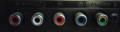
All my TVs have jacks like this. Use the yellow connector.
Some TVs have jacks for H, V, R, G, B. This is very good. After the video level is fixed then we can look at LCD or LED TVs. Any decent TV will look better than the car monitor.
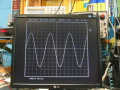
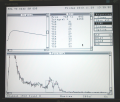
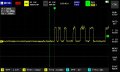
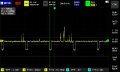
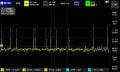
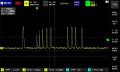
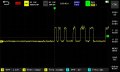
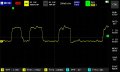
Got some views on composite signal. Every time I try I get different result.
I dont understand where there are different level of brightness. I dont see sync signals here too.
What I see is that VPP is always over 1V. Do I have clipping on monitor ?

 Facebook
 Google
 GitHub
 Linkedin