Which software should I use to draw electrical circuit on Windows 11?

Jon Chandler

Joined Jun 12, 2008
1,621
....I also have EAGLE, a free version....

"Easy EDA" looks like it could be a good choice as well, but I am not familiar with it.
I started out with Eagle, which has a brickwall learning curve. Whether you're a Windows, Mac or Linux user, the Eagle user interface was a huge obstacle to getting started. I earned a lot of free laser-cutter time at a local makerspace conducting seminars to help people get started.

I tried Kicad, and it left me totally confused. I tried various vendor-supplied options, but found them lacking for reasons like requiring an extortion fee to get Gerbers or that your files weren't private – anybody could steal your work.

Then I tried EasyEDA (the standard, not pro version). It truly was easy to use, not without a few quirks, but the learning curve wasn't steep. Thinking "I'll just try this out, but I'm sure it won't be as good as Eagle", after playing with it for an hour, I've never looked back.

Your files are private, unless you want to share them, you can download Gerbers with a single click that any fab house will accept without complaint, and as Schmitt Trigger said, the component library is vast.

If you want to make boards, and even have them assembled, it's a one click process with JLCPCB... but it's just a matter of downloading files if you want to use another fab.
 

BobTPH

Joined Jun 5, 2013
11,566
I also tried Eagle, Kicad, and another popular freeware one who’s name escapes me, (oh, Diptrace?) Started using a free web based one from a PCB vendor, much better but it (purposely) did not produce Gerber files. So I wrote my own. I call it BobCad.
 
Last edited:

MisterBill2

Joined Jan 23, 2018
27,713
My complaint about Eagle was indeed that steep learning curve. I had produced several complex PCB layouts with Autocad for one employer and as I was good with it, it worked well for PCB layouts, although no auto-router at all. It was A cad version of tape layout. Which I had been good at. What I do not recall is the format of circuit drawings in Eagle. Would they post easily on this site??
 

Jon Chandler

Joined Jun 12, 2008
1,621
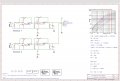
EasyEDA schematics can be output as png files or pdfs.

Here's a simple one I have access to on my phone.

Many newbies are saddened to learn that the EasyEDA "convert to pcb" doesn't automagically produce a ready-to-send pcb file (it puts the footprints from the schematic on the pcb screen, with all the nets shown by "rat lines" – "air wires" in Eagle terminology).
 

Attachments

Jon Chandler

Joined Jun 12, 2008
1,621
Here's a screen shot of the pdf, since some members are reluctant to click a link. I didn't have the png version on my phone.

Since it is a screen shot, the resolution is not as great as a proper png export.

Screenshot_20240928_145830_Dropbox.jpg
 

LowQCab

Joined Nov 6, 2012
5,101
@LQC: that is a very interesting circuit. A controller for possibly a pro-stock dragster??
.
Well...... not exactly "Pro-Stock", those are the boys with the big-bucks corporate-sponsorships.

Things can actually get more complex when everything is "protected" against
accidental "oopsies" where something was missed on the check-list.
"Oopsies" can be extremely expensive, and/or, dangerous.

This Schematic is about half of the automation and safeties for
the Transmission, Lock-up Torque-Converter, and "Line-Lock" system for the Brakes,
and doesn't show the Transmission or Engine Computers.

It gets even more complicated when it's also expected to be a mild-mannered, daily-driver, truck.

PCBs are generated with "Express-PCB", it seems to work reasonably well.
.
.
.
 

djsfantasi

Joined Apr 11, 2010
9,237
My favorite is DipTrace. It had a manageable learning curve. And I’ve always been able to find a component in its library whose pinout and footprint matched the component I need.
 
PCBs are generated with "Express-PCB", it seems to work reasonably well.
I used ExpressPCB for many years and have made dozens of boards with it. It is a great example of effective & functional simplicity. Basic and lightweight software, free from "feature-itis" bloat. But it is a "captive" program (the first batch of pcbs need to be ordered from ExpressPCB) and the "Classic" version has been "sunset." It is fading away.... There is a new version which I have not seriously tried after transitioning to KiCad.

I have heard of Drip Trace [ :) ] but have no reason to try it.
 

MaxHeadRoom

Joined Jul 18, 2013
30,699
Can KICAD also produce PCB layouts?? That is a function that I also need.
Kicad can do the whole process from schematic to board development to a final gerber production files etc


"CERN has recently announced a change in their support of the KiCad project. They are stopping the KiCad donations program and are now paying for KiCad support contracts directly with KiCad Services Corporation. The full announcement is available on the CERN & society foundation website.
The KiCad project would like thank CERN for all of their contributions. Their generosity has allowed the KiCad project rapidly progress to where it is today.
Many Thanks,
The KiCad Team"
 
Last edited:

panic mode

Joined Oct 10, 2011
5,048
i tried so many EDA products at one point or another. once i switched to KiCad some 15 years ago, i never had to look back. and it only got better and more powerful. and i like no limitations on number of layers, board size, number of connections etc. 3D viewer for as long as i remember. i can install it on as many computers as i want. no license code to get or renew just when you are trying to send your design out. internally everything is kept in simple files that if needed can be easily manipulated using text editor if one is inclined to do that. easy to create own symbols and footprints. updates are done if and when i decide to do so. allows scripting, and supports plugins.

1727630369738.png
 

Attachments

Top